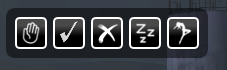
This is the mainwindow... I tried to design it in the look of the inventory (size at 80%, bgalpha 50%). Each of the 5 buttons contains a submenu. This window is moveable at the borders.
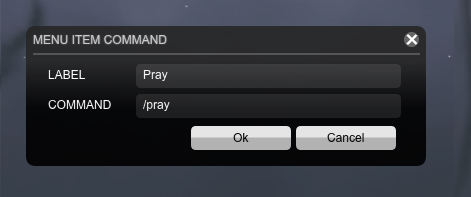
Settingswindow... If you click the gear in the submenu, this window pops up, letting you change the label and command.
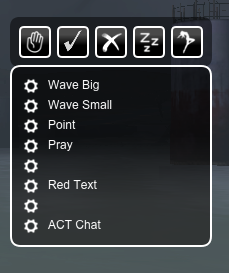
Menustructure: The main window contains 5 configurable menues like this.
Description
This mod is created to simplify often used chatcommands in a menu so that these can be called without entering the whole text in the chat. It contains of 40 Commands that can be configured (the download allready contains some examples that can be used or changed). Also it is possible to add scripts that change the textcolor in the chat or even post a whole cabal recruitment script.
Installation:
Use the Curse-Client or copy the files like...
[Your-TSW-directory]\Data\Gui\Customized\Flash\QuickEAC\CharPrefs.xml
[Your-TSW-directory]\Data\Gui\Customized\Flash\QuickEAC\Modules.xml
[Your-TSW-directory]\Data\Gui\Customized\Flash\QuickEAC\QuickEAC.swf
Uninstall:
Delete the Folder...
[Your-TSW-directory]\Data\Gui\Customized\Flash\QuickEAC\
Donate:
If you like this addon, please donate a little amount, so that new addons are comming soon ;)

You want to see me in game?... Look for "meeehr"!
Have fun!
Quick Emotes and Commands Team

![[SWL] AutoSprint project image](/images/flame.svg)