Light Mod
- By
Lets you change the radius and intensity of lights and turn them on and off all on-the-fly, as well as lets you add custom light sources to existing object types.
Light Manipulation
To adjust the intensity of an object's light source, hover over its base tile and use the scroll wheel. For smaller incremental changes, hold down Left Shift or for even smaller changes Left Control. This also works for ambient light glows (sunlight, etc.).
To adjust the radius of an object's light, hover over its base tile and use the scroll wheel while holding down Left Alt. For smaller incremental changes, hold down Left Shift or for even smaller changes Left Control.
To turn a light on or off manually, hover over its base tile and press the middle mouse button. Note that lights will not turn on during the day time.
Custom Light Sources
You can use Content Patcher to add a custom light source that uses either one of the game's 9 built-in light textures, or create your own png file to use as a light texture.
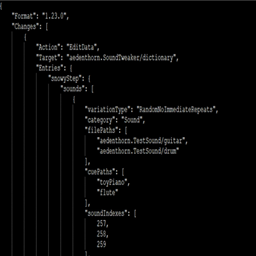
Here is an example of both:
{
<br />   "Format": "1.23.0",
<br />   "Changes": [
<br />      {
<br />         "Action": "EditData",
<br />         "Target": "aedenthorn.LightMod/dictionary",
<br />         "Entries": {
<br />            "Plush Bunny": {
<br />               "color": {
<br />                  "R": 150,
<br />                  "G": 50,
<br />                  "B": 50,
<br />                  "A": 255
<br />               },
<br />               "textureIndex": 4,
<br />               "radius": 1,
<br />               "offset": {
<br />                  "X": 32,
<br />                  "Y": 0
<br />               },
<br />               "isLamp": true
<br />            },
<br />            "Wicked Statue": {
<br />               "color": {
<br />                  "R": 255,
<br />                  "G": 255,
<br />                  "B": 255,
<br />                  "A": 255
<br />               },
<br />               "texturePath": "CLSWickedStatueLight",
<br />               "textureFrames": 20,
<br />               "frameWidth": 240,
<br />               "frameSeconds": 0.1,
<br />               "radius": 2,
<br />               "offset": {
<br />                  "X": 32,
<br />                  "Y": 0
<br />               },
<br />               "isLamp": true
<br />            }
<br />
<br />         }
<br />      },
<br />      {
<br />         "Action": "Load",
<br />         "Target": "CLSWickedStatueLight",
<br />         "FromFile": "assets/purple.png"
<br />      }
<br />   ]
<br />}
If you specify a texture path, it will ignore textureIndex. Valid texture indexes (for lights without custom texture files) are:
- 1 (lantern)
- 2 (window)
- 4 (sconce)
- 5 (cauldron)
- 6 (indoor window)
- 7 (projector)
- 8 (fish tank)
Animated textures can use the following extra fields:
textureFrames refers to how many frames animated textures have. Place frames horizontally in a single row on the graphics file.
frameWidth is how many pixels wide each frame is on the sheet.
frameSeconds is how many seconds each frame should last.
Config
You can edit the config.json file that is created when first running the game or use GMCM.
Technical
Requires SMAPI.
Implements a Generic Mod Config Menu interface to change config settings in-game.
Compatible with Mod Updater for automatic updates.
Code is at https://github.com/aedenthorn/StardewValleyMods.
If you want to complain or ask for help or help me test my mods, you can visit my Discord server.
A list of all my mods for Stardew Valley is available at https://www.nexusmods.com/stardewvalley/articles/895.
Light Mod Team

Owner