Overview
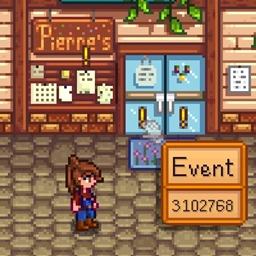
This mod adds a convenient list of custom actions as a sliding drawer under the day-time-money box, mainly as an alternative to adding more hotkeys to the game. To toggle the drawer, click on the circle thing between the weather and season icons, or press the custom hotkey (default NumPad 5).

If you have a mod that adds to the day-time-money box and want this drawer to open somewhere else, you can set Custom Position to true in the config. By default it will draw beside the box (see screenshots) but you can set a custom x and y position in the config.
By default, the list just keeps getting bigger the more mods make use of it. If you find it getting too big, you can set the Max Entries in the config, which enables scrolling for the list using the mouse scroll wheel.
You can also remove specific entries by hovering over them and pressing the hide hotkey (default middle mouse button). This adds them to a list in config.json; to get them back you have to manually remove them from that list.
Adding Entries
Via Config
The config file has a list you can add to to trigger custom keypress combinations. There is one entry by default:
"GMCM|Generic Mod Config Menu|F12"
Separated by the pipe symbol "|", these give the name, description, and key to press in that order.
You can specify multiple keys to press by using a comma to separate, e.g.:
"GMCM|Generic Mod Config Menu|LeftControl,F12"
890f9064-f108-4f42-93ce-ad458be2b5dc
Via Content Patcher
You can add an entry triggering a keypress using content patcher, e.g.:
You can also trigger trigger actions using Content Patcher, e.g.:
Via C#
You can add custom actions via C#, e.g.:
Technical
Requires SMAPI.
Implements a Generic Mod Config Menu interface to change config settings in-game.
Translations should use config variable names as the keys, adding .Desc to the end of the key for hover descriptions.
Code is at https://github.com/aedenthorn/StardewValleyMods.
A list of all my mods for Stardew Valley is available at https://www.nexusmods.com/stardewvalley/articles/895.
This mod adds a convenient list of custom actions as a sliding drawer under the day-time-money box, mainly as an alternative to adding more hotkeys to the game. To toggle the drawer, click on the circle thing between the weather and season icons, or press the custom hotkey (default NumPad 5).
If you have a mod that adds to the day-time-money box and want this drawer to open somewhere else, you can set Custom Position to true in the config. By default it will draw beside the box (see screenshots) but you can set a custom x and y position in the config.
By default, the list just keeps getting bigger the more mods make use of it. If you find it getting too big, you can set the Max Entries in the config, which enables scrolling for the list using the mouse scroll wheel.
You can also remove specific entries by hovering over them and pressing the hide hotkey (default middle mouse button). This adds them to a list in config.json; to get them back you have to manually remove them from that list.
Adding Entries
Via Config
The config file has a list you can add to to trigger custom keypress combinations. There is one entry by default:
"GMCM|Generic Mod Config Menu|F12"
Separated by the pipe symbol "|", these give the name, description, and key to press in that order.
You can specify multiple keys to press by using a comma to separate, e.g.:
"GMCM|Generic Mod Config Menu|LeftControl,F12"
890f9064-f108-4f42-93ce-ad458be2b5dc
Via Content Patcher
You can add an entry triggering a keypress using content patcher, e.g.:
{

    "Format": "2.9.1",

    "Changes": [

        {

            "Action": "EditData",

            "Target": "aedenthorn.LauncherDrawer/dict",

            "Entries": {

                "MyModId": {

                    "Name": "My Mod",

                    "Description": "Press me!",

                    "Keybind": "F11"

                }

            }

        }

    ]

}
You can also trigger trigger actions using Content Patcher, e.g.:
{

    "Format": "2.9.1",

    "Changes": [

        {

            "Action": "EditData",

            "Target": "aedenthorn.LauncherDrawer/dict",

            "Entries": {

                "MyModId": {

                    "Name": "My Mod",

                    "Description": "Press me!",

                    "Action": "MyMod_OpenMenu"

                }

            }

        }

    ]

}
Via C#
You can add custom actions via C#, e.g.:
private void Content_AssetRequested(object sender, AssetRequestedEventArgs e)

{

    if (!Config.ModEnabled)

        return;

    if (e.NameWithoutLocale.IsEquivalentTo("aedenthorn.LauncherDrawer/dict"))

    {

        e.Edit((IAssetData data) =>

        {

            data.AsDictionary<string, Dictionary<string, object>>().Data["aedenthorn.AllChestsMenu"] = new()

            {

                { "Name", SHelper.Translation.Get("chests") },

                { "Description", SHelper.Translation.Get("open-chests") },

                { "Action", new Action(() => OpenMenu()) }

            };

        });

    }

}
Technical
Requires SMAPI.
Implements a Generic Mod Config Menu interface to change config settings in-game.
Translations should use config variable names as the keys, adding .Desc to the end of the key for hover descriptions.
Code is at https://github.com/aedenthorn/StardewValleyMods.
A list of all my mods for Stardew Valley is available at https://www.nexusmods.com/stardewvalley/articles/895.
The Launcher Drawer Team


Owner