ℹ️Animated Crow
This object started once as an invisible object spawning the animated crow repeatedly. Just as happened with some of my other mods, the vfx of the crow changed the way it was working before.
First of all it stopped spawning repeatedly, besides that it would disappear when zooming out too far or when leaving the lot.
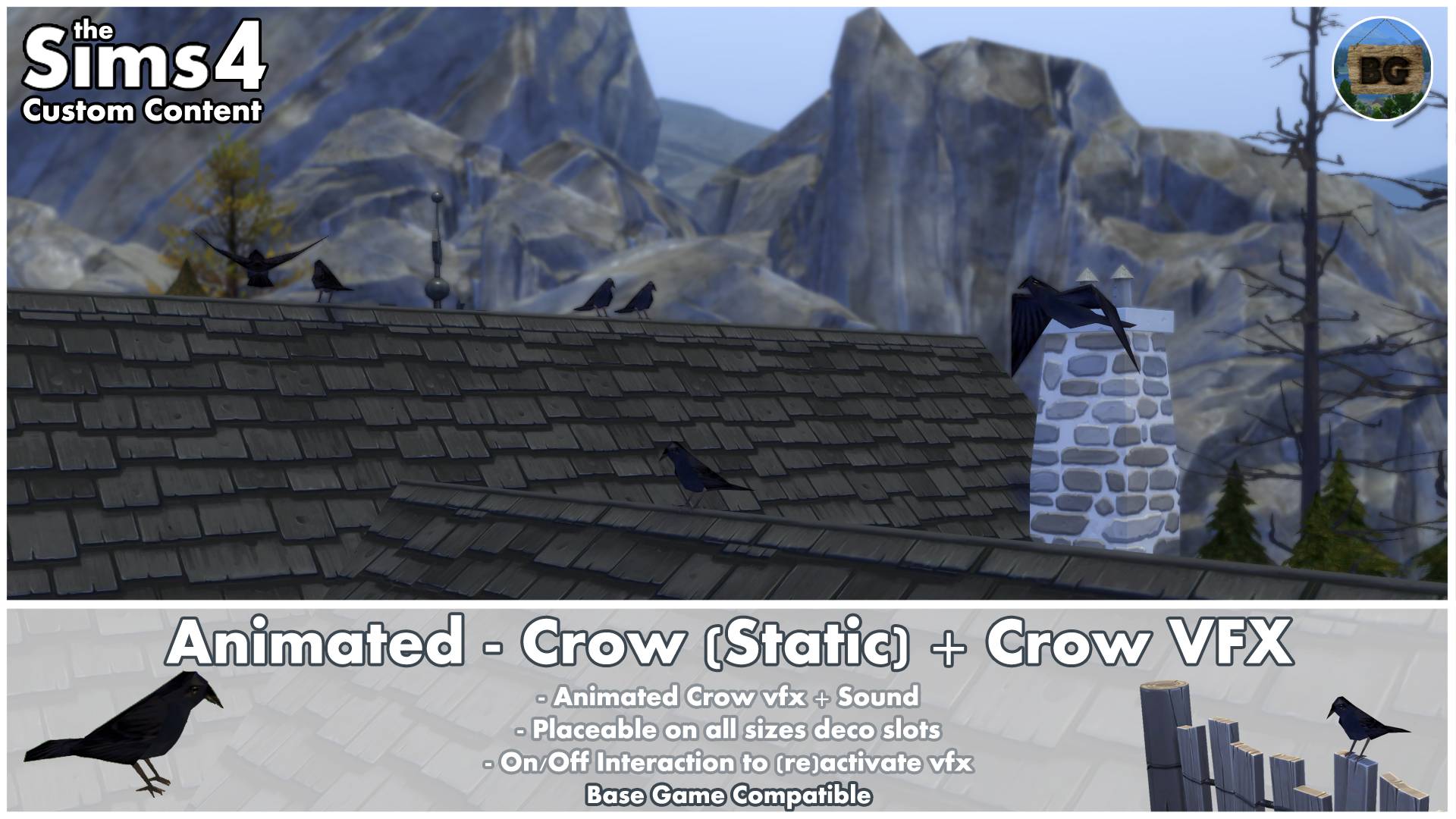
That's why now there's a static crow object that will spawn the animated one right next to it. This will be repeated for an infinite time again.
If the animated crow disappears, you can use an on/off interaction to make it to reappear.
To see the actual animation/effect, I recommend watching my video from 2017. Doing so, You will also get to see some examples of where to use it. Be aware that back then it was an invisible object spawning the crow instead of a static crow object.
Interactions
As mentioned before, the animated crow vfx will disappear when zooming out too far or when switching lots. To fix this, you can use an on/off interaction.
Whenever it stops showing up next to the static object, click the static crow, to switch the vfx 'Off' and after that 'On' for the animated crow to reappear.
You can also try a fast double "Double-click", (so clicking 4 times in a row).
Placement
This object can be placed both on terrain as on all water surfaces.
The reason for this, is because this makes it easier to raise it (MOO cheat) to something hanging above the water surface like rocks or branches. It's also easier to place it onto floating things like logs or to rocks or branches sticking out of the water.
It can also be placed very close to or even through other objects.
This makes it possible to place it in between plants and grasses for example.
There's also the possibility of placing it on all deco slot sizes. Just be aware that when placing the static crow, the animated one has enough space to land. So for example not on a single fence pole, but on a table.
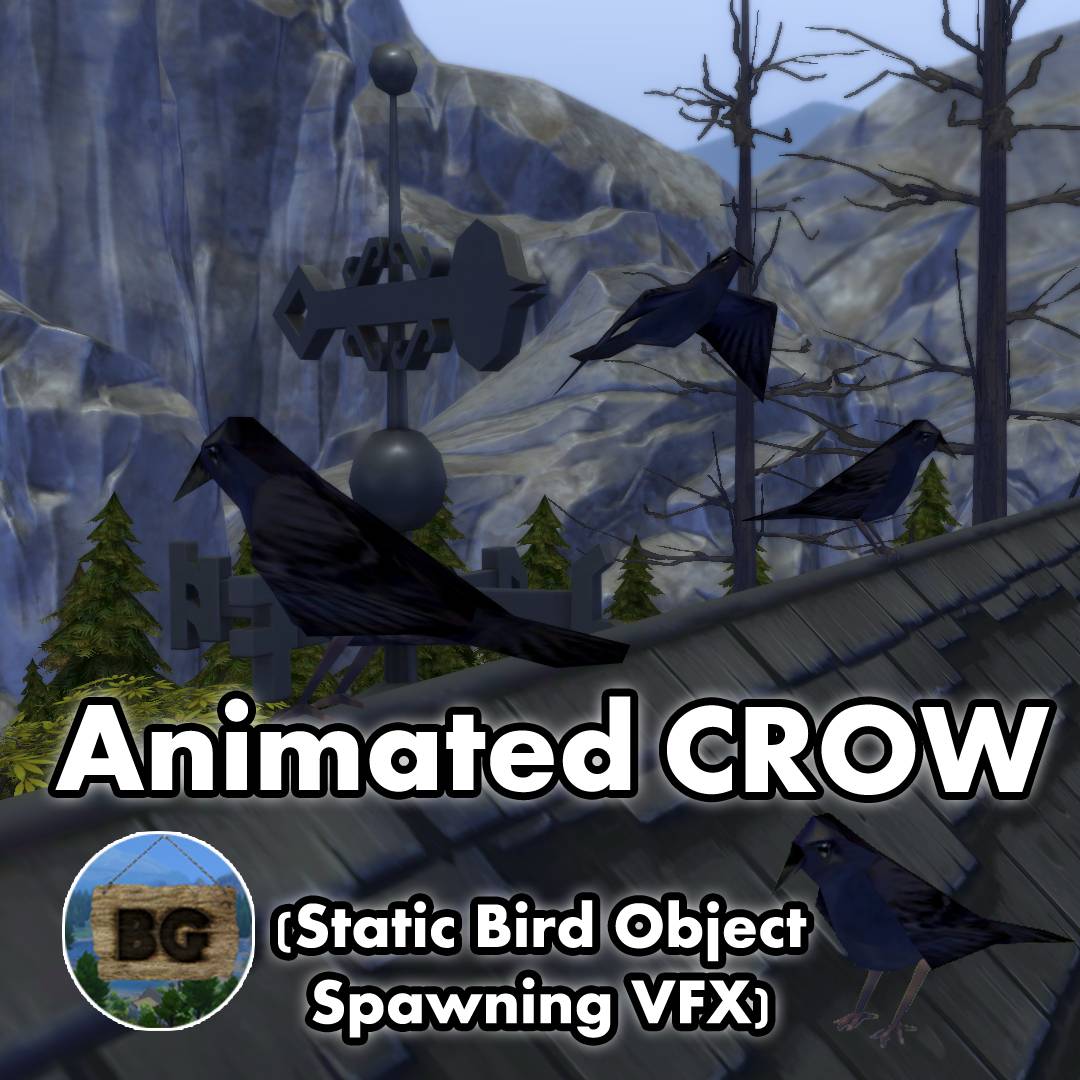
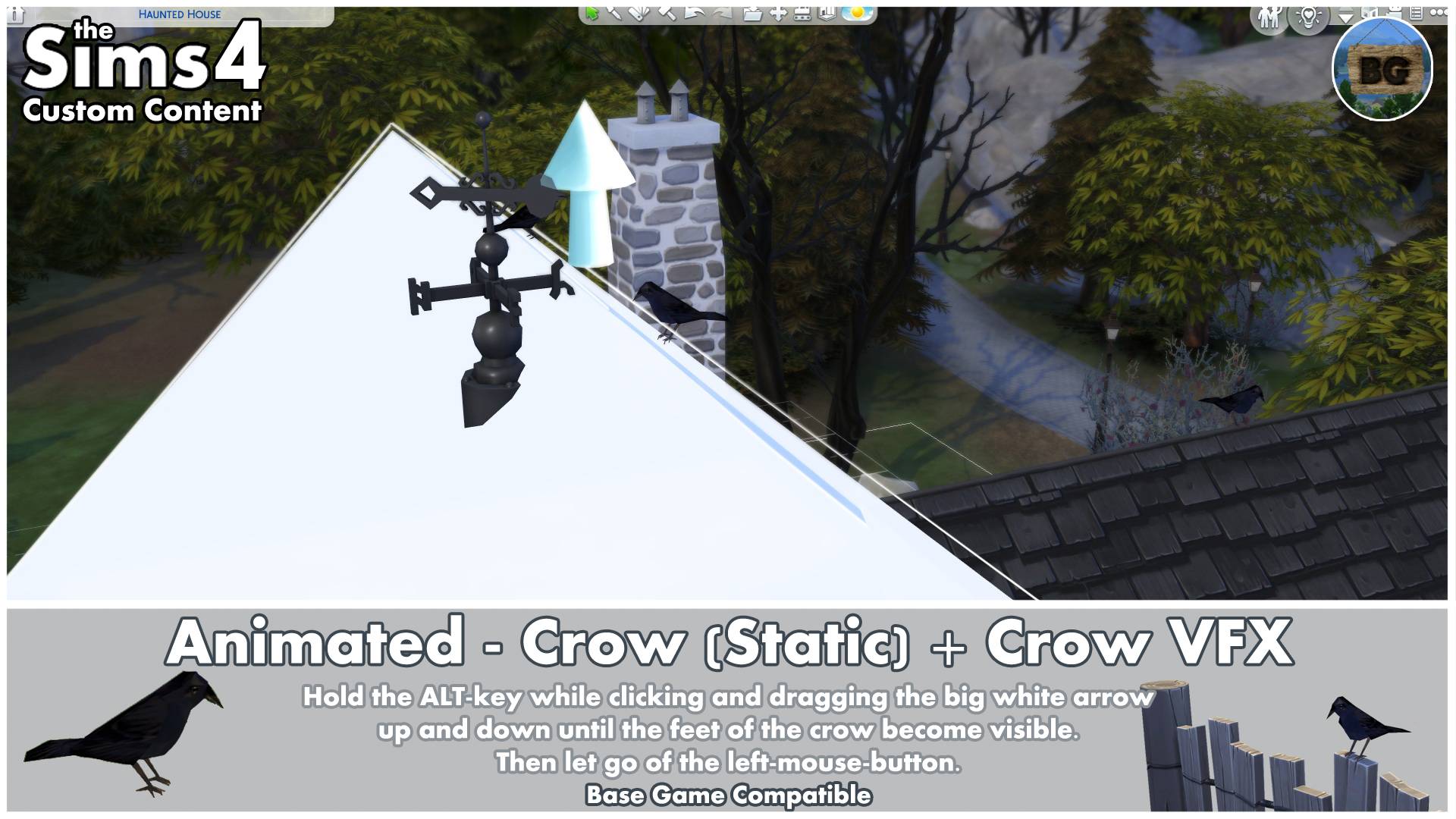
Placement on roofs (Thumbnail)
If you want the crow to sit on top of your roof, like on the thumbnail, you will have to activate the MoveObject On' cheat first. After this, raise the crow with the number '9-key' until it hits the upper part of the roof edge (0-key for lowering the object).
If the feet disappear in the roof, hold the ALT-key while moving the big white arrow up and down until you see the feet again. Let go of the left-mouse-button and the crow is placed correctly on the roof. The animated one will also land correctly on the roof now.
🔎Search tags
The following search tags can be used to find them in game:
Bakie, Black, Crow, Static, Animated and VFX.
🚨What has been updated🚨
• Updated Object Name, Object Description & Object Search Tags.
• Updated Catalog Thumbnail.
• This object can't be stolen by a burglar, repossessed or recycled.
• Replaced the vfx code with one that keeps repeating instead of only appearing once.
• Added a Static Crow version instead of the invisible object, with an On/Off Interaction for the crow to fly in and out.
If you have already downloaded this mod somewhere else before , be sure to delete the old version with the file name (Or something Similar):
BakieGaming-Animated-PlaceableBirds-Crow-1.77
====================================
ℹ️EXTRA INFO
Short notes
• This object is Base Game Compatible.
• It's a standalone object, so it won't override any other objects in game.
• It can be found by going to Build Mode > Outdoor Water Décor > Pond VFX.
• You can also find it by typing 'Crow' into the search bar.
• The object's catalog thumbnail, shows the Crow with my "BakieGaming" icon in the lower right corner.
Pack Requirements
Base Game Compatible
Game Version
1.119.109.1020
====================================
📺YouTube Video
To watch the video I made back in 2019, click the following link:
Animated - Crow
====================================
Take a look at my Patreon page to easily find more Bird-like mods in the Birds Collection!
___________________________________
Want to share my mods?
You may share my creations, but always give me credit and don't upload my creations anywhere else. Just link back to this page. I would also appreciate it if you could add my video (if available) instead of (only) the thumbnail.
Want to support my work?
https://www.patreon.com/BakieGaming
======================================================