autocomplete in action
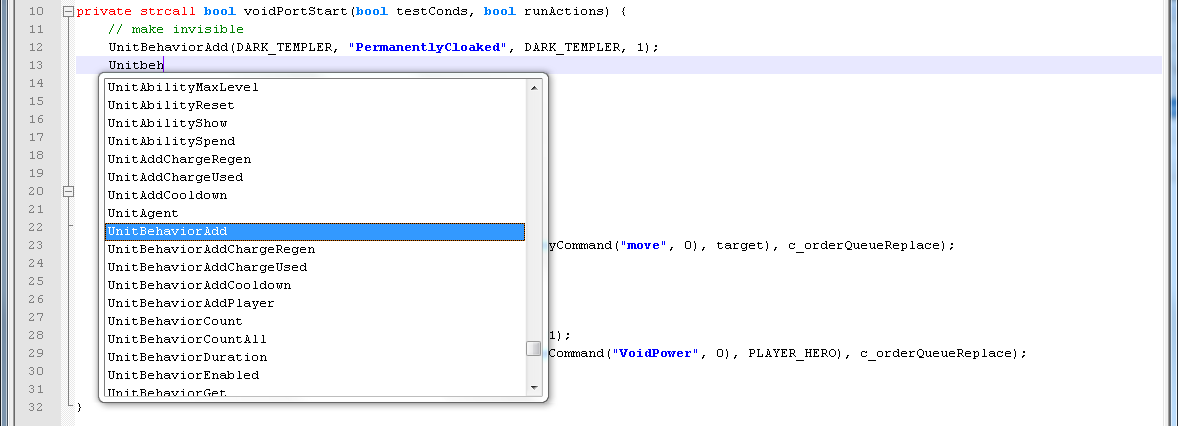
The autocompletion in action
Description
I'm not working on this anymore, just use Galaxy++
This is an autocompletion file for Notepad++ ( http://notepad-plus-plus.org/ ). It completes all constants and functions from the natives.galaxy, NativeLib.galaxy, AI.galaxy and TacticalAI.galaxy files.
Install Guide
After you have downloaded the Galaxy_Autocompletion_and_Style_1.2.0 file, unzip it. There are 2 files inside:
- The userDefineLang.xml - this file contains syntax highlighting for Galaxy (and vJass). You only need this if you dont allready have a custom syntax highlight file. There are two ways to install this files:
- First way: Import in Notepad
++- Open up Notepad
++ - Open the "User-Defined Dialogue..." by clicking the icon with the lightning in the toolbar
- Click on "Import..."
- Select the unzipped userDefineLang.xml
- Restart Notepad
++
- Open up Notepad
- Second way: Copy the File
- Copy the userDefineLang.xml to "%APPDATA%\Roaming\Notepad
++" (path is different in winXP) - If you allready have a custom syntax highlighting for a language, they will be overwritten and you should use the first way
- Restart Notepad
++if neccessary
- Copy the userDefineLang.xml to "%APPDATA%\Roaming\Notepad
- First way: Import in Notepad
- The Galaxy.xml - this file contains the autocompletion data for the Galaxy language (as seen in the screenshots)
- Copy the Galaxy.xml to your "<notepadDir>\plugins\APIs" directory.
- Restart Notepad
++if neccessary


If something is missing, let me know.
The Galaxy Notepad++ Autocompletion Team