JAQLO - Journal Achievement Quest Log Overhaul
- By
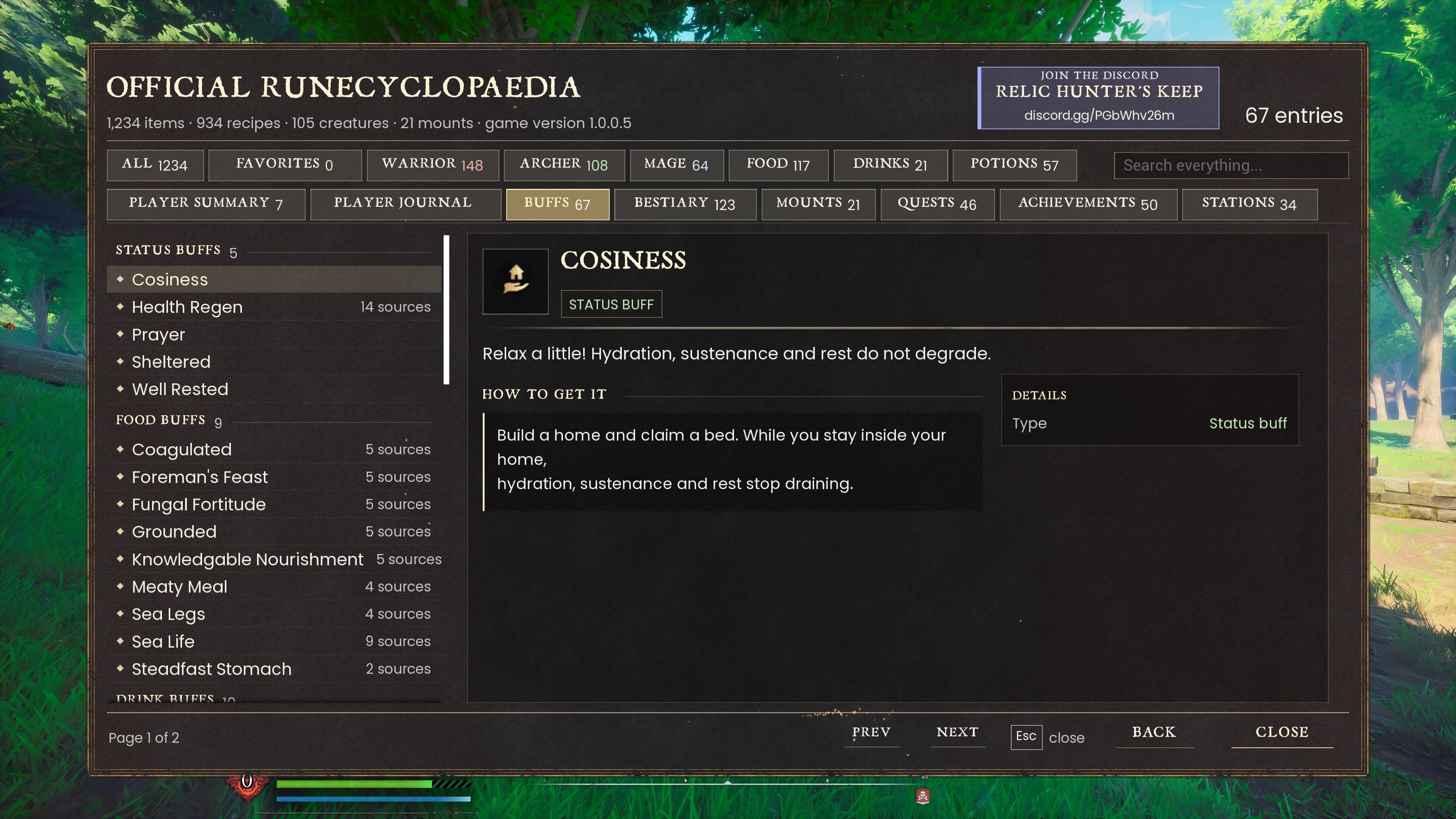
Your guide to Dragonwilds inside the game's own Journal and Map: achievements, quest log, recipes, map legend and markers, note taking, a station guide and much more.
20261001143706_1.jpg
20261001143631_1.jpg
20261001143549_1.jpg
20261001143514_1.jpg
20261001143350_1.jpg
Description
📌 CurseForge edition: chest markers use the game's own chest icon, and settings live in config.txt (no Mod Menu page).
JAQLO
Journal · Achievement · Quest Log · Overhaul
Your RuneScape: Dragonwilds guide, built into the game's own Journal and Map. No extra windows: open your menu and it's all there.
JOIN RELIC HUNTER'S KEEP ON DISCORD
https://discord.gg/BumVNYDUec
Updates, bug reports, ideas and help.
NOW THAT YOU ARE HERE
DOWNLOAD DRAGON MOUNTS FROM MY FRIEND
@UnnamedPlayer

His mounts Data Entry & Quest Log
will be included in Quest Log in the future ~
Journal · Achievement · Quest Log · Overhaul
Your RuneScape: Dragonwilds guide, built into the game's own Journal and Map. No extra windows: open your menu and it's all there.
JOIN RELIC HUNTER'S KEEP ON DISCORD
https://discord.gg/BumVNYDUec
Updates, bug reports, ideas and help.
NOW THAT YOU ARE HERE
DOWNLOAD DRAGON MOUNTS FROM MY FRIEND
@UnnamedPlayer
His mounts Data Entry & Quest Log
will be included in Quest Log in the future ~
WHY THIS MOD
JAQLO (formerly Official Runecyclopaedia) no longer opens a window of its own. It rebuilds the game's Journal and Map, so everything is where you already look. Built from the game's own files, so the metric data is consistent.
WHAT'S NEW IN JAQLO
- Journal unlocked - every recipe and creature readable straight away, in the game's own pages.
- LEGENDS on the map - show or hide resources and points of interest, plus a fog of war switch.
- Notes, Achievements & Guides - three new tiles in the Journal.
- Lore Book & Sanguine Urn trackers - see what you've found, by region.
- Quest guide in the map's quest details, and teleport to quest givers with T.
FEATURES
Journal
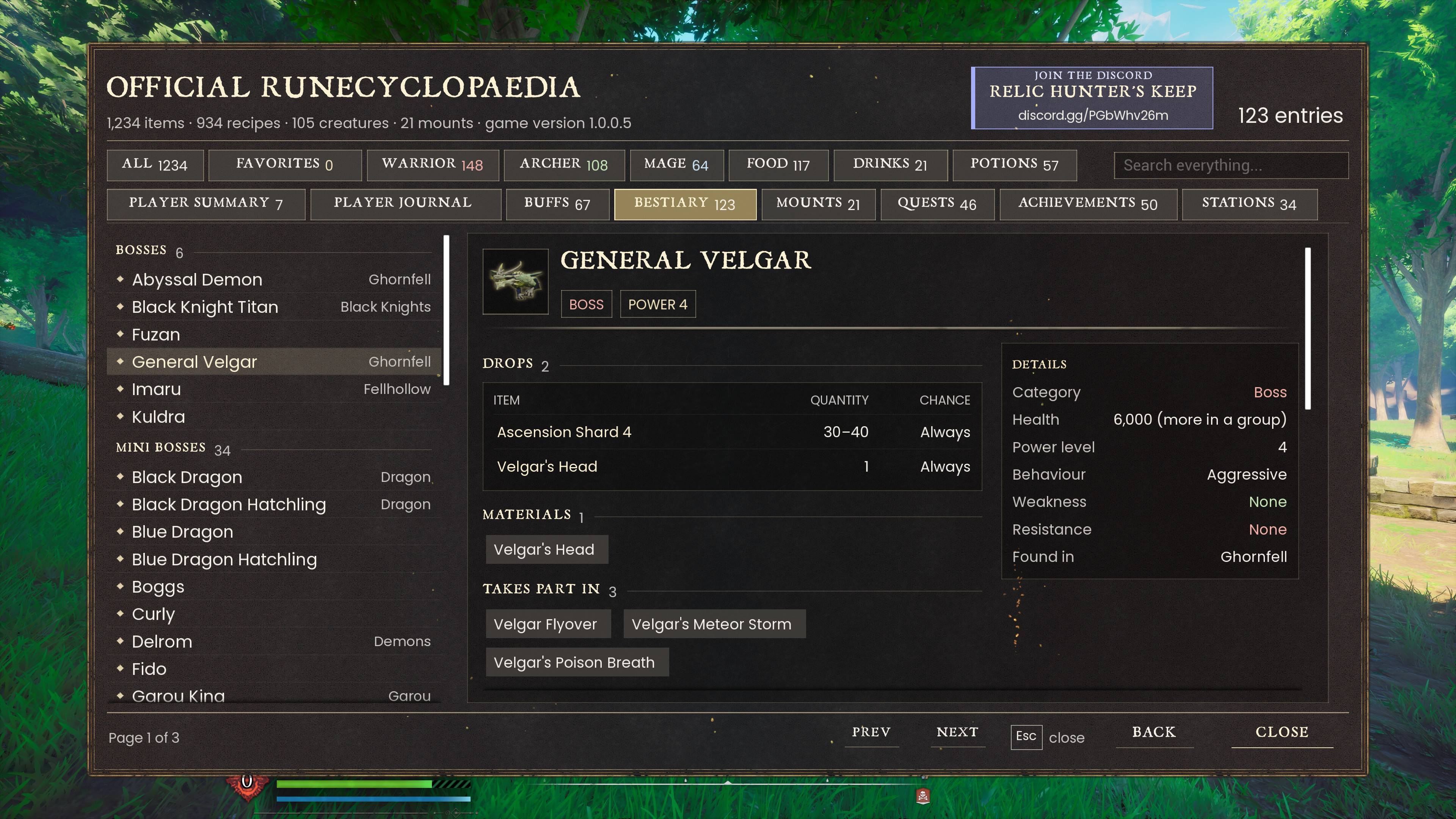
- Recipes and Bestiary unlocked: materials, crafting station, stats and lore for everything, straight away.
- Quest items and quest rewards stay locked until you earn them.
- Icon key in the top right of each page shows what every sub-tab icon means.
- Group headers (Arrows, Runes, Heavy Armour...) start folded for tidy lists.
Notes
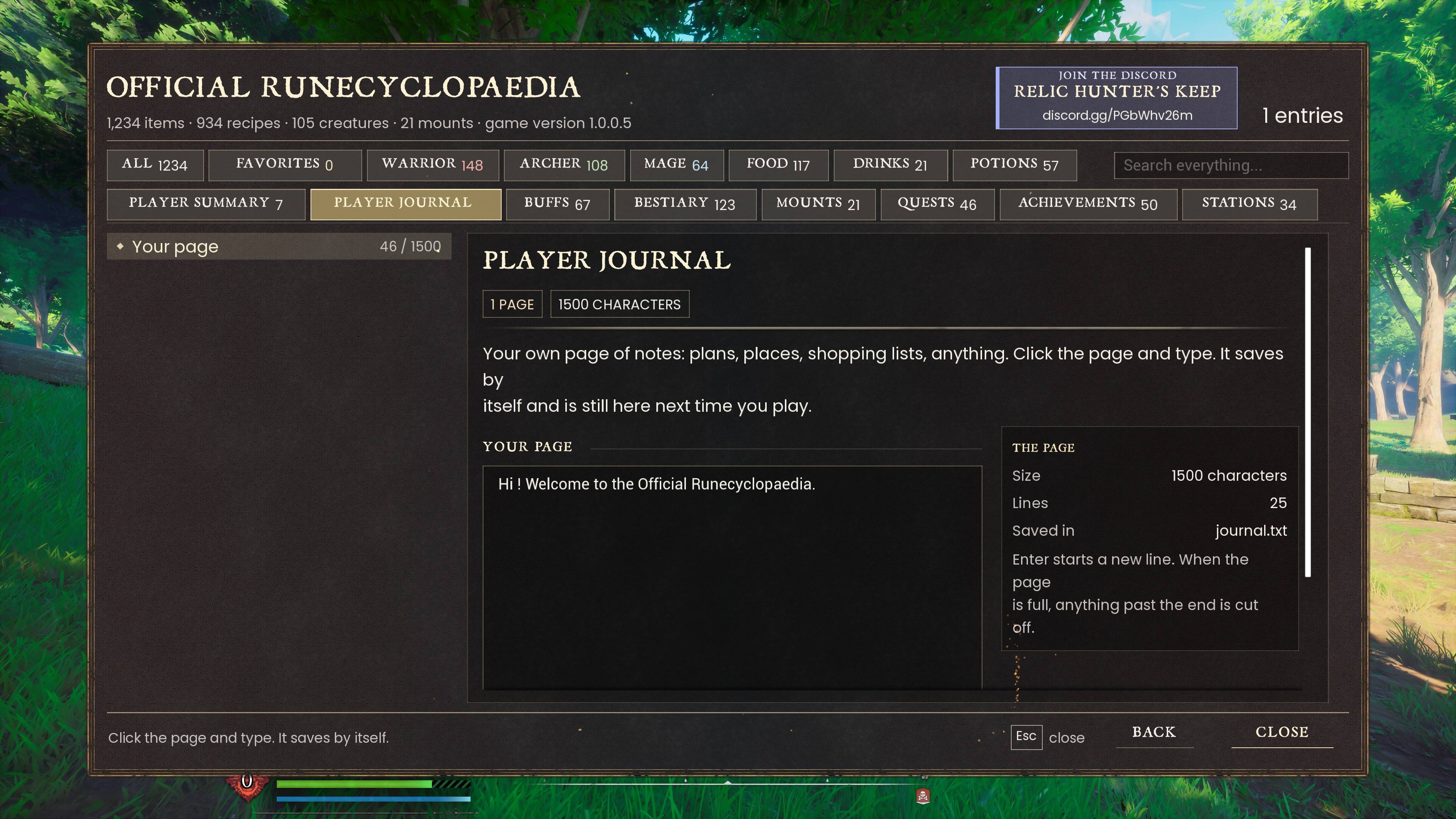
- Five pages of your own notes (1,500 characters each) for plans, places, shopping lists, anything.
- Click and type; it saves by itself and is still there next time you play.
Achievements
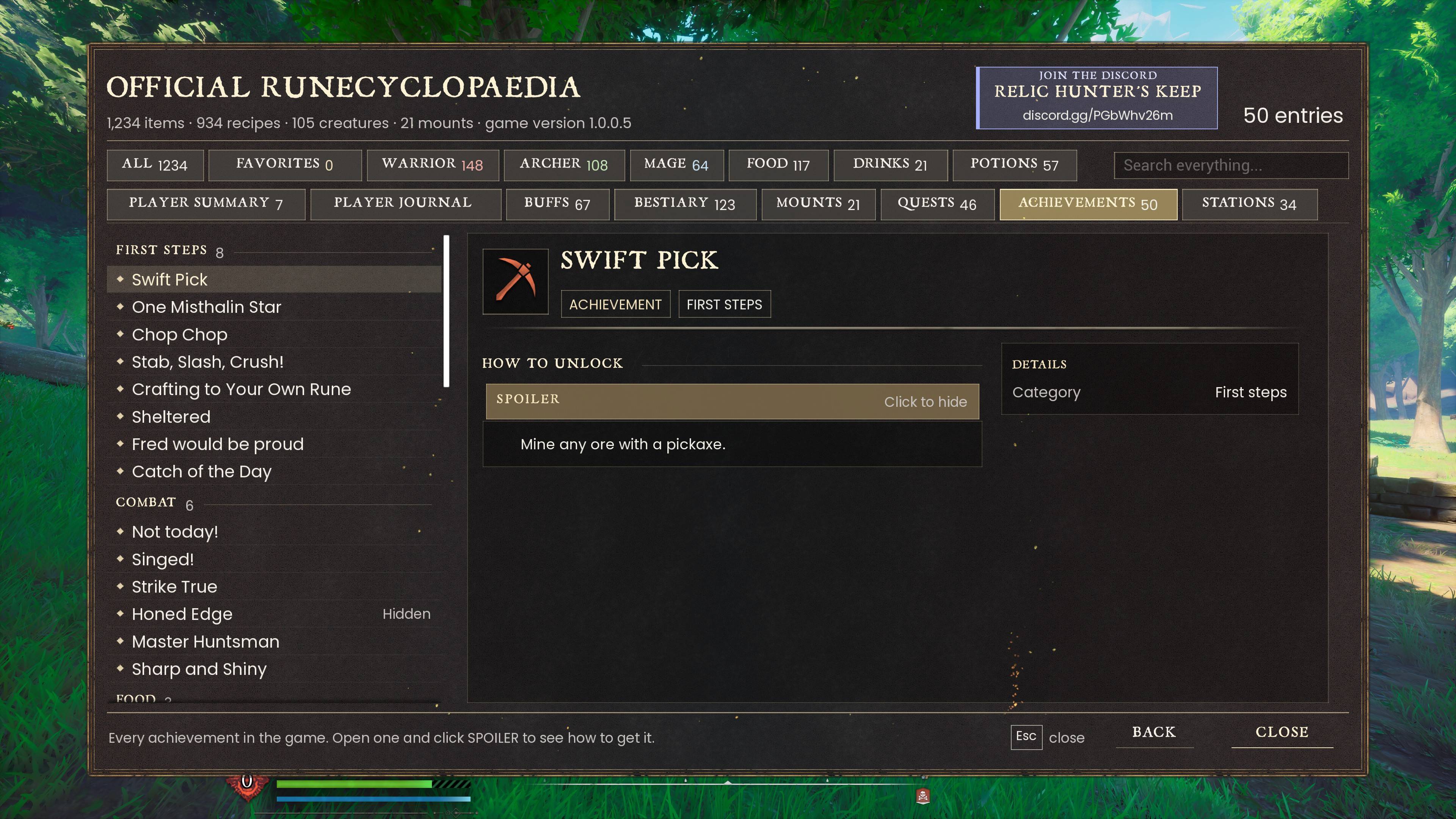
- All 50 by category, kept per character. A new character starts fresh.
- Quest, boss and skill achievements unlock as you earn them, with the game's own unlock banner.
- Loading in unlocks everything your character has already earned.
Guides
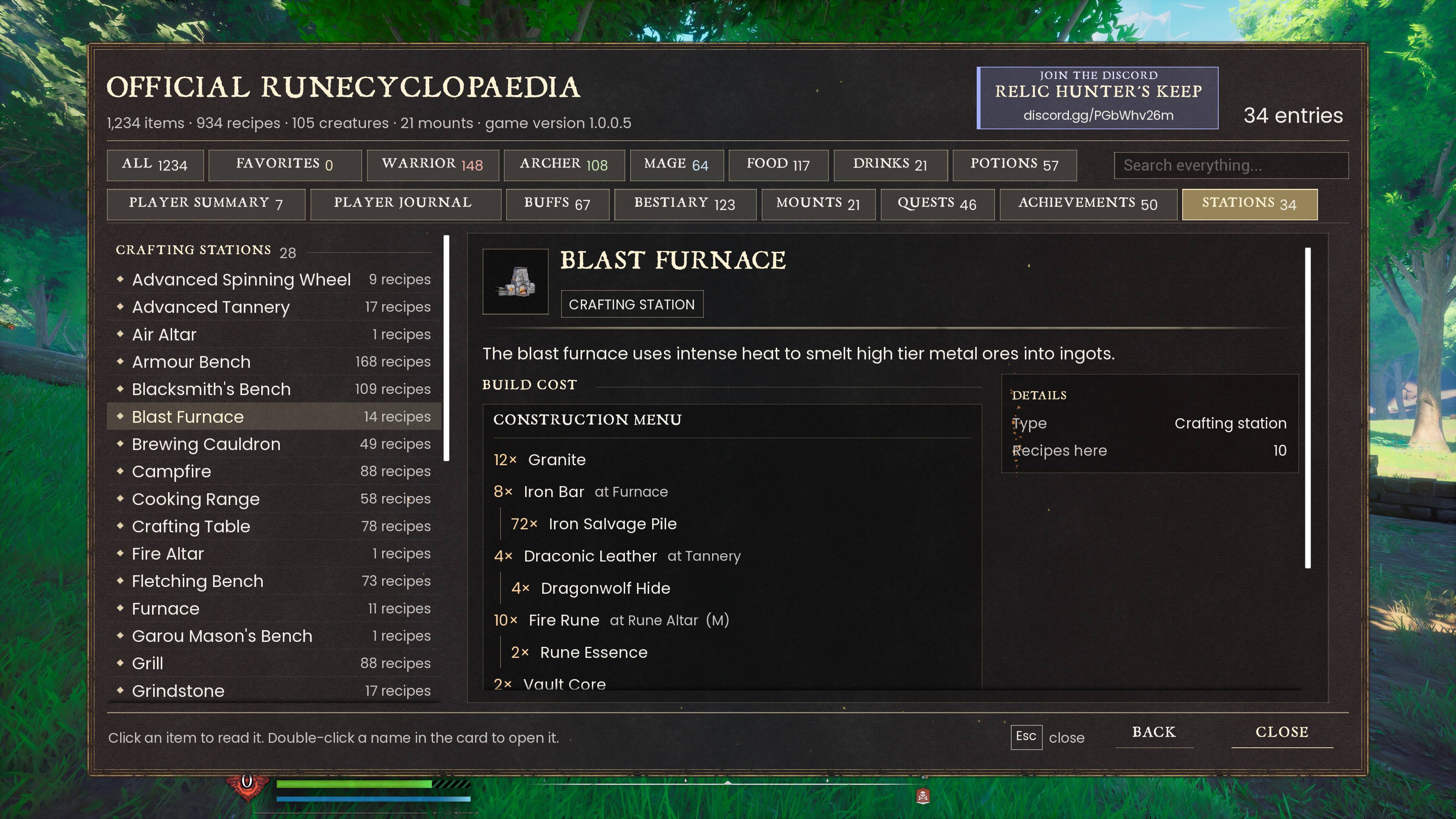
- Crafting Stations - every station and merchant: build cost and what's made there.
- Buffs & Debuffs - what they do, where they come from, how long they last, what protects you.
- Mounts & Skins - all of them and how to get each one.
- All with the game's own icons.
Map
- LEGENDS - a new button under QUESTS (or press L). Show or hide ores, anima vents, fishing spots, plants, chests, lore books, Sanguine Urns, lodestones, agility courses and cleansing pools.
- Trackers - Lore Books found and Sanguine Urns claimed: overall, in your area, and by region.
- Fog of war switch - see the whole map, or keep the fog.
- Quest guide - hover a quest for short steps on how to complete it, and its rewards.
- TELEPORT - press T twice over a quest to go to its quest giver for Law Runes. Works once you've been to that region, in your own world (solo or host). Runes come back if the teleport doesn't happen.
Salvage
- Hover a crafted stack in your inventory and press F7 to break the whole stack back into its materials.
- The first press shows what you'll get back; press again to confirm.
REQUIREMENTS
- UE4SS for RSDragonwilds - required
- Mod Menu - optional, for the salvage switch
Recommended: a mod that turns on Steam achievements in custom worlds, such as this one or this one.
INSTALLATION
- Install UE4SS for RSDragonwilds.
- Open the zip and drag the JAQLO folder into:
...\RSDragonwilds\Binaries\Win64\ue4ss\Mods\
Game Pass / Xbox app: use WinGDK instead of Win64. - Start the game. Done.
Updating? Copy the new folder over the old one. Your notes, achievements and map choices are kept.
Coming from Official Runecyclopaedia? Delete its folder; JAQLO replaces it.
WHAT'S IN THE DOWNLOAD
JAQLO\

Scripts\main.lua            the mod

Scripts\native_journal.lua  journal unlocks and icon key

Scripts\journal_extras.lua  Notes, Achievements and Guides

Scripts\achievements.lua    achievements and the unlock banner

Scripts\native_map.lua      map legend, trackers and quest guide

Scripts\game_data.lua       items, recipes, quests and more, built from the game files

Scripts\journal_map.lua     journal data, built from the game files

Scripts\map_data.lua        map points and regions, built from the game files

Scripts\wiki_data.lua       extra food perks

config.txt                  settings

modmenu.json                settings page for Mod Menu

enabled.txt                 switches the mod on

README.txt                  quick guide
HOW TO USE
- Journal: open your menu > JOURNAL. Recipes and World are unlocked; NOTES, ACHIEVEMENTS and GUIDES sit beside them.
- Notes: NOTES > pick a page > click and type.
- Legend: MAP > LEGENDS (or L) > click a row to show or hide it.
- Quest guide: MAP > QUESTS > hover a quest.
- Teleport: hover a quest > T > T again.
- Salvage: inventory > hover a crafted stack > F7 > F7 again.
SETTINGS
Mod Menu (Esc > MODS) has the salvage switch. Everything else is in config.txt:
- Which journal sections unlock: off, greyed or unlocked.
- Map legend, its keys, and quest step length (short or full).
- Salvage key, materials returned, and press-twice-to-salvage.
- Teleport on/off and its Law Rune cost.
GOOD TO KNOW
- Unlocked journal entries are saved by the game in your world.
- Your notes, achievements and map choices are kept in the JAQLO folder.
- Salvage uses F7. If you also use another salvage mod, give one of them a different key.
- When there is another big game patch, some details may be out of date until the mod is updated.
CREDITS
- The UE4SS team, for UE4SS.
- The author of Mod Menu.
- The RuneScape: Dragonwilds Wiki community, for walkthrough details and a few food perks.
Questions, bugs or ideas?
Join Relic Hunter's Keep: https://discord.gg/BumVNYDUec
Not affiliated with or endorsed by Jagex. RuneScape and RuneScape: Dragonwilds are trademarks of Jagex Ltd.
Join Relic Hunter's Keep: https://discord.gg/BumVNYDUec
Not affiliated with or endorsed by Jagex. RuneScape and RuneScape: Dragonwilds are trademarks of Jagex Ltd.
💬 Questions, bugs or ideas? Join the Relic Mods Discord
Made by Relic Hunter with AI assistance (Claude).
Made by Relic Hunter with AI assistance (Claude).
JAQLO - Journal Achievement Quest Log Overhaul Team