STOWED WEAPONS
Show off your impressive arsenal.
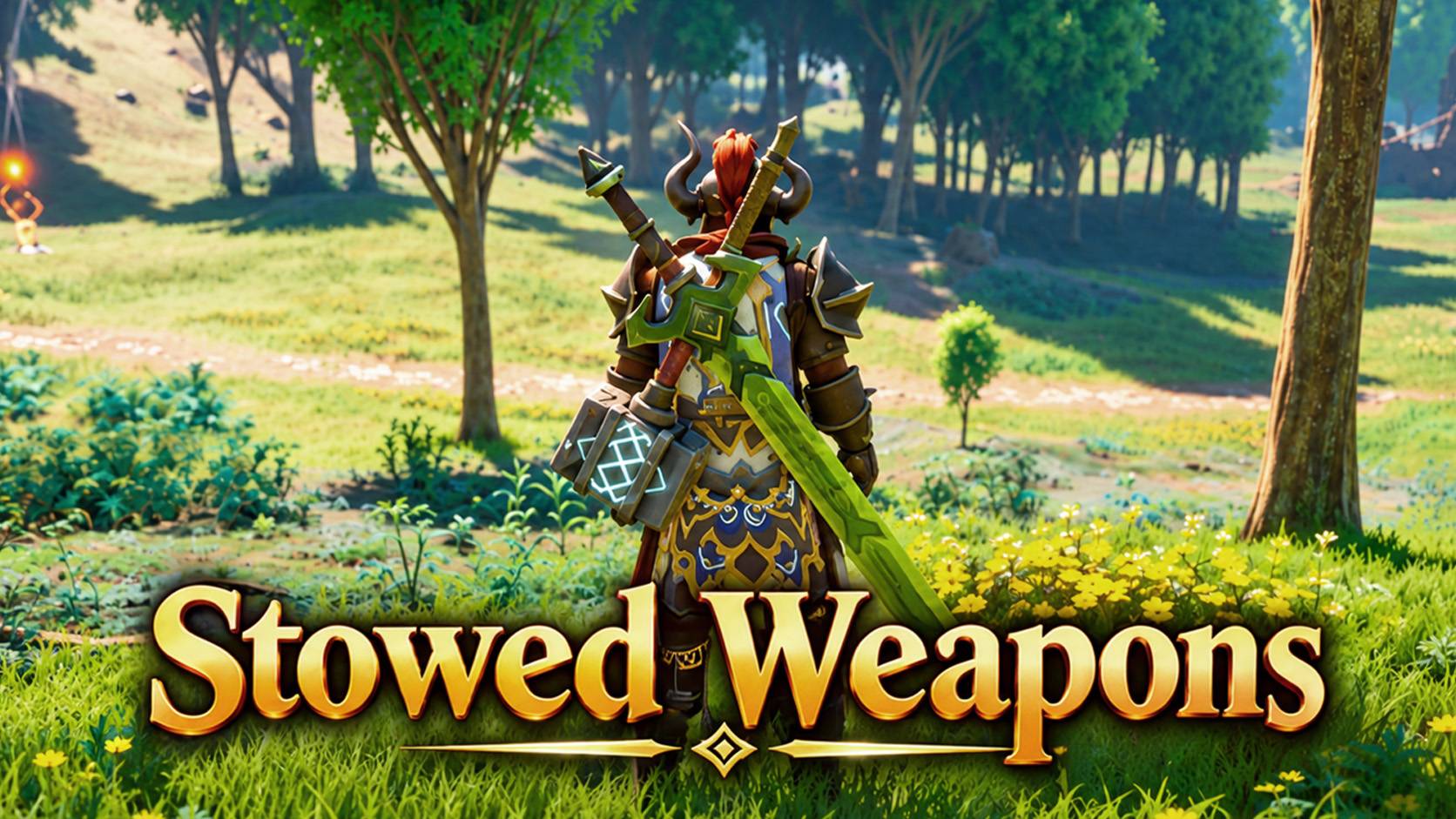
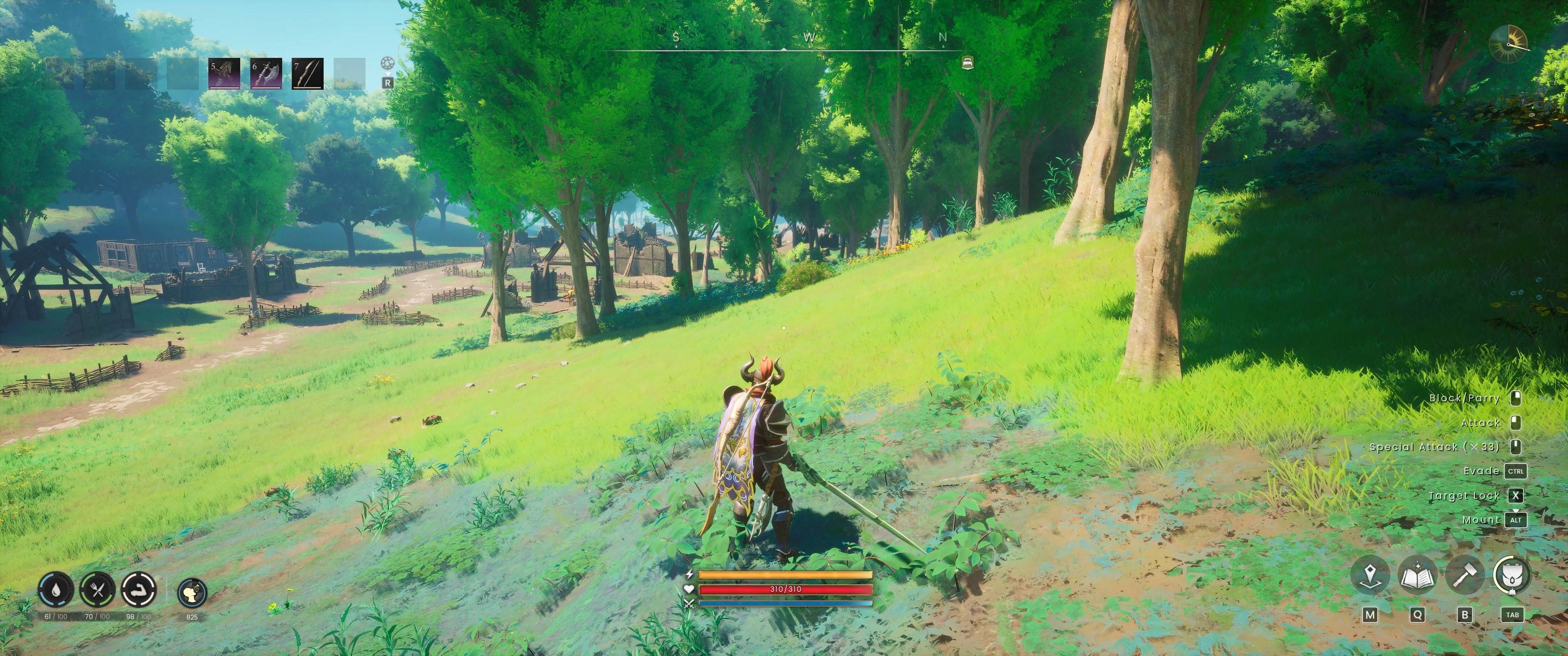
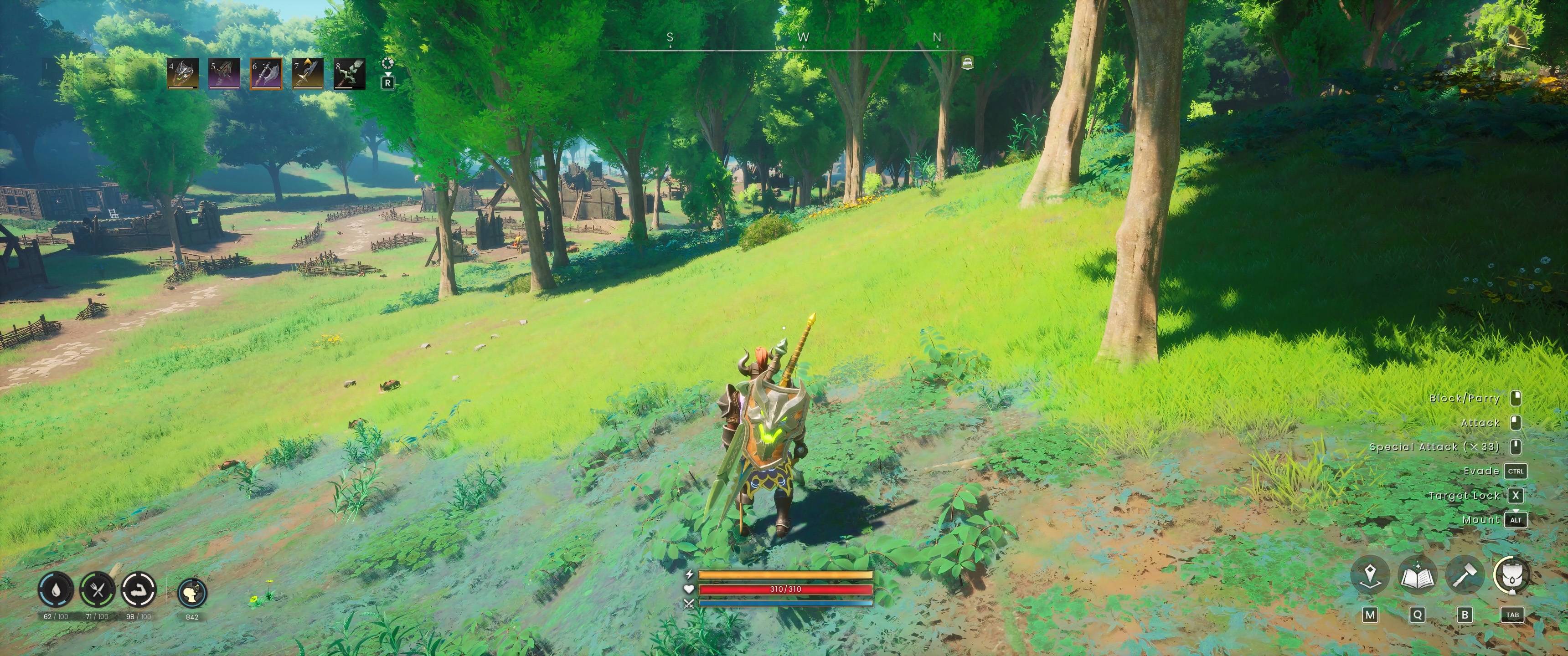
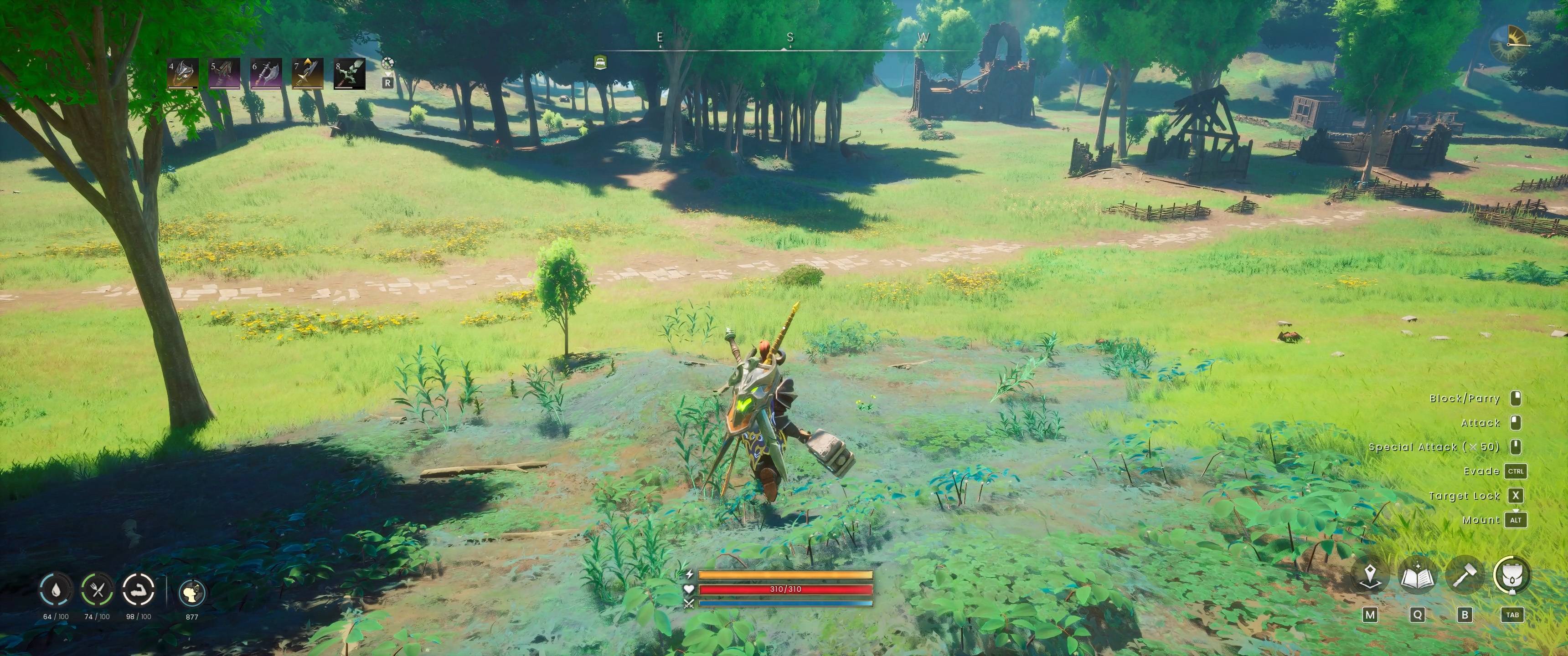
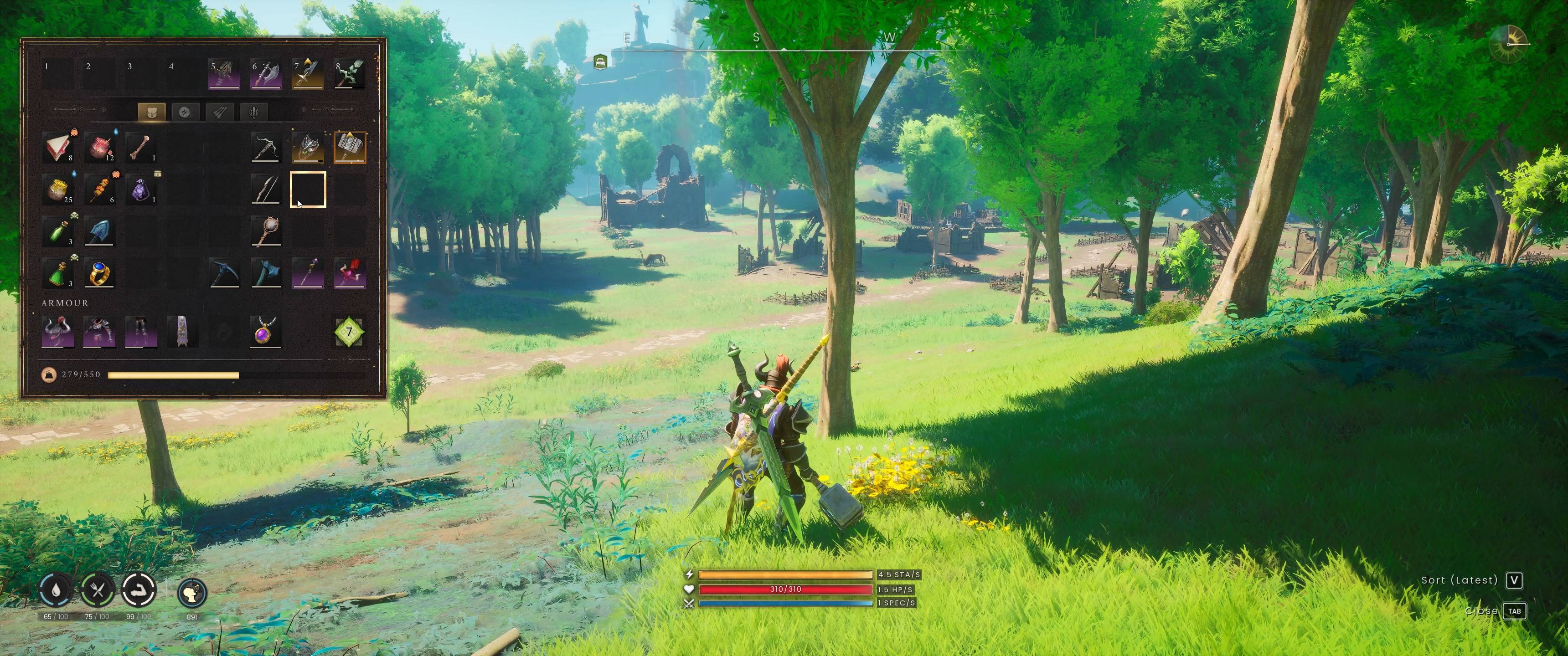
Your hotbar is full of swords, staves and shields, and your character looks like they are carrying nothing at all. Stowed Weapons fixes that. Every weapon and shield on your hotbar that you are not holding now shows on your character: the big ones on your back, the one-handed ones on your hips. Draw one and its copy leaves your back or hip, put it away and it comes back, with a quick reach of the arms each time. No new items, no setup, just a hero who looks like they mean business.
What you can do
- See your loadout Whatever is on your hotbar and not in your hands is shown on your character, in hotbar order.
- Draw and put away The weapon you pick up leaves its spot, and returns when you put it away. Your arms play a short reaching animation for shields, one-handed weapons and two-handed weapons.
- Works with the whole armoury Swords, scimitars, daggers, maces, whips, wands, greatswords, greataxes, hammers, staves, bows, crossbows and shields.
- Make it yours Every spot can be edited in anchors.lua.
Where everything goes
- Two-handed swords, axes and hammers: 2 spots on the back, crossed
- Staves: 2 spots on the back
- Bow: 1 spot on the back
- Crossbow: 1 spot on the back
- Shield: 1 spot on the back
- One-handed weapons: 2 spots, left and right hip
If you carry more weapons than there are spots for that kind, the later ones on the hotbar are simply not shown. Fishing gear, tools and torches are not shown.
Requirements
- RuneScape Dragonwilds
- UE4SS for RSDragonwilds, installed and working.
Installation
- Close the game.
- Extract the StowedWeapons folder from the download into <gamefolder>\RSDragonwilds\Binaries\Win64\ue4ss\Mods\ so that ...\ue4ss\Mods\StowedWeapons\enabled.txt exists. Do not add an extra folder level.
- Start the game and load a world. A few seconds after the world has loaded, the weapons on your hotbar appear on your character.
Good to know
- It is purely visual. Nothing is saved, nothing is added to your character or world, and your inventory is never changed. The stowed copies have no collision.
- To remove it, close the game and delete the StowedWeapons folder. Nothing is left behind.
- To change the look, edit the text files in StowedWeapons\Scripts and restart the game: anchors.lua (every spot: which weapon types it takes, the bone it sits on, its position and rotation), animation.lua (which clip plays, which direction, how much is trimmed, the speed) and the settings at the top of main.lua (the size of the copies, and animate = false to switch the arm animations off). Keep a copy of the originals before you edit.
- Bows, crossbows and staves are shown as a plain model, without any glow or effects.
- Weapons added by other mods are shown on the hips after you have held them once.
- The game has no draw or sheathe animation, so the arm animations are existing reach clips, trimmed to look like reaching for the weapon. The stowed copy does not move to your hand.
- After a game update the mod may need an updated version.
- Multiplayer, dedicated servers, Epic and Game Pass are untested. The copies are created on your own machine, so other players are not expected to see them.
- It does not replace any game files or add any pak, so it should not conflict with other mods. It checks your hotbar about once a second.
- Nothing showing up? Open UE4SS.log (in ...\Binaries\Win64\ue4ss\) right after starting the game. A healthy start shows a StowedWeapons v1.0.0 loaded line. If there is no StowedWeapons line at all, check that the folder is exactly ...\ue4ss\Mods\StowedWeapons and contains enabled.txt.
Changelog
1.0.0 First release: hotbar weapons and shield shown on the back and hips, with arm animations when drawing and putting away.
Roadmap
- LET ME KNOW ANY SUGGESTIONS YOU HAVE FOR NEW FEATURES IN THE COMMENTS
- More options for anchors
Known Issues
Thanks
UE4SS and its authors. RuneScape: Dragonwilds, its models and animations belong to Jagex. This is an unofficial fan mod.