


• Browse
    Browse all (124)
    • iconMinecraft
    • iconThe Sims 4
    • iconWorld of Warcraft
    • iconMinecraft Bedrock
    • iconArk Survival Ascended
    • iconHytale
    • iconinZOI
    • iconStarCraft II
    • iconKerbal Space Program
    • iconStardew Valley
    • iconAmerican Truck Simulator
    • iconHogwarts Legacy
    • iconTerraria
    • iconWildStar
    • iconWorld of Tanks
    • iconPalworld
    • iconRunes of Magic
    • iconRift
  • Create
    MOD AUTHORS
    • Become an Author
    • Start a Project
    • Project Submission Guide
    MODDING TOOL DEVELOPERS
    • Apply for an API Key
    • Documentation
    • Terms & Conditions
    SOCIAL
    • Join Our Discord!
    • Authors Discord
  • Studios
    GAME DEVELOPERS
    • Unlock Modding for Your Game
    • Documentation
  • Help Center
  • Our Blog
  • Follow Us
    • Discord
    • Instagram
    • Reddit
    • TikTok
    • Twitter / X
    • YouTube
  • Surprise Me
  • Legacy
  • Go Premium
  • Get CurseForge App
There's no place like mod
DiscoverBrowse All
  • Runes of Magic
  • Addons
ZZPetSummCheck logo

ZZPetSummCheck

  • By
    XcalmxromXcalmxrom
Works like PetSummCheck from Yuukaa96 just as a plugin for ZZInfobar instead of an action button: When clicking it feeds your pet and summons it. Shows the summon status in green/red. More small leveling functions added.
Total Downloads
36
Last Update
Nov 21, 2025

ZZPetSummCheck
Install via App

Details

Downloads
36
Created
6 months ago
Updated
6 months ago
Project ID
1388949
License
Custom License

Game Versions

    7.0.2.2792

informative placeholder

Class & Categories

  • Addons
  • Action Bars
  • Quests & Leveling
  • Bags & Inventory
  • HUDs
  • Tooltip

Links

Source

Main File

7.0.2.2792

ZZPetSummCheck_V1.0.0.zip
Latest release
  • R
  • Nov 21, 2025

Recent FilesView all

Game

ZZPetSummCheck_V1.0.0.zip
Latest release
  • R
  • Nov 21, 2025

Install via App
  • Description
  • Comments
  • Files
  • Gallery (6)
  • Relations
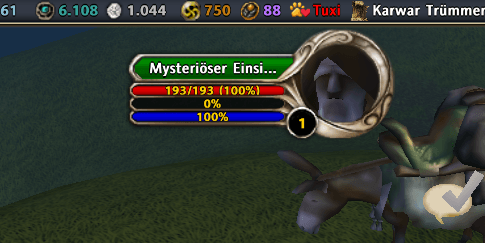
  • Thumbnail This is the default look of the button when the pet (name: "Tuxi") is not summoned: the name is shown in red.
    This is the default look of the button when the pet (name: "Tuxi") is not summoned: the name is shown in red.

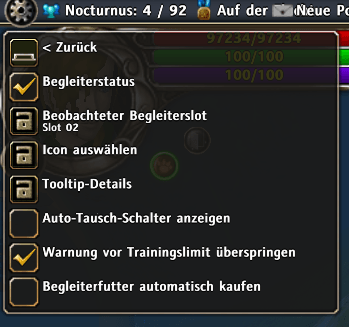
  • Thumbnail As you can see there are a lot of settings to customize the behaviour of the plugin.
    As you can see there are a lot of settings to customize the behaviour of the plugin.

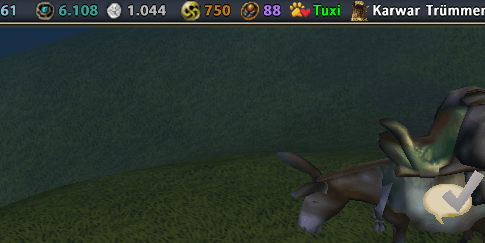
  • Thumbnail When the pet is summoned, its name is shown in green.
    When the pet is summoned, its name is shown in green.

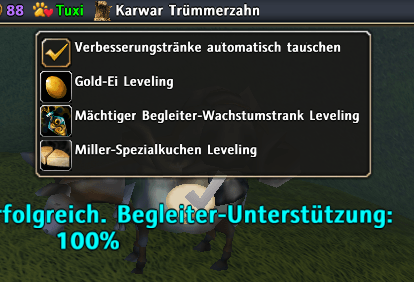
  • Thumbnail When right-clicking the button you can access this special menu where various functions for leveling are available (more in the description).
    When right-clicking the button you can access this special menu where various functions for leveling are available (more in the description).

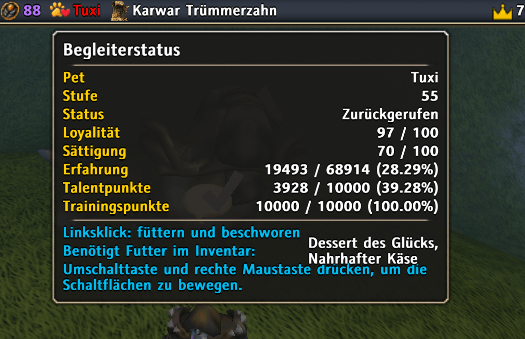
  • Thumbnail This is the tooltip shown on hovering over the button with the mouse. You can customize what should be shown here in the settings menu.
    This is the tooltip shown on hovering over the button with the mouse. You can customize what should be shown here in the settings menu.

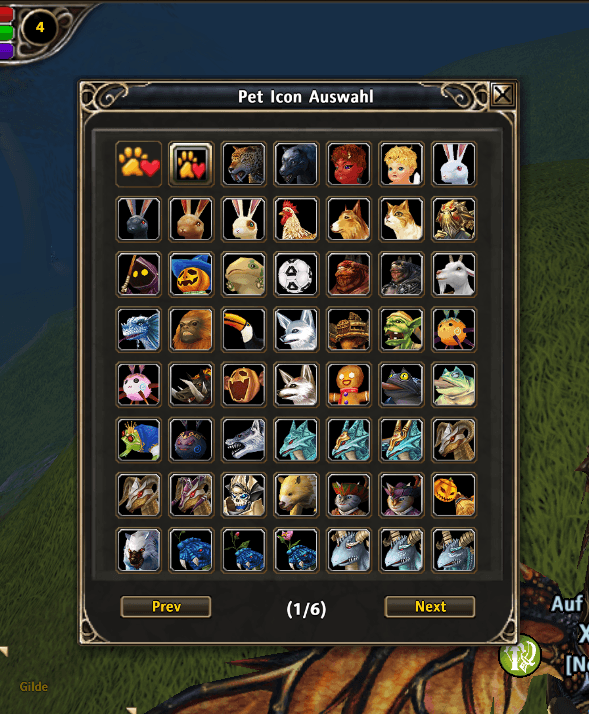
  • Thumbnail You can customize the icon of the ZZInfoBar button as you want, there are a lot of options to choose.

    You can customize the icon of the ZZInfoBar button as you want, there are a lot of options to choose.

Runes of MagicDiscoverBrowse
CurseForge - a world of endless gaming possibilities for modders and gamers alike.
Download the best mods and addons!
  • Games
    • All games
    • Minecraft
    • World of Warcraft
    • The Sims 4
    • Starcraft II
    • Kerbal Space Program
    • Minecraft Dungeons
    • World of Tanks
  • Create
    • Start a project
    • Project submission guide
    • Author Rewards Program
    • Apply for an API Key
    • 3rd Party API T&C
  • Community
    • Join Our Discord!
    • Ideas Portal
    • CF blog
    • Newsletter
    • Roadmap
    • Bukkit forums
    • CurseForge Servers
  • Support
    • Knowledge base
    • Troubleshooting
    • Contact us
  • Companions
    • Overwolf
    • CurseForge for Studios
    • Tebex
    • Nitro
  • Terms of Service
  • Privacy Policy
  • Licenses
  • Mod Author Terms
© 2026 Overwolf. All rights reserved.