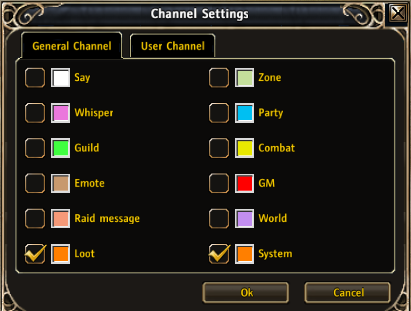
The new channel settings window
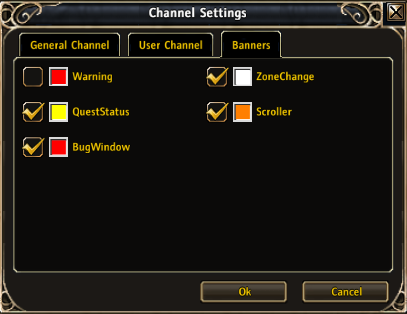
Banners tab
Description
Lets you specify which chat tabs will receive loot, system, world, raid, emote, and GM messages (in addition to the existing ones like say, zone, etc).
Added chat tab coloring on message (notifications) Added banners tab to the Channel Settings dialog - options to redirect output from banner-type frames
Usage:
- Select a chat tab
- Right-click on the selected tab
- Click on Channel Settings
- Select which message types to view in the selected tab
- Use /chatsettings to toggle notifications on and off
ToDo:
- Add config screen
- Filter specific messages
- Options to remove join/leave channel messages
- Options to make the chat frames not fade out
- Options to have notifications per message type
- Don't notify if current frame is registered to the same message type
- Options for chat tab colors
The ChatSettings Team