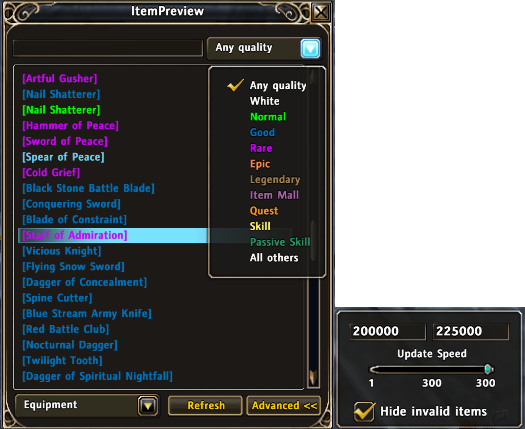
Use ItemPreview to see a list of all items/IDs in the game, searchable and filterable by type and quality
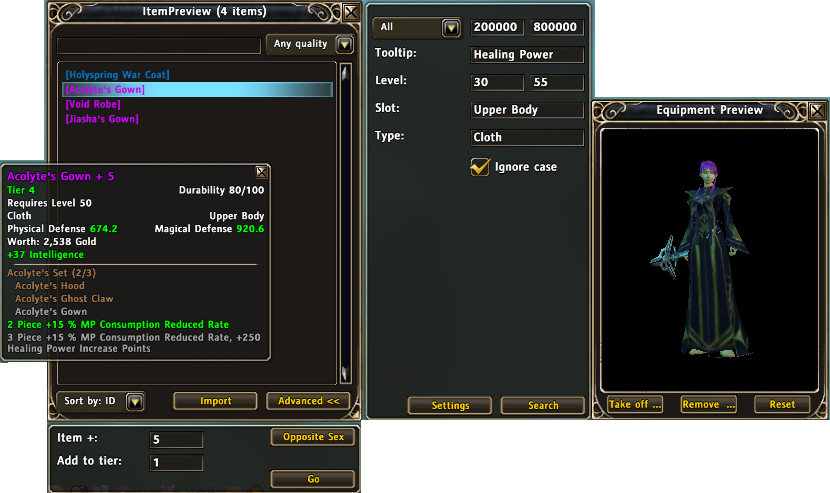
The new advanced search options in v1.15
![<p>Preview of a plussed version of an existing item using /plus +5 t5 [Earrings (Gift from Pioneer Village)]</p>
<p>Note: [Earrings (Gift from Pioneer Village)] was linked from inventory. All stats on it are kept except the + is replaced by +6 and it's ...</p>](https://media.forgecdn.net/attachments/146/84/ItemPreviewExistingItem.png)
Preview of a plussed version of an existing item using /plus +5 t5 [Earrings (Gift from Pioneer Village)]
Note: [Earrings (Gift from Pioneer Village)] was linked from inventory. All stats on it are kept except the + is replaced by +6 and it's ...
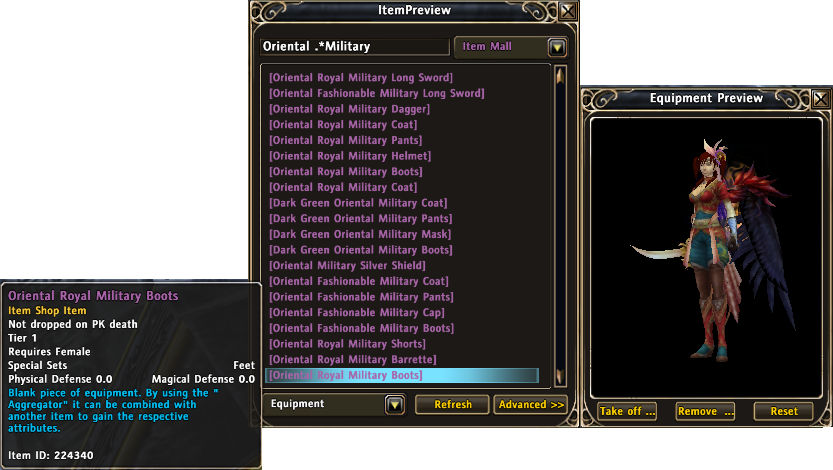
Clicking items in the list will add them to the preview window. Also note that you can use wildcards (regex) to search
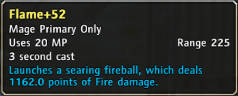
Preview of Flame lvl 52 using /skill 491150 52
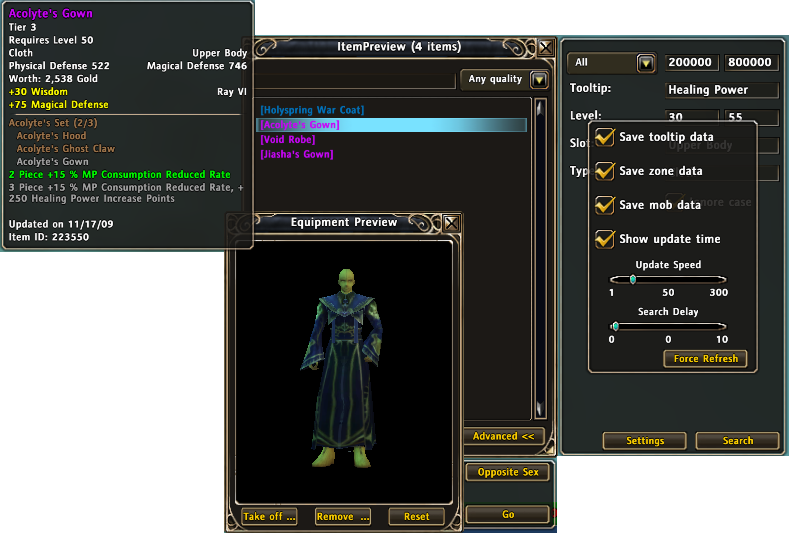
Can view a dummy of the opposite sec and add items to it for preview.
Can add data about the item in the tooltip, like update time, id, which zones you've looted the item in and from whic mobs.
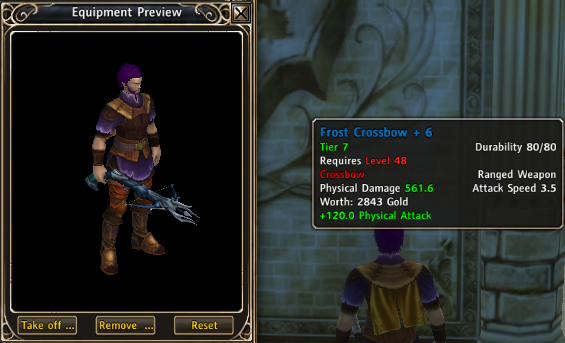
Preview of a tiered and plussed item using /plus t4 211549
Note: t4 specifies to tier the item 4 tiers above its default (in this case, t3 + t4 = t7)
Description
Description
Lets you preview items you don't have, plus and tier items to see what the stats will be, and preview skills at different levels.
Usage
/ip
Brings up the main ItemPreview window. You can do most of the things below from within it
/item id
Previews the item with the specified ID
- id: an item ID, can be found in the URL of the item on RoM database websites
/skill id [level]
Previews the skill with the specified ID
- id: a skill ID, can be found in the URL of the item on RoM database websites
- level: optional - what level of the skill to preview
/skill link
Previews the specified skill at level 50
- link: a skill link, shift+click a skill to insert it
/plus [+#] [t#] id
/plus [+#] [t#] link
Previews a plussed/tiered version of the item (may take a few seconds)
- +#: optional - how much to plus the item (default 6)
- t#: optional - how much to tier up the item (defaults to 0)
- id: an item ID, can be found in the URL of the item on RoM database websites
- link: an item link, shift+click an item to insert it
/itemid link
Prints the item id of the link (for sharing)
/ipexample
Shows examples of each of these to help you understand how to use it
Examples
/item 211549
Previews the Frost Crossbow (id from http://www.runesdb.com/item.aspx?id=211549)
/plus 211549
Previews Frost Crossbow+6
/plus t4 211549
Previews Frost Crossbow+6, tier7 (4 tiers above default)
/plus +5 t4 211549
Previews Frost Crossbow+5, tier7
/plus [Frost Crossbow]
Previews Frost Crossbow+6, with all stats of the linked item
/plus +5 [Frost Crossbow]
Previews Frost Crossbow+5, with all stats of the linked item
/skill 491150
Previews Flame at lvl50 (id from http://www.runesdb.com/spell.aspx?id=491150)
/skill 491150 52
Previews Flame at lvl52
/skill [Flame+35]
Previews Flame at lvl50, assuming you linked flame from your skill book
The ItemPreview Team