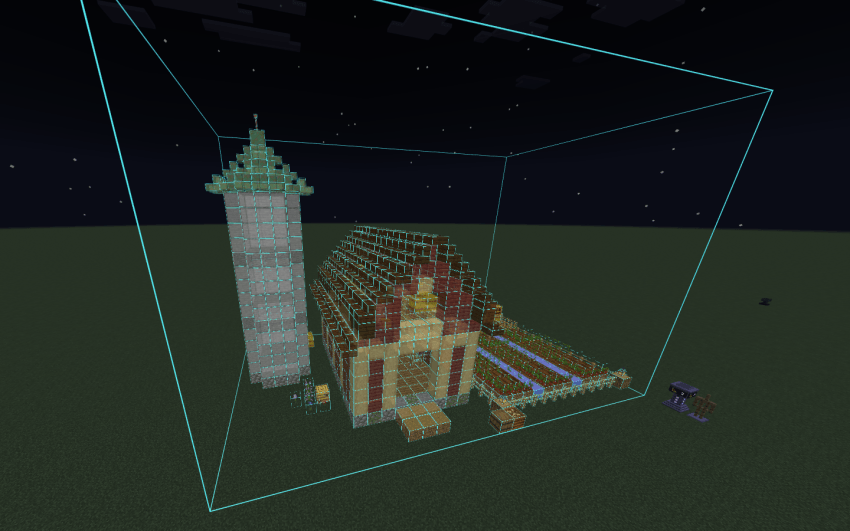
Buildmatica turns any build or farm into a see-through hologram in your world, so you can build the exact same thing block by block. It's like the Litematica mod, but made for Minecraft Bedrock. It's a texture pack, so it works on servers and Realms too.
Features
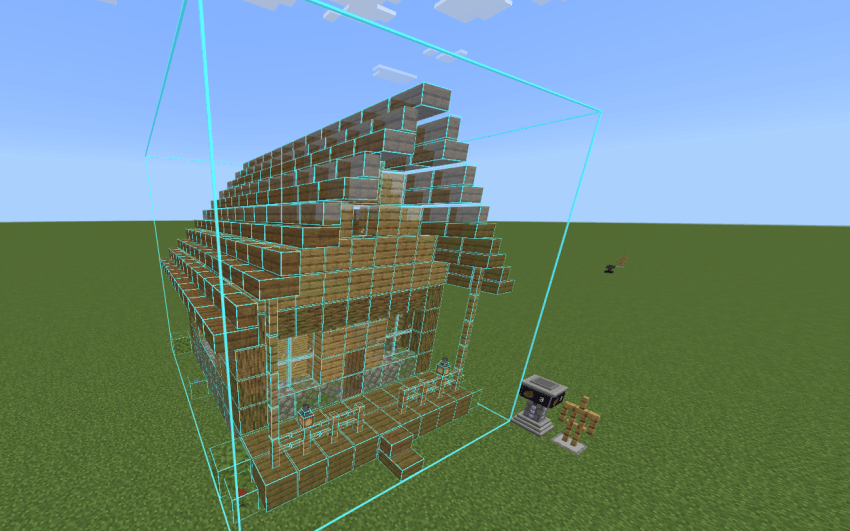
Hologram on an armor stand
Give an armor stand your build's item, and the hologram shows up.
Turn with the projector
Tap the projector to turn the build.
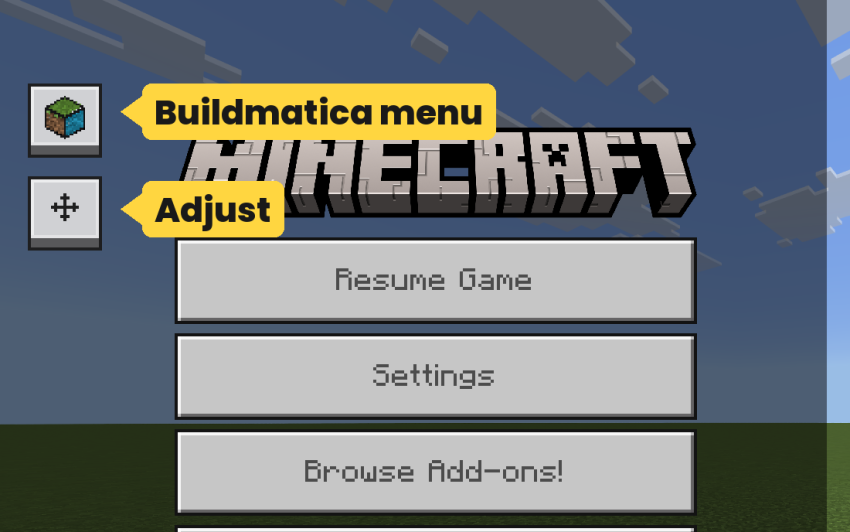
Buildmatica buttons
Open the Buildmatica menu or Adjust right from the pause screen.
Turn in Adjust
Turn the build left or right.
Pick a build in Adjust
Switch to any build in your pack without changing the armor stand's item.
Layer by layer
Show one layer at a time, or the layers below or above it.
Height
Move the build up or down.
Move
Push the build left, right, far or near.
Look
Make the hologram more or less see-through, or hide the armor stand.
Grid
Change the grid lines and their color.
Show one block
Move the Block slider in Look to show only one type of block, like only Oak Logs or only Stone. Move it back to All to see the whole build again.
Block check
Right block or wrong block and Build progress only show when you turn on Block check in your builds pack settings.
Click the gear icon next to your builds pack (like Starter Builds) in Global Resources. Move the Block check slider to On. It is Off by default, which is lighter on your device.
Right block or wrong block
Needs Block check turned on.
Place the right block and it turns green.
Place the wrong block and it turns red, so you know what to fix.
Note about Block check
Right block and wrong block is not 100% accurate. I made it as good as I could, but Bedrock has some limits I could not get around.
Blocks from the same group count as the same block. For example, if you place Stone, Cobblestone or Stone Bricks in a stone spot, it will still show as right. The same goes for planks: any type of plank in a plank spot will show as right.
Sorry about this, there was nothing more I could do here.
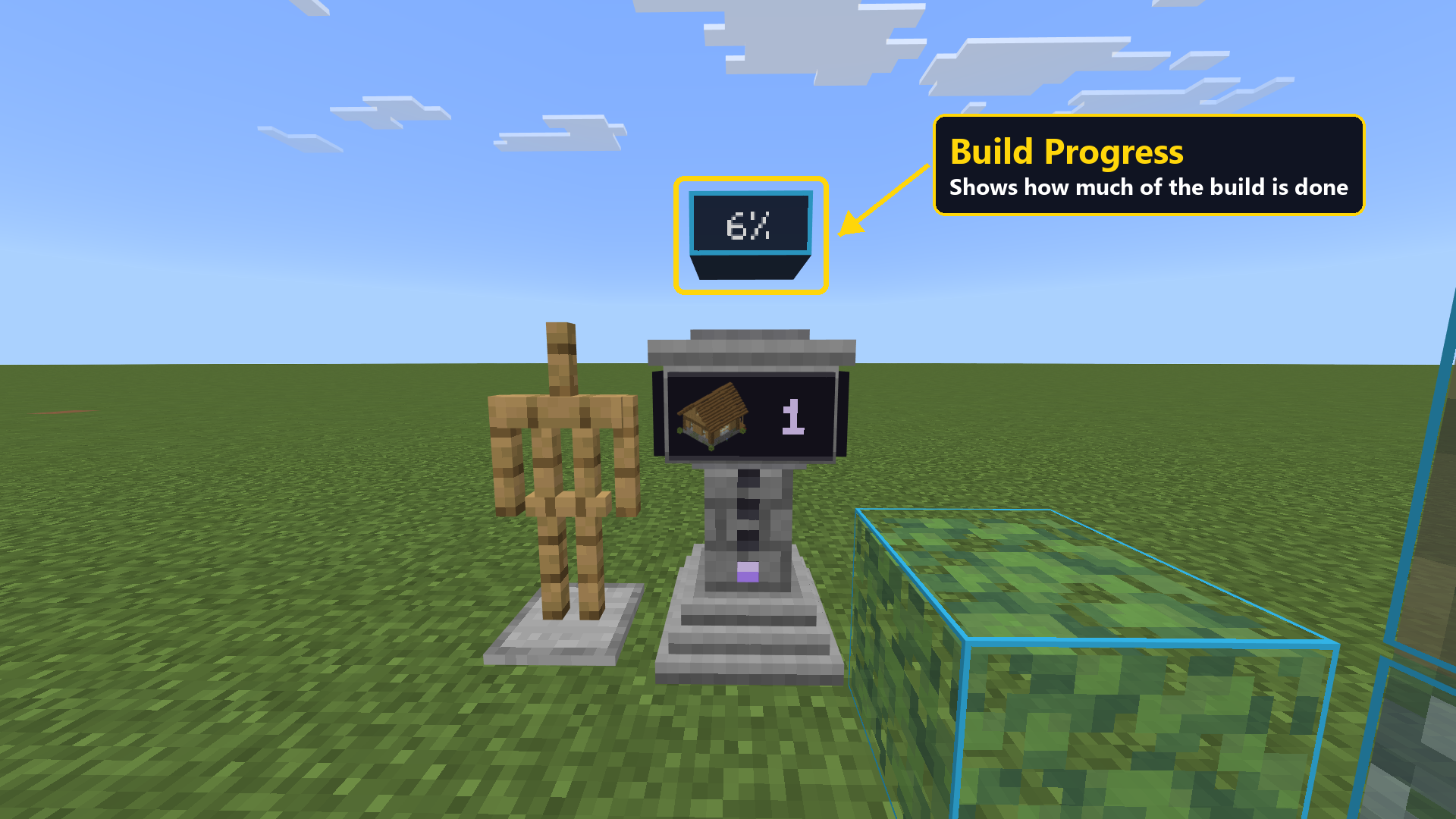
Build progress
Needs Block check turned on.
The number above the projector shows how much of the build is done.
Buildmatica menu
See all your builds and the item that shows each one.
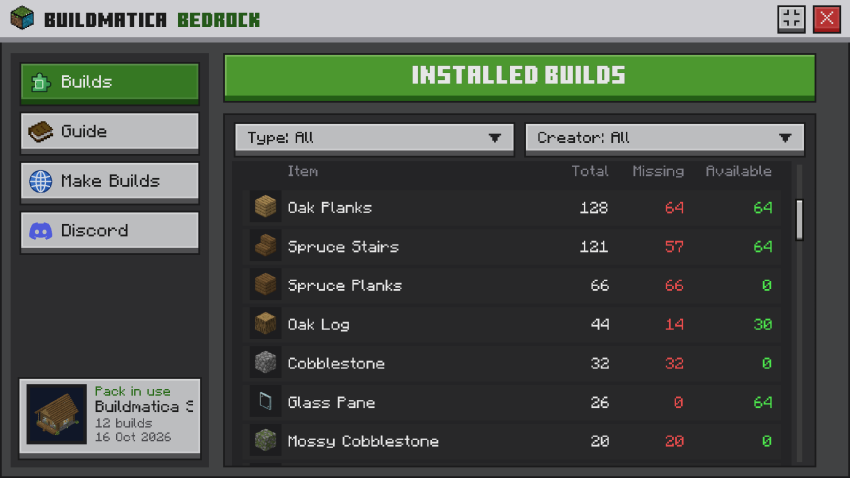
Material list
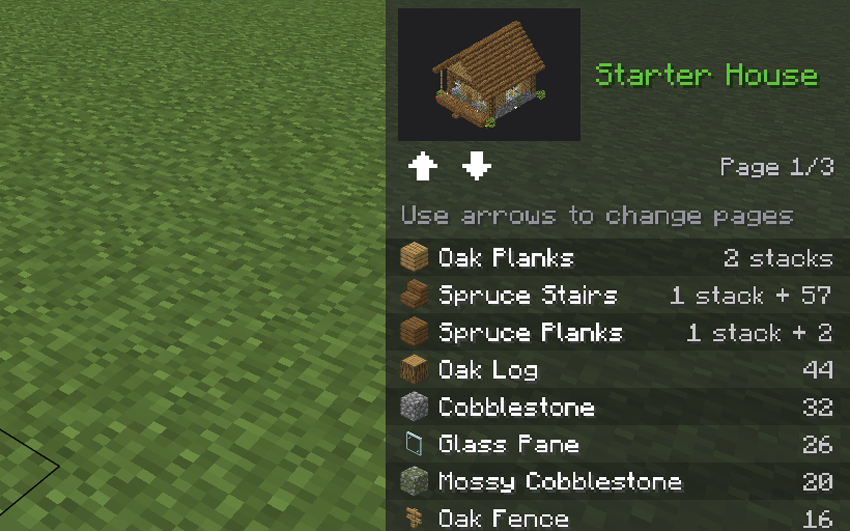
Open a build to see every block it needs: how many in total, how many are missing and how many you have.
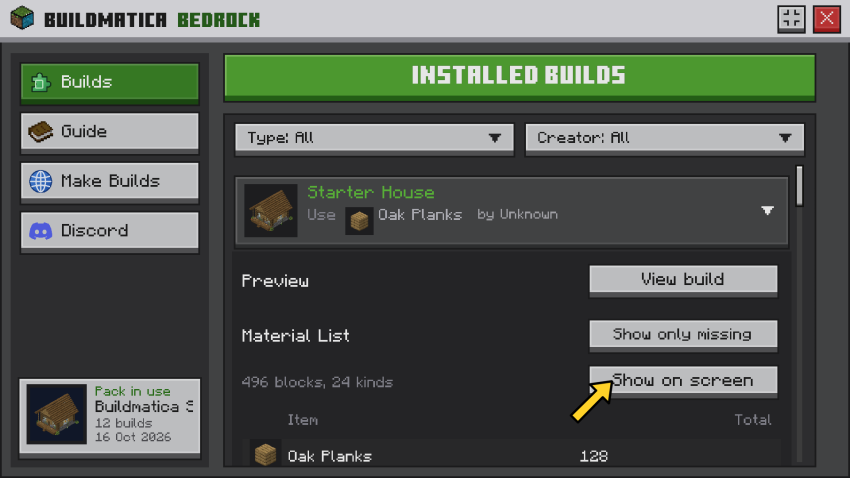
Block list on screen
Press Show on screen and the list stays on your screen while you play. Get blocks and the list counts them. When you have enough of a block, it turns green.
On Windows, you can export a build with a Structure Block. On mobile, the Export button often doesn't work, so use this tool instead: voxenmc.com/structure-extractor Just load the world your build is in, select the build and export it.
Good to know: Java + Bedrock servers
On Java + Bedrock (Geyser) servers, your builds don't show on the armor stand. You need a small fix pack for this. Get it here: voxenmc.com/buildmatica/java-servers
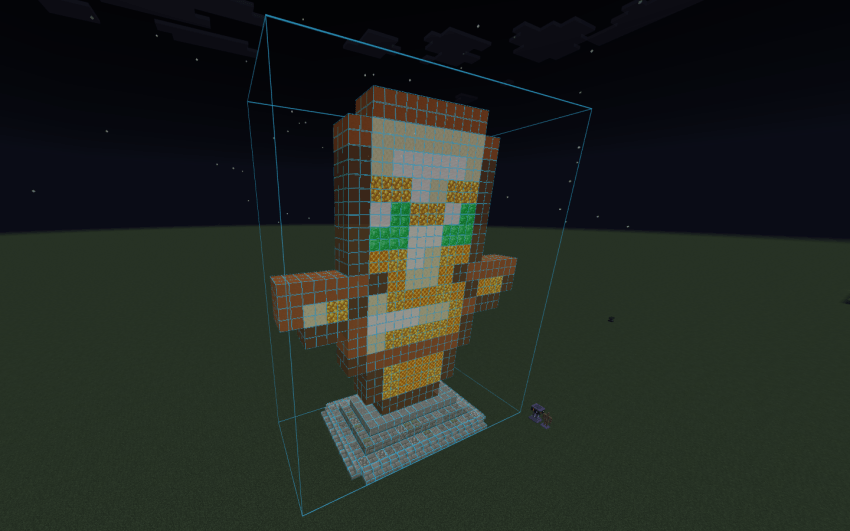
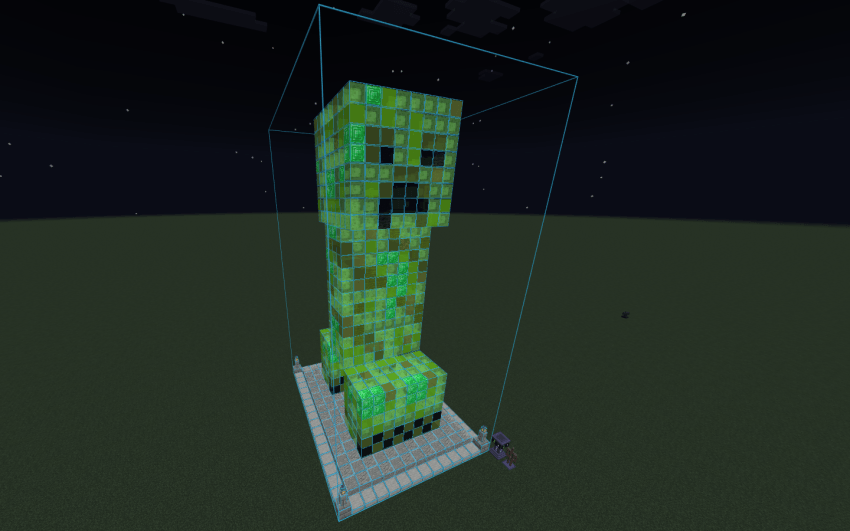
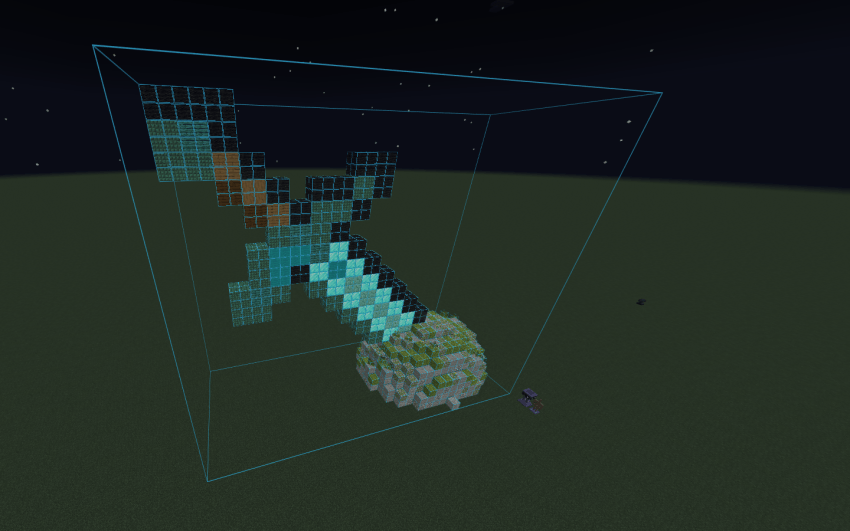
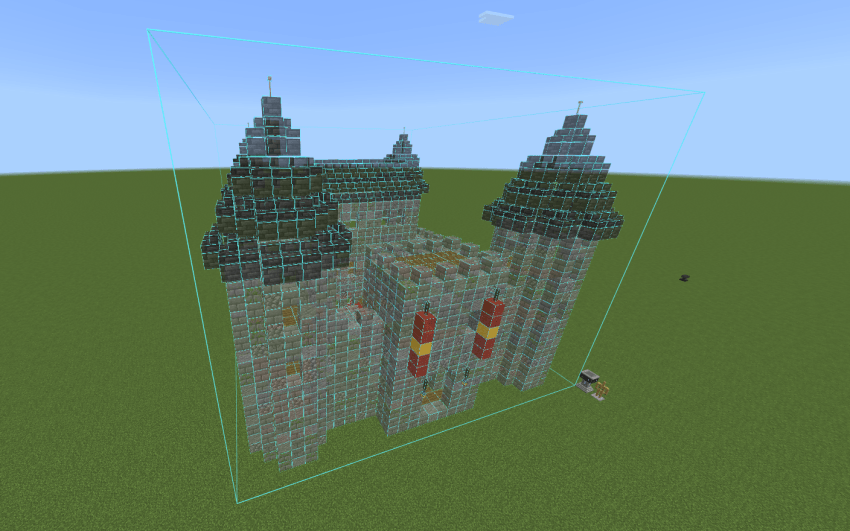
Starter Builds
The Starter Builds pack is only there so you can test Buildmatica. Turn it on above the main pack, then give an armor stand one of these items.
Click the spoiler below to see pictures of all the Starter Builds.
This mod adds new underground structures such fortress, deep mineshaft, underground villages and many more, making the underground generation more adventurous.
10 unique ore dimensions to explore — Coal, Copper, Iron, Gold, Redstone, Lapis, Quartz, Emerald, Diamond and Netherite. Each has its own portal and custom ore-themed trees with logs, planks and leaves!
Mine entire ore veins with one block break — up to 256 blocks at once. Fortune and Unbreaking supported, Auto Collect toggle, per-pickaxe tier control. No cheats needed. Achievement friendly.
This mod adds new underground structures such fortress, deep mineshaft, underground villages and many more, making the underground generation more adventurous.
10 unique ore dimensions to explore — Coal, Copper, Iron, Gold, Redstone, Lapis, Quartz, Emerald, Diamond and Netherite. Each has its own portal and custom ore-themed trees with logs, planks and leaves!
Mine entire ore veins with one block break — up to 256 blocks at once. Fortune and Unbreaking supported, Auto Collect toggle, per-pickaxe tier control. No cheats needed. Achievement friendly.