Fabrikao!!: Forever
- By
Your professions companion: browse recipes, plan what to craft, and find out where to get every recipe and ingredient.
Fabrikao!!
Your professions companion. Fabrikao!! lists every recipe of every profession in WoW Forever -- the ones you know, colored by difficulty with how many you can make, and the ones you don't, with the skill they need and exactly where to learn them: which trainer, which vendor, which creature drops them, with the distance and a button to show it on the map.
Features
Your professions
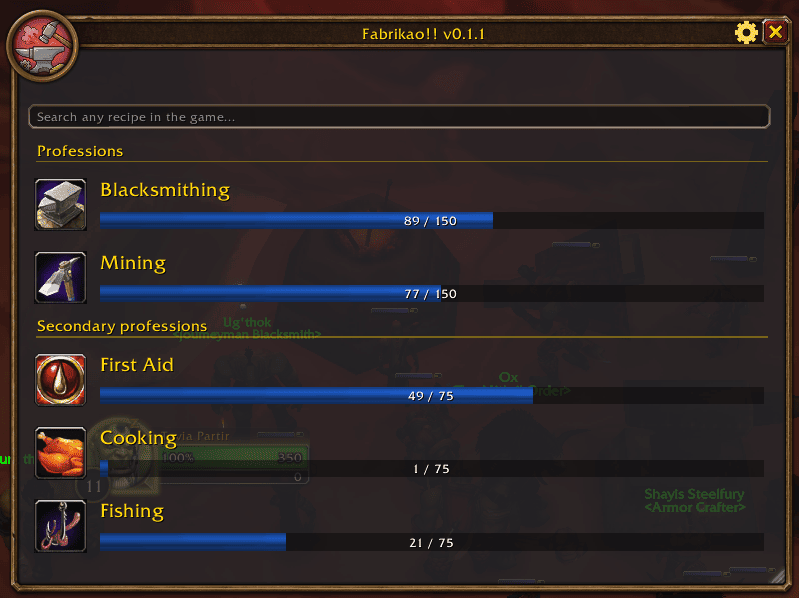
The window (/fab, the minimap button or a key binding) opens on your professions -- the primary ones first, then First
Aid, Cooking and Fishing -- each with its icon and skill bar. Click one to see its recipes. The gear next to the close
button opens the preferences, and the window can be resized and remembers its size and place.
Every recipe, known or not
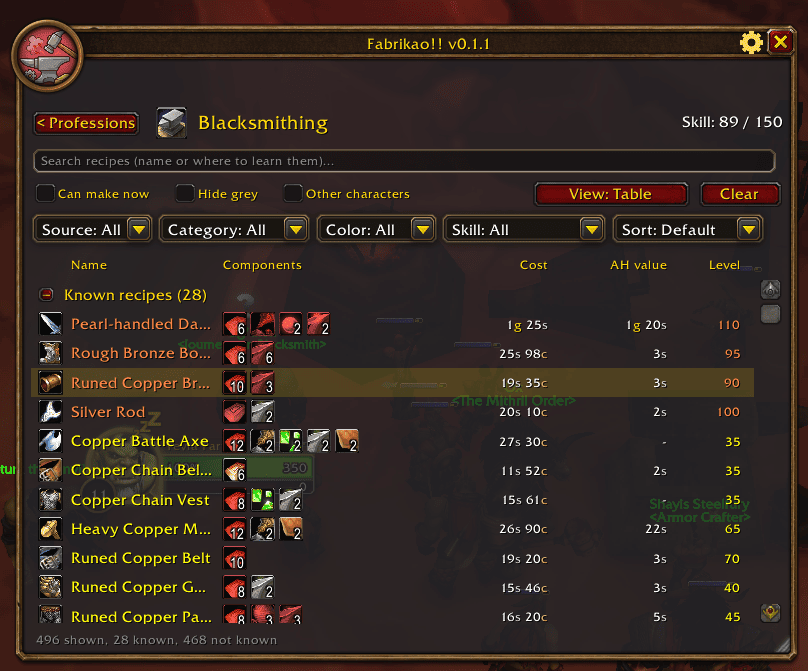
A profession's page lists the recipes you know first, colored by difficulty as in the game (orange, yellow, green, grey) with how many you can make from your bags in brackets, and then the ones you don't know yet, with the skill they need and where they are learned. Click the title of either group to fold it. The data covers every recipe of every crafting profession, also the ones of professions you don't have, and is kept up to date.
A table or a detailed view
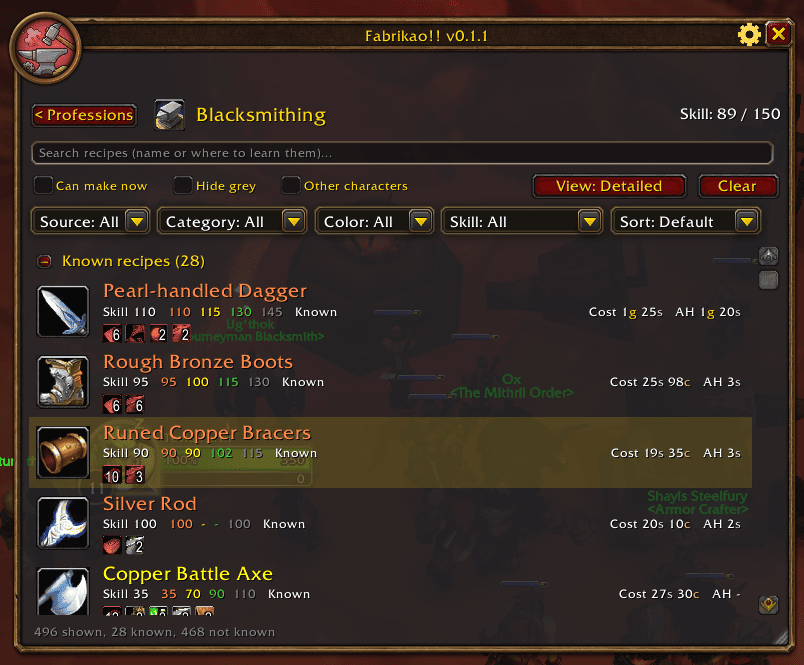
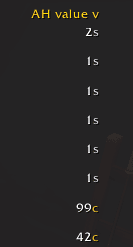
The table has a column for the recipe, its ingredients as icons (hover for the item, red when you lack them), the approximate cost, the approximate auction value and the level; click a title to sort. The detailed view gives each recipe a big icon and three lines: the skill and the four colors it turns, whether you know it, the cost and the value, and the ingredients. Choose the view with the View button or in the preferences.
Filters and sorting
Dropdowns like the game's own filter by where it is learned (trainer, vendor, quest, drop…), by category -- the slot of armor (hands, wrist, chest…), the kind of weapon, bags, potions, elixirs, food, gems, what an enchantment goes on… --, by color for your skill, and by skill: only what you can learn now, or what needs more. Tick Can make now to see only what your bags allow, Hide grey to leave out what gives no skill points, or Other characters (with Embolsao!!) to count the items of your other characters too. Sort by name, level, cost, auction value or how many you can make, and Clear puts everything back.
Search every recipe in the game
The box at the top of the window searches every recipe of every profession at once -- or use /fab find <text>: by
name, ingredient, vendor, creature, quest or zone, also for professions you don't have, with the same filters.
A panel for every recipe
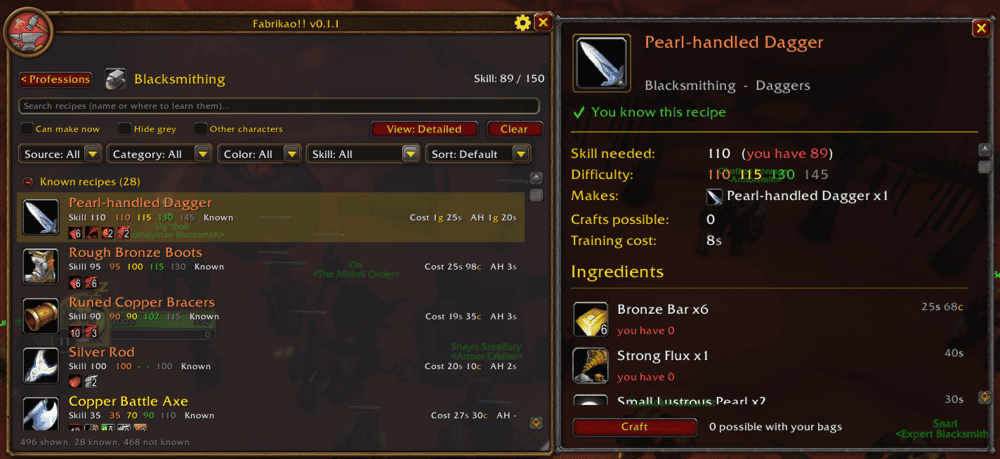
Click a recipe and a panel opens next to the window with everything known about it: whether you know it, the skill it needs and how its colors look for you, what it makes, how many you can make, the training cost and the item that teaches it. Every ingredient has its icon (hover for the item), how many you have in your bags, your bank and your other characters, and its price; below, what the ingredients cost, what the recipe sells for and the profit. Shift-click puts the recipe's link in the chat. The Craft button opens the game's profession window on that recipe, ready to craft there.
Where to learn it
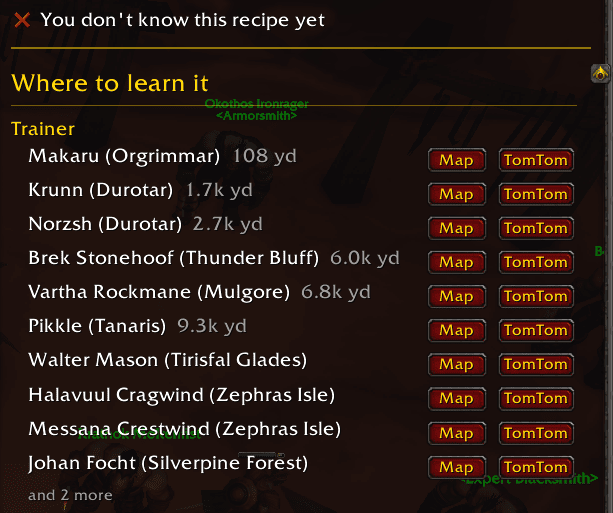
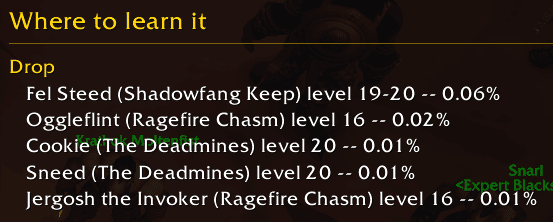
Every trainer, vendor, quest and creature that drops the recipe, one per line, only the ones of your faction, each with its zone -- and listed nearest first, with how far it is from you.
Creatures come with their level and drop chance.
On the map
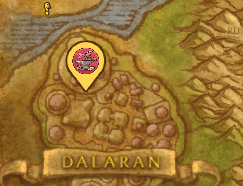
Each trainer, vendor and creature with a known position has a Map button: it opens the world map on it and leaves a pin with the Fabrikao!! icon on the spot.
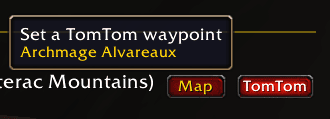
With TomTom installed there is also a TomTom button that sets a waypoint (with TomTom's arrow); a new one replaces the previous, so they don't pile up.
Works with other addons
None of them is needed; everything else works without them.
- Embolsao!! -- the "can make" counts and the ingredient lists can include what your other characters carry in their bags and banks, and the tooltips of the ingredients say who has what.
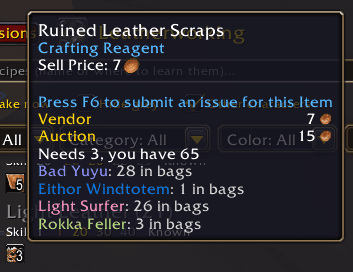
- Auctionator -- the cost of the ingredients and the value of what a recipe makes use its auction prices (without it, the cost uses what vendors pay and there is no value). Sort by the value to find what sells best.
- TomTom -- waypoints to trainers, vendors and creatures, as above.
Preferences
The gear opens the preferences: the view of the recipe lists, the window scale, the minimap button, the chat messages at startup, using the items of your other characters, and buttons to reset the window's place and size, the filters or all the preferences. Settings can be saved per character or shared by your whole account.
Enjoying Fabrikao!!? The same author makes more addons for WoW Forever, take a look:
- Embolsao!! -- one bag to rule them all: your bags and your bank in a single, clean window.
- Completao!! -- every quest, in order: quest chain trees with map markers and TomTom waypoints.
- Aggreao!! -- know who has the aggro before the mob does.
Commands
| Command | What it does |
|---|---|
/fabrikao or /fab |
Opens or closes the window |
/fab find <text> |
Searches every recipe |
/fab minimap |
Shows or hides the minimap button |
/fab version |
The addon's version |
Languages
English and Spanish (esES / esMX).
Feedback
Found a bug or have an idea? Please report it on GitHub.
Fabrikao!!: Forever Team