Road To Sixty
- By
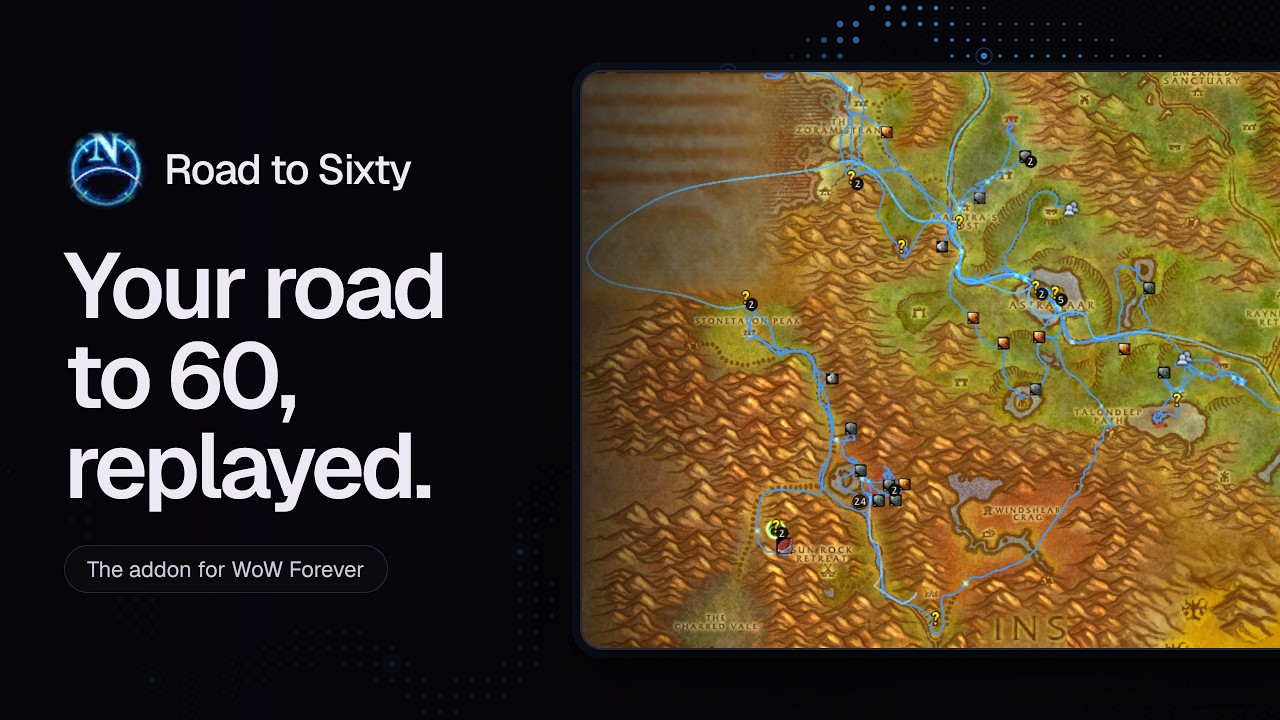
Road To Sixty quietly records where your character goes from level 1 to 60. Open the map whenever you like to see your whole adventure drawn across Azeroth, and replay it from the very first step.
Description

Road to Sixty
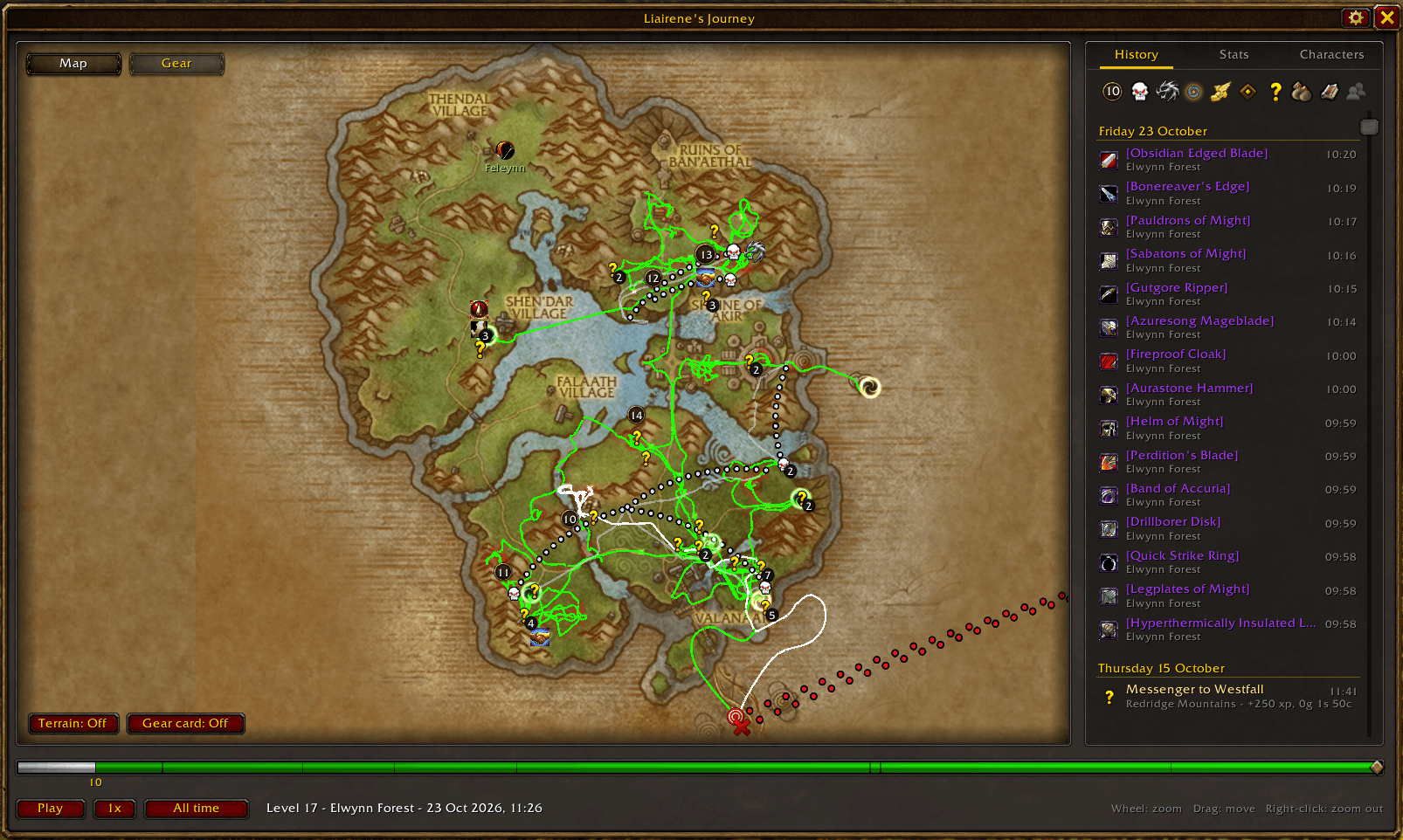
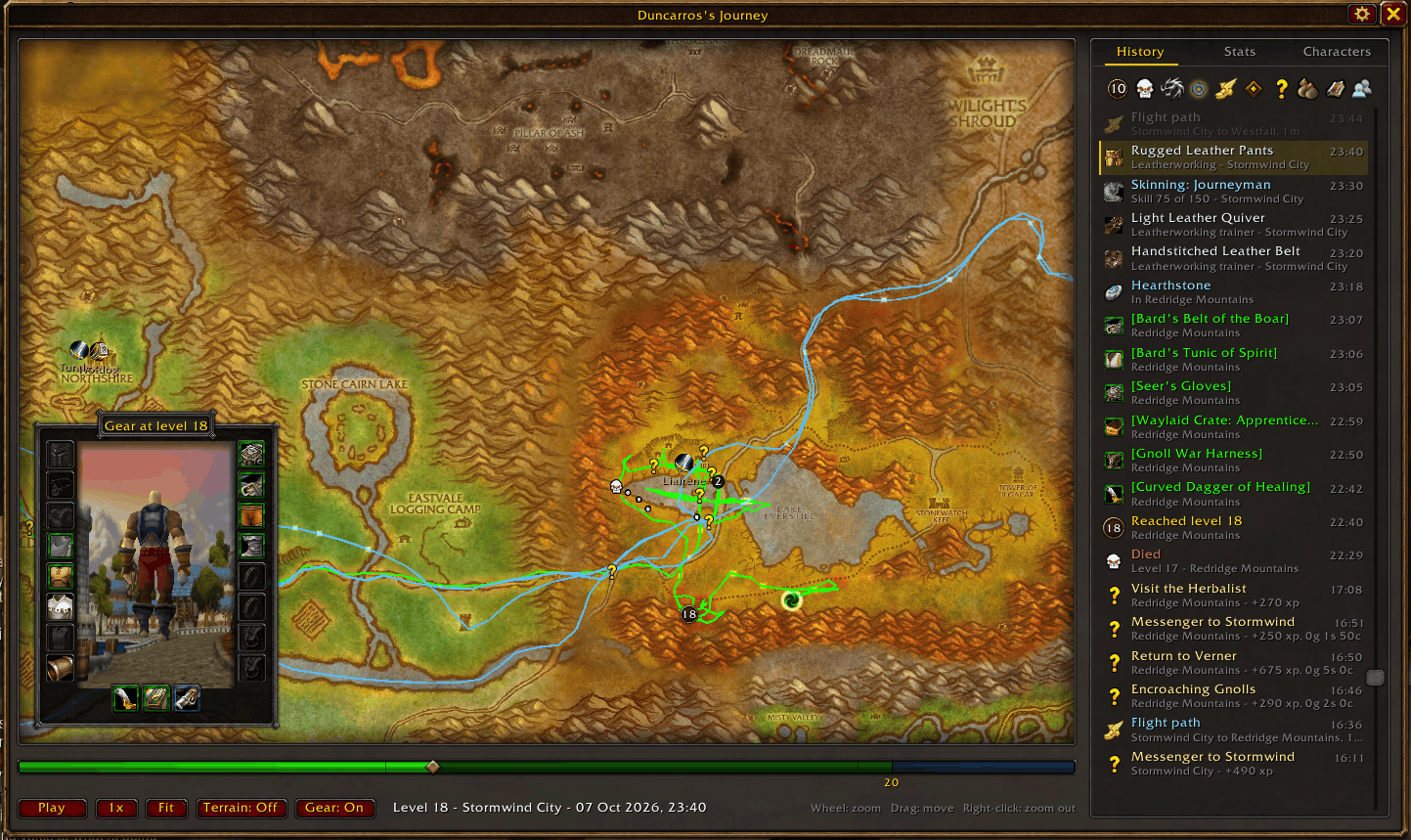
Road to Sixty records your character's road from level 1 to 60 and replays it on the world map: every road, flight, boat, hearthstone and corpse run, drawn where it happened. The Hero's Path from Breath of the Wild, for Azeroth.
Install it before you start. It records from the moment it is installed; travel from before then can't be recovered. WoW Forever launches on 4 November 2026.
It also runs on Classic Era and the Anniversary realms (The Burning Crusade, to level 70), with Outland on its own map.
The map
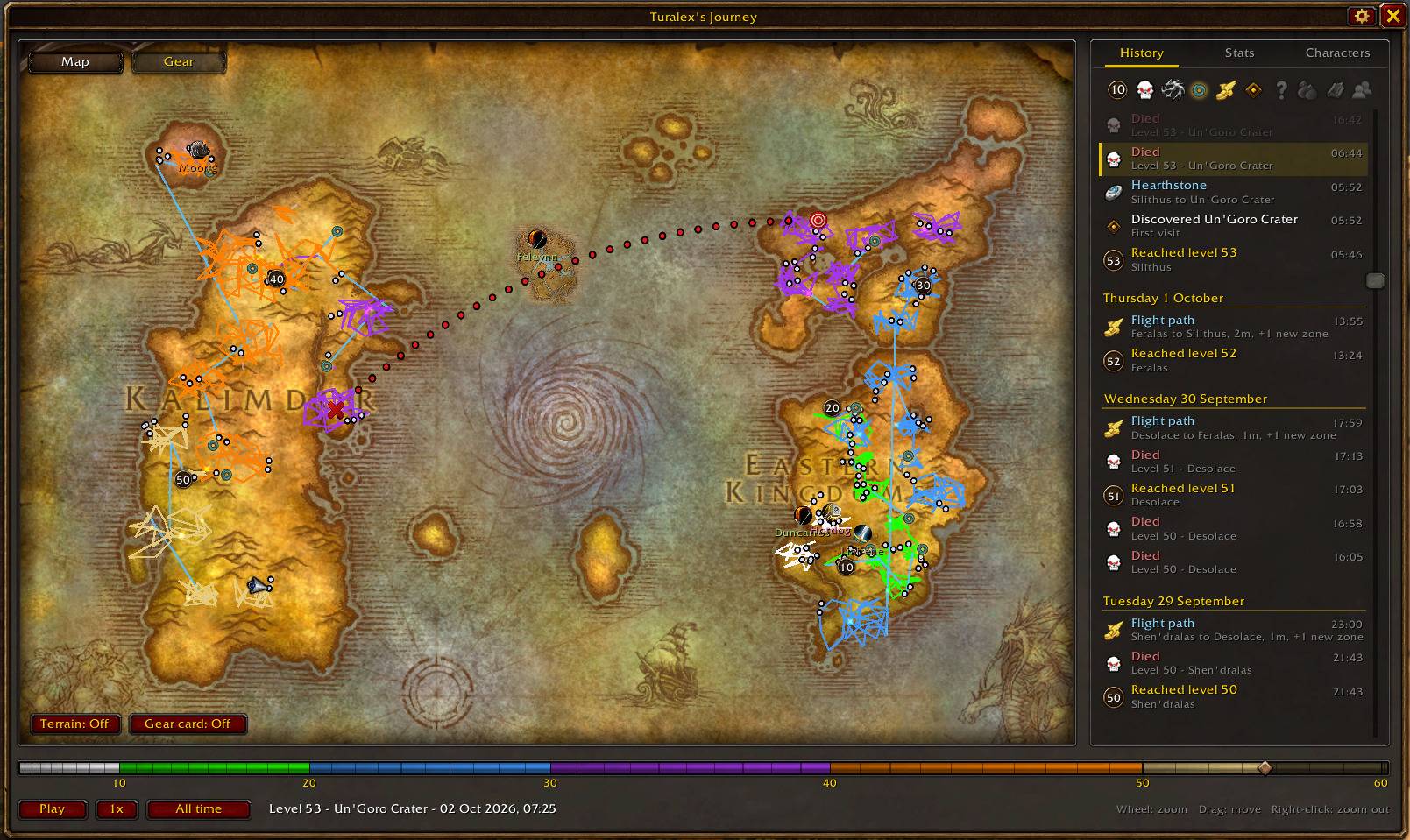
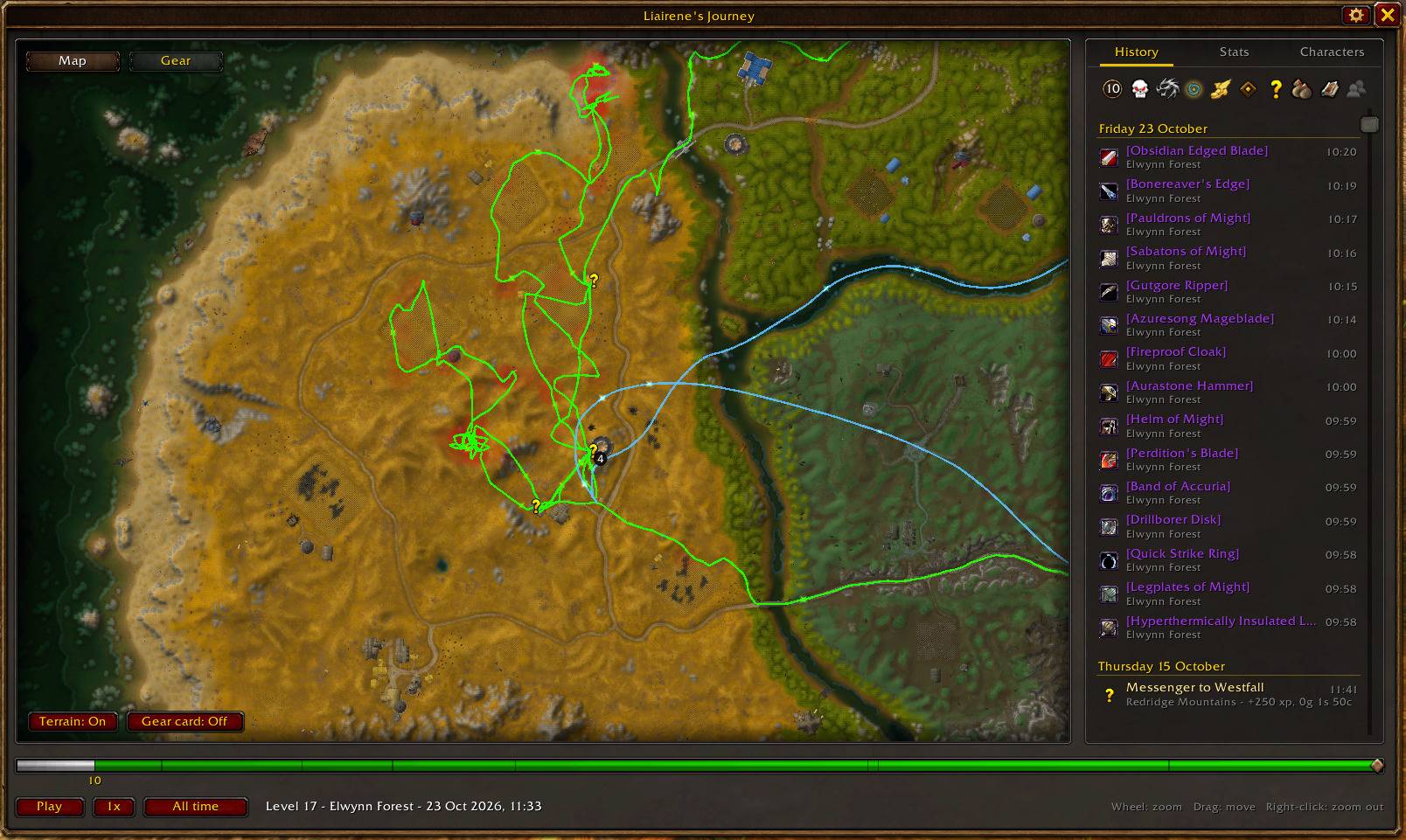
Open it from the minimap button or with /rts. It zooms from the whole world down to a single zone, over the game's own zone maps or real terrain, and opens where you left it.
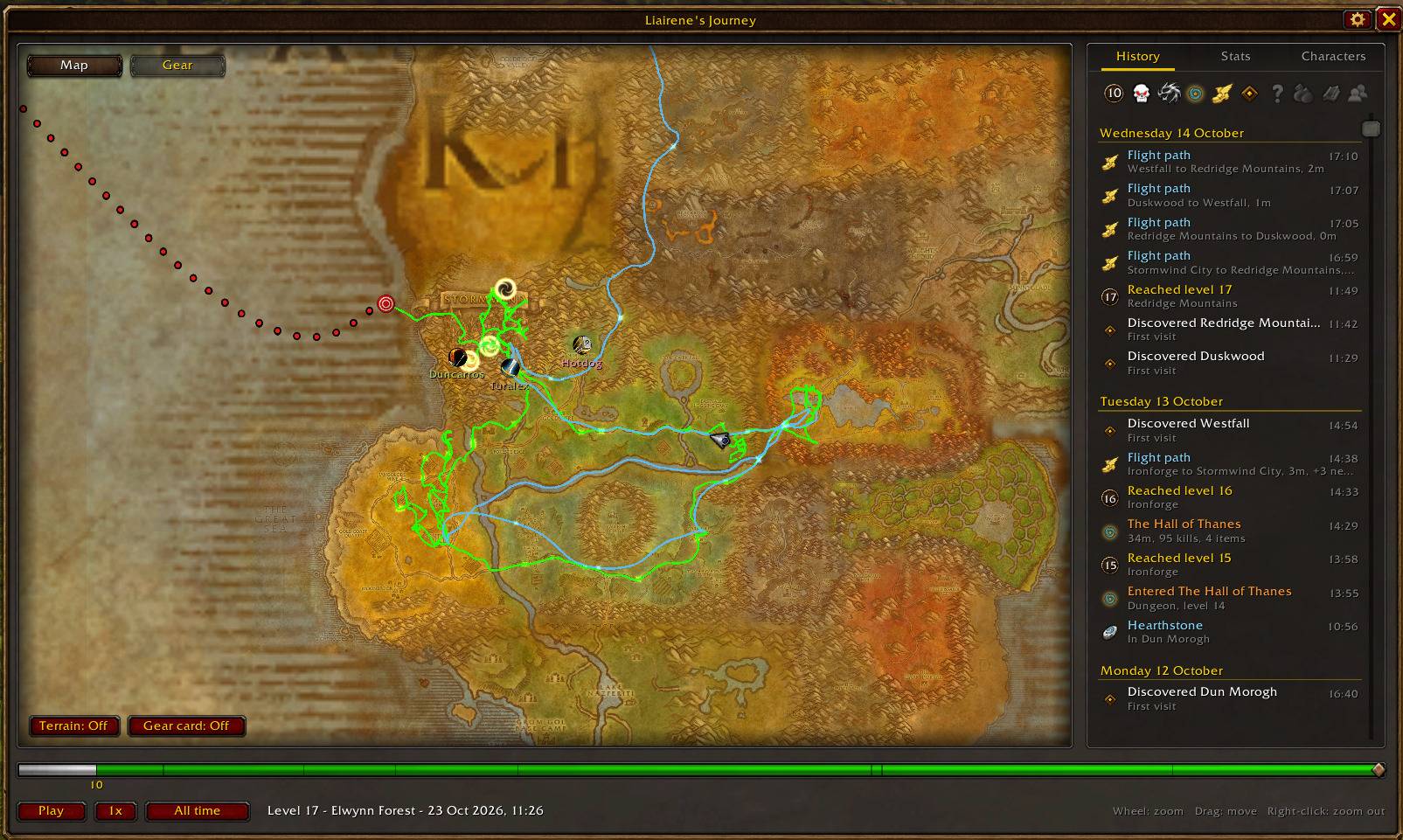
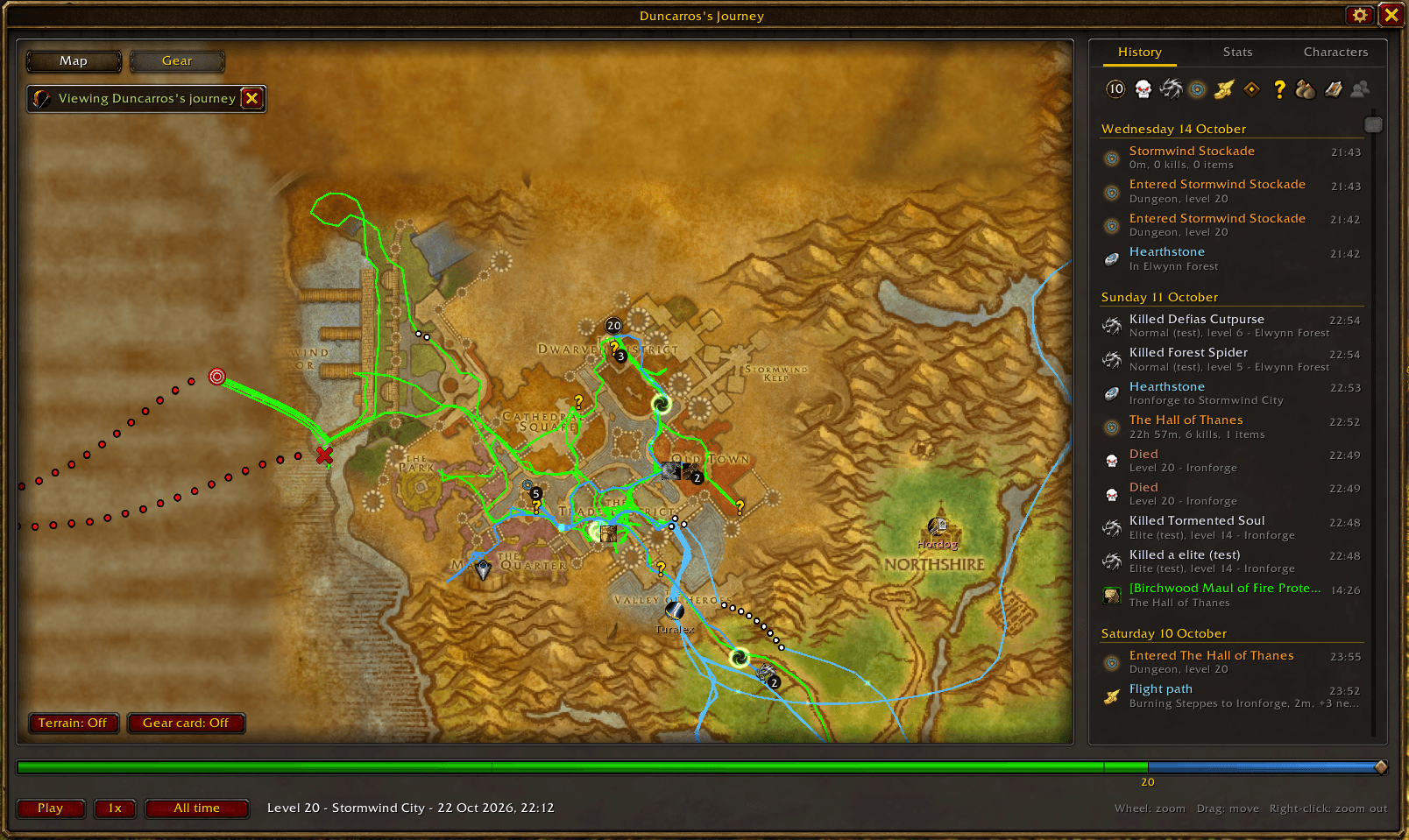
- Your path changes colour as you level, through the item quality colours. Flights, boats and zeppelins have lines of their own; hearthstones and teleports are portals.
- Level ups, dungeons, battlegrounds, quests, groups, guilds, professions, reputation, mounts and rare kills are marked where they happened. Hover any of them for the details.
- Every mining and herb node you gathered shows its ore or herb, with a count when you came back to it. Fishing spots show each trip and what you caught.
- Faint red marks build up where you grinded.
- Show all time, or just today, yesterday, or the last 7 or 30 days.
The replay
Press Play to watch the whole road unfold, at up to 32x. Kills and quests pop up with their experience, your level badge flips at each ding, and you dive into a portal when you hearth. Drag the timeline to jump anywhere; the map follows you.
History
Everything that happened, in order, with filters that hide events from both the list and the map. Dungeons, raids and battlegrounds fold what happened inside them under one row; click to open it.
- Deaths say what killed you: "Killed by Gorehowl (Mortal Strike)", "Died: Falling".
- Battlegrounds keep their result: won or lost, your killing blows, honorable kills, deaths, honor, damage and healing, the map's own score and the reputation you gained.
- Gathering lists every node and fishing trip with what it gave.
Gear
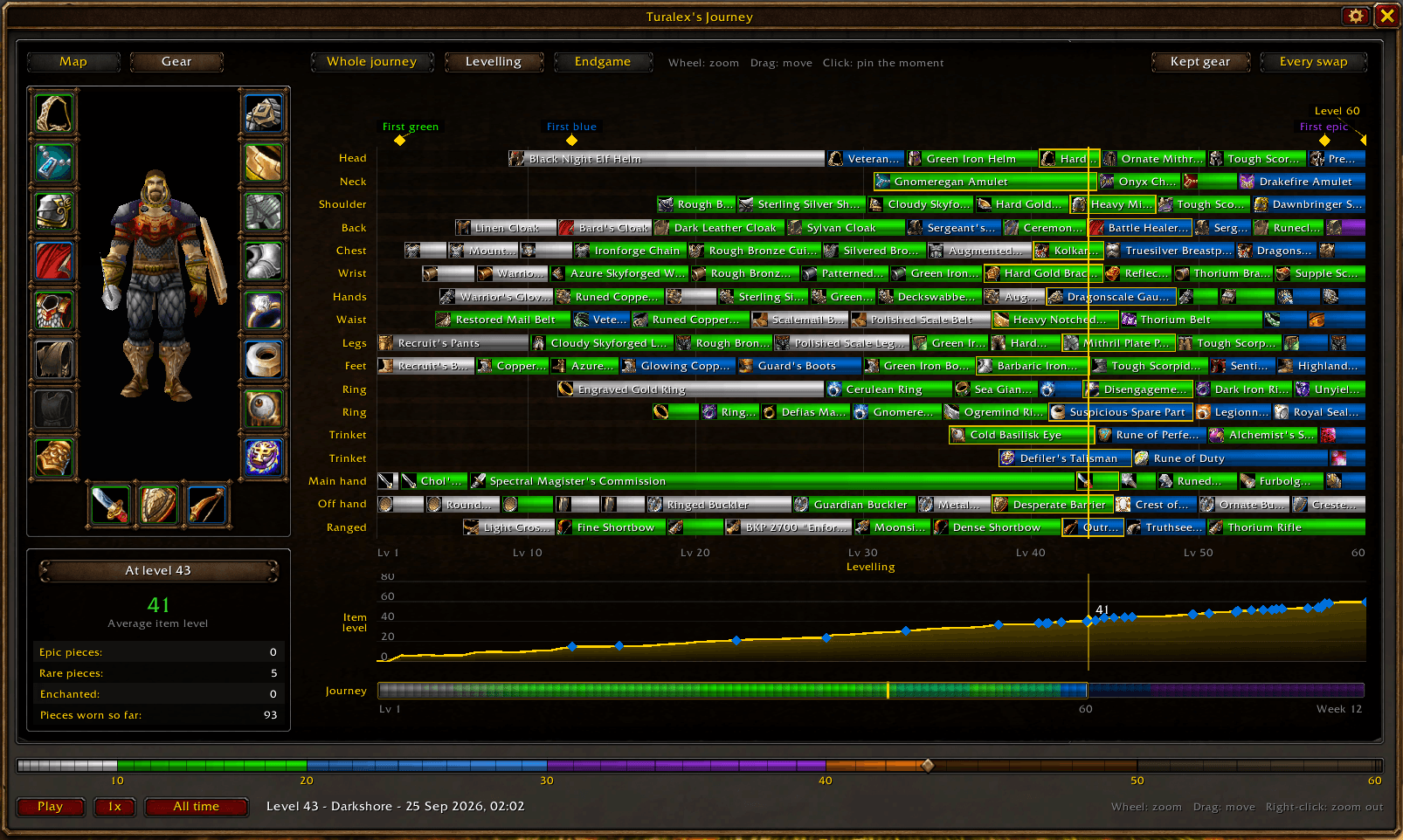
Your gear is saved at each level up: hover a level up to see what you wore. The Gear screen shows every piece you wore, slot by slot, from level 1 to your raiding weeks: where each came from, who enchanted it, how long you wore it, and your item level over the journey.
Level ups
Each ding prints a short summary in chat: where, how long the level took against the one before, and its kills, quests, deaths and gold. Click Open map to see that moment. A screenshot is taken too, saved in the game's Screenshots folder (turn it off in the options).
People, guilds and rares
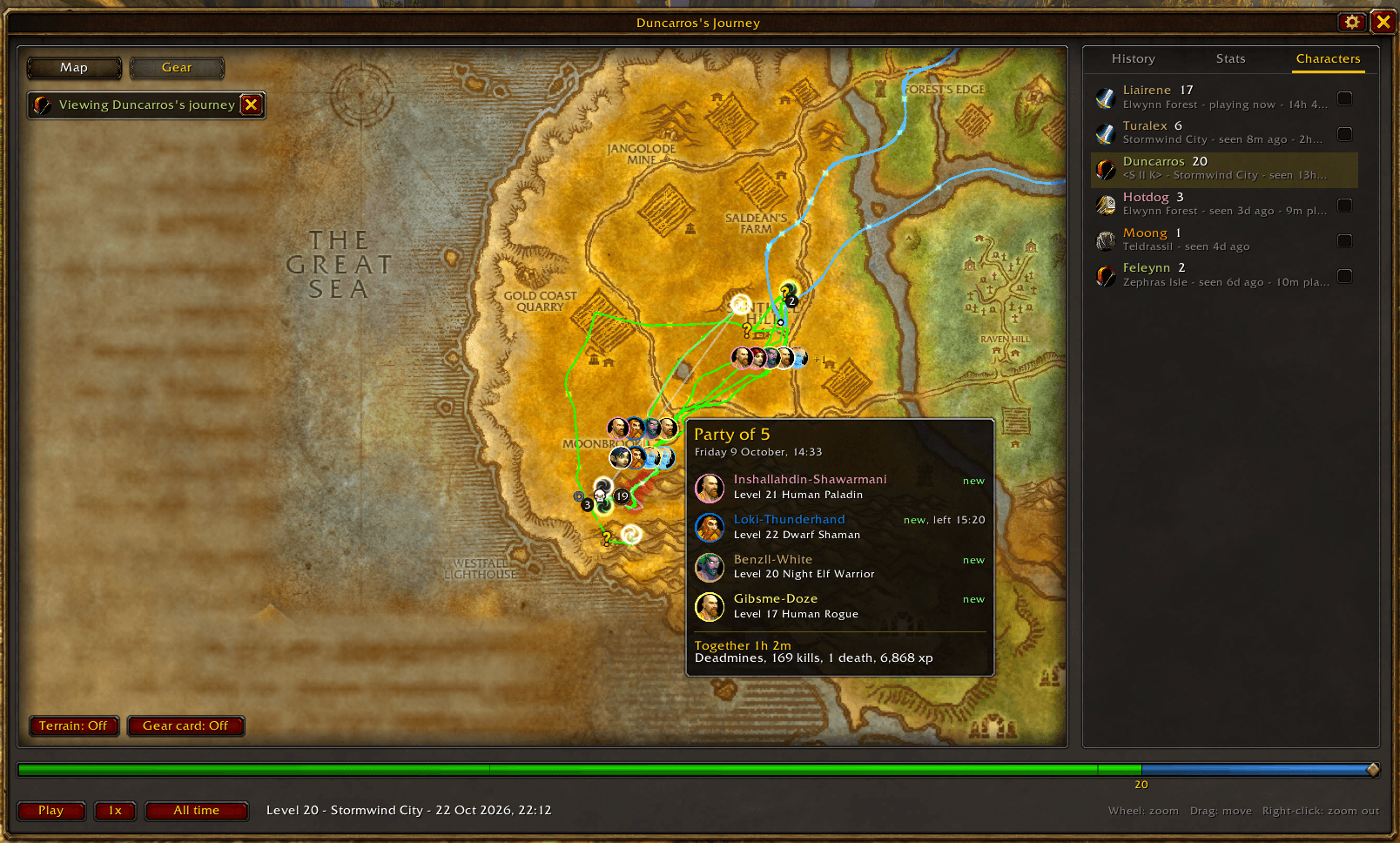
Every party and raid is saved with its members: hover their portraits on the map to see who they were and what you did together. Guilds you joined and left, and the first kill of each rare (the silver dragons), are marked where they happened.
Stats and your other characters
Stats has your totals and a table for every level: kills, quests, experience, deaths, time played, distance walked and flown, and who you grouped with most. The Characters tab opens the journey of anyone on your account (each needs to log in once).
Play on more than one PC? Get the app
The addon works on its own and keeps everything in your WoW folder. If you play one character on more than one computer, such as a desktop and a Steam Deck, the free Road to Sixty app (Mac and Windows) joins your journeys into one road.
- It sends your journey up when you log out and brings the newest back when the game starts, joining sessions from each PC rather than overwriting them.
- Earlier versions are kept, so you can go back to one.
- You sign in with Battle.net, and can download your journeys or delete everything at any time.
Get it at roadtosixty.online. See the Privacy page for what is kept.
Commands
| Command | What it does |
|---|---|
/rts or /rts map |
Open the journey map |
/rts options |
Open the options (also under Options > AddOns) |
/rts check |
Check that recording is working, and whether the journey from the app came in |
/rts stats |
Show journey totals and how much space the recording takes |
/rts minimap |
Show or hide the minimap button |
/rts reset confirm |
Erase this character's journey |
Feedback
Bugs, ideas and screenshots are welcome in the comments. If recording seems off, include what /rts check says.
Road To Sixty Team