Munin.StyleLib
- By
Style Library. One look for your whole interface! Twelve styles, shared across every add-on that uses it.
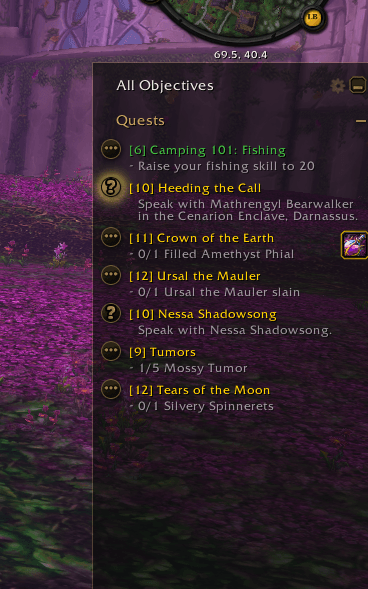
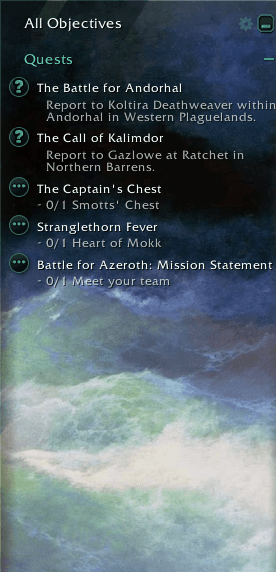
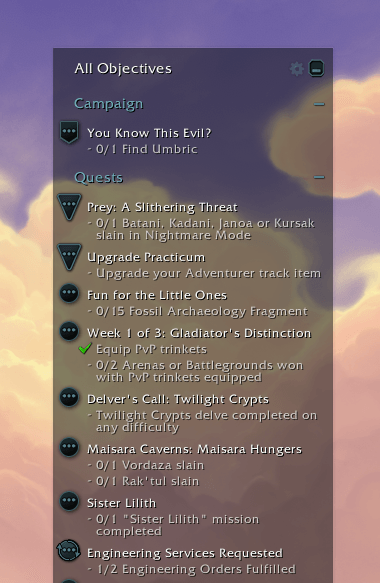
Between the Waves, style from Munin.StyleLib.Pack
Description
StyleLib
One place to set the look of every add-on that uses it. Thirteen styles, from Slate Glass and Midnight to Stormy Seas with a painting behind it, plus the game's own default — set one for everything, or give any add-on its own.
StyleLib is a styling library. On its own it adds one settings page and nothing else to your screen; what it does is give every add-on built against it a shared set of looks, so they stop being eight different visual opinions sitting on the same screen.
It is open for use as a stand-alone dependency, so your addons can match the styles of other creators' addons, seamlessly, for a beautiful game experience for your users.
StyleLib now has support for user-created style packs, find a template and easy instructions here:
https://www.curseforge.com/wow/addons/munin-stylelib-pack
Features
- Thirteen styles — Slate Glass, Stormy Seas, Midnight, Quiet Ledger, Carved Ember, Zone Cream, Forever, Parchment, Cyberpunk, Neon, White Cherry, Pink Cherry and Neon Cherry — plus Game Default, the game's own font and gold icons, for keeping one add-on stock while the rest are styled.
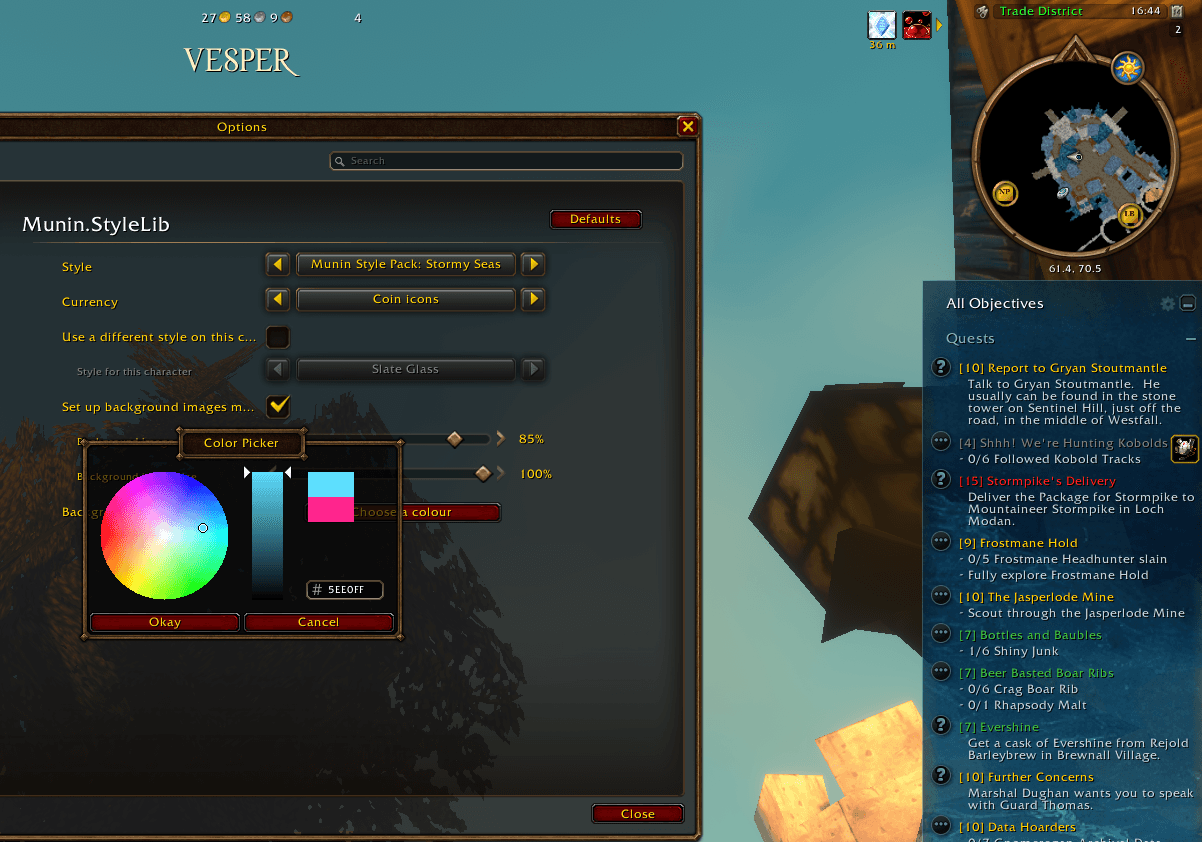
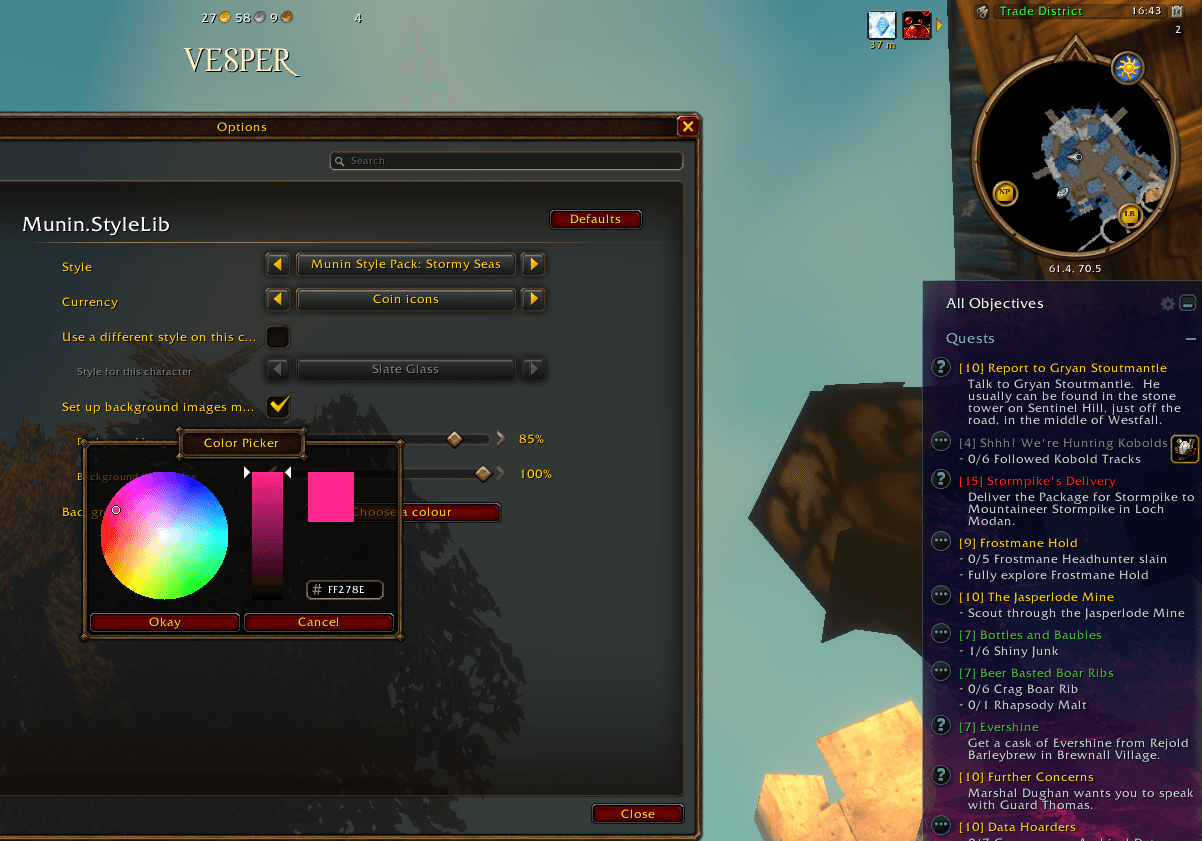
- Stormy Seas — a style with an Aivazovsky painting behind it. Set how strongly the art shows, its size and its tint, for everything at once or one add-on at a time.
- One style for everything — pick it once and every add-on that uses StyleLib follows it.
- Or a style per add-on — tick Style this add-on separately on any of them and it keeps its own look instead. Untick it and it rejoins the global style, remembering what it had in case you switch back.
- Per-character styles — keep one look across the account, or let a single character wear something different.
- Coins or letters — choose whether money shows as the game's coin icons or as letters that take your style's color.
- The game's own fonts — every style names one of the client's own font objects, so nothing is installed, nothing looks out of place, and every locale renders in its own alphabet.
- Nothing is touched that shouldn't be — StyleLib never reaches into the game's own interface. It hands colors and fonts to add-ons that ask for them, and each one does its own drawing.
Usage
- All options live in Esc → Options → AddOns → Munin.StyleLib: the style for every add-on, the currency form, and the per-character override.
- Each add-on that uses StyleLib has its own Style this add-on separately checkbox on its own settings page.
- Slash commands:
/muninstyle— show the current style and list the available ones/muninstyle <name>— switch to that style, e.g./muninstyle midnight
Make your own style
Don't care for any of the thirteen? Make your own — no programming, and nothing to publish unless you want to.
Between the Waves, shown on this page, is not one of the thirteen — it is one of three styles in Munin.StyleLib.Pack, below.
Install Munin.StyleLib.Pack, take a copy of its folder, give the copy your own name, and change the colors in it. They are plain numbers in a text file, with a comment beside each one saying what it is used for. Save, type /reload, and your style is in the picker with all the others.
Step by step, including how to find your AddOns folder, is on the Munin.StyleLib.Pack page. The full reference is Theme-Pack-Guide.md, inside this add-on's folder.
If you end up with something you like, you can put it on CurseForge as a pack of its own. Anyone who installs it gets your style in every add-on that uses StyleLib.
For add-on authors
StyleLib is free to use as a dependency in your own add-on, and is built to be safe to adopt: it never touches Blizzard's own frames, so it brings no taint risk with it. It hands you colors, a typeface and an opacity control, and your add-on does its own painting.
Your add-on gets the per-add-on Style this add-on separately checkbox for free, so a user who has set a look for their interface can have yours match it, and still override it if they want.
Use it as a dependency — please don't embed a copy in your own add-on.
Quick start
Declare ## OptionalDeps: Munin.StyleLib in your .toc, then at your own ADDON_LOADED:
local registry = _G.MuninStyleLibRegistry
local entry = registry and registry["MuninStyleLib-1.0"]
local StyleLib = entry and entry.lib

if StyleLib then
    -- Seeds db.settings.style. Must come before anything reads the style.
    StyleLib.RegisterConsumer("MyAddon", MyAddonDB, Refresh)

    StyleLib.StylePanel(myFrame, MyAddonDB)
    StyleLib.StyleText(myTitle, MyAddonDB, { role = "title", font = true })
    StyleLib.StyleTexture(myIcon, MyAddonDB, { role = "icon" })

    -- Style picker + "Style this add-on separately" on your settings page.
    StyleLib.AddStyleSettings(category, "MyAddon", MyAddonDB, Refresh)
end
That is the whole integration. Anything you hand to a Style* call is re-painted on every style change with nothing further asked of you, so most add-ons need no refresh code at all. Guard the calls as above and your add-on behaves exactly as it does today for anyone who doesn't have StyleLib installed.
Roles are title, header, body, bare (text with no panel behind it), panel, border, accent and icon. There is also StyleLib.StyleBox(box, db, opts) for a whole box in one call — it takes any table with a .text font string and a .frame, so Munin.Core is not required.
One thing worth knowing before you start: a backdrop or vertex colour multiplies against the texture underneath it, so anything you hand to StylePanel should be filled with a plain white tile (Interface/Buttons/WHITE8X8). The common Interface/Tooltips/UI-Tooltip-Background is dark grey, which drags every scheme towards itself and puts light schemes out of reach completely. Dark styles hide this, so it tends to ship unnoticed until someone picks a light one.
The full cheat sheet ships inside the add-on, as API-Cheat-Sheet.md in the Munin.StyleLib folder: every call, every option, roles, fonts, opacity, money formatting and the reload offer.
Notes
StyleLib doesn't change how anything looks on its own. It needs add-ons built against it. All Munin UI addons will have StyleLib included.
Other authors may also have added Munin.StyleLib to their addons - refer to their addon notes to check.
Munin.StyleLib Team