GearQuest Forever
- By
Find the right gear at any point with this leveling companion. Right-click any gear slot to see the best upgrades for your class, spec, and level 1-60, plus where they come from. Pick a hunt, track it in the log like a quest, and get a toast when it drops.
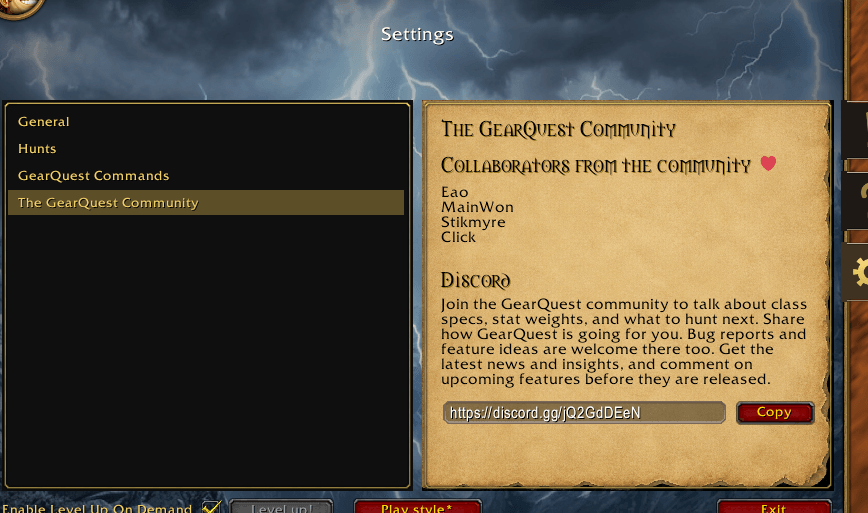
community page on settings tab
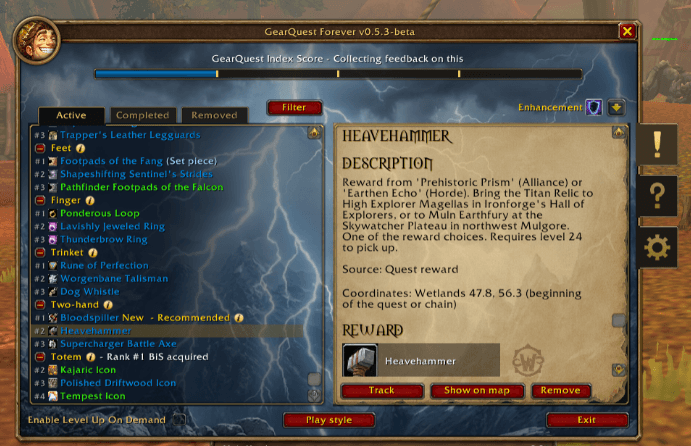
GearQuest Forever's Log UI
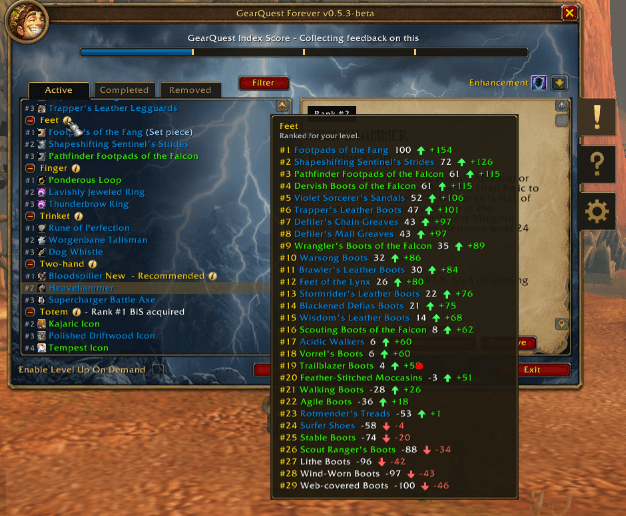
Hovering over a slot title in the Log's list makes the full list of BiS items (ordered by rank) tooltip appear.
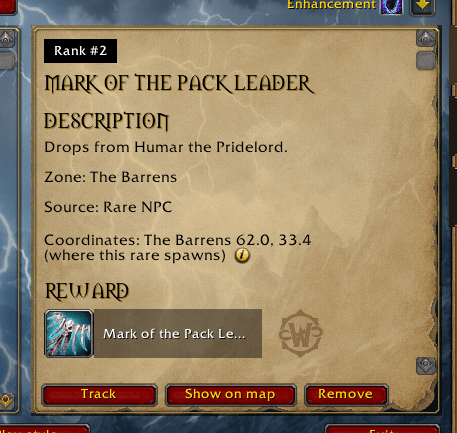
An example of a hunt description for a Rare NPC.
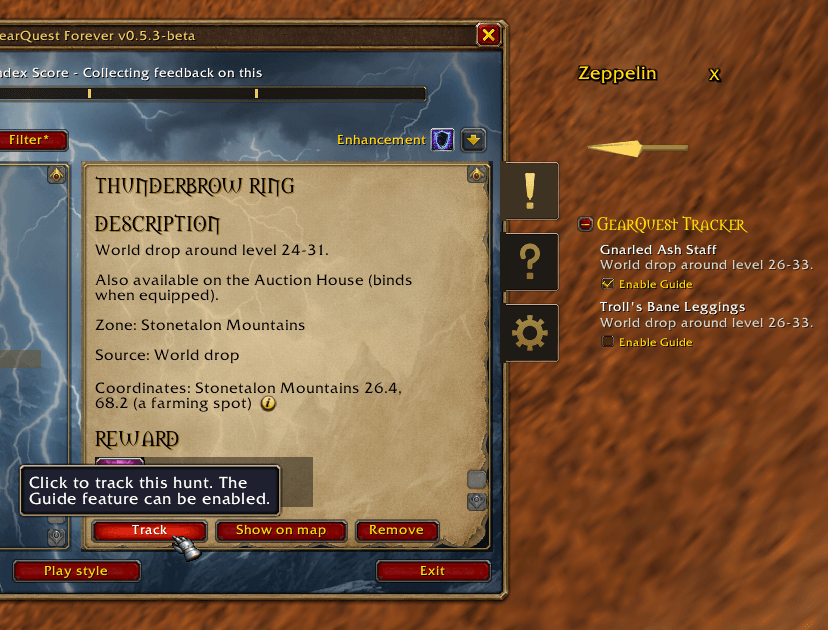
The Track button on a hunt.
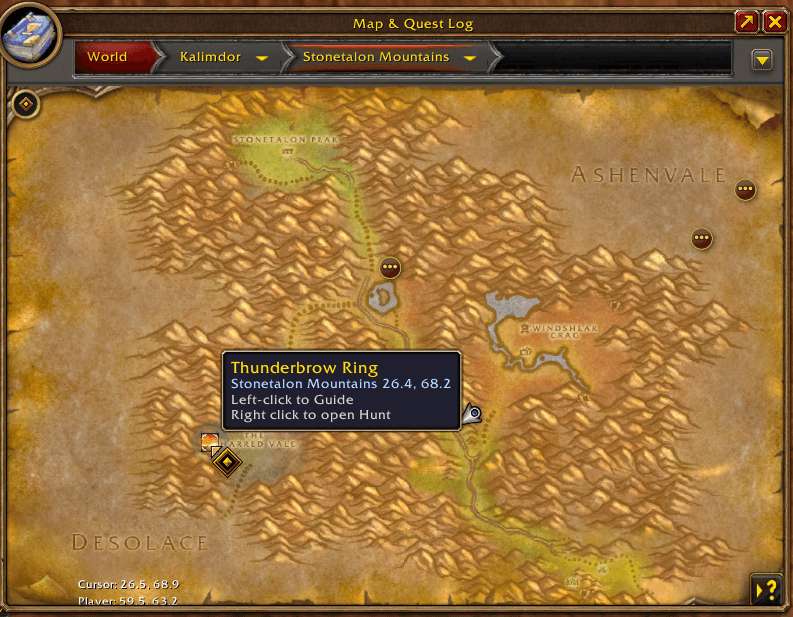
As you track a quest or more quests, pins will be placed on the location of the hunts.
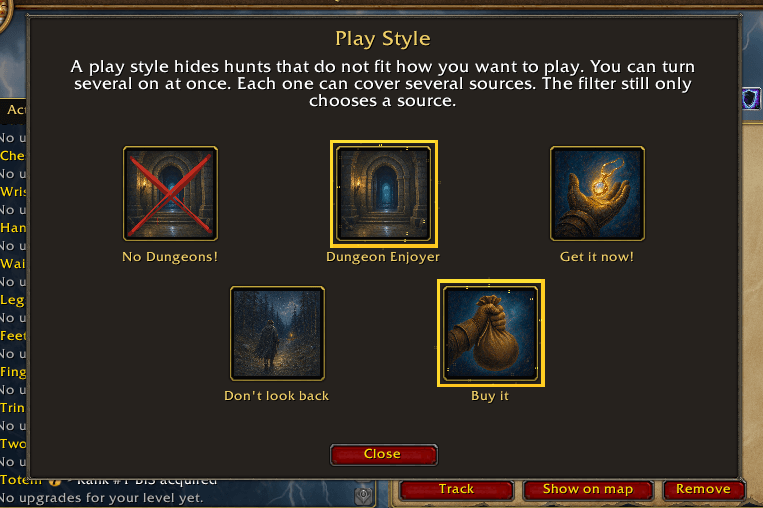
Play Styles that can be activated to match the way you want to play.
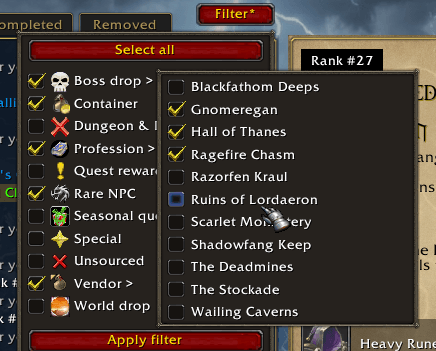
Main and sub-filter options are way to limit the list of hunts to only show what you want to hunt for.
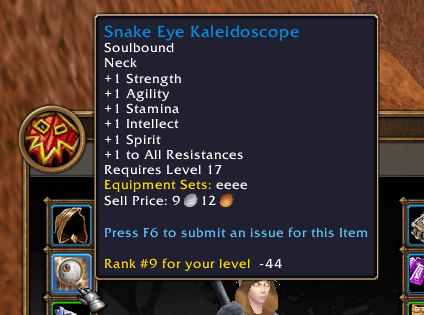
Displaying the Rank (and gearquest score for your current level) on an item you already have.
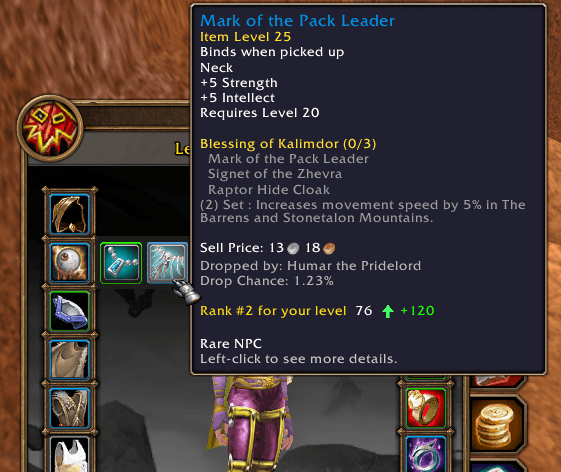
Right-clicking on any slot on your character UI makes the top-3 BiS option panel appear. Here you see an upgrade.
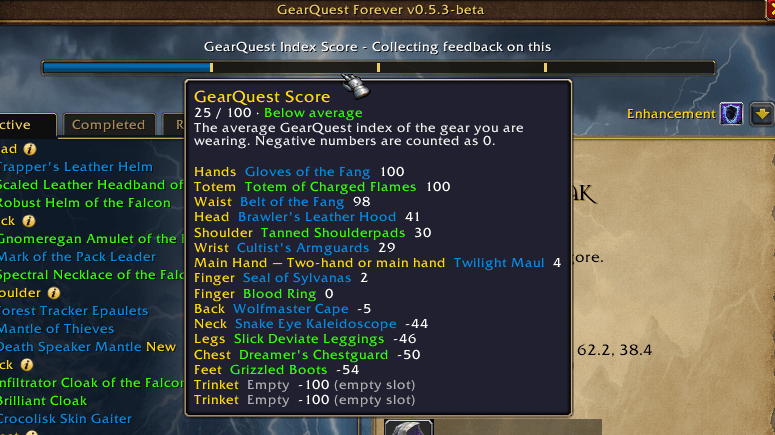
The GearQuest score shows the average score of your equipped gear from 0-100.
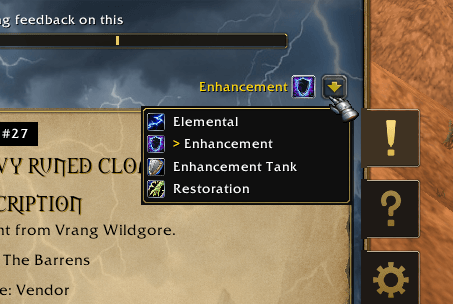
The spec picker allows you to switch betwen specs in order to see BiS gear options for each spec.
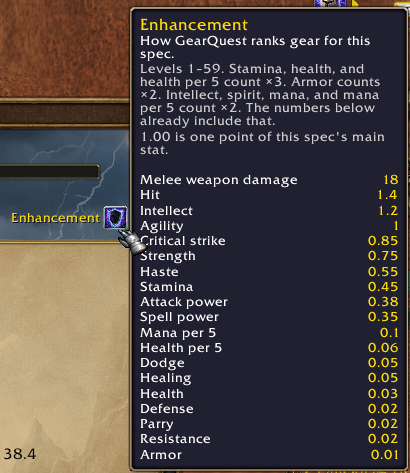
Hovering over the current spec icon/name shows a tooltip of the stat weights for that specific spec.
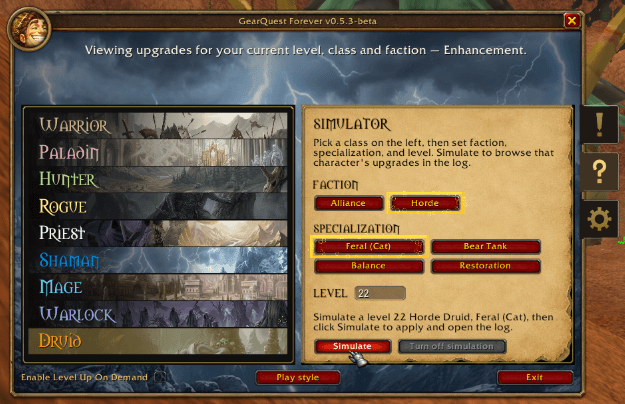
The simulator allows you to simulate any class, spec and level combination for each faction to see their BiS lists or stat weights.
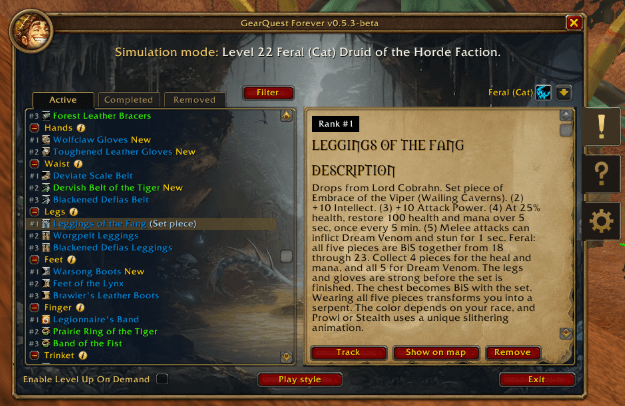
An example of a simmed character.
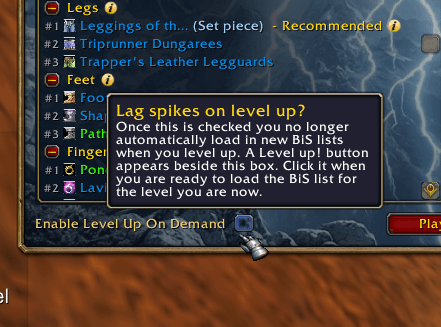
Enable Level Up On Demand in order to decide when you want to update the BiS list (happens when you level up), so you can control when you are ready for a short lag spike.
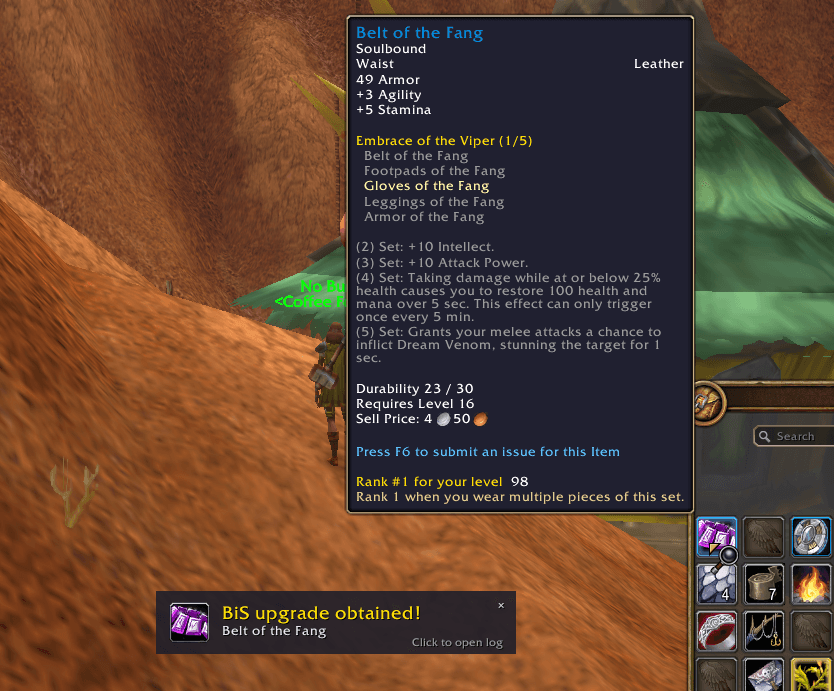
Once you finish a hunt (meaning you obtained the gear piece you were hunting for) you get a Toast!
Description
Disclaimer: GearQuest Forever will be adapted ongoingly as the wow community discover more gear in the WoW Forever beta. Therefore the data can appear to be incomplete and in some cases incorrect during the beta. Class talent trees are also changing which can impact how gear is being scored and ranked. Expect frequent updates as Blizzard has blocked data mining on gear suffixes/effects before its discovery.
Feedback & Donations
We are right now looking for Class Experts to help us fine tune every spec's stat weights!
You're welcome to join the official GearQuest Discord to share all your feedback.
Please consider buying me a coffee - it helps me a great deal and motivate me to keep developing - thanks <3
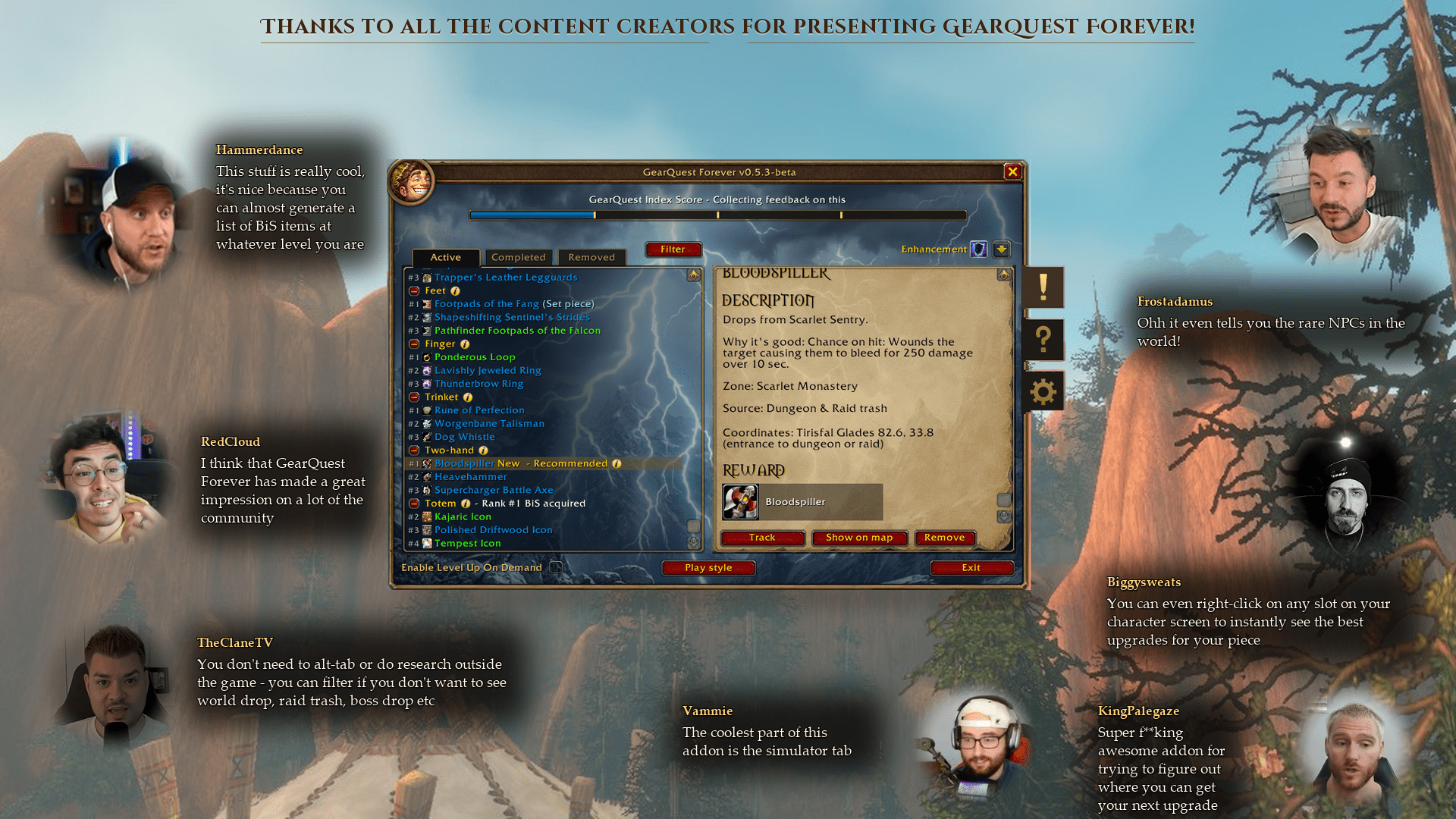
Credit to some of the wonderful content creators that highlighted GearQuest Forever
GearQuest Forever
GearQuest Forever answers one question at every level from 1 to 60: what is the best thing I could be wearing in this slot right now, and where do I get it?
No spreadsheet. No alt-tab to a website.
Left-click the minimap button for the log. Right-click a character slot to see your BiS upgrades.
Your Hunts
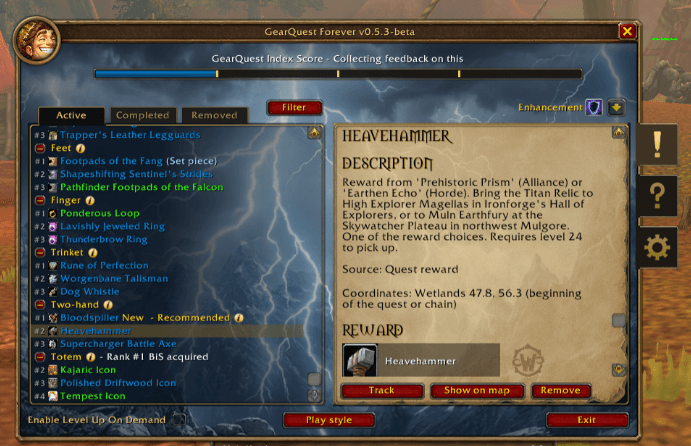
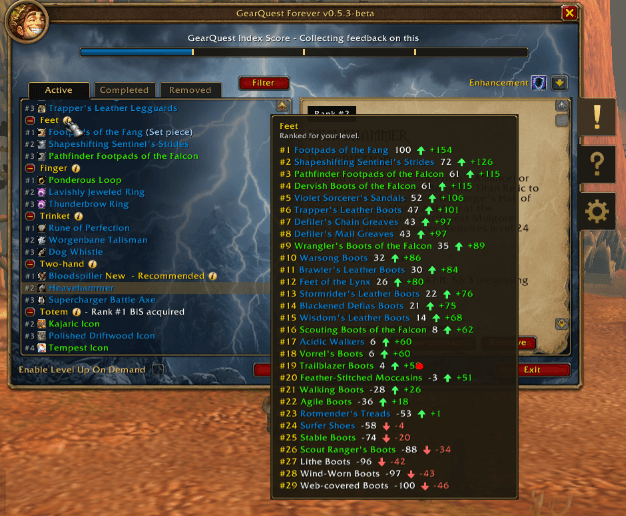
Each row is a piece for that slot. The grey number is its rank, the same number as the (i) list. Recommended marks up to three rank #1 upgrades. - Rank #1 BiS acquired means you already have the best piece in that slot.
Where a gear piece comes from
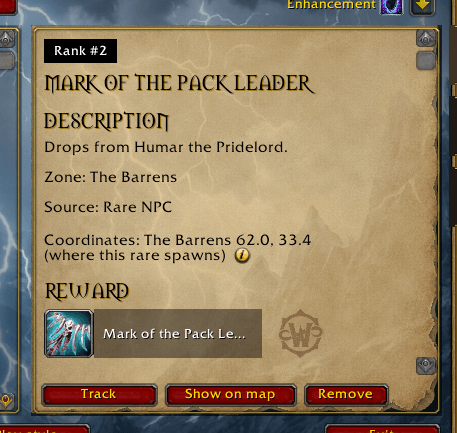
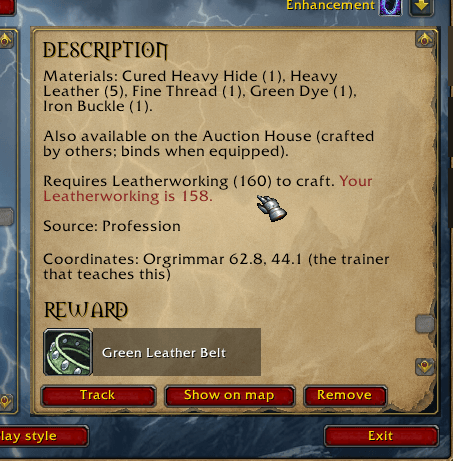
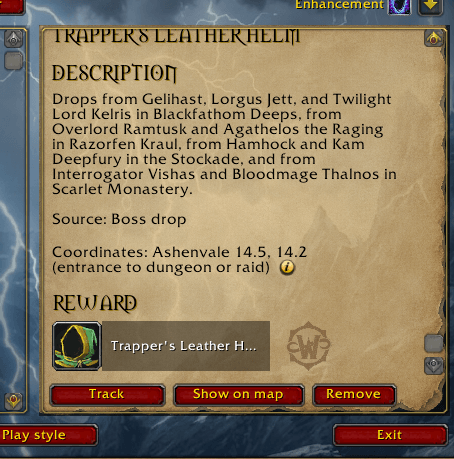
Open a hunt for the source, the quest level, the craft, and the materials. Track pins it. Show on map opens the spot. Remove takes that hunt off the list.
Pins on the map
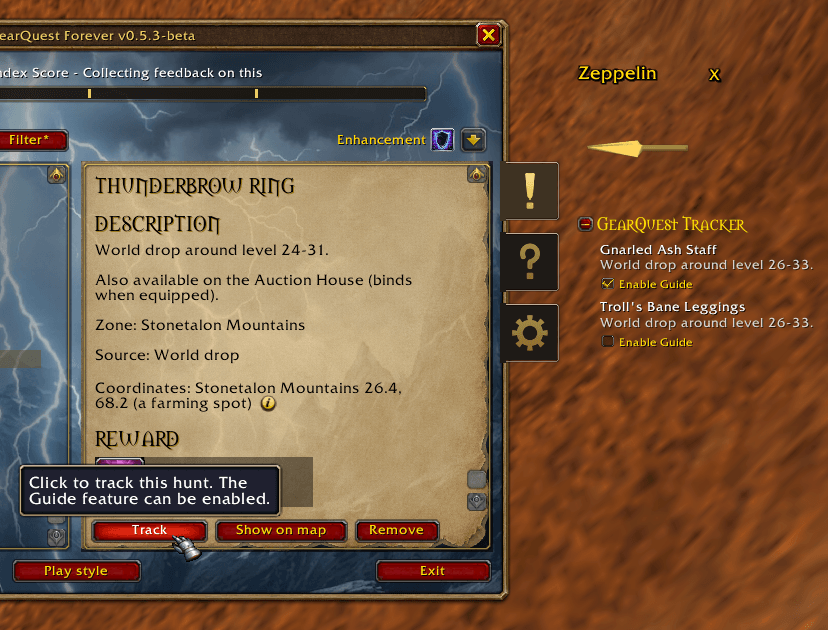
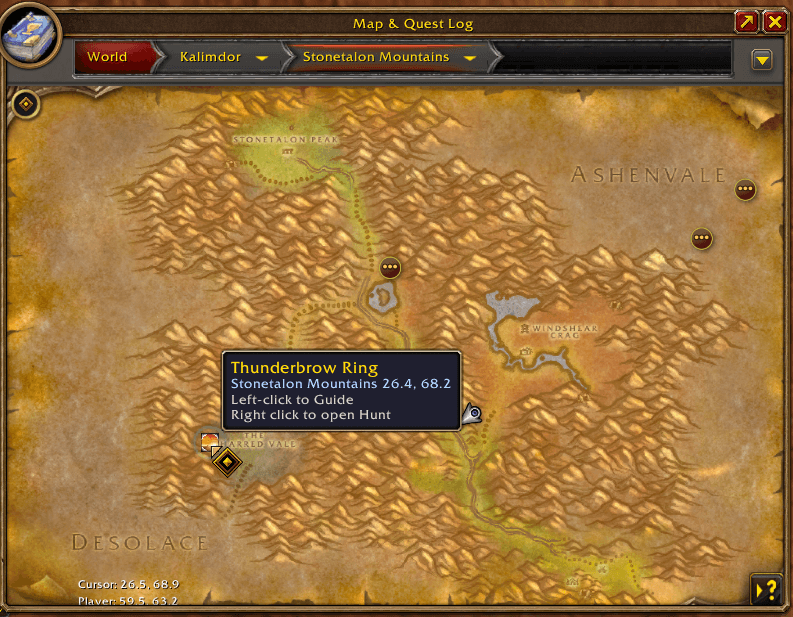
The pin is a real place: the quest that starts a chain, a dungeon entrance, a vendor, a rare creature, or a camp. Track a hunt and the "Guide" arrow can point the way. On another continent it points at the boat, zeppelin or air ship first.
Play your way with Play Styles
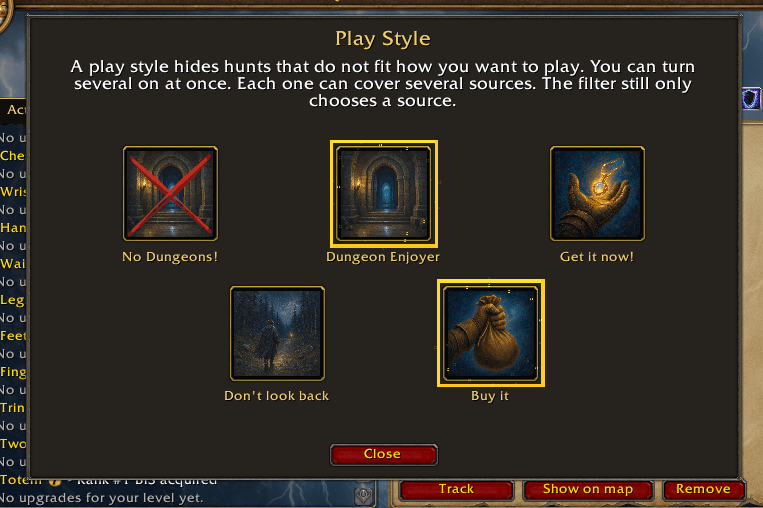
Play Styles are another type of filter that match the way you want to play; No Dungeons! hides dungeon and raid hunts, even quests that require you to go into a dungeon are excluded. Dungeon Enjoyer keeps only those hunts that require you to go into a dungeon. Get it now! waits to show you hunts until you have the reputation, or can make a bind-on-pickup craft. Don't look back hides a quest once it would be gray. Buy it keeps vendor pieces and gear that is not bind on pickup (such as but not limited to world drops). The two dungeon cards turn each other off. The button reads Play style* while at least one play style is enabled.
Filter
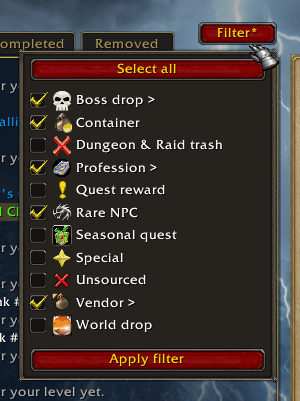
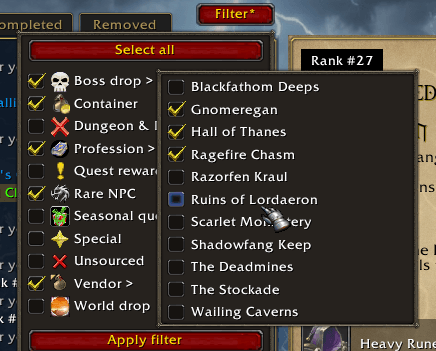
Hide a source like a profession or a rare NPC, or many other filter combinations. Also compatible with Play Styles.
Is this an upgrade?
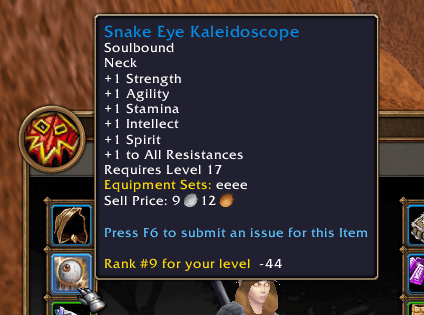
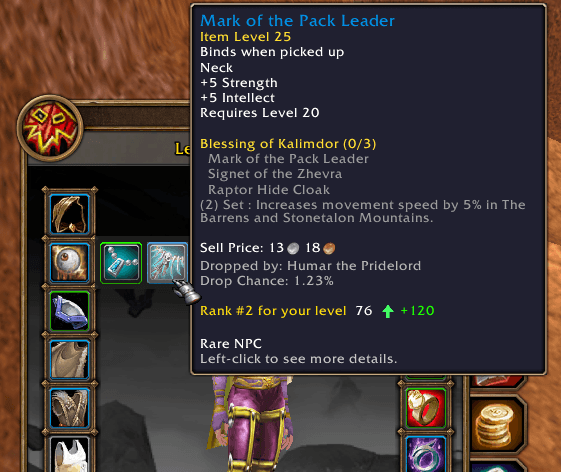
Hover a piece of gear and you will see a line that tells you how it ranks for that slot: best is +100, worst is −100. The arrow (green-up/red-down) compares it to what you have on.
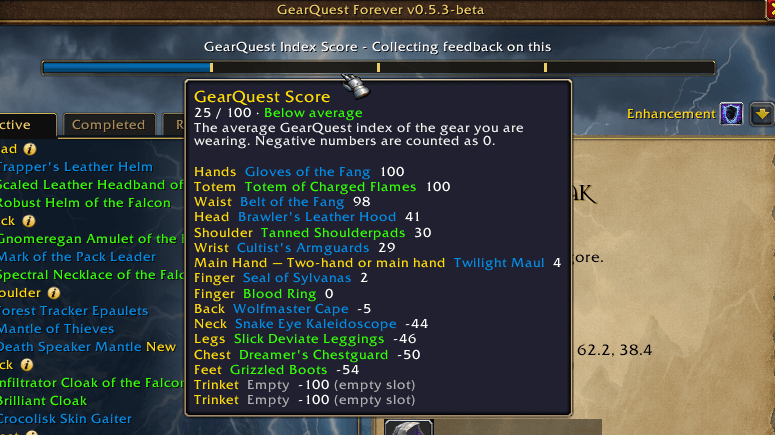
The GearQuest Score bar in the log header is always the score of your equipped gear. Both the score and the bar can be turned off under General settings.
Why that piece ranks as it does
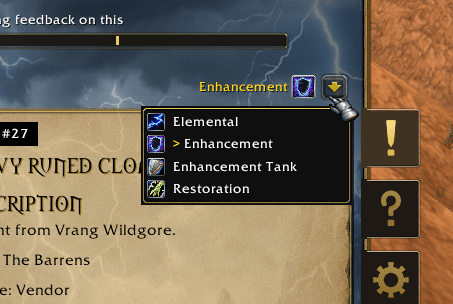
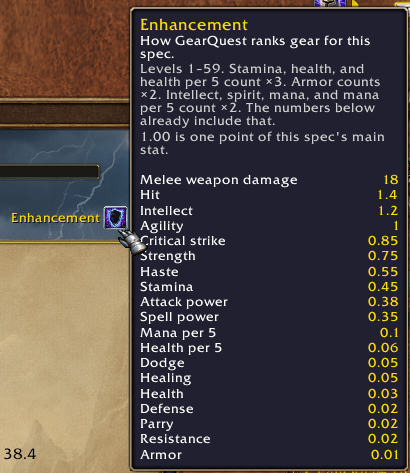
Hover the spec picker in the upper right corner of the GearQuest Log. Those are the weights for the chosen spec. These stat weights decide how gear is ranked for that specifc spec. A random-enchant green is ranked on its best suffix roll. You cannot edit the weights in the addon yet.
Look ahead
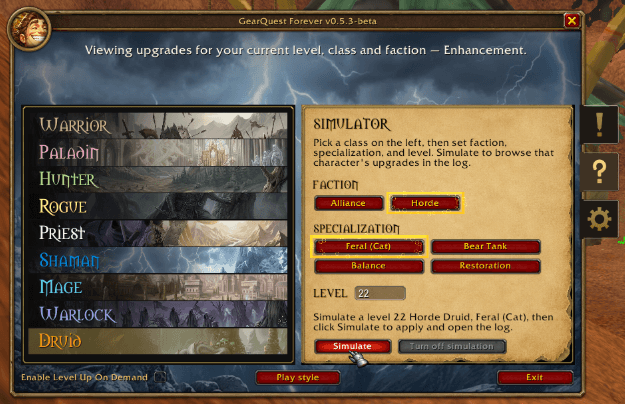
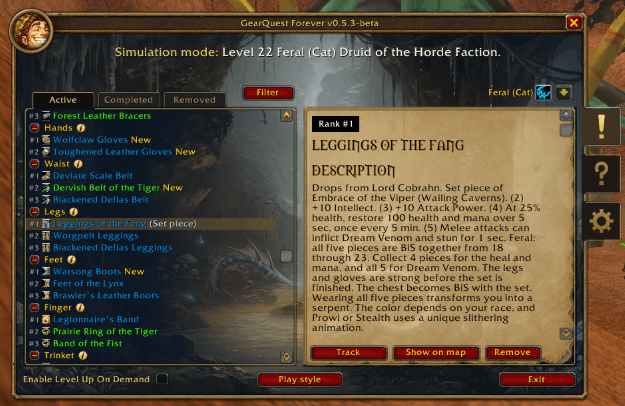
The simulator is another class, spec, faction, or level. Turn off simulation brings the list back to you. The tooltip will not score your gear while it is on.
When you ding
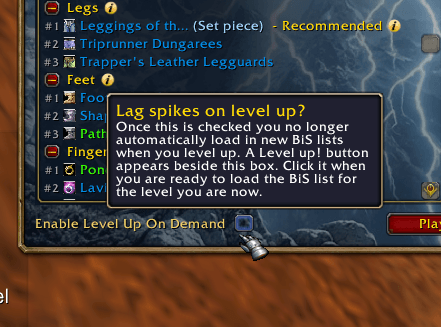
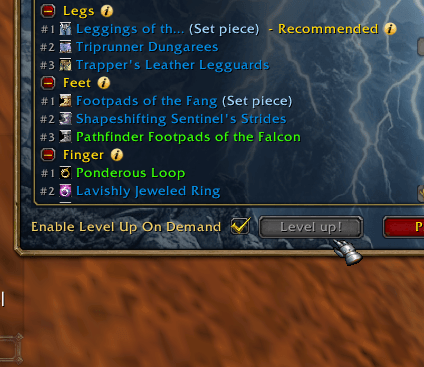
GearQuest is a HEAVY addon. You can feel this when you level up because once you do so, an updated BiS list is activated so it matches your new level. If you do not wish these lists to be activated automatically (because it might wipe you while in a dungeon or something like that), you can check the checkbox Enable Level Up On Demand in order to manually control when you are ready to "level up". So when you are ready after you just leveled up, press that Level up! button when you want the new BiS list loaded.
Toast when you obtain a BiS
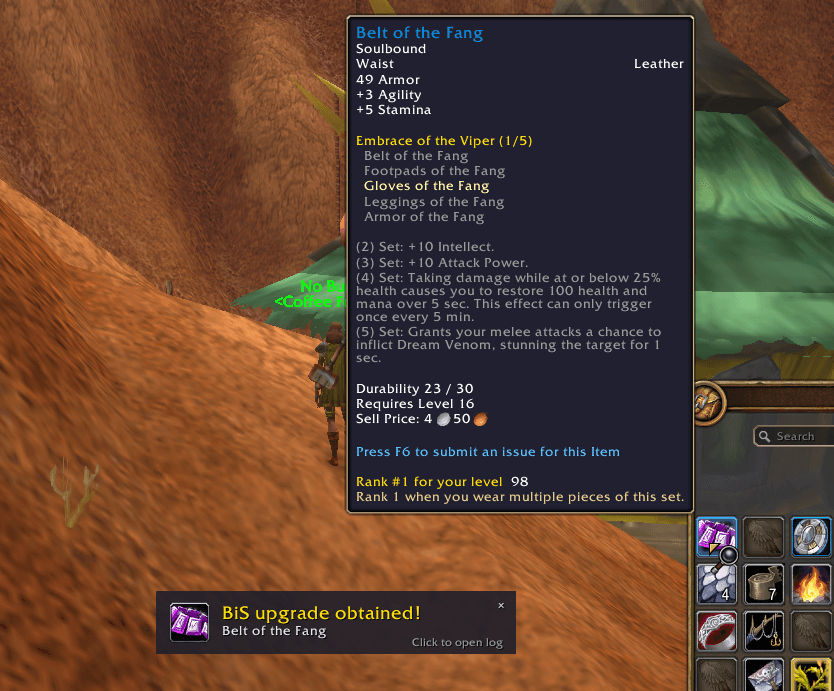
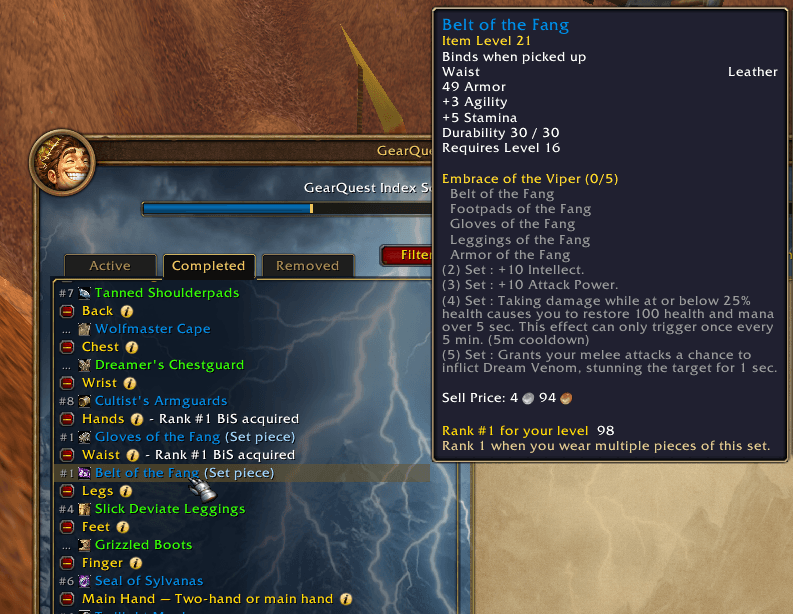
Once you get a BiS item a toast congratulates you and you can check out all your completed hunts in the Completed list tab.
How we score
Every hunt is scored for that spec. We do not rank by item level. The stats are the ones on the current Wowhead Forever tooltip.
While you level (1–59), three things matter, in this order:
- Damage first. A hunter hunts Agility. Arms hunts Strength. A mage hunts spell power. Beast Mastery and Marksmanship hunt the bow, gun, or crossbow. Survival still hunts melee. Enhancement hunts a two-hander. Protection hunts a one-hand and a shield.
- Survivability second. A naked +1 upgrade that leaves you squishy loses. At 22, Brawler's / Trapper's Leather Tunic beats Panther Armor because it has stamina.
- Endurance third. Intellect, spirit, and mana per 5 matter, but they matter less than stamina..
A random enchant is ranked on its best roll. If +7 Agility would be the best shoulders, that hunt is #1, and the tooltip tells you the roll is slim. We do not hide it because the suffix is rare.
Warrior Protection does not score spell damage. Paladin Protection does. Holy paladin hunts healing on the armor they actually wear, mail and then plate, so a cloth robe only wins when stats are really good. A Set piece is on the list because the set bonus is worth the slots. Fx. Embrace of the Viper is the one most people meet in the teens and twenties.
FAQ
- The game freezes when I level up.
- Use Level up on demand feature at the bottom of the UI. That will make you in control when you are ready for the lag spike.
- FPS drops when I hover bags.
- Update to v0.5.3-beta or newer and
/reload. The window title is the version. If it still happens in later versions please report it as a bug.
- Update to v0.5.3-beta or newer and
- Why is this the best piece?
- Hover the spec. The hunt follows those weights. If you got feedback to stat weights please join our Discord community.
- Can I change the weights?
- Not in the addon... yet. But become a collaborator and join our Discord community to have influence on how the weights are.
- How do I hide dungeons?
- If you select the "No dungeons!" Play style you will no longer see suggestions that take you into any dungeon.
- How do I look ahead of my level or see another class' upgrades?
- Use the Simulator in the 2nd tab and choose the Faction, Class, Spec and the Level you wish.
- How do I hide the minimap button?
- Go to the Settings tab (gear icon) -> General -> Hide minimap icon.
- I already have the best piece.
- The slot in the Hunts List says "Rank #1 BiS acquired". Lower ranks stay.
- The addon uses a lot of memory.
- The addon consists of the main addon that contain the UI, logic and feature. Then you have 9 secondary addons (one for each class). You only activate one class addon at a time. Class addons contains thousands of items, so that a list of hunts don't become empty if you add a lot of filters or play styles at ones. We keep working on limiting that memory usages. It used to be 1.3GB, now it is down to approximately 200-400MB (depending on your class).
- I do not want a specific hunt to be shown again.
- Open it and press Remove. You can always get it back again from the Removed tab if you wish.
Getting started
- Install every folder from the download: GearQuestForever and the GearQuestForever class folders. Those class folders hold the hunt lists.
/reload.- Click the minimap button. Drag it if you want it somewhere else. Settings can hide it.
- Right-click any slot in your character panel to also view upgrade in a more userfriendly way.
World of Warcraft: Forever, level 60. GearQuest never equips or moves your items. This is exclusively a Forever addon (client 1.60.1).
GearQuest Forever Team

Owner