ETT - EMI Tree Tabs
- By
Pasted image (2).png
Pasted image (3).png
Description
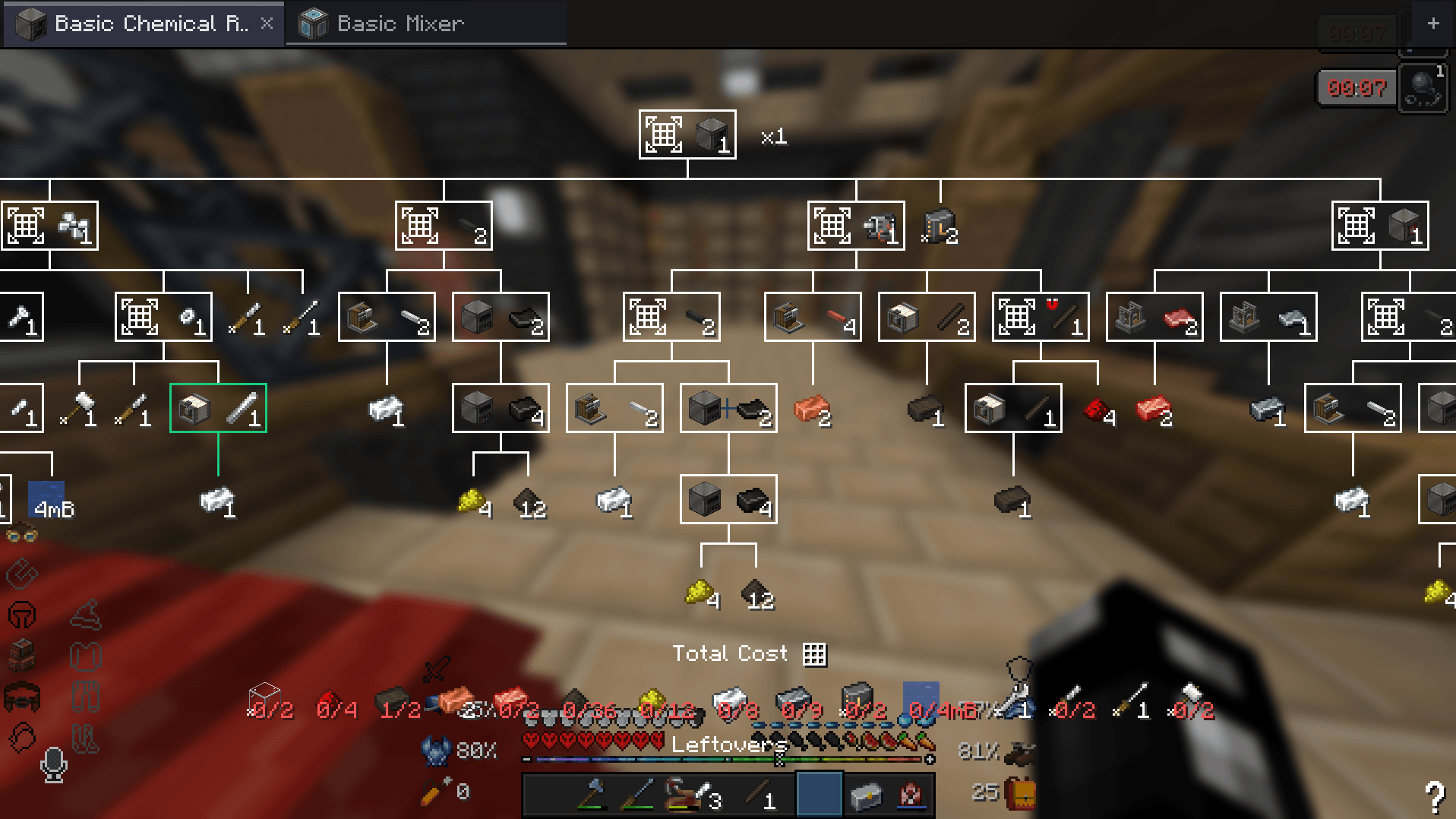
Keep every EMI recipe tree you're working on open as a tab, and get one crafting list for all of them.
Minecraft 1.20.1 · Forge and Fabric · requires EMI · client-side only
Why
EMI only remembers one recipe tree. Open a second one and the first is gone, including every recipe you picked in it.
EMI Tree Tabs keeps them all. Each tree you open becomes a tab, and EMI's own tree screen still does all the drawing and editing, so every tree works exactly as it did before.
Tabs
- Open as many trees as you need. Hold Shift while opening one to replace the current tab instead.
- See progress at a glance. Each tab turns grey, amber or green depending on how much of it you already have.
- Fork a tree with
Ctrl+Dto compare two ways of making the same thing. - Rename tabs, so "Iron for the smelter" isn't just another iron ingot.
- Each tab remembers its own zoom, position and batch count, and they all survive restarts.
- Viewing or crafting. Only tabs set to crafting count towards the crafting list, so you can keep a dozen open for reference.
Phases
Big builds happen in stages. Group trees into a named, coloured phase, then right-click its header to park it. A parked phase stops asking for materials but stays exactly where it is, until you're ready for it.
Shift+right-click parks every other phase, so you can focus on one stage.
One crafting list for every tree
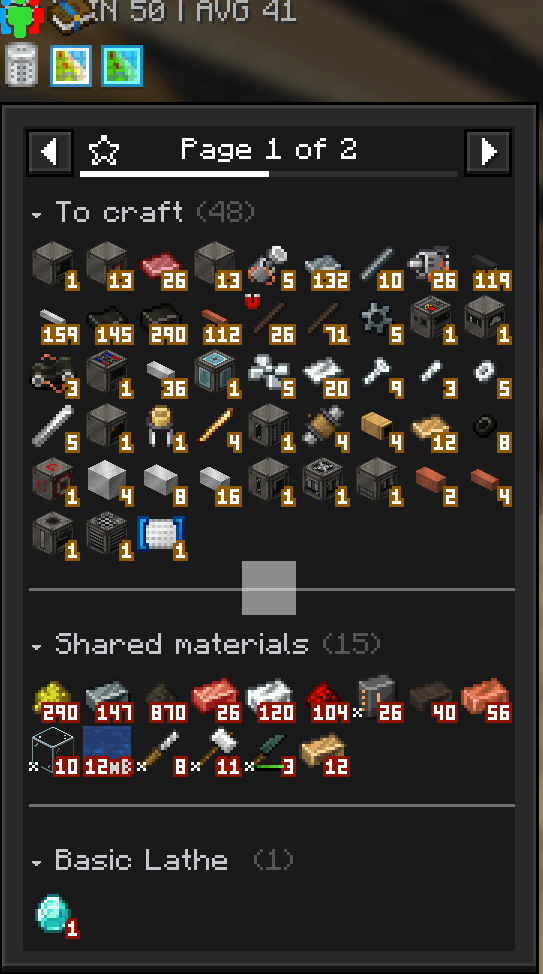
Everything your crafting tabs still need, in one list, with duplicates merged.
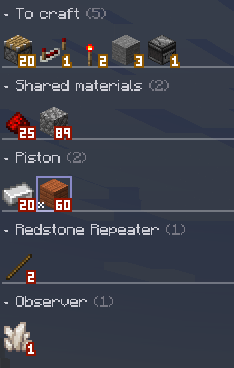
Your inventory is shared out between trees rather than counted twice. Two trees that each need 10 iron, with 10 in your chest, correctly show 10 still needed.
Add the Crafting page to one of EMI's sidebars and the list is split into To craft, Shared materials and one section per tree. Click a section title to fold it.
Know what a material is for
Hover a material to see which trees want it and how much each one takes. Hold Shift to split that again by sub-craft.
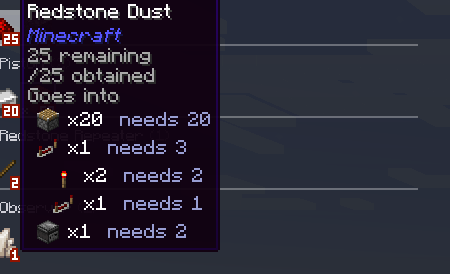
Keep your trees in agreement
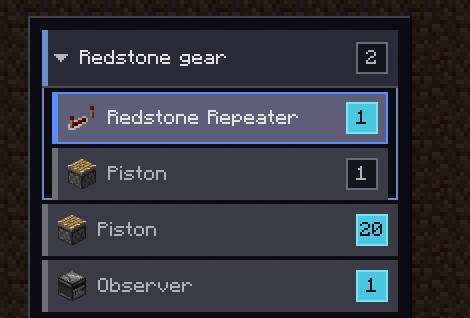
Unlocked a cheaper recipe? Change it in one tree and the others keep using the old one. Recipe choices (Ctrl+R) lists every ingredient your trees make differently and lets you switch them all with one click. The button only appears when your trees actually disagree.

Type the amount you need
Ctrl+click a tab's batch number and type 32 * 4 * 2 instead of working it out yourself.
Getting started
- Install with EMI (and optionally YACL for the settings screen).
- Open any recipe tree in EMI. It becomes your first tab.
- For the sectioned crafting list, open EMI's settings, add a page or subpanel to a sidebar, and pick Crafting.
Controls
All on EMI's recipe tree screen.
| Do this | How |
|---|---|
| Switch tab | Click it, Ctrl+Tab, or Ctrl+1–9 |
| Rename | Right-click or F2 |
| Close / reopen | Middle-click or × · Ctrl+W / Ctrl+Shift+T |
| Viewing ⇄ crafting | Click the tab's number (sidebar) or Ctrl+click (strip) |
| Set the amount | Ctrl+click the number |
| Craft every tab | Craft-all button or Ctrl+A |
| New phase | Phase button or Ctrl+G |
| Park a phase | Right-click its header |
| Remove a phase | × on its header (its trees stay open) |
| Recipe choices | Ctrl+R |
Settings
Open them from the gear button in the tab sidebar, or from the mod list. Needs YACL. Without it, everything still works, and you can edit config/emitreetabs.json by hand.
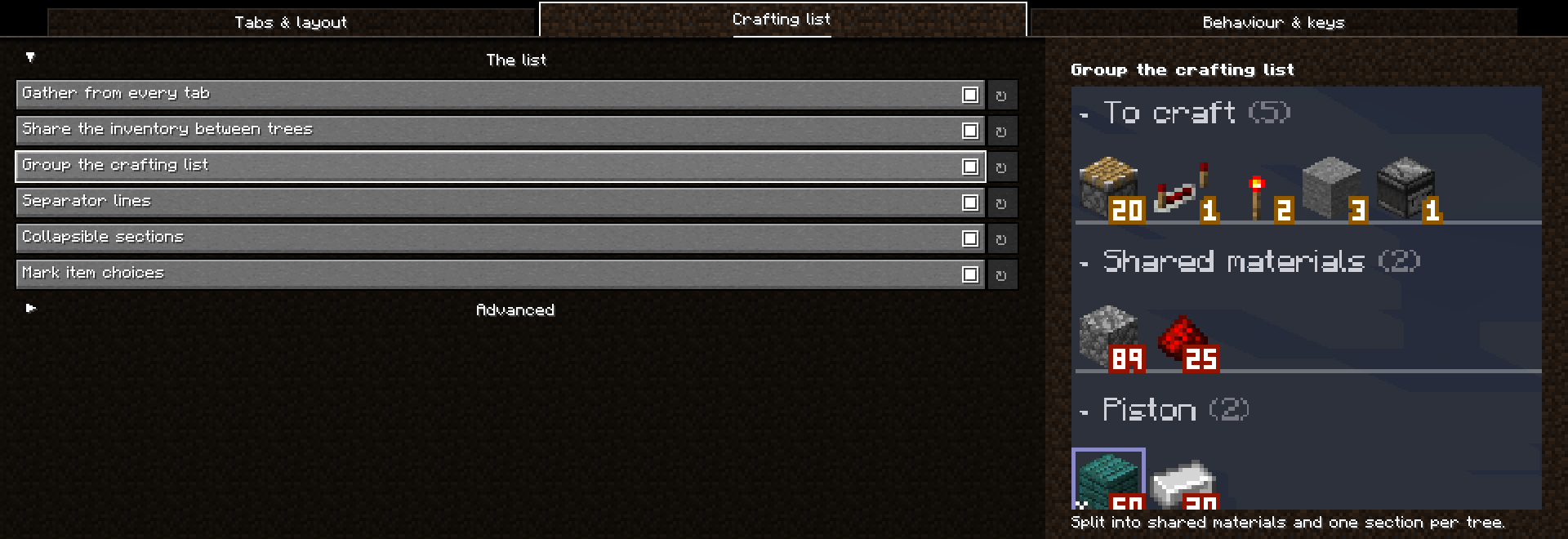
Compatibility
Tested with EMI 1.1.24 on Forge 47 and Fabric, and in a 377-mod pack. Because it hooks EMI's internals, a future EMI update could break it. Please report it if one does.
Mod authors: there is a small API for adding stock sources and listening to the crafting list. See API.md.
Links
Source & issues · Changelog · AI disclosure · MIT licence
ETT - EMI Tree Tabs Team