Beyond Dimensions
- By
Beyond Dimensions is a mod that provides storage solutions. It introduces a virtual storage system obtainable in the late-game of vanilla game
Beyond Dimensions
A storage mod for Minecraft. Store everything and access it from anywhere.
Beyond Dimensions adds the Dimensional Network: a storage system you can open anywhere with a hotkey, without keeping any chunks loaded. Share it with friends and connect it to pipes, machines and other logistics mods.
Features
One network for everything
- Items, fluids and Forge Energy, plus chemicals, mana, source and warden souls when Mekanism, Botania, Ars Nouveau or Industrial Foregoing Souls is installed.
- Room for more than two billion kinds of resources and up to 2⁶³−1 of each.
- The screens work with containers: click a storage slot with a bucket, tank or other container to fill or empty it.
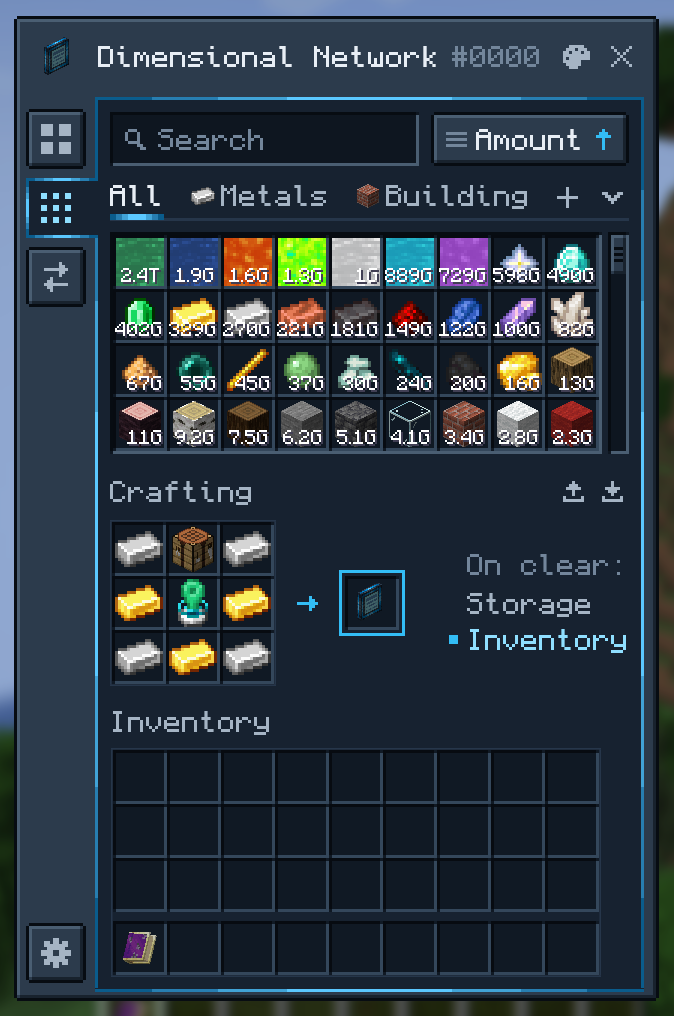
A terminal for large collections
- Press O anywhere to open your network.
- Search by name or pinyin, or by mod
@, tag#, tooltip$, resource ID*, resource type~, durability%<50and extra data&. Leave things out with-and allow alternatives with|. - Make your own category tabs with icons, search rules and hand-picked resources.
- Sort by name, amount, mod, creative tab, stack size, first stored or last changed.
- Craft in the built-in grid, with recipe transfer from JEI and EMI.
- In survival, middle-click a block with an empty hand to take a stack of it from the network; sneak and middle-click to put the stack in your hand into the network.
Machines
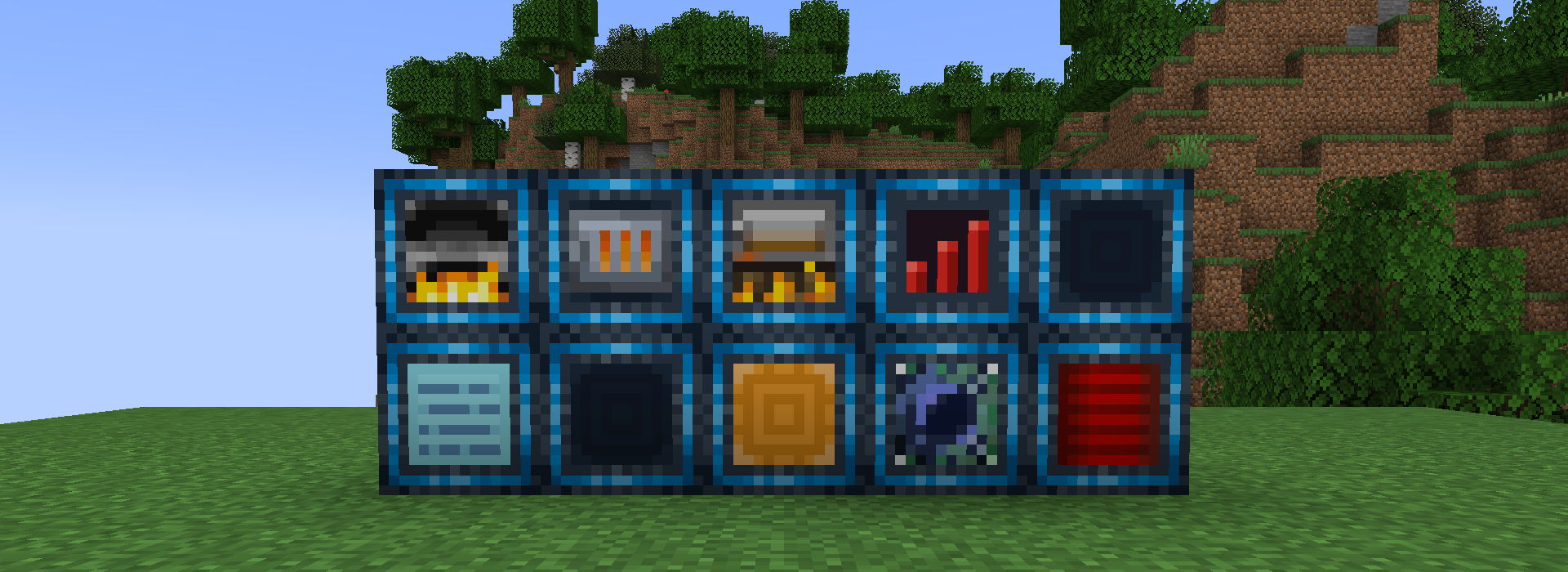
| Block | What it does |
|---|---|
| Dimensional Network Pathway | Opens the whole network to pipes, hoppers and other mods' storage |
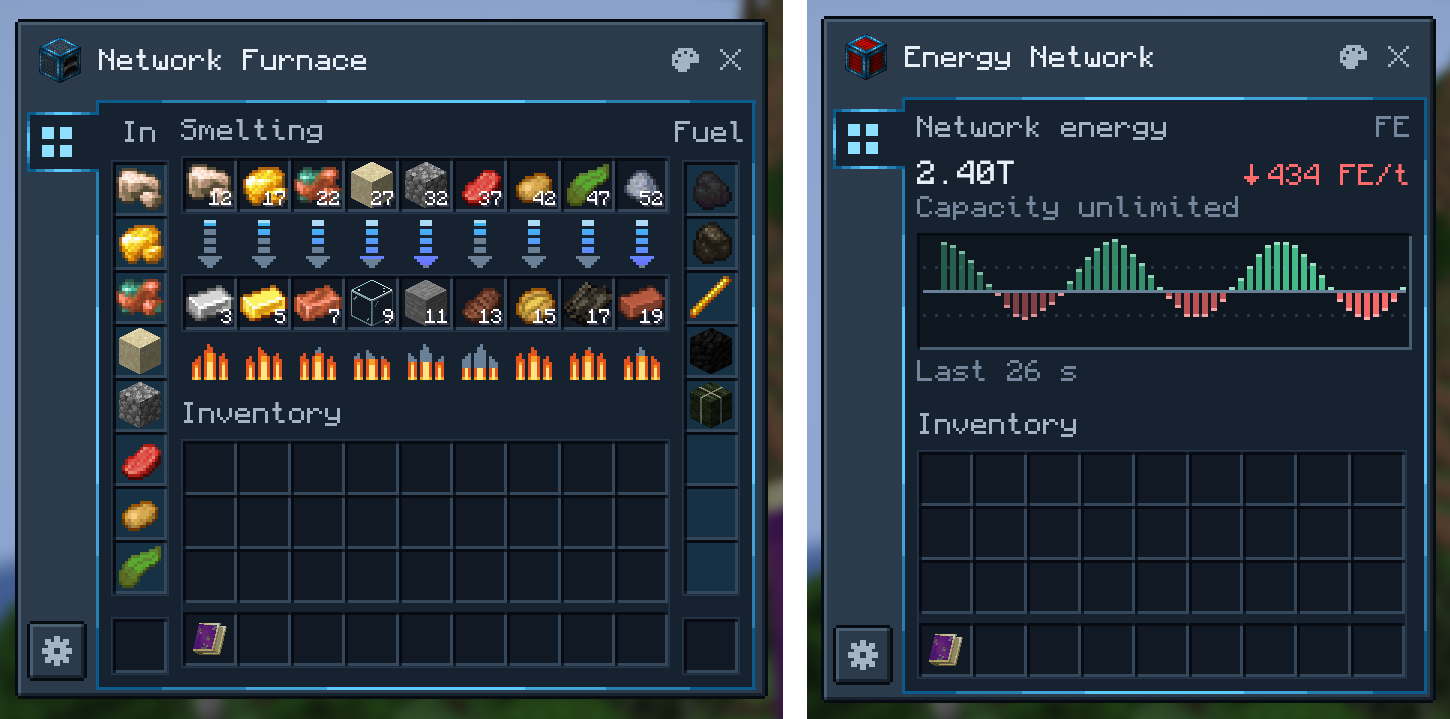
| Dimensional Network Energy Pathway | Does the same for Forge Energy, with a live flow graph, and can push energy out |
| Network Interface | Pulls resources out of the network, or takes them in from outside |
| Network Pump | Pulls resources from neighboring containers into the network |
| Network Hopper | Collects dropped items, XP orbs and fluids |
| Network Furnace, Blast Furnace and Smoker | Smelters that take inputs and fuel straight from the network |
| Stock Emitter | Emits a redstone signal while a resource in the network is above or below a threshold |
| Network Terminal | Opens the network with a crafting grid |
| Network Controller | Manages a network's members and permissions |
Machines have filters, per-side input and output settings and redstone control. The Machine Configuration Card copies and pastes their settings in a few clicks.
Tools
| Item | What it does |
|---|---|
| Portable Network Terminal | Your terminal, in the inventory or a Curios slot |
| Network Magnet | Collects dropped items, XP orbs and fluids |
| Network Feeder | Feeds you automatically |
| Network Restocker | Restocks your inventory automatically |
| XP Rod | Stores and returns experience, or keeps you at a set level |
Shared networks
Each network has an owner, managers and members. Bind a Member Connector or Manager Connector to your network and give it to another player; using it brings them in. A player in several networks picks a primary one in the network switcher.
Color schemes
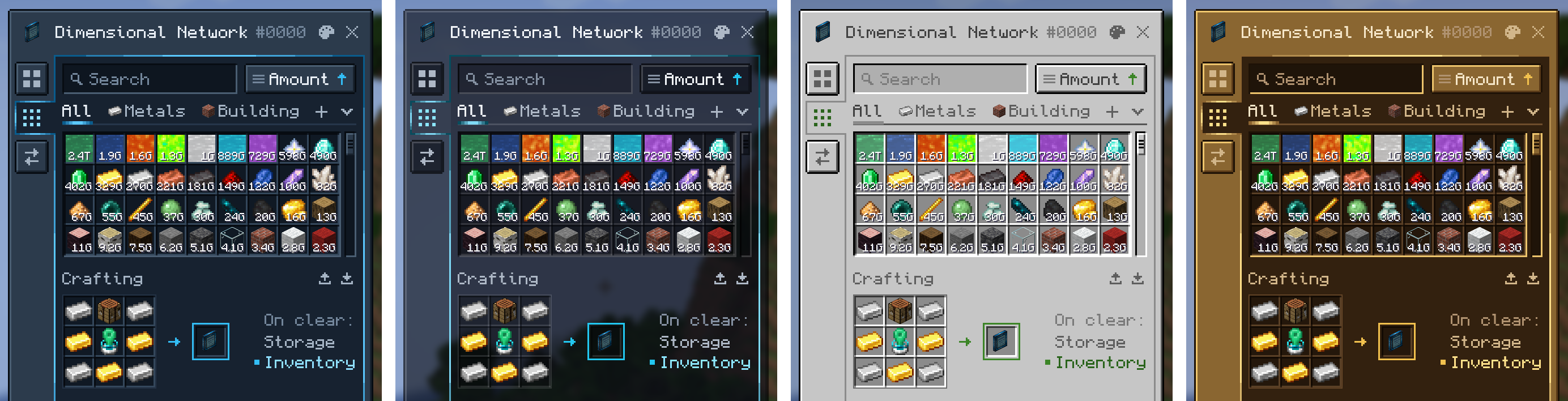
Choose from four color schemes (Beyond Dimensions Casing, Glass, Vanilla and Brass), or change any color in the in-game editor, which opens from the palette button on each window. Resource packs can add schemes of their own.
Getting started
- Craft an Unstable Space-Time Fragment from a Nether Star, four Diamonds and four TNT.
- Keep it in your inventory. After about an hour it becomes a Stable Space-Time Fragment.
- Craft a Dimensional Network Generator and use it to create your network.
- Press O to open the network.
- Every ten minutes the network produces a Shattered Space-Time Crystal. Smelt crystals into Space-Time Ingots and craft them into Stable Space-Time Frames, which the mod's blocks and tools are made from.
Compatibility
| Mod | What Beyond Dimensions adds |
|---|---|
| Applied Energistics 2 | The Dimensional ME Storage Cell puts a network into an ME system, with far better performance than a storage bus |
| Refined Storage | The RS Dimensional Pathway connects a network to an RS system |
| Mekanism | Chemical storage |
| Create | The Schematic Interface supplies Schematicannons from the network |
| Botania | Mana storage |
| Ars Nouveau | Source storage |
| Industrial Foregoing Souls | Warden soul storage |
| Just Enough Characters | Search uses its pinyin matching when it is installed |
Inventory Profiles Next is turned off in Beyond Dimensions' screens.
Installation
Download the file for your Minecraft version; its file page lists the dependencies it needs. Versions with the CompixelUI interface also need:
- CompixelUI, the library its screens are built with;
- Kotlin: install Kotlin for Forge, or use the CompixelUI file whose name ends in
-with-kotlin, which includes it.
Supported versions
| Minecraft | Loader | Status |
|---|---|---|
| 26.3 | NeoForge | Active |
| 26.2 | NeoForge | Active |
| 26.1 | NeoForge | Active |
| 1.21.11 | NeoForge | No longer updated |
| 1.21.1 | NeoForge | Active |
| 1.20.1 | Forge | Active |
| 1.12.2 | Forge | No longer updated |
Customization
Modpacks and servers can change networks and their contents with these guides:
- KubeJS: limit networks, add starting contents and build upgrade progressions with scripts
- Storage rules: refuse, convert and otherwise handle resources as they enter or leave a network
- Color schemes: customize the screens' colors and export them as a resource pack
- Commands and configuration
Add-on developers will find the Maven repository and the API guides in the README.
Links
Beyond Dimensions Team

Owner