Test Build — Back Up Your Saves Before Playing
This is a test build under active development. Please back up both your Palworld and Palcraft saves before playing, and consider trying it in a test world first.
Palcraft 1.0.5
A Minecraft mod for Palworld. Bring the familiar world of blocks together with Pals: build a home, create your own places, and turn your ideas into somewhere you can walk through. Let your creativity loose alongside your Pals.
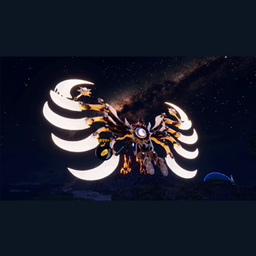
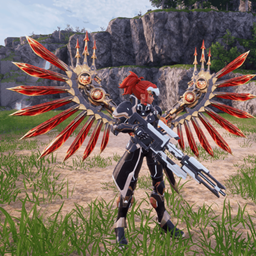
A building blueprint system helps you plan and build, and the Ender Dragon is here as well. See the screenshots for more of what you can create.
Native Implementation & Future Plans
Palcraft implements its block and interaction systems directly within Palworld's engine. It does not run a separate Minecraft instance or composite the output of two games through a bridge.
The current testing baseline is Windows single-player. Support for server environments is planned.
Setup & Controls
Install UE4SS Experimental (Palworld) 2281fa31 and PalSchema 0.6.7 using the standalone installation guide. With Palworld closed, extract the complete ZIP into the game folder containing Palworld.exe, merge the included Pal folder, and restart the game.
Use one installation channel: this manual package and its standalone UE4SS setup should be kept separate from the Steam Workshop installations of Palcraft and UE4SS. The included README contains the dependency and installation details.
Press Alt+C to enter or leave MC mode, B to open the building catalog, and Alt+B to confirm building placement. The interface follows the game language and supports Simplified Chinese, Traditional Chinese, Japanese and English.
The Ender Dragon is included. When updating, avoid enabling an older standalone Ender Dragon package alongside Palcraft.
Currently, obtaining the Ender Dragon requires an item-spawning tool that supports modded items. Ender Dragon Eggs will be added to raid boss loot in a future update.
Save Backups
Palworld saves: %LOCALAPPDATA%/Pal/Saved/SaveGames
Palcraft saves: %LOCALAPPDATA%/Pal/Saved/Palcraft
Community & Support
Discord: Join the community
Ko-fi: Support PTSolar
A Note from the Author
After seeing projects that brought Minecraft together with other games, I initially hoped to use that cross-game approach to provide the terrain and building capabilities I needed for some of my other mods.
Once I tried it, I found that making those environments work with Palworld's collision, navigation and gameplay required much more adaptation than I had expected. I eventually chose to implement the systems directly within Palworld's engine, which gradually became Palcraft.
I hope it can serve as a foundation for my future mods while giving everyone more room to use their imagination in Palworld.