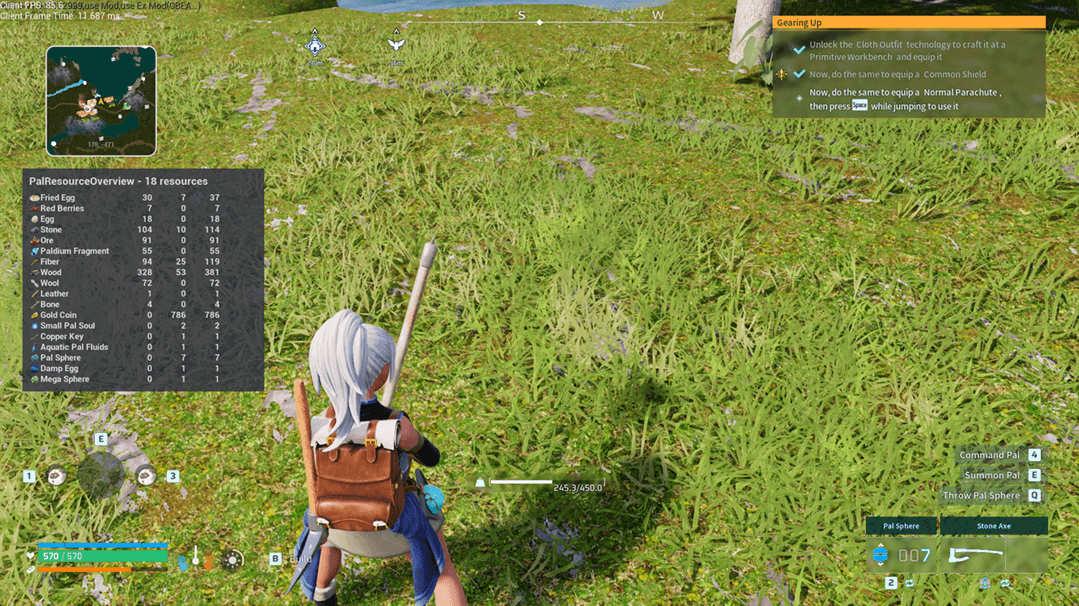
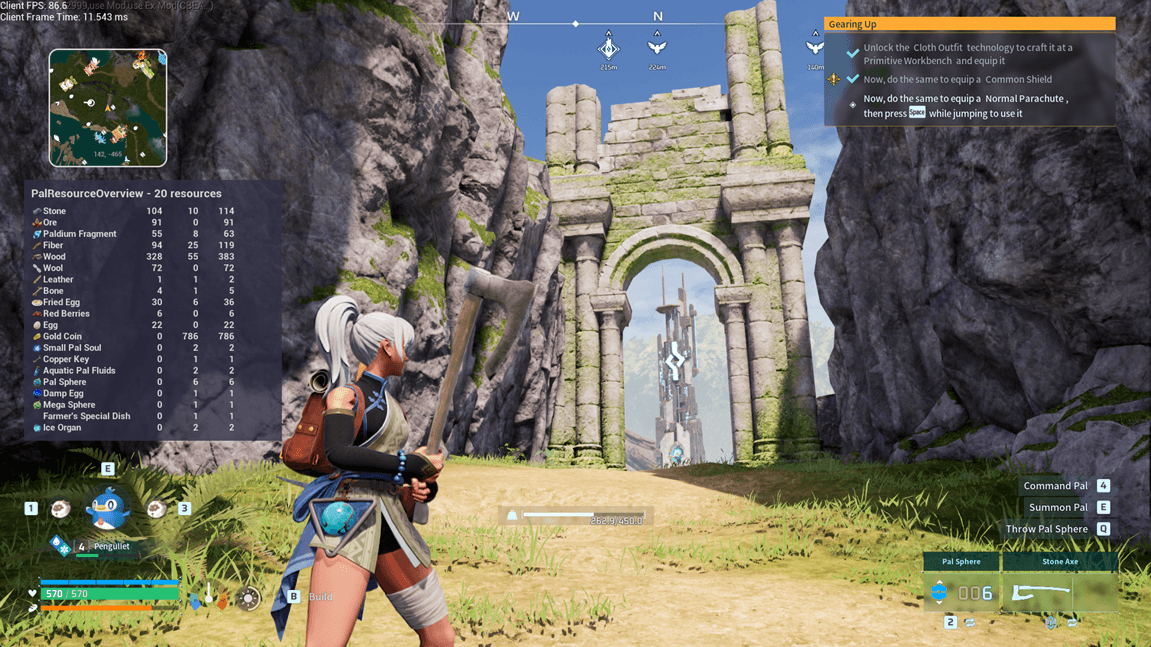
PalResourceOverview (PRO)
A lightweight client-side user interface mod for Palworld that tracks and summarizes your total active resources. It displays exactly what you have stored across your base containers(Chests, food storage, etc) alongside what you are currently carrying in your inventory. Especially useful if you want to know how much of a certain item you currently have at the base incase you need to collect more, for example, you want to collect a certain amount of Ore but you don't know how much of it you already have at the base, this mod will help you with that and let you know. The mod also tells you the amount you have in your inventory already and the total amount you have altogether. In future versions you will be able to configure which chests or containers you want to track and configure the UI itself.
🕹️ How to Use It (Player Guide)
1. Toggle the Menu: Press `F10` on your keyboard while in-game to show or hide the P.R.O panel.
2. Scan Your Bases: When you first load in, or when you build new storage containers, walk up and open your chests once. The mod will instantly lock onto those containers and begin tracking their contents. (Might be wrong - From my experience it worked immediately without having to open the chests.)
3.
Automatic Refreshes: While the panel is open, it automatically recalculates and refreshes your item counts every
10 seconds without lagging your game. (You can change the refresh rate in main.lua at the end of the file. Ideally 10 seconds is safe. You can attempt lower values)
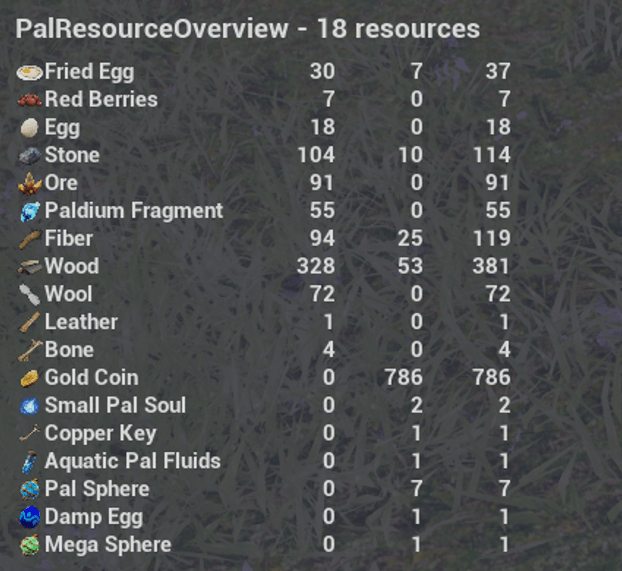
Understanding the UI Columns
- Resource: The icon + in-game translated name of the item. (Not all icons are available in the early version)
- Storage: Total amount of this item sitting inside your scanned base containers.
- Inventory: Total amount of this item currently sitting in your character's backpack.
- Total: The combined absolute sum of both values.
---
📂 Installation
1. Make sure you have RE-UE4SS installed in your Palworld directory (`...\Palworld\Pal\Binaries\Win64\`).
2. Drop the `PalResourceOverview` folder into your game's Mods directory:
-------
...\Palworld\Pal\Binaries\Win64\Mods\
-------
3. Open the `mods.txt` file located inside your `Win64\Mods\` folder and add this line at the bottom to activate it:
-------
PalResourceOverview : 1
-------
4. Start the game, press *F10*
Please be aware that the mod is in early stages of development. There will be missing icons, at the moment making use icons from runtime can somewhat be dangerous. It is why there is an icons folder included with the mod. Safer and very unlikely to cause crashes. Version 0.1 took a long time to get to where I was satisified and felt that it was safe enough that it could be available to use and test. Please comment and provide feeback or report any issues you find.