Game Speed
Scales the entire simulation, not just one system. Day/night cycle, base Pal work speed, breeding and egg incubation, crafting and smelting, hunger and sanity drain, capture cooldowns, travel, animations and physics all move together.
Switch speed instantly, in-game, with the numpad. No restart, no save editing.
Speeds
| Key |
Speed |
| Numpad 1 |
1x (normal) |
| Numpad 2 |
2x |
| Numpad 3 |
3x |
| Numpad 4 |
5x |
| Numpad 5 |
10x |
| Numpad 6 |
25x |
| Numpad 7 |
100x |
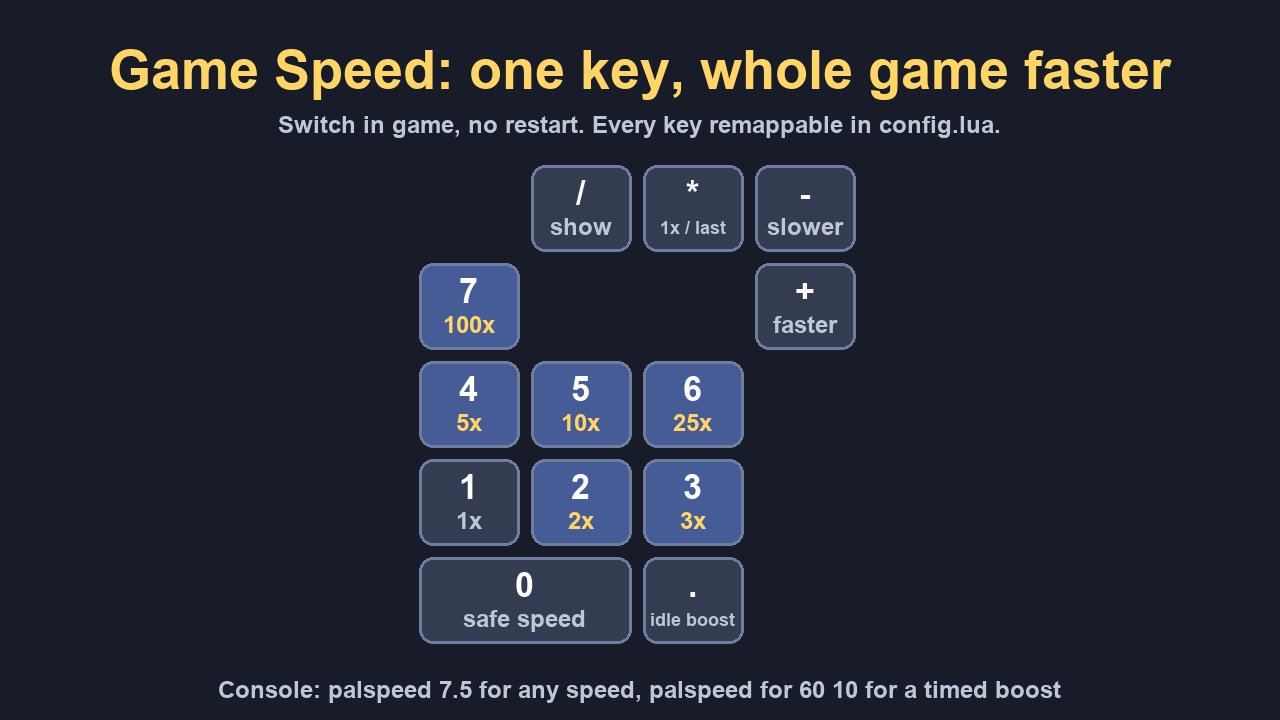
Numpad + / - step through presets, Numpad * toggles between 1x and your last speed, Numpad / prints the current speed, Numpad 0 turns safe speed on and off, Numpad . turns idle boost on and off.
Every key and every multiplier is remappable in config.lua. Values below 1.0 work too, giving slow motion. The console command palspeed 7.5 accepts any positive number.
New in 1.6.0
- Boost key:
Ctrl + Numpad + (laptop: Ctrl + ]) runs the game at 10x for 60 seconds, then puts your speed back. Press it again to end early. palspeed boost in the console does the same, and BoostSpeed / BoostSeconds in config.lua set the speed and the time.
New in 1.5.0
palspeed for 60 10: a timed boost. The game runs at 10x for 60 seconds, then goes back to the speed you had. Handy while you wait on crafting, breeding or an egg. Picking a speed by hand ends it early, and the boost is never saved as your speed.
New in 1.4.0
palspeed cap 5: change the speed cap that safe speed uses while you move, right in the console, no restart and no editing config.lua. palspeed cap 0 turns safe speed off.
New in 1.3.0
- Idle boost: stand still for 20 seconds (AFK at your base, waiting on crafting or eggs) and the game speeds up to 10x by itself; one step and it is back to your normal speed. Toggle with
Numpad . or palspeed idle; speed and wait are set in config.lua.
New in 1.2.0
- Safe speed (on by default): the game runs at your chosen speed while you stand still, and drops to 3x the moment you move, glide or fall, so 100x no longer drops you through the floor. Stop and the full speed comes back. Toggle with
Numpad 0 / F9 or palspeed safe.
- Remembered speed: the speed you pick comes back the next time you start the game.
- No numpad? Set
Layout = "laptop" in config.lua: F1-F7 pick the speed, [ and ] step, \ toggles, F8 prints, F9 is safe speed. Nothing to comment in or out.
Requirements
- A Palworld build of UE4SS (the experimental-palworld release, or UE4SS Experimental (Palworld) on the Steam Workshop). The generic UE4SS release does not load in Palworld.
Installation
- Install UE4SS into
<Palworld>\Pal\Binaries\Win64\.
- Extract this zip into
<Palworld>\Pal\Binaries\Win64\ue4ss\Mods\.
- Launch. The UE4SS console will show
[GameSpeed] v1.6.0 loaded.
Why not just use the console slomo command?
Two reasons it doesn't work above 20x:
AWorldSettings.MaxGlobalTimeDilation defaults to 20.0, and the engine clamps against it silently: ask for 100x and you get 20x with no error. This mod raises the ceiling before applying the value.- Time dilation resets on level load, fast travel and respawn. A watchdog re-applies your chosen speed when it detects drift.
Please read before using 100x
At 100x on a 60fps display each rendered frame advances 1.67 seconds of simulation, and collision is evaluated per tick. Safe speed keeps you at 3x while you move; with it off, 25x is the practical ceiling for moving around, and 100x is best used while parked in your base letting production run.
Single-player and self-hosted worlds only. On a dedicated server the server keeps its own clock, so client-side dilation causes desync and some servers will kick you for it.
Nothing is written to your save format: removing the folder fully reverts the game. Back up %LOCALAPPDATA%\Pal\Saved\SaveGames anyway, as with any mod.
Support
These mods are free and always will be. If one saved you time, a coffee keeps updates coming.

Bug or idea? Leave a comment below. We read every one.