Inventory Enhancer
- By
Sorting, filtering and search for Bannerlord's inventory screen, so managing hundreds of items stays fast. Thirteen sort categories, filters for every weapon, armor and culture, and a search bar that works in loot screens, where the game disables it.
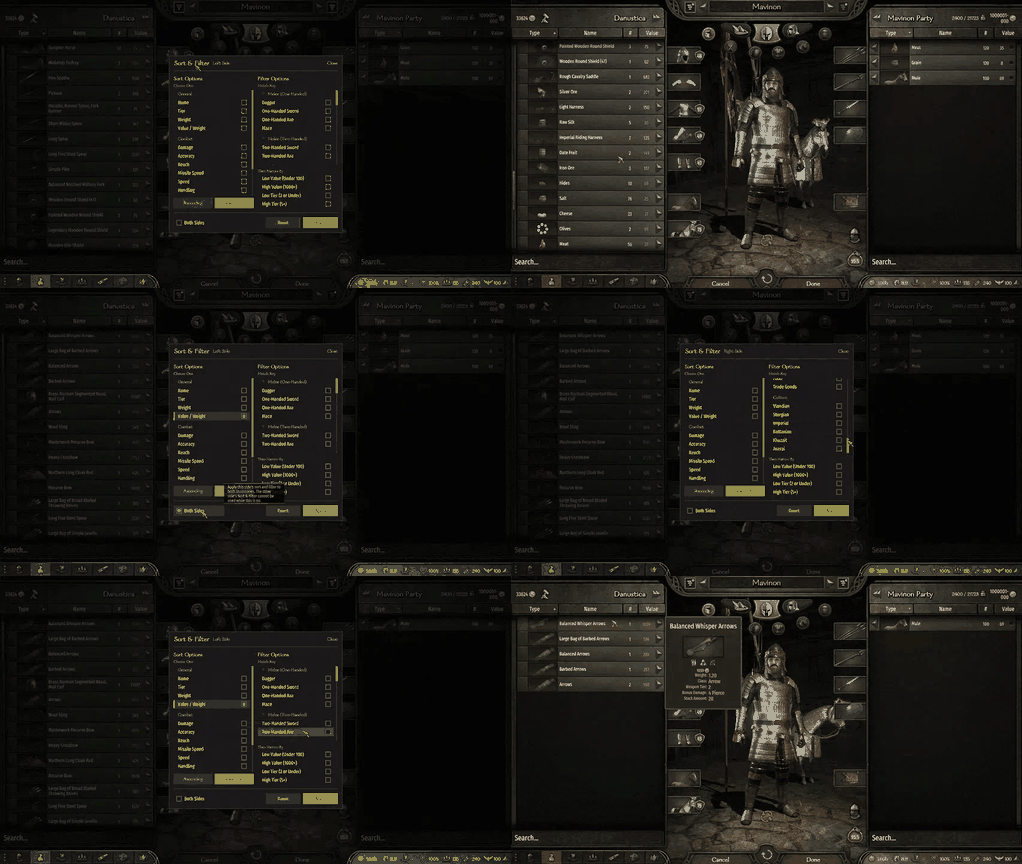
Opening a side's Sort & Filter menu, picking a sort and filters, and applying them to that side's item list.
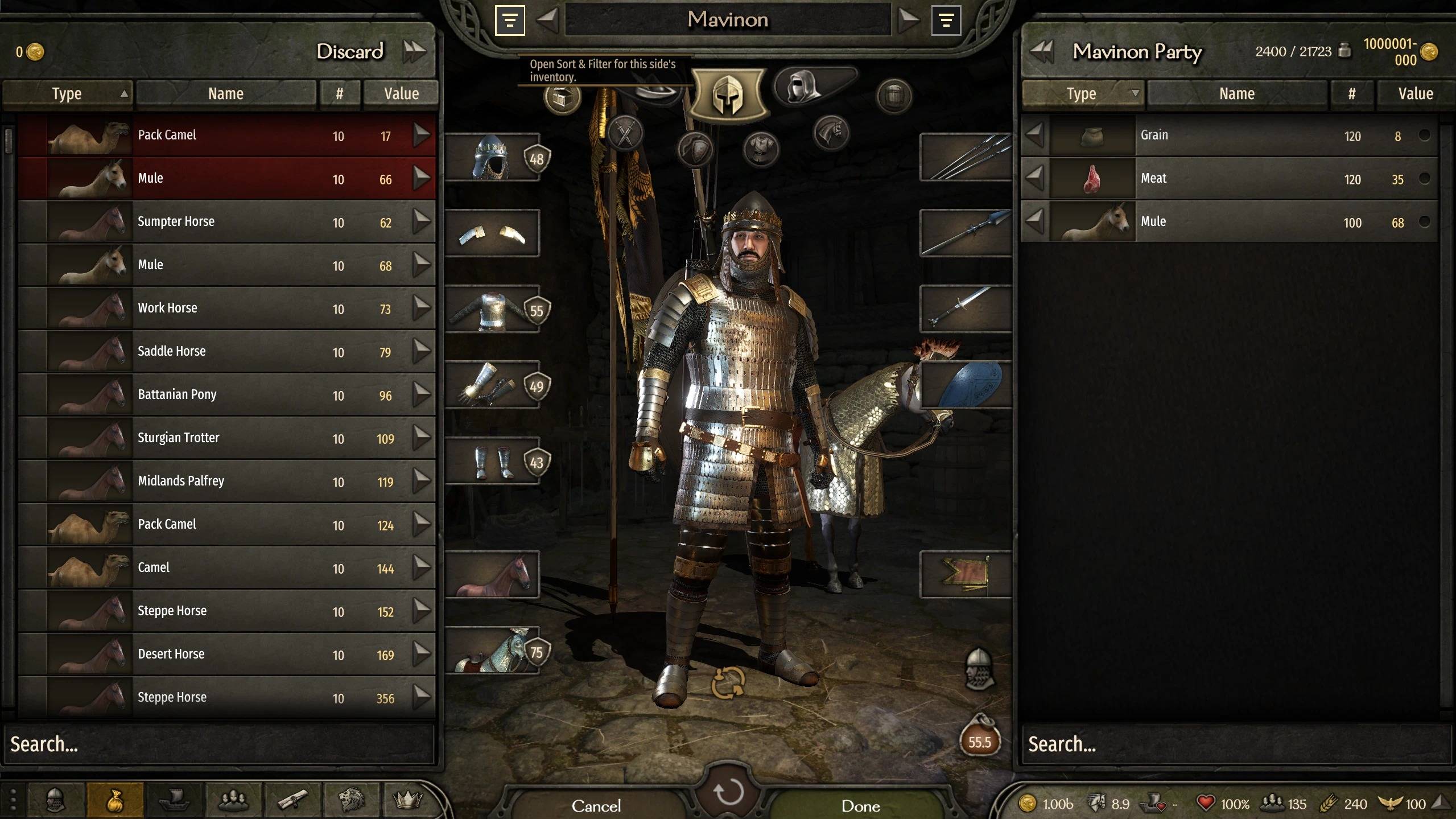
The two Sort & Filter buttons in the vanilla character name bar, one for each side of the inventory.
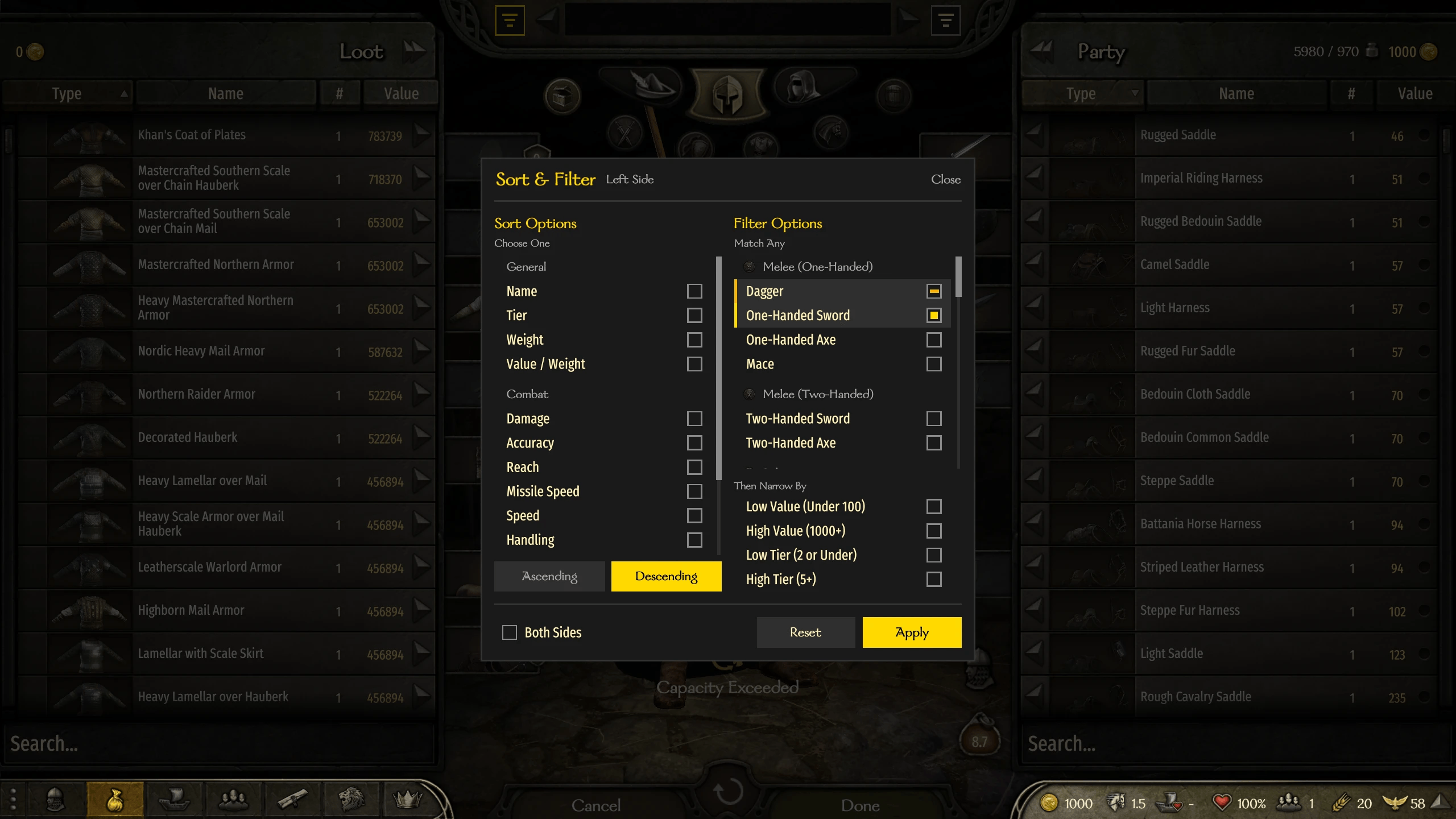
The Sort & Filter menu with Dagger excluded (dash) and One-Handed Sword included (square).
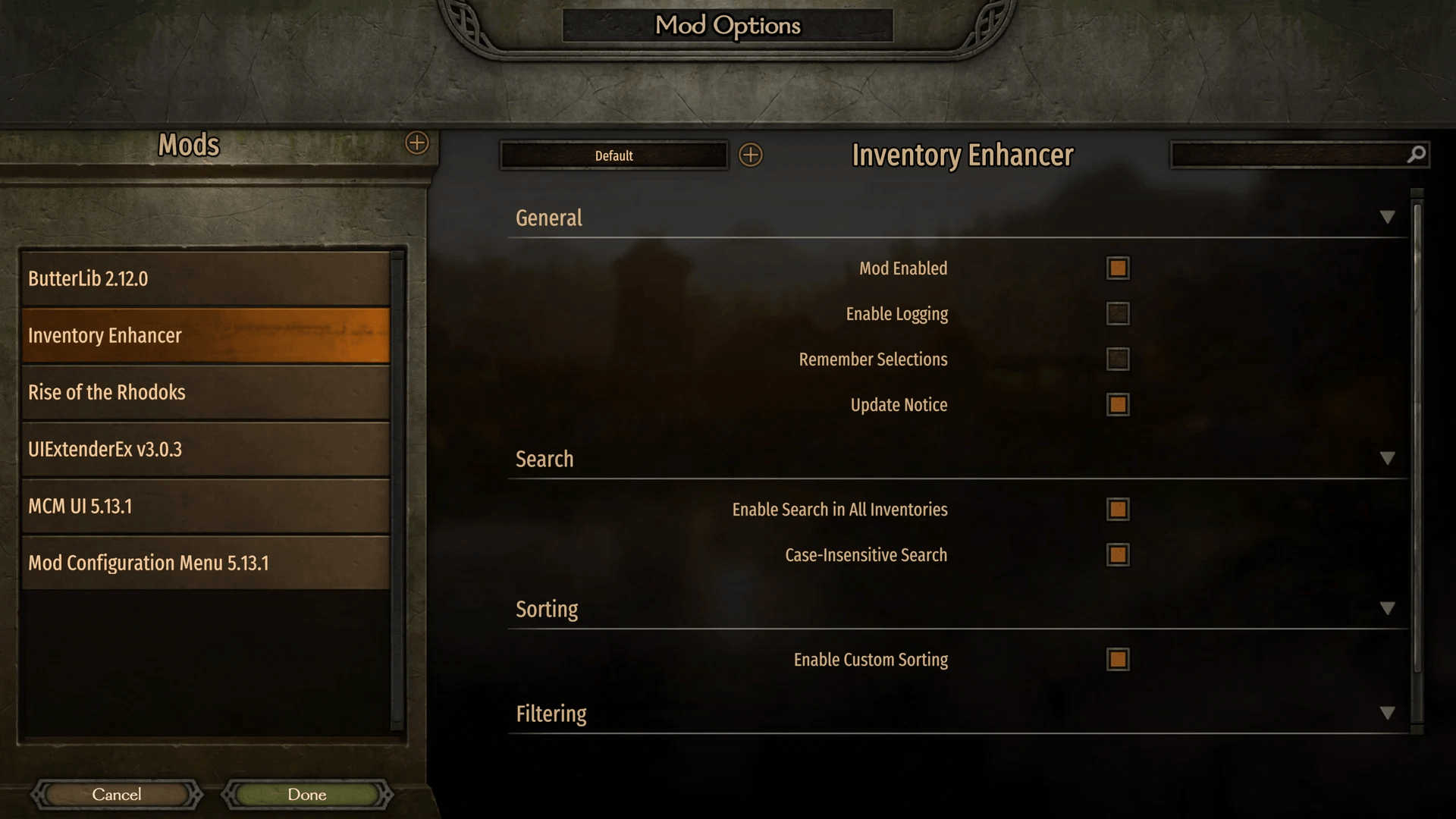
Inventory Enhancer in Mod Options: turn the mod, logging, remembered selections, the update notice, search and sorting on or off.
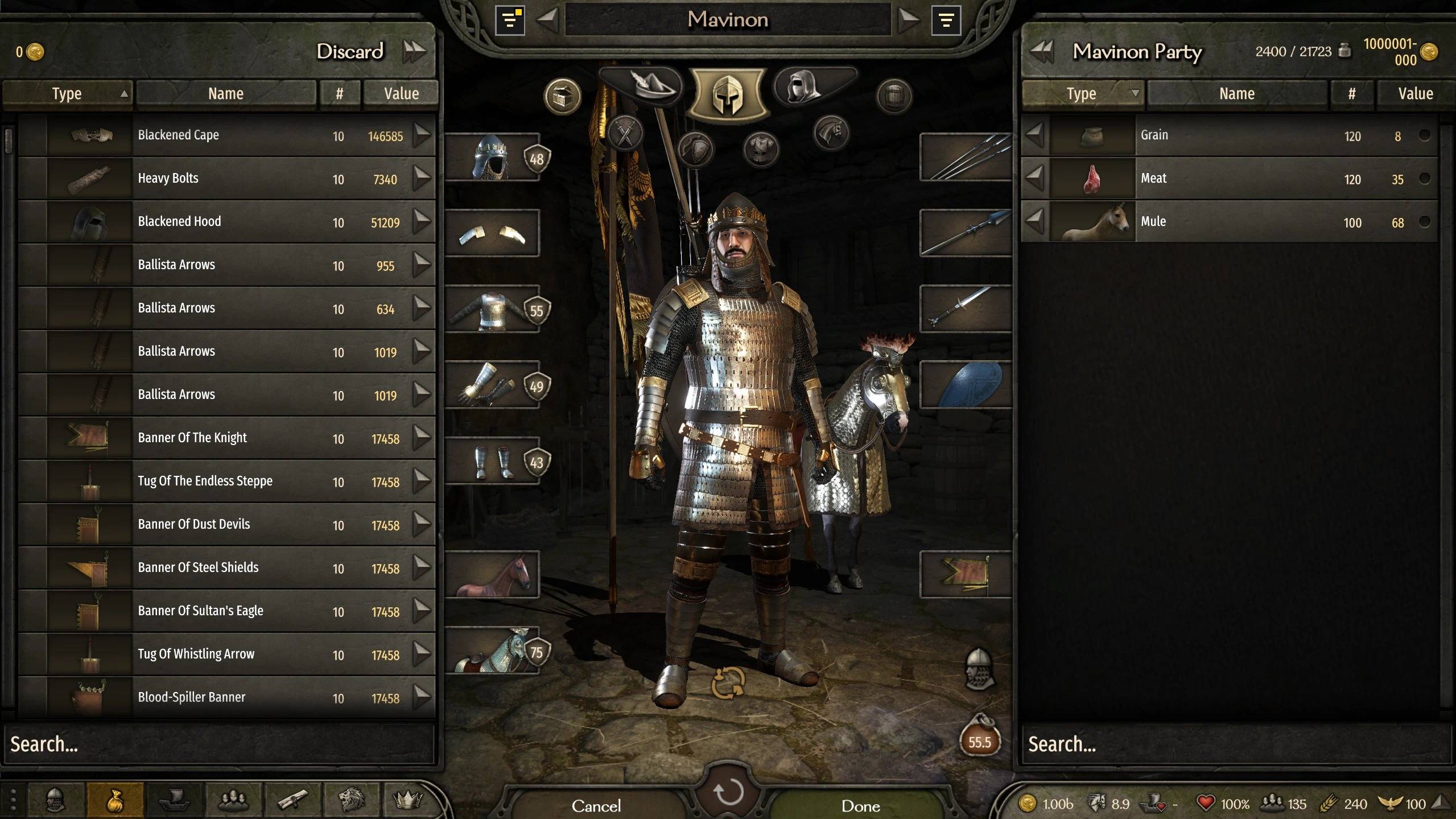
The left side sorted by Value / Weight, highest first, and narrowed to High Value (1000+), while the right side keeps its own order.
Description
🤖 AI Disclosure
Inventory Enhancer is made by Alkeari.
AI is solely used for the following items:
- Minimal assistance with code: bug fixes and updates
- Restructuring code for organization and clarity
- README
- Changelog
- Translations
⭐ What It Does
- One menu per side - a Sort & Filter button beside each arrow around the character name opens that side's menu, so the two lists sort and filter independently.
- See what is applied - a gold dot on a side's button shows that side has a sort or filter applied.
- Or both at once - tick Both Sides and that side's sort and filter apply to both inventories, with the other side's button locked until you untick it.
- Sort by what actually matters - thirteen categories under General, Combat and Defense headers, ascending or descending.
- Filter thirty-three ways, plus every culture - twenty-seven category filters under eight headers, one Culture filter per culture in your game, and six modifier filters in their own section.
- Weapons by how they are used - Lance shows only couchable polearms and Spear every other polearm, Mace includes picks, and Two-Handed Axe includes mauls.
- Every weapon type - Dagger, One-Handed Sword, One-Handed Axe, Two-Handed Sword, Throwing Axe, Javelin, Throwing Knife, Stones, Bow, Crossbow, Arrows, Bolts and Shield sit beside them.
- Filters that combine the way you expect - categories widen the results, the six modifiers narrow whatever the categories matched:
- High Tier 5 and up, Low Tier 2 and under.
- High Value 1000 and up, Low Value under 100.
- Vanilla and Non-Vanilla, so Vanilla with Two-Handed Sword shows only base-game two-handed swords and the ones you craft.
- Hide what you do not want - click a filter once to include it and again to exclude it, so excluding Food alone shows everything except food; a third click clears it.
- Filter by where it came from - the Culture filters list every culture your game has, the six base cultures plus War Sails' Nords and cultures added by mods such as Rise of the Rhodoks.
- Vanilla or modded - the Vanilla filter shows items from the base game and its DLC, weapons you craft included, and Non-Vanilla shows only items other mods add.
- Set it all up, then Apply - selections are staged, so a sort and several filters land together instead of one at a time, and Reset clears a side's sort and filter at once.
- Search everywhere - the search bar works in the inventories the game normally disables it in, loot screens included, and matching is case-insensitive.
- Keep your choices - Remember Selections keeps your sort and filters active the next time you open an inventory.
- Built into the screen - the buttons sit in the inventory screen's own name bar, and the menu opens in the middle of the screen and closes from its Close button or a click outside it.
- It says whether it loaded - a green loaded line at game start, or a red line if it could not start.
📋 Requirements
- Mount & Blade II: Bannerlord v1.2.6 through v1.5.2.
- Harmony 2.4.2, ButterLib 2.11.1, UIExtenderEx 2.13.3 and Mod Configuration Menu 5.12.2 or newer.
📥 Installation
⚙️ Configuration
Everything is in the MCM options screen under Inventory Enhancer, and only Update Notice waits for the next game start.
| Setting | What it does |
|---|---|
| Mod Enabled | the master toggle |
| Enable Logging | writes a daily log, InventoryEnhancer<date>.log, to Documents\Mount and Blade II Bannerlord\Configs\ModLogs\ |
| Enable Search in All Inventories | turns the search bar on in the inventories the game disables it in |
| Case-Insensitive Search | matches regardless of capitalization |
| Enable Custom Sorting, Enable Custom Filtering | the sort half and the filter half of each side's menu, on or off |
| Remember Selections | keeps your sort and filters between inventory opens |
| Update Notice | when the game starts, asks alkeari.com for the newest version of Inventory Enhancer and shows a message if one is out; nothing about you or your game is sent; on by default, and takes effect from the next game start |
Sort categories
Name, Tier, Damage, Accuracy, Reach, Missile Speed, Hit Points, Armor (Total), Armor (Highest), Speed, Handling, Weight, and Value / Weight.
Filter headers
Melee (One-Handed), Melee (Two-Handed), Polearms, Thrown, Shields & Ranged, Armor, Mounts, Misc, and Culture, with the six modifier filters in their own section below.
🖥️ Compatibility
- Save games. Nothing is written to your save, so it can be added to or removed from a campaign at any time.
- Game versions. This release supports v1.2.6 through v1.5.7.
- Its changes run after other mods' changes to the same inventory screens, so it does not undo a filter another mod applied.
- One copy only. A
Modules\copy overrides a Workshop copy silently, so if you have ever installed this mod the other way, delete...\Modules\Inventory Enhancerbefore using the store copy.
🐛 Support
- Include the mod version, your Bannerlord version, your launcher's mod list in load order, and that day's
InventoryEnhancer<date>.logfromDocuments\Mount and Blade II Bannerlord\Configs\ModLogs\with logging turned on.
- Translations. The mod ships in English plus translations that have not been checked by a native speaker, so a line may read wrong.
- Fix a translation. Download the translator files from the Miscellaneous files on the mod's Nexus Mods page and send the corrected file through the Posts tab there.
📄 License
License terms are in the Alkeari License Agreement.
Every release, its changes and how to send feedback are on the project page at alkeari.com/projects/inventory-enhancer.
If you want to see how it works, you can read the source code at github.com/Alkeari/InventoryEnhancer-PUBLIC.
💛 Donate
If you would like to donate, you can do so on Ko-fi, Patreon, PayPal, GitHub Sponsors or Buy Me a Coffee.
Inventory Enhancer Team