🏝️ Skyblock by Peak MC 6725
⚠️ Important Version Notice
The custom Nether island, Void Nether, End Stronghold, and custom End dimension setup are available ONLY in the Minecraft 1.16.5 and higher world files.
For the complete experience, Minecraft 1.16.5 or higher is strongly recommended! These newer world files take Skyblock to another level by challenging your creativity, problem-solving skills, and survival mechanics across multiple dimensions. Explore the Overworld, survive the custom Nether, and prepare to face the Ender Dragon in a specially designed void environment!
Make sure you download the correct world file for your Minecraft version to experience the intended progression.
🌱 Welcome to Skyblock!
Think you can survive with almost nothing? Put your Minecraft survival skills to the test in Skyblock by Peak MC 6725!
Begin your journey on a tiny floating island surrounded by an endless void. With limited resources, every block matters. Use your creativity, plan your progression carefully, and turn a small starting island into a thriving survival world.
This map keeps the classic Skyblock experience while introducing custom dimensional progression for Minecraft 1.16.5 and higher.
🏝️ 1. The Overworld — Your Journey Begins
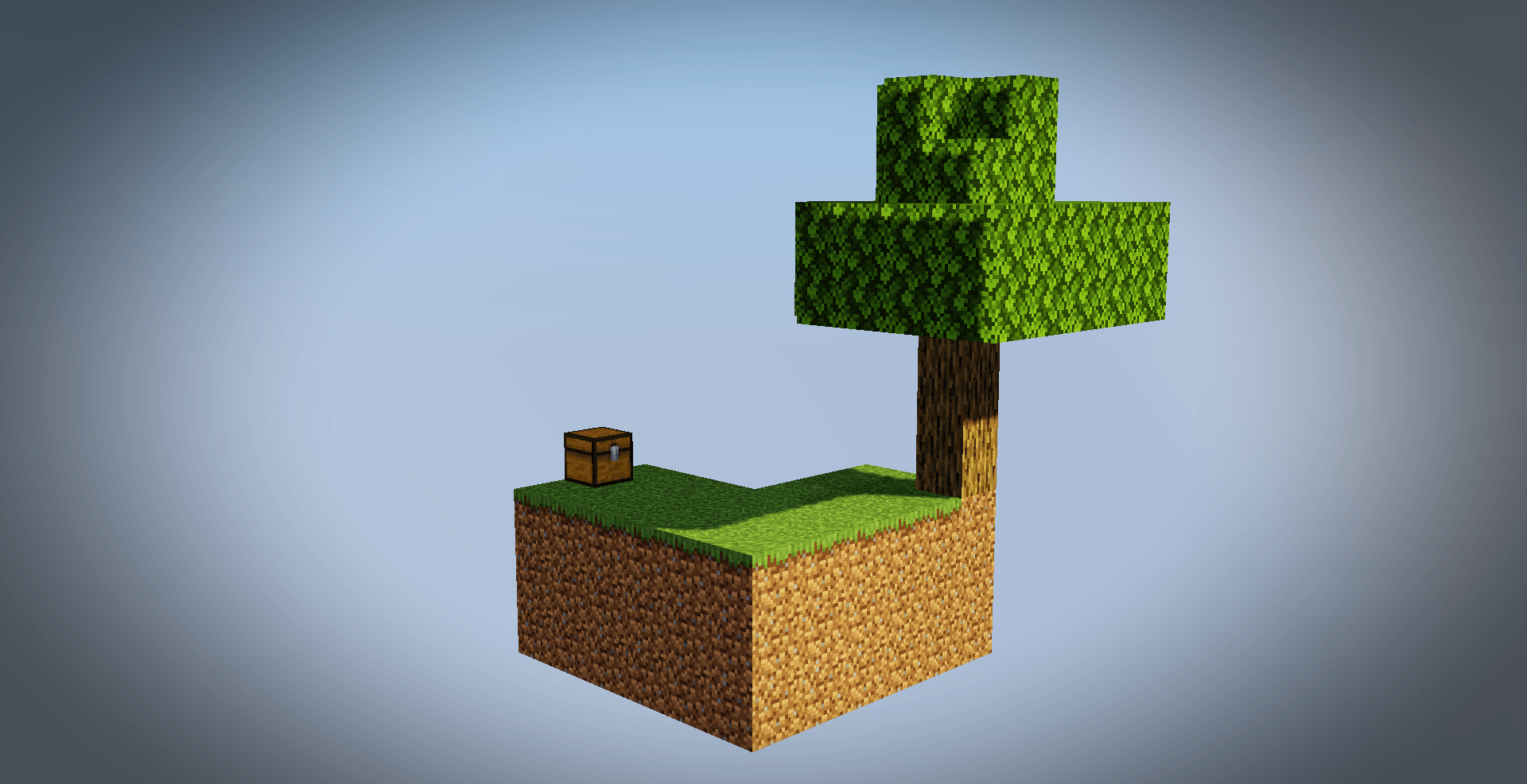
🌳 The Starter Island
Your adventure begins on a classic Skyblock island floating in the void.
Your starting resources include:
These few resources are the foundation of your survival journey. Use them wisely to begin building your own world from almost nothing!
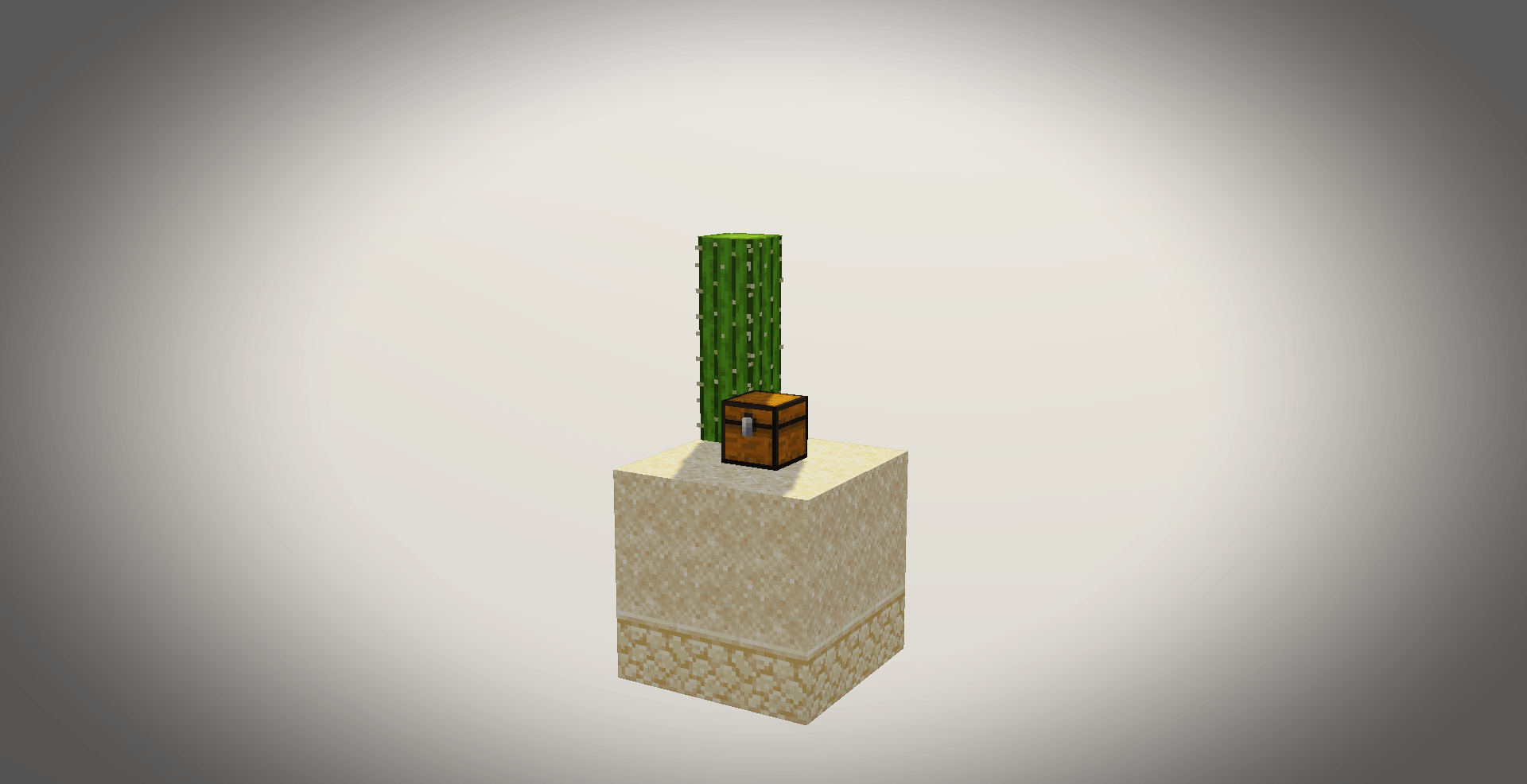
🏜️ The Sand Island
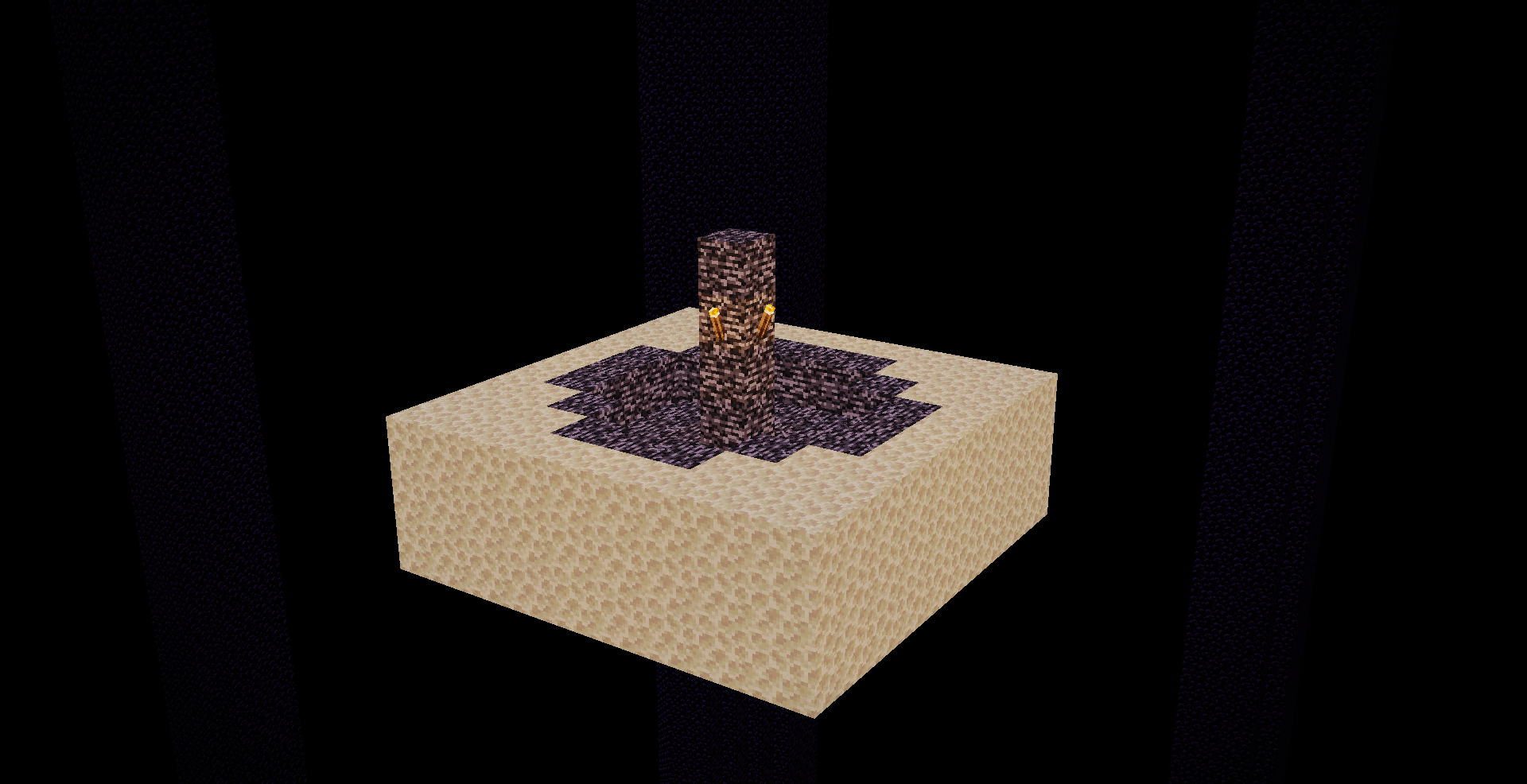
A second island lies 64 blocks away across the void, providing essential resources for your progression.
Island resources:
-
18 Sand
-
9 Sandstone
-
3 Cacti
The island chest contains:
-
Sugar Cane
-
10 Obsidian Blocks
-
Pumpkin Seeds
-
1 Watermelon Slice
Every resource has a purpose. Plan your bridges, manage your materials, and make the most of everything this small island offers.
🔥 2. The Nether Void — A New Kind of Challenge
Available only in the Minecraft 1.16.5 and higher world files.
Forget the usual Nether terrain! This map transforms the Nether into a custom void environment where survival depends on making the most of a tiny floating island.
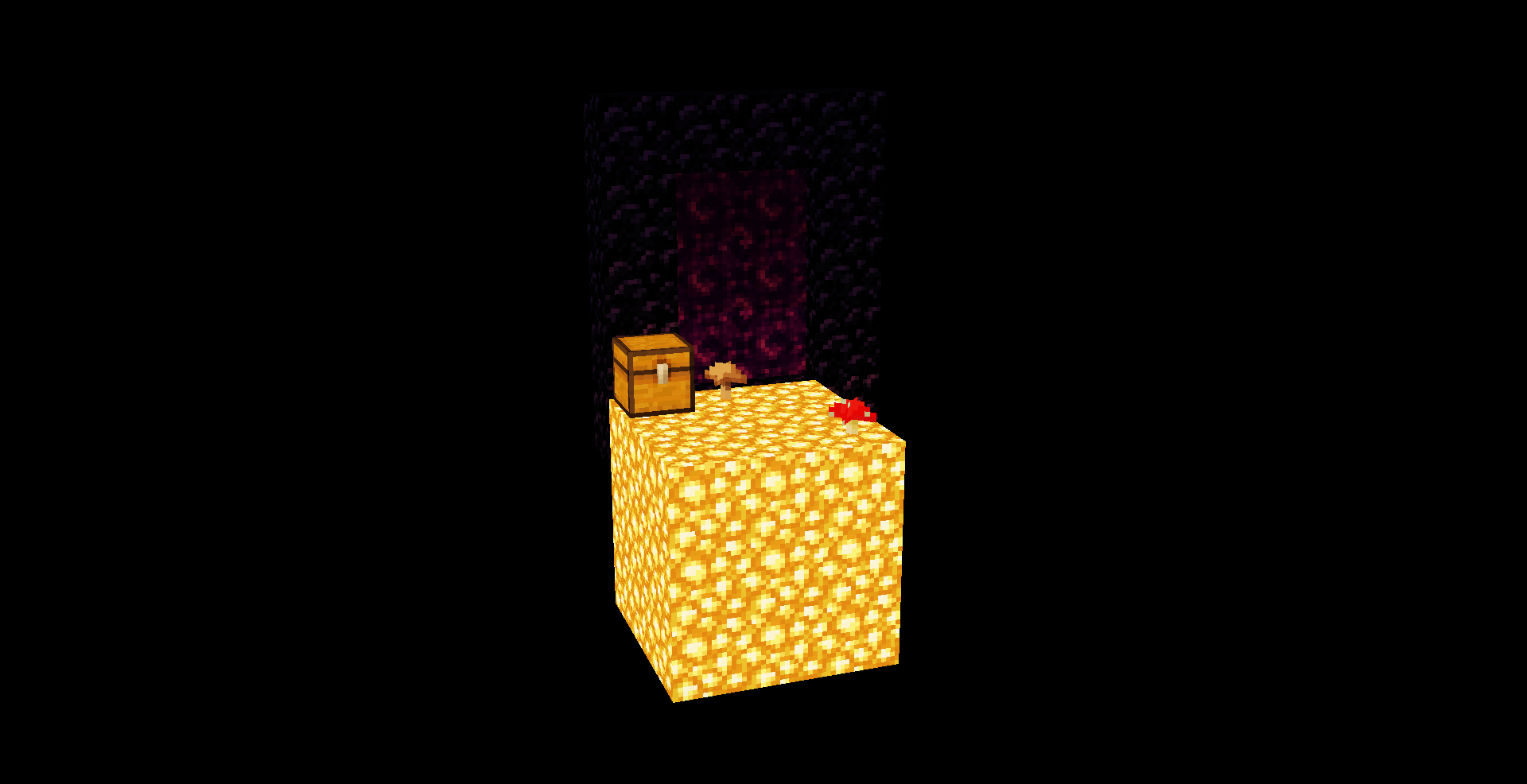
✨ The Glowstone Island
The Nether contains a single 5×5 Glowstone island suspended in the void.
On top of the Glowstone, you will find:
-
🍄 1 Red Mushroom
-
🍄 1 Brown Mushroom
🧰 The Nether Chest
A chest on the island contains:
-
1 Birch Sapling
-
1 Ice Block
With so little land and only a handful of resources, you will need to think creatively and carefully manage your progression.
Can you turn this tiny Nether island into a stepping stone toward greater survival achievements?
🐉 3. The End — Face the Ultimate Challenge
The custom End Stronghold and End setup are available only in the Minecraft 1.16.5 and higher world files.
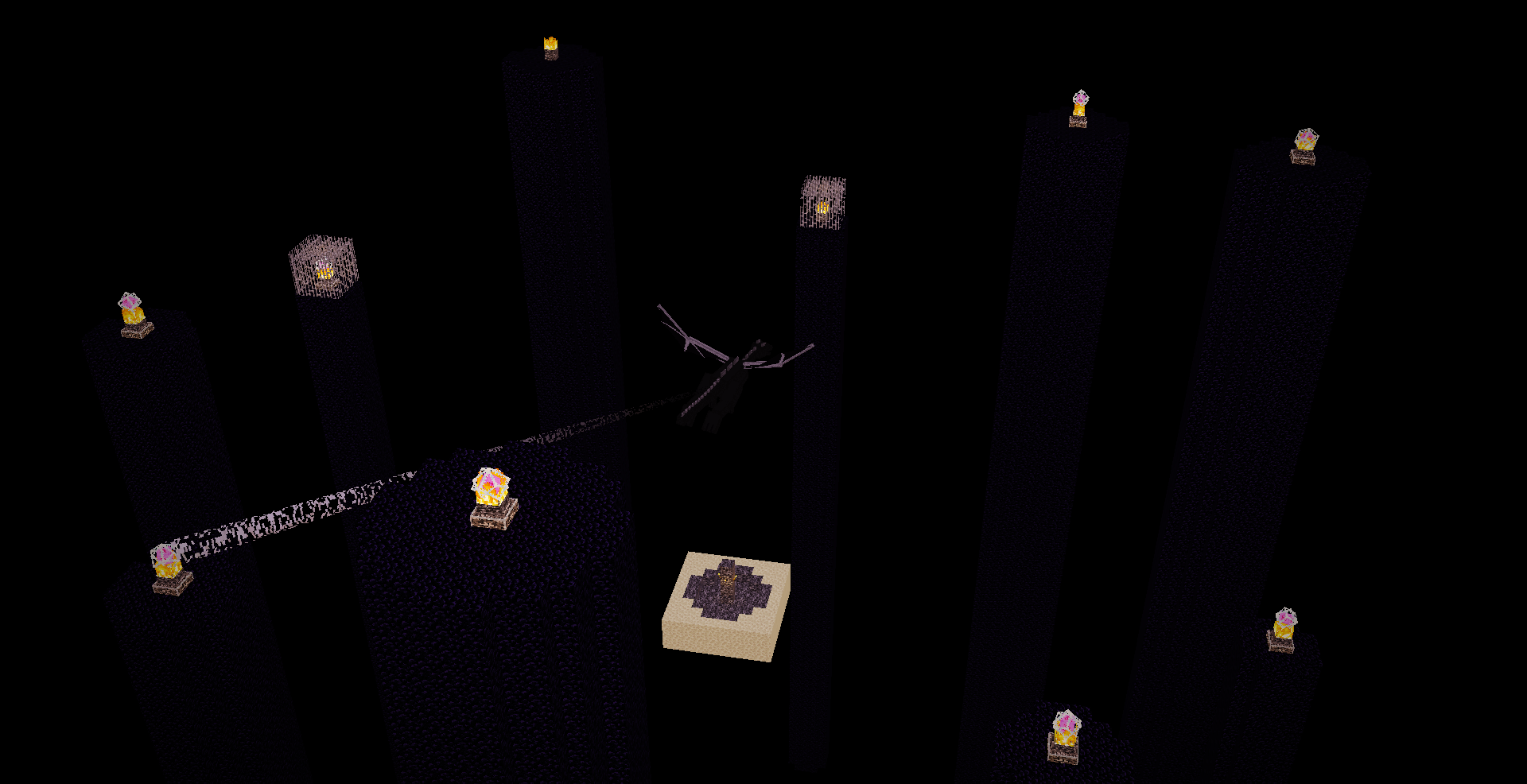
The End offers a different kind of challenge. Instead of a conventional landscape, the main End island has been cleared into a void, leaving the essential elements needed for the final battle.
🏰 The Stronghold Gateway
A specially prepared, floating End Portal room is located out in the Overworld void, its your challenge to find it but I'm gonna tell you one thing, its very far away and probably it is where you think it is.
The End Portal is already built and ignited, to give you more time to explore less time to figure a way out to get eyes of ender, giving you a prepared gateway to the End once you can reach it.
Finding your way to these coordinates and safely navigating the void is part of the challenge!
🌌 The Void End
The main End island has been cleared, leaving behind:
The End Stone platform provides a small area for spawning and fighting in an otherwise empty void environment.
With limited ground beneath your feet and the Ender Dragon still active, the final battle becomes a test of preparation, resource management, and survival skills.
Prepare carefully before entering. The void leaves little room for mistakes!
🎮 Gameplay Information
This map is designed to preserve the vanilla Minecraft survival experience while offering a carefully limited starting environment and custom dimensional challenges.
📥 Installation Instructions
Follow these steps to install the map:
-
Download the world file matching your Minecraft Java Edition version.
-
The downloaded file is a ZIP archive, right-click it and choose Extract All or use your preferred extraction tool.
-
Locate your Minecraft saves folder:
Windows: Press Win + R, enter %appdata%\.minecraft\saves, and press Enter.
-
Copy the extracted world folder into the saves folder.
-
Open Minecraft and select Singleplayer.
-
Find the map in your world list and click Play.
Important: Make sure the actual world folder is inside .minecraft/saves. If the extracted folder contains another folder with the same name, check that level.dat is inside the world folder you place in saves.
For multiplayer, install the world on the server and ensure the server uses a compatible Minecraft version.
💬 Questions, Feedback & Suggestions
Have questions, found an issue, or have an idea to improve the map?
-
Instagram: Send a DM using the Instagram link in my CurseForge profile bio.
-
CurseForge Comments: Leave your questions, feedback, and suggestions in the comments section of this project.
Feedback is always welcome! Feel free to suggest new ideas and point out mistakes!
🏆 Created By
Peak MC 6725
Thanks for checking out Skyblock! Gather your resources, plan your progression, conquer the custom Nether, and challenge the Ender Dragon in the void.
Good luck, and enjoy your Skyblock adventure! 🏝️🔥🐉