Forgotten Canopy ( Survival )
- By
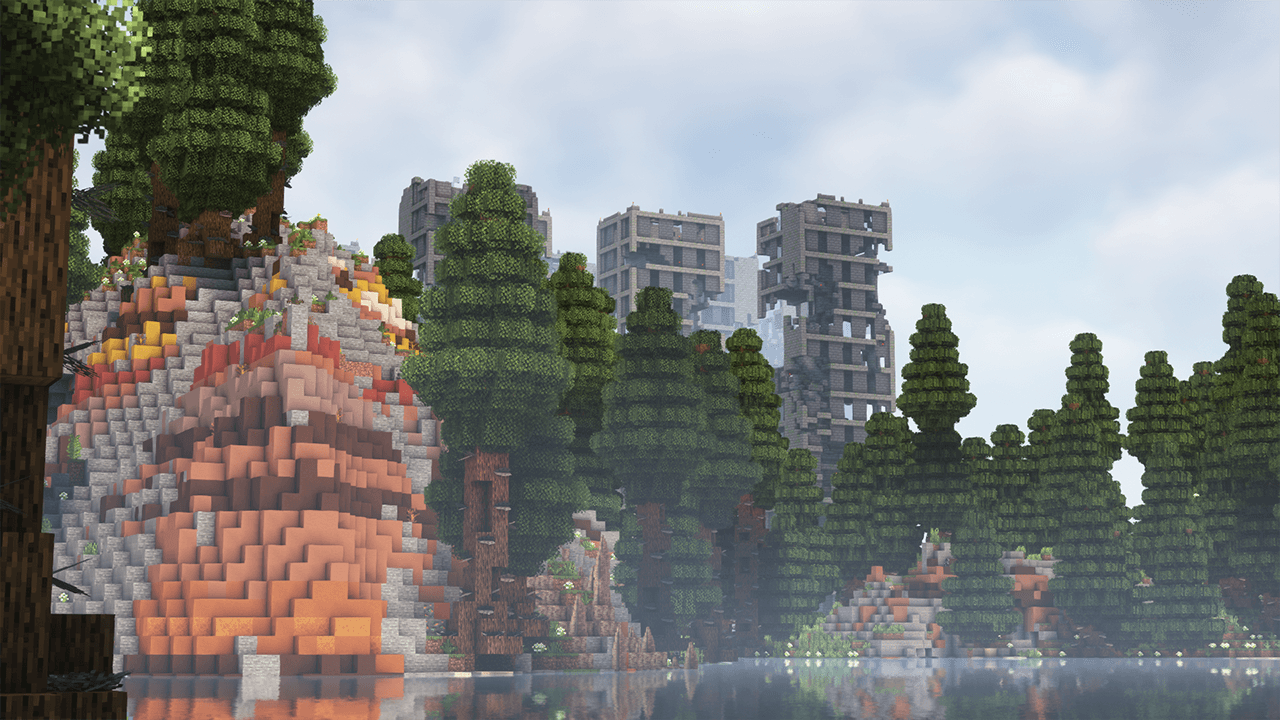
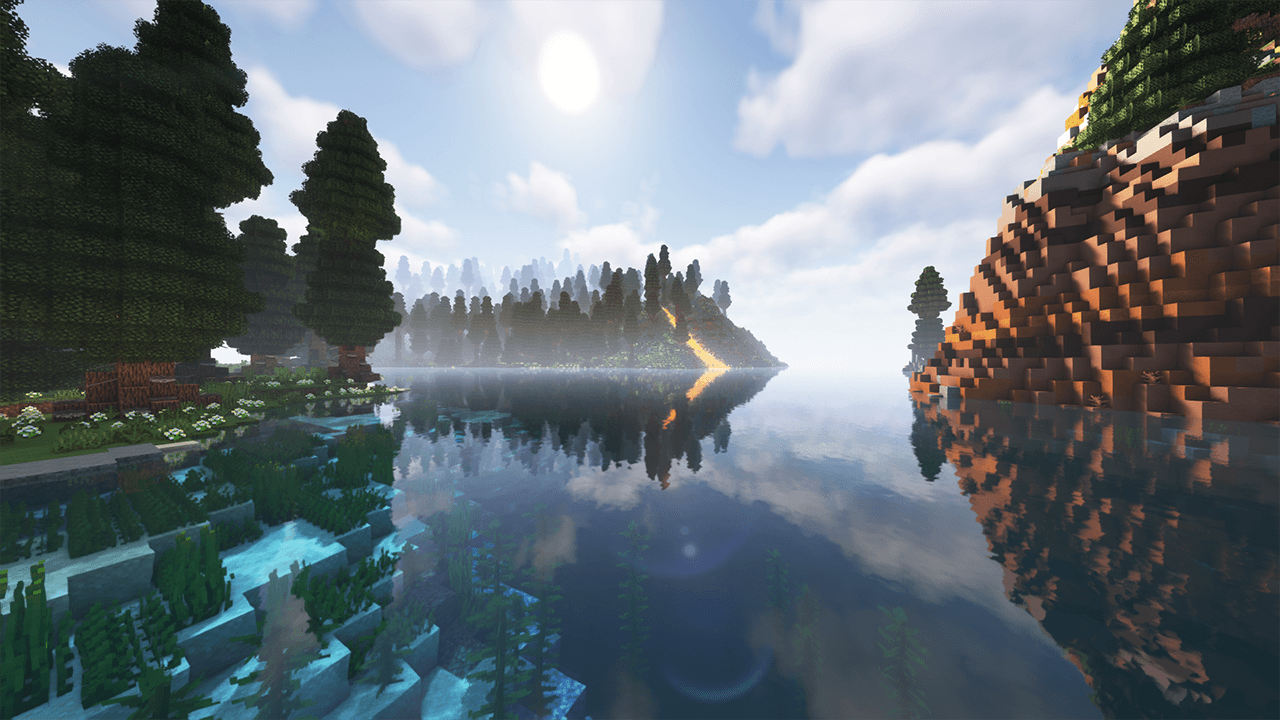
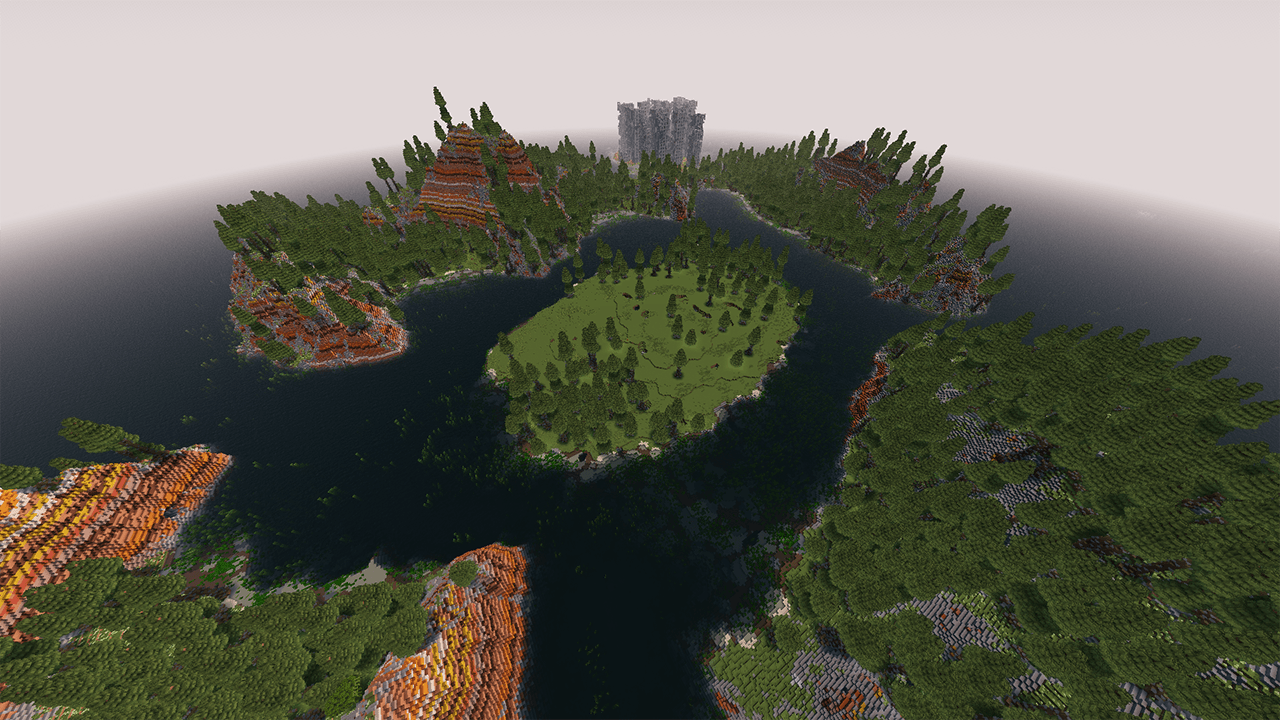
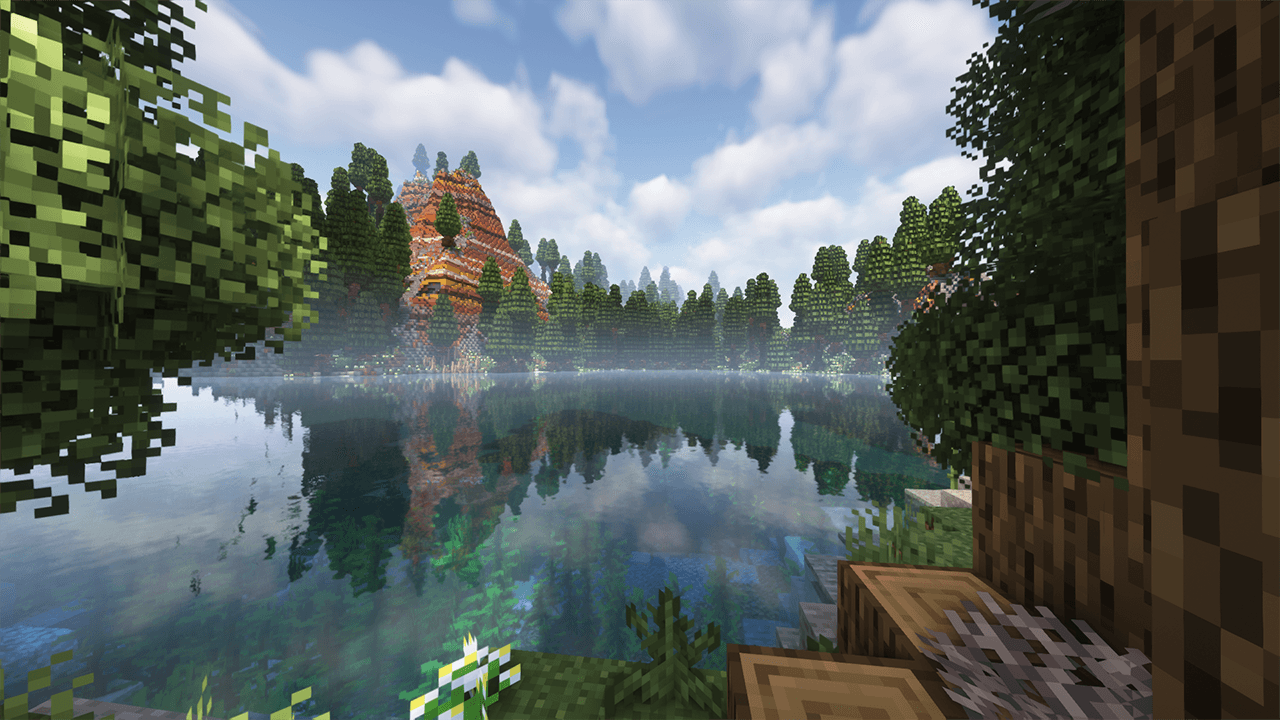
A breathtaking custom-generation world featuring lush canopy forests, serene crystal-clear lakes, and majestic terracotta-layered cliffs. Explore a beautifully reclaimed wilderness where nature has slowly overtaken the remnants of a forgotten civilization.
2026-07-08_16.16.05.png
2026-07-08_16.15.19.png
2026-07-08_16.10.57.png
2026-07-08_16.34.39.png
2026-07-08_16.11.50.png
Description
Welcome to Forgotten Canopy, a meticulously crafted Minecraft landscape designed to bring a deep sense of atmosphere, exploration, and mystery to your game. This world blends vibrant, dense woodland canopies with striking geological formations, all surrounded by incredibly realistic, reflective waters and vibrant aquatic life.
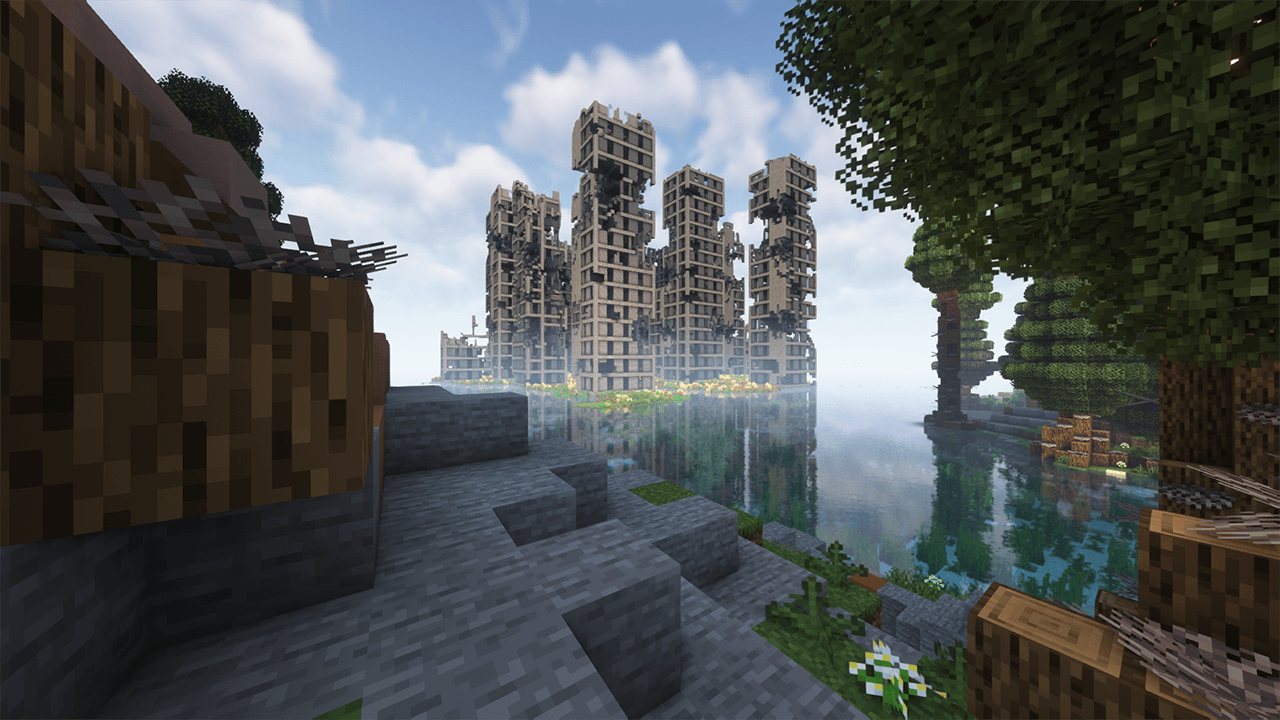
As you journey deeper through the lush greenery and over the multi-colored terracotta ridges, you will discover that this serene paradise holds secrets from the past. Towering in the distance, half-submerged and overtaken by nature, lie the hauntingly beautiful ruins of an ancient, forgotten city—offering a perfect blend of natural beauty and post-apocalyptic exploration.
Key Features
-
Immersive Custom Biomes: Experience towering, dense forest canopies filled with custom tree variations and rich ground flora that create a truly living world.
-
Stunning Geological Formations: Traverse majestic cliffs made of layered terracotta and stone, offering incredible vantage points and a unique aesthetic contrast to the green wilderness.
-
Realistic Waterways & Lagoons: Explore crystal-clear lakes and coastlines complete with detailed underwater vegetation, kelp forests, and shallow coral reefs.
-
The Ruined City: Discover a cluster of abandoned, decaying skyscrapers and structures half-claimed by the water and vines, ready for looting, rebuilding, or lore-driven adventures.
-
Survival & Creative Friendly: Fully optimized for standard survival gameplay (with resources available) or as a magnificent backdrop for creative builders and cinematic creators.
Specifications & Installation
-
Map Type: Custom Terrain / Survival World / Creative Canvas
-
Supported Versions: Minecraft 1.20+ (Recommended)
-
Game Mode: Survival
How to Install:
-
Download the world zip file from the Files tab.
-
Extract the folder into your Minecraft
savesdirectory. -
Launch Minecraft, select Singleplayer, and embark on your journey in Forgotten Canopy!
If you love the map, please leave a comment, give it a like, and feel free to share screenshots of your builds in the valley!
Forgotten Canopy ( Survival ) Team