Soluna Visuals
- By
Soluna Visuals replaces Minecraft's square sun and moon with a realistic glowing sun and eight true-to-life moon phases. Every sunrise, sunset and night sky looks closer to the real thing, with no mods and no performance cost.
18d6eea67cdfe8cd7769db1435ed036940ac3884.png
56a5e3bb80e0c531cccabcbcb7ce8e6f0ef390c7.png
1417b61f-68c4-4aff-8cca-f70db6822f82.png
Description
Soluna Visuals: Realistic Sun and Moon Resource Pack for Minecraft Java
Soluna Visuals replaces Minecraft’s square sun and moon with a detailed, glowing sun and eight true-to-life moon phases. Every sunrise, sunset and night sky looks closer to the real thing, with no mods and no performance cost.
Why choose Soluna Visuals?
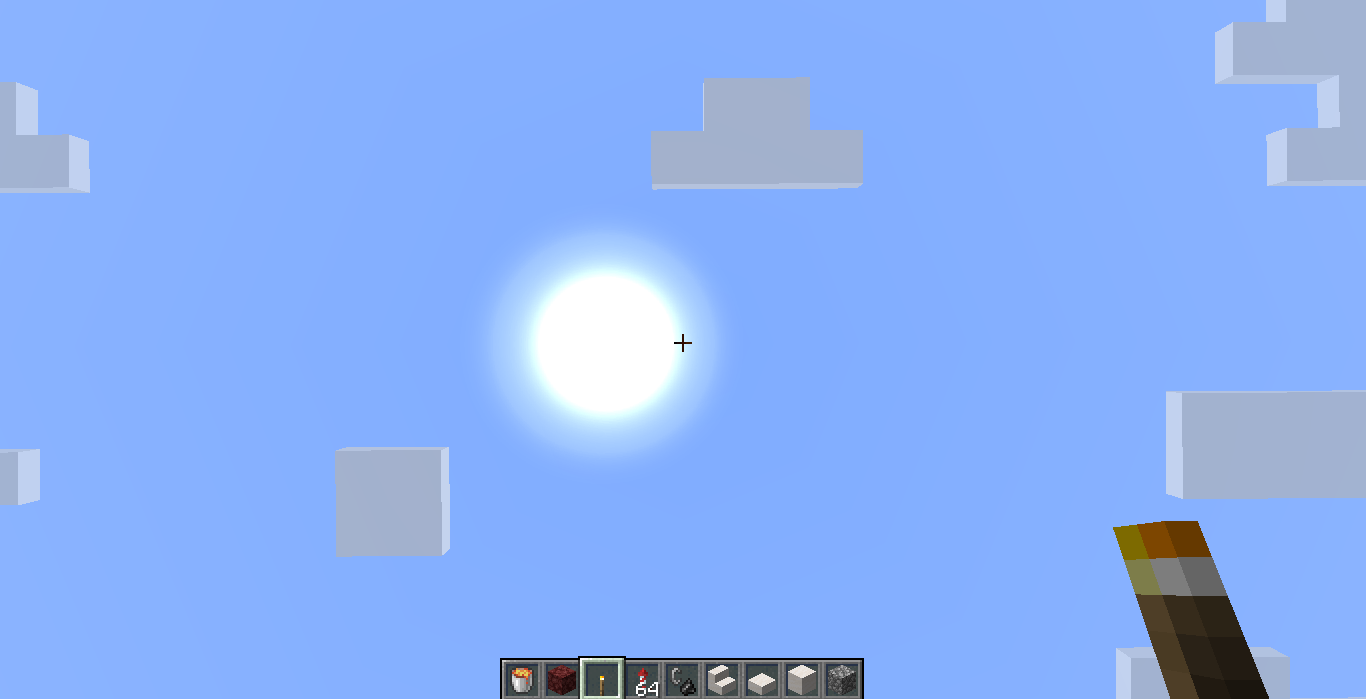
- Redrawn realistic sun: a round, white-hot core fading to a deep orange edge, with surface detail, a soft corona and gentle rays that blend into noon, sunset and sunrise skies
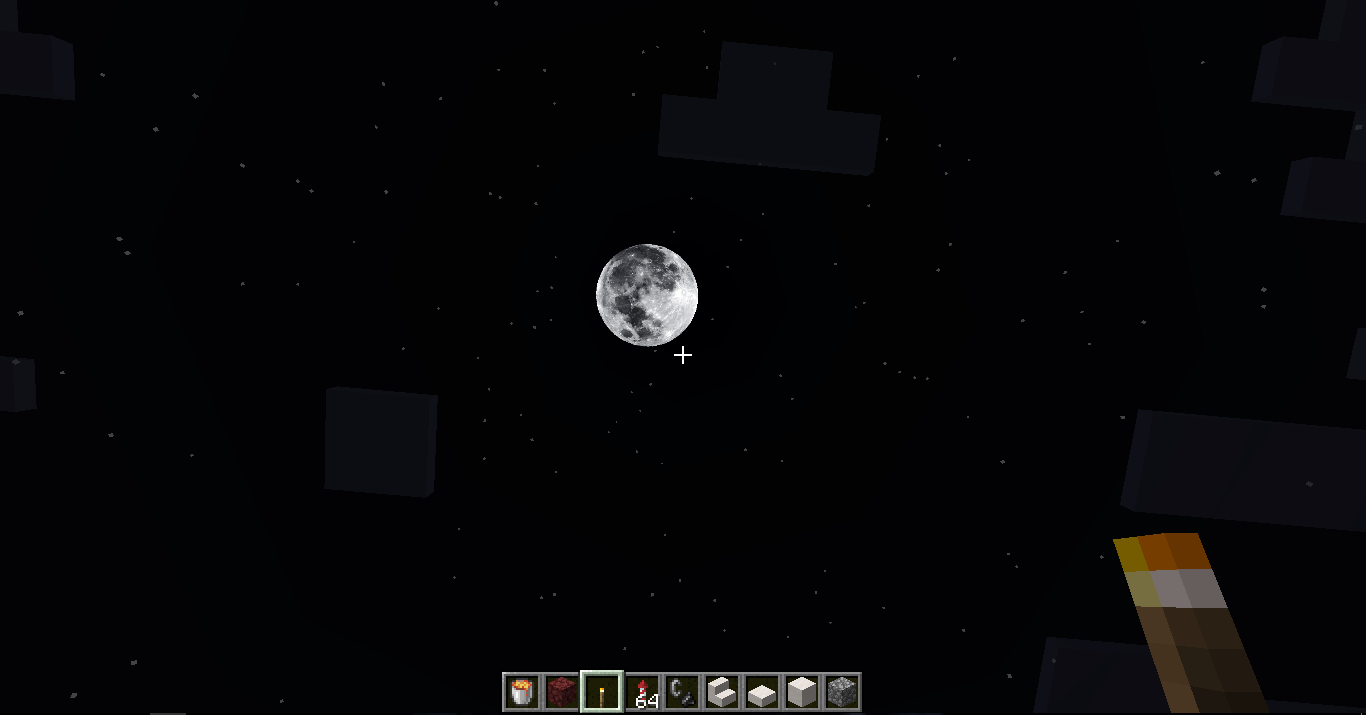
- 8 real moon phases: new moon, waxing crescent, first quarter, waxing gibbous, full moon, waning gibbous, third quarter and waning crescent
- Detailed lunar surface: a silvery tone with sharp craters, a soft halo around the moon, and faint earthshine on the dark side so even a new moon never looks like a flat black disc
- Follows the lunar cycle: the moon changes phase every in-game day, so a full cycle takes 8 days
- HD 512px textures: sharp sun and moon, even up close
- Balanced size: the moon is bigger and clearer than before, while the glow stays soft and natural
- All Java Edition versions: includes both the classic and the new (1.21.11 and newer) sky texture layouts
- Lightweight: only the sun and moon textures change, so FPS stays the same
Compatibility
- Minecraft Java Edition, all versions (no warning on 1.20 and newer)
- No mods required, client side only, works on multiplayer servers
- Shader packs that draw their own sun and moon will override this pack
How to install
- Download the pack and do not unzip it
- Put the
.zipin yourresourcepacksfolder, or drag it onto the Minecraft window - Go to Options > Resource Packs and enable Soluna Visuals
- Keep it above any other pack that changes the sun or moon
FAQ
Why does the pack say it is made for a newer version?
On versions older than 1.20, Minecraft shows this warning. Click through and the pack still loads normally.
Why is the moon phase the same every night?
The phase changes only after a full in-game day. Sleeping or /time add 24000 advances it, while /time set night stays on the same day.
Does it work with shaders?
Yes, with shaders that use the vanilla sun and moon. Shaders that draw their own sky will ignore this pack.
Credits
Created by MissSatella. If you show the pack in videos, streams or modpacks, please credit Soluna Visuals and MissSatella.
Soluna Visuals Team