⚔️ Lower Sword Blocking By PeakMC6725
See more. Even when you're blocking.
Minecraft 1.8.9 PvP is all about timing, movement, and keeping track of your opponent. But there's one small annoyance: when you hold up your sword to block, it can take up a huge part of your screen! ⚔️
You're trying to follow your opponent's movement, watch your surroundings, and react to every hit, but your sword gets in the way of your view.
That's where Lower Sword Blocking By PeakMC6725 comes in!
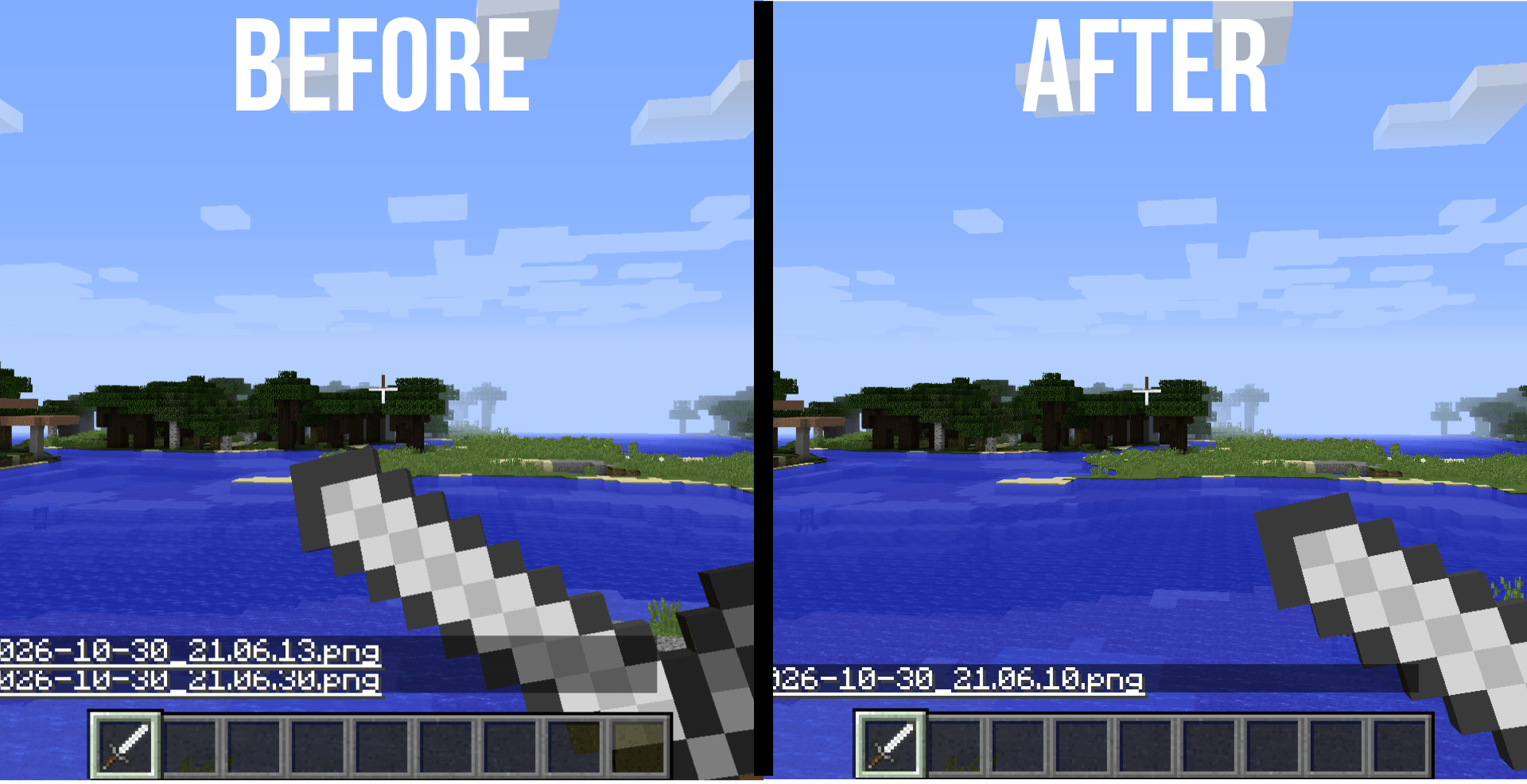
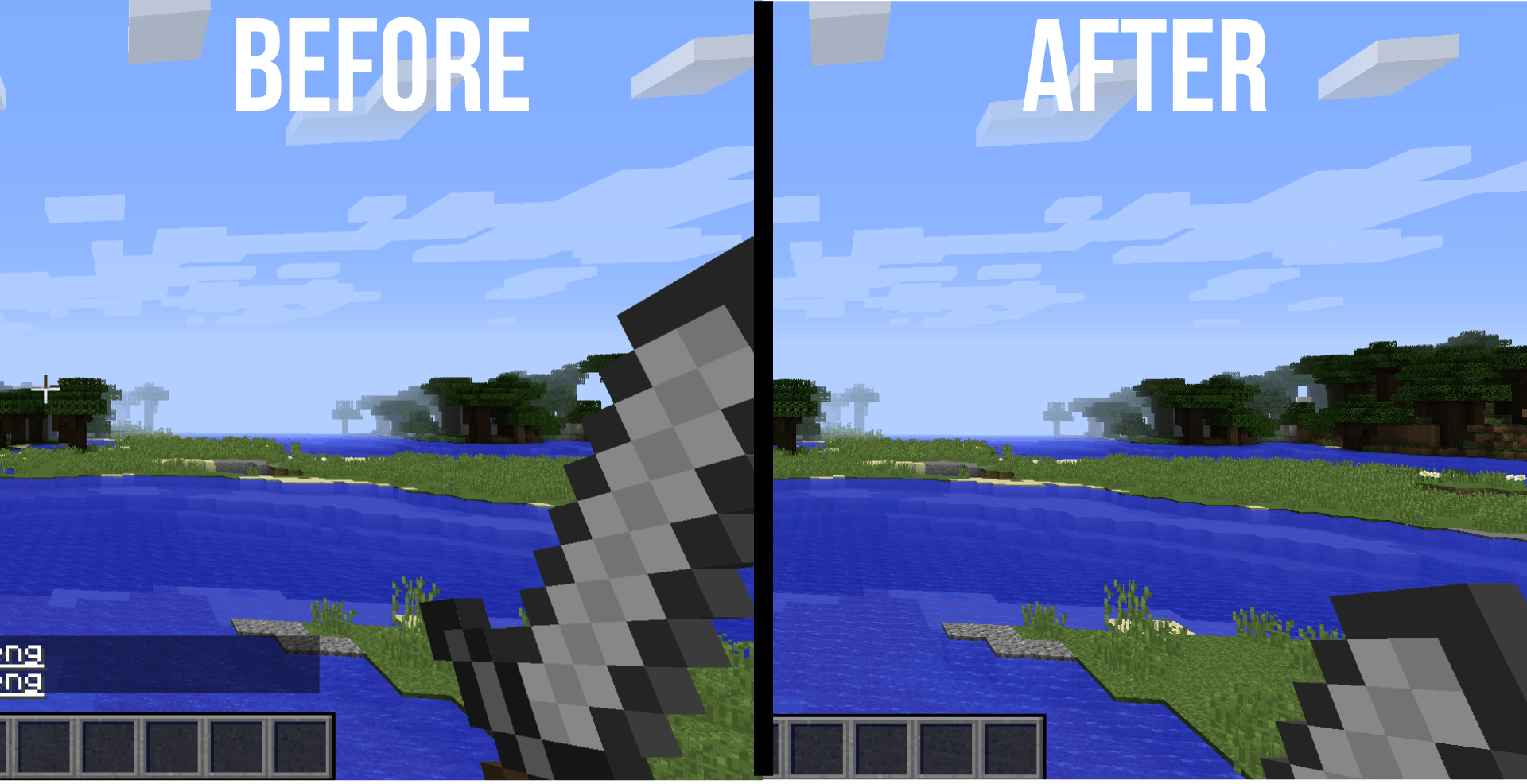
This resource pack moves the sword lower in first-person view, including while blocking, so more of your central view stays clear during combat. Your sword remains visible, but it sits lower on the screen instead of dominating your view.
Designed specifically for Minecraft Java Edition 1.8.9, this pack is ideal for players who want a less obstructed first-person view without changing the familiar look or mechanics of classic Minecraft PvP.
Less screen obstruction. Clearer view. Same classic PvP.
⚔️ Features
🗡️ Lower Sword Position
The pack moves your sword lower in first-person view, reducing how much of the screen it occupies.
The lower position applies both while the sword is idle and while blocking, so you can enjoy a more consistent view during gameplay.
🛡️ Improved Visibility While Blocking
Blocking is an important part of classic Minecraft 1.8.9 combat, but the raised sword can obstruct your view.
Lower Sword Blocking keeps the sword lower even while blocking, helping you see more of your opponent and your surroundings.
🪵 All Five Sword Types
The pack covers all five vanilla sword types available in Minecraft 1.8.9:
-
Wooden Sword
-
Stone Sword
-
Iron Sword
-
Golden Sword
-
Diamond Sword
Switch between sword types without losing the intended lower first-person positioning.
👁️ More of Your View Stays Clear
Whether you're tracking an opponent, moving around an arena, or fighting at close range, keeping more of the central screen visible can make the first-person view feel less cluttered.
The sword is still visible. It simply sits lower on the screen.
🎮 Normal Sword Mechanics
This is a visual-only resource pack. It does not change how swords function in Minecraft.
-
Sword damage remains unchanged.
-
Blocking mechanics remain unchanged.
-
Combat behaviour remains unchanged.
-
No new abilities or gameplay advantages are added through modified mechanics.
The goal is to adjust the sword's appearance, not the underlying game.
🧍 Third-Person View
The pack is intended to leave the third-person view unchanged, focusing on the sword's position in first-person view.
💻 Client-Side Resource Pack
No server installation is required. Simply enable the pack on your own Minecraft client.
Other players don't need to install it for you to use the modified sword appearance.
⚡ Lightweight Design
The pack uses resource-pack changes and is designed to have minimal performance impact. There are no additional gameplay systems to configure.
🎮 Compatibility
-
Edition: Minecraft Java Edition
-
Supported version: 1.8.9
-
Type: Client-side resource pack
-
Supported weapons: Wooden, stone, iron, golden, and diamond swords
Other Minecraft versions are not officially supported, and compatibility is not guaranteed.
This pack is specifically intended for the classic 1.8.9 PvP experience.
📦 Part of PeakMC6725's PvP Utilities
Lower Sword Blocking By PeakMC6725 is the standalone sword-position pack for players who want this particular visual change without installing every feature from the combined pack.
Looking for more visual improvements? Check out these other projects by PeakMC6725:
-
🔥 Low on Fire By PeakMC6725 — Lowers the first-person fire overlay.
-
🎃 No Carved Pumpkin Blur By PeakMC6725 — Removes the obstructive carved pumpkin overlay.
-
🛡️ Lower Shields By PeakMC6725 — Moves shields lower in first-person view. Available for Minecraft 1.21.11+.
-
💚 Smaller Totem Pops By PeakMC6725 — Makes the Totem of Undying activation animation and particles smaller. Available for Minecraft 1.21.11+.
-
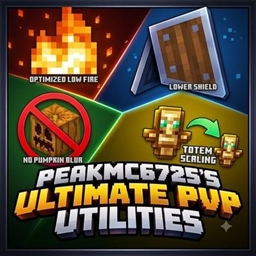
🔥 PeakMC6725's Ultimate PvP Utilities — Combines the available visual improvements into one resource pack.
Search for these project names on my CurseForge profile to find their individual downloads.
Want only a lower sword? Use this standalone pack.
Want multiple visual improvements together? Check out the combined Ultimate PvP Utilities pack.
🛠️ Installation Instructions
Getting started is simple!
-
Download the pack: Download the .zip file for Minecraft Java Edition 1.8.9.
-
Keep it zipped: Do not extract or unzip the file.
-
Open Minecraft: Launch Minecraft Java Edition 1.8.9.
-
Open Resource Packs: Navigate to Options → Resource Packs.
-
Open the pack folder: Click Open Pack Folder.
-
Install the pack: Place the downloaded .zip file inside the folder that opens.
-
Enable the pack: Return to Minecraft and move Lower Sword Blocking from Available to Selected.
-
Apply the changes: Click Done and let Minecraft load the resources.
Once enabled, the sword should appear lower in first-person view, including while blocking.
⚙️ Using Other Resource Packs
If the sword position doesn't change as expected, another resource pack may be overriding the same files.
Try these steps:
-
Move Lower Sword Blocking above other packs that modify sword models or textures.
-
Make sure the pack is enabled in the Resource Packs menu.
-
Press F3 + T to reload resources.
Resource-pack priority can affect which files Minecraft uses, so placing this pack above conflicting packs may help.
🐞 Bugs and Feedback
Found a problem, noticed an unexpected sword position, or have an idea for improving the pack?
Leave a comment on the project page!
When reporting a problem, please include:
-
Minecraft version: Confirm that you're using 1.8.9.
-
Other resource packs: Mention any packs that modify sword models or textures.
-
Screenshot: If possible, include one showing the issue.
This information can help identify possible conflicts and compatibility problems.
Bug reports, suggestions, and feedback are always welcome!
👤 Created By
PeakMC6725
A Minecraft creator making resource packs and datapacks for the community.
Thanks for checking out Lower Sword Blocking By PeakMC6725! I hope it helps make your classic Minecraft PvP experience feel cleaner and less obstructed.
See more. React faster. Fight cleaner. ⚔️