📍FOR VISUAL INFO PLEASE GO TO GALLERY.
🐾 Complete the look with the Panthera Pack.
This pack restyles the interface. Pair it with the Panthera Pack, which recolors your tools, weapons and armor, so your items match the jungle-explorer theme too.
They change different textures, so you can use both at the same time without conflicts. Just enable both in Options → Resource Packs.
🍃 Do you Prefer something simpler?
Try Jungle Explorer UI, the classic version with flat carved-wood screens.
🐆 Jungle Explorer UI – 3D
Jungle Explorer UI – 3D includes everything from the classic Jaguar Explorer UI: the HUD, widgets, menus, multiplayer and Realms. On top of that, every work block and container is rebuilt as a hand-designed 3D scene. Screens are no longer flat rectangles: each one is an object with depth, shadows and its own shape, and it shows how the block actually works.
Everything is hand-made pixel art at 2× resolution.
🏗️ The 3D scenes
🔥 Furnace
A domed stone oven with a stone chimney rising behind the title plaque. The fuel burns in an arched firebox. The smelting progress is three glowing claw slashes, and the result lands in a stone bowl. A stack of firewood sits beside the oven, and the recipe book button rests on a small shelf attached to its side.
⚒️ Blast Furnace
A tall, tapered obsidian tower wrapped in iron bands, with a grated blast opening. The progress bar is a stone trough that fills with molten metal, flowing all the way into a steel crucible. The crucible has a curved rim, rivets and a side handle. The result glows inside the molten crucible.
🍖 Smoker
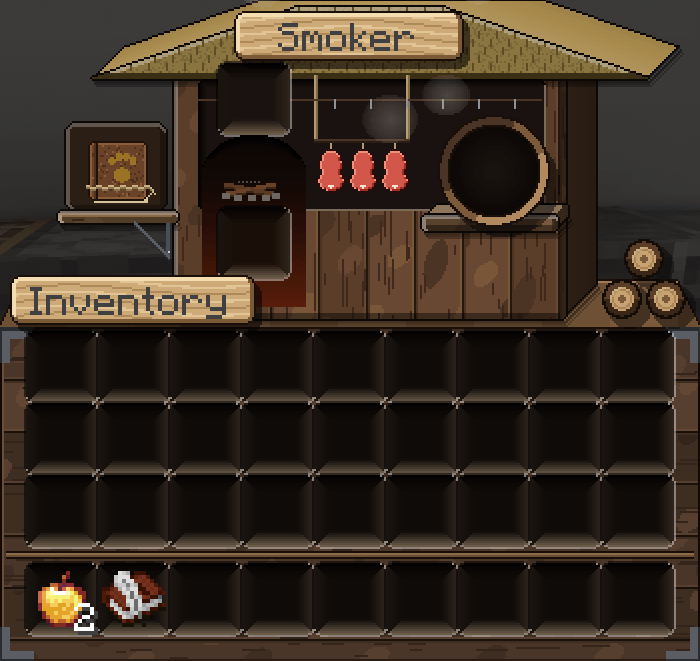
A smokehouse hut with a thatched roof. Through the smoky window, three cuts of meat hang from ropes tied to the roof. As your food cooks, the meat turns from raw to smoked, with little wisps of smoke. The result sits on a wooden tray pegged to the wall, and firewood is stacked outside.
🪚 Crafting Table
A carpenter's workbench seen from above, with legs, a paw-print crafting grid, claw marks, a golden ring with a panther face for the result, plus nails and wood shavings. The recipe book button sits in its own recess in the bench.
🧪 Brewing Stand
A mossy stone altar with carved channels that carry the brew from the ingredient slot down to the three bottles. On the side, four lidded glass jars hold blaze powder, nether wart, gunpowder and sugar.
🧑🌾 Villager Trading
A market stall: a hanging ledger board holds the trade list, under an awning on wooden poles, with a counter and a lantern. The trade window and your inventory sit on the stall.
⚔️ Smithing Table
A stone workbench with a smithing hammer, three slots set in a jaguar-jaw frame, a carved arrow, and a wooden pedestal where the armor stand preview stands.
🔨 Anvil
A heavy steel block with a smithing hammer and the rename field.
✨ Enchanting Table
A 3D stone block that holds the enchantment options, with the item and lapis slots set deep into it.
🪨 Grindstone · Stonecutter · Cartography Table · Loom · Crafter
Each one is built as its own 3D block with depth, shadows and deep-set slots, matching its material.
📦 Chests, Dispensers, Hoppers & Shulkers
- Chests (single, large, ender, barrel, minecart chest): rebuilt with 3D depth
- Shulker boxes: the box has raised walls around the slots
- Dispenser / Dropper: a 3D stone block with the 3×3 grid set into its face
- Hopper: a 3D hopper body above your inventory
🎒 Your inventory
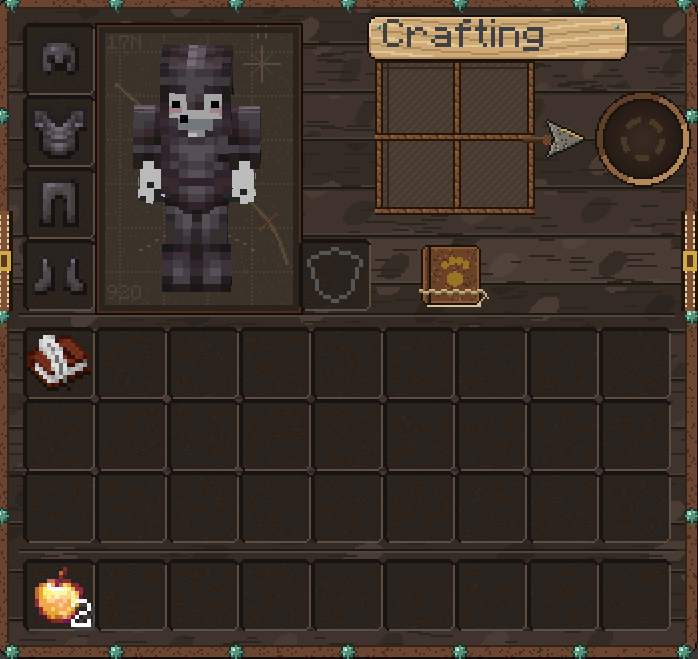
On every work-block screen, your inventory rests on a wooden crate, so each scene stands on solid ground.
🎯 Designed for gameplay
- No slot is on an edge. Every slot sits well inside its object, so the scenes never get in the way of your items.
- Recipe book button has a dedicated spot (a shelf or a recess) in every scene that uses it.
- Flat, clean faces on the 3D shapes, so the scenes stay readable.
- Contact shadows keep every object grounded instead of floating.
- Plaques are sized to fit both English and Spanish titles. The text itself is drawn by the game.
✨ Everything from the classic version
❤️ HUD
- Jaguar paw-print hearts, including hardcore (darker, with claws and a three-line slash), poisoned, withered, frozen, absorption and mount health, with blinking frames
- Skull armor, meat-chop hunger (with a Hunger-effect variant), droplet air (with bursting animation)
- Jaguar head and tail XP bar
- Tiger-stripe jump bar and locator bar
- Vine-wrapped hotbar with a jaguar-jaw selector, plus offhand slots and attack indicator
🎒 Other screens
- Player inventory and full creative inventory (all tabs, search, scrollbar)
- Beacon (power, confirm and cancel buttons), horse/donkey/mule/llama and nautilus inventories
- Game mode switcher (F3 + F4)
📖 Recipe book
Panel, category tabs, craftable-only filters, page arrows, recipe slots in every state and alternative recipe overlays
🔘 Widgets
Carved-wood buttons, sliders, checkboxes, text fields, tabs, scrollbars, lock buttons, close buttons, page arrows and popup windows
🖥️ Menus
- Jungle-soil list background with paw prints and pebbles
- Header and footer separators, the book screen, the world list and the resource / data pack arrows
🌐 Multiplayer & Realms
Server list buttons, ping and pinging icons, unreachable icon, Social Interactions, Friends panel and Realms invitations
🚫 Not included (stays vanilla)
- Title screen, panorama and logo
- Toasts
- Advancements screen
- Sign editing screen
- Boss bars
- Potion effect icons
- Crosshair
- Tooltips
- Bundles
- Ghost icons inside empty slots
📦 Installation
- Download the .zip file. Don't unzip it.
- Put it in your .minecraft/resourcepacks folder.
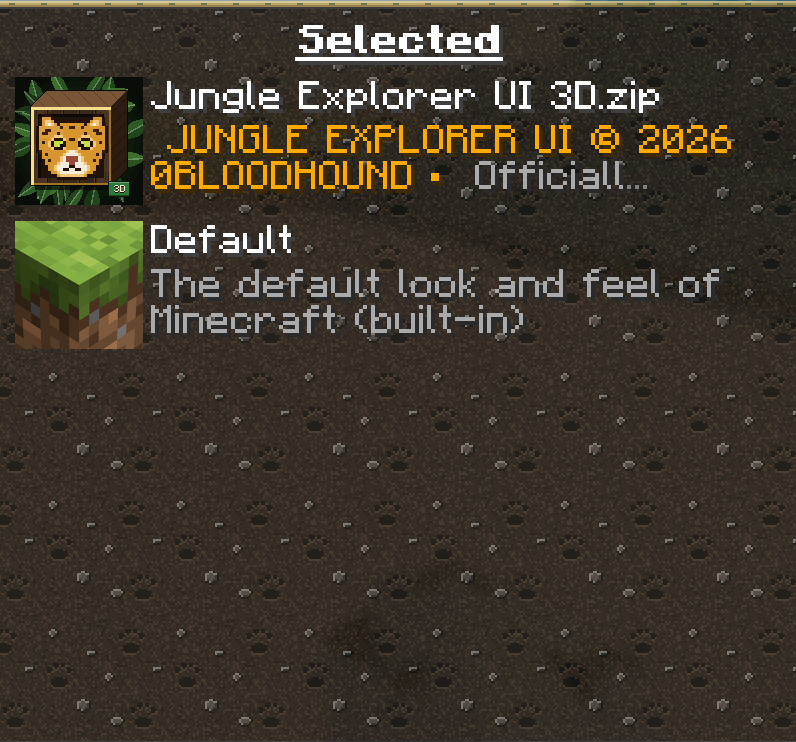
- In game, go to Options → Resource Packs and move it to the right side.
Minecraft version: Java Edition 26.2+ (tested on 26.3) Mods required: none
⚠️ Use only one version at a time. This pack already includes everything from the classic one.
⚠️ IMPORTANT:
DO NOT RE-UPLOAD, REDISTRIBUTE, MIRROR, REPACKAGE, OR CLAIM THIS RESOURCE PACK AS YOUR OWN.
You may use this resource pack for personal use, multiplayer servers, videos, streams, screenshots, and other content.
Content Creator Permission
Content creators are permitted to showcase, review, recommend, stream, or feature this resource pack in videos, livestreams, screenshots, social media posts, and other publicly shared content.
Creators may link to the official CurseForge project as the download source.
Creators may not re-upload, mirror, redistribute, or provide alternative download links for the resource pack or its original files.
The official CurseForge project should be used as the download source whenever possible.
Credit to 0BLOODHOUND is appreciated when featuring the resource pack.

Original distribution: CurseForge
Copyright © 2026 0BLOODHOUND. All rights reserved.
Original Hash for JUNGLE EXPLORER UI 3D ZIP: EF9D050C9446F3F2AA6E1F9E4ADFAE9AE0E7AB6AC107F7BDC621C942CE7C4AAD