Cooked FPS Ultra
- By
Cooked FPS is a lightweight Minecraft Java Resource Pack designed to squeeze a little extra performance out of vanilla Minecraft while giving the game a cleaner, more vibrant appearance.

images.jfif
images (1).jfif
images (2).jfif
Description
🍳 Cooked FPS
Boost Performance. Keep Minecraft Beautiful.
Cooked FPS is a lightweight Minecraft Java Resource Pack designed to squeeze a little extra performance out of vanilla Minecraft while giving the game a cleaner, more vibrant appearance.
Unlike optimization mods, Cooked FPS works entirely as a resource pack—no loaders, no dependencies, and no complicated setup.
🚀 Features
Performance Tweaks
Cooked FPS includes several lightweight optimizations that reduce unnecessary rendering work without changing gameplay.
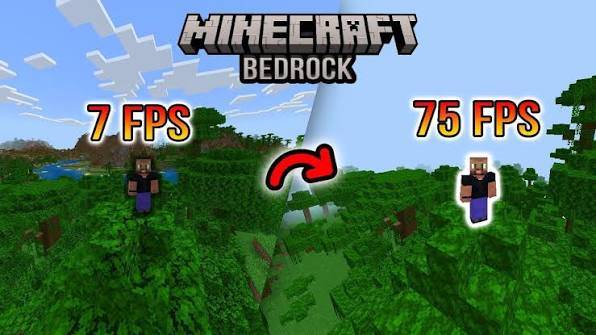
🌿 Solid Leaves
-
Replaces transparent leaf textures with solid versions.
-
Reduces transparency rendering overhead.
-
Can provide smoother performance in forests and dense biomes.
🔥 Slower Animated Textures
Animation speed is reduced for:
-
Water
-
Lava
-
Fire
-
Soul Fire
Fewer animation updates mean slightly less texture processing while maintaining the vanilla feel.
🌊 Cleaner Screen Effects
Removes fullscreen overlays including:
-
Underwater tint
-
Pumpkin blur
This creates a cleaner screen while reducing extra overlay rendering.
✨ Visual Improvements
Performance isn't everything.
Cooked FPS also refreshes Minecraft's appearance with:
-
🌱 More vibrant grass colors
-
🍃 Improved foliage colormaps
-
☀️ Cleaner sun texture
-
🌙 Improved moon texture
-
🎨 Richer vanilla-style colors
The goal is to stay close to vanilla while making every biome feel more colorful.
📈 Expected Performance
Since this is a resource pack, performance improvements are naturally limited.
Typical results:
-
Older PCs / Laptops: noticeable improvement
-
Mid-range PCs: small FPS increase
-
High-end systems: little to no measurable difference
Average improvement:
≈ 2–5 FPS depending on hardware and world conditions.
📦 Installation
-
Download the pack.
-
Place it inside your resourcepacks folder.
-
Launch Minecraft.
-
Open Options → Resource Packs.
-
Enable Cooked FPS.
-
Move it to the top of your resource pack list.
✅ Compatibility
-
Minecraft Java Edition 1.19.x
-
Pack Format 12
-
Vanilla compatible
-
Mod friendly
-
No dependencies required
👥 Recommended For
✔ Players using older or mid-range hardware
✔ Players who want lightweight optimizations
✔ Vanilla players wanting more vibrant visuals
✔ Anyone who prefers a cleaner Minecraft experience
❤️ Credits
Created by MissSatella
Thank you for downloading Cooked FPS!
If you enjoy the pack, consider leaving a ⭐ favorite and sharing it with other Minecraft players.
Cooked FPS Ultra Team