ReasonableView
- By
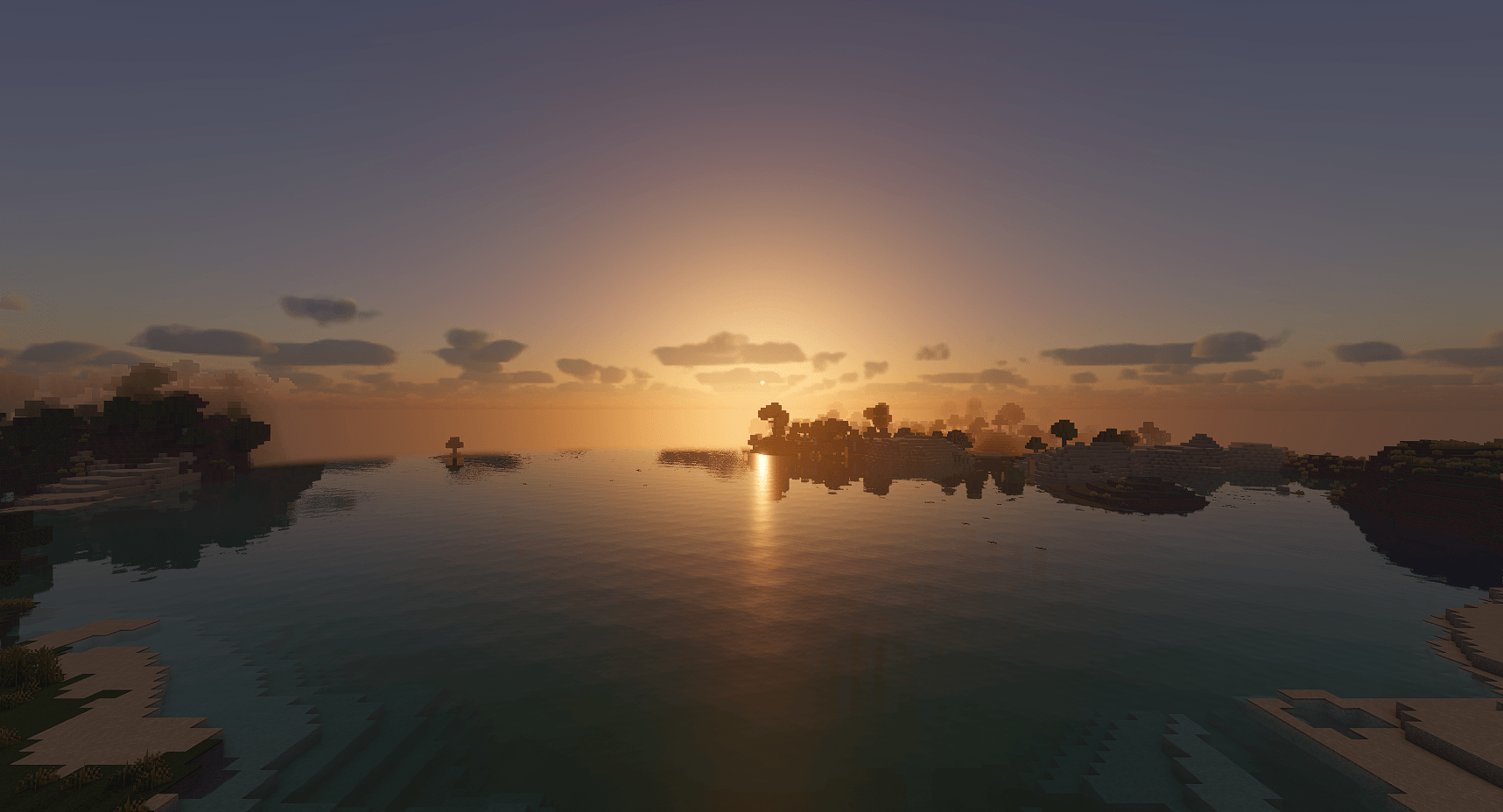
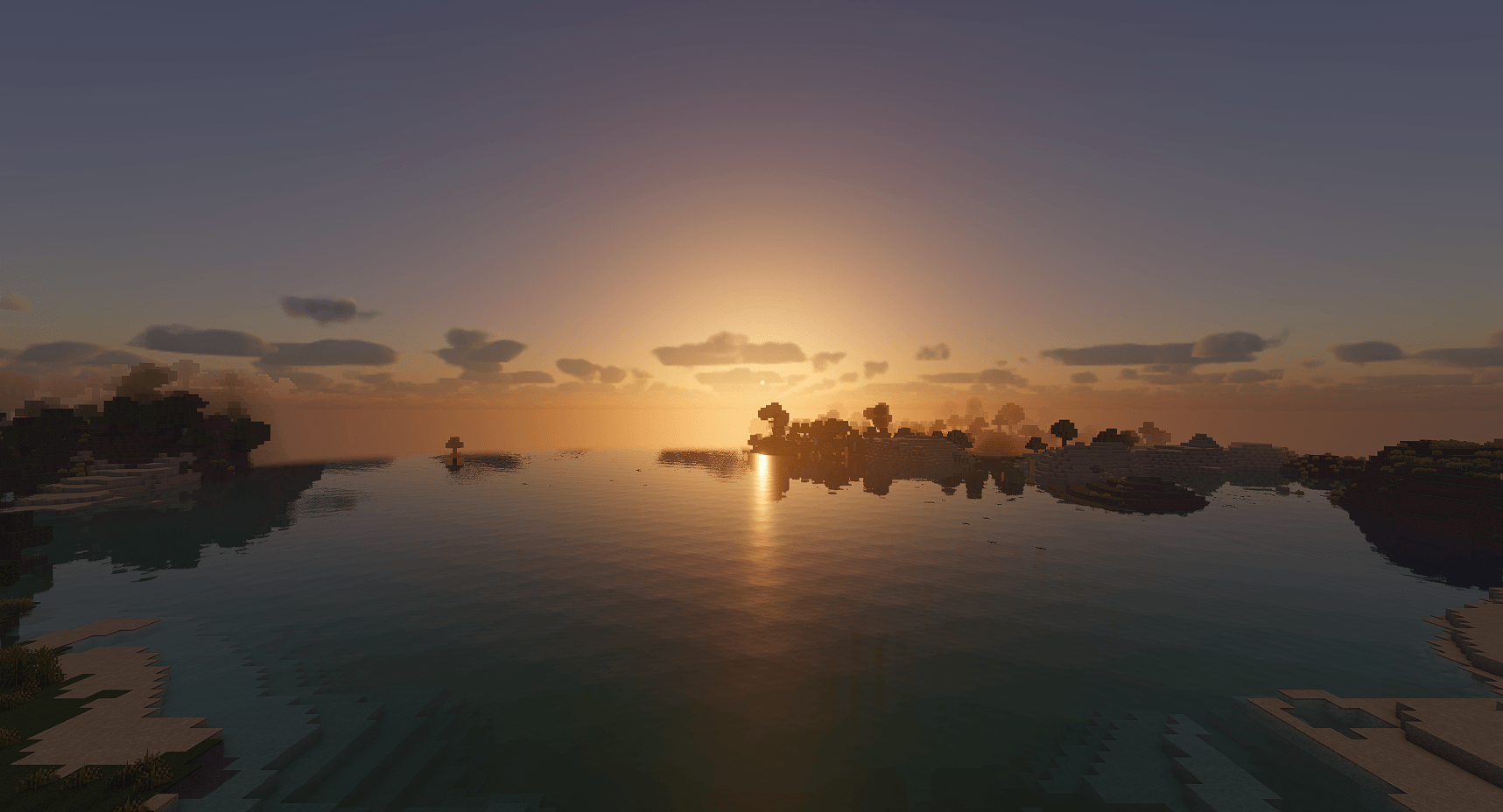
A shader pack for Iris with a physical sky, soft shadows, volumetric clouds and clear water, at vanilla brightness in caves and at night.
01_sunrise_d.png
01_sunrise_d.png
Description
ReasonableView
A shader pack that isn't over the top. No orange haze, no blinding bloom, no plastic shine on every block. Minecraft still looks like Minecraft, just lit properly.
Torches, caves and nights keep their vanilla brightness, so the game plays the same. Sunlight, sky, water and shadows are drawn the way a camera would see them, and the effects stay quiet enough that you stop noticing the shader and just see the world.
Features
- Physically based sky with real sunsets, twilight and moon phases
- Soft shadows that get blurrier with distance from the object casting them
- Solid volumetric clouds with crisp edges and grey bases, casting shadows on the ground and changing shape in the wind
- Water with waves, reflections, refraction and caustics
- Rain that wets the ground and walls, puddles with ripples, and darker thunderstorms
- Lightning that lights up the sky, the clouds and the ground near a strike
- Colored block light: soul fire is blue, redstone is red, and light picks up the color of nearby walls
- Light shafts through trees and cave openings, morning mist
- Eye adaptation: stepping into a cave takes a moment to adjust, like your eyes
- Film-like color (AgX), so bright skies and lava don't clip to flat white
- Ores, metals and lamps get their own materials, even without a PBR resource pack
- labPBR resource packs supported (normal maps, parallax, smoothness)
- Color blind filters for protanopia, deuteranopia, tritanopia and achromatopsia (experimental, see below)
- Nether and End support
- Distant Horizons support: far terrain gets the same light, haze and water as nearby chunks
Off by default, in the settings:
- Sky: cirrus, cirrocumulus and altostratus clouds, noctilucent clouds after dusk and before dawn, aurora in snowy biomes (natural, custom, nightly or rainbow colors), the Milky Way, twinkling stars, a nebula sky in the End
- Light: glowing ores and blocks, a soft haze around lamps, your own torch color, blue fire in the Soul Sand Valley, moonlight beams, lava with drifting hot patches and glowing edges, starry end portals, violet end crystal beams
- Camera: depth of field, tilt shift, motion blur, chromatic aberration, Panini projection for wide FOV, underwater wobble, lens flare, film grain, colors that fade to grey in the dark, retro filters (scanlines, halftone, black and white)
- World: waving plants, water foam
Presets
- Balanced (default): dark places stay readable, caves keep a little light.
- Realistic: honest darkness. Unlit caves are black, torches fall off quickly.
- Vibrant: lighter nights and caves, a stronger glow around torches, lava and lamps, and a bit more color.
Everything else is in the settings menu, and every option there has a description: night brightness, cloud size, shadow quality, water, bloom, sharpening, color look and more.
Requirements
- Minecraft Java 26.3
- Fabric with Iris 1.11.x (installs Sodium)
- A GPU with OpenGL 4.3, so macOS is not supported
- Optional: Distant Horizons 3.3 or newer
Known issues
- So far it has only been tested on one NVIDIA card (RTX 4090) on Linux. Reports from AMD, Intel, slower cards and Windows help most, even when nothing is wrong.
- Distant Horizons terrain only gets shadows from hills that are on screen.
- In the Nether and the End, mobs have no ground shadow while Colored Block Light is on. Turn it off in Lighting settings to get them back.
- Water reflections only show what is on screen. Off-Screen Reflections (Materials settings) adds the nearby blocks behind you as simple cubes.
- labPBR support has only been tried with one resource pack so far. If normal maps, parallax or smoothness look wrong with yours, please report it and name the pack.
Color blind players wanted
Color Blind Mode (Camera settings) is experimental. The filters come from published color vision research, but no color blind player has tried them yet, so they may not help much. If you have any kind of color blindness, please try it and leave a comment: which type you have, the Color Blind Strength you used, and whether wool, concrete, ores or redstone got easier or harder to tell apart.
License
ReasonableView has its own custom license, the ReasonableView License 1.0, not an open source one. The full text is in the LICENSE file inside the zip. In short:
- Play with it, and use it in screenshots, videos and streams, monetized ones too.
- Modpacks can add it unchanged through Modrinth's or CurseForge's modpack system. If it is on by default, credit ReasonableView on the modpack page.
- Edits may be published if they credit and link this page, use a clearly different name, look clearly different, add real new code, and keep the same license.
- Don't reupload or sell the pack.
Credits
A few parts build on published code, used under the MIT and BSD licenses. Their license texts are in THIRD_PARTY_NOTICES.md inside the zip.
- Tone mapping: Minimal AgX by Benjamin Wrensch, based on Troy Sobotka's AgX
- Sky: Sébastien Hillaire's sky lookup tables and Eric Bruneton's Precomputed Atmospheric Scattering
- Anti-aliasing: MJP's Catmull-Rom filter
- Sharpening: AMD FidelityFX CAS
Found a bug?
Leave a comment with your GPU, driver version and a screenshot with F3 open.
ReasonableView Team