✨ Radiance Shaders
Beautiful visuals. Immersive atmosphere. Performance-conscious design.
Transform your Minecraft world with Radiance Shaders, a shader pack designed to deliver stunning visuals while keeping performance in mind. From atmospheric weather and enhanced Nether visuals to a breathtaking aurora-inspired End sky, Radiance gives Minecraft's dimensions a distinctive look.

🌌 Features
- 🌠 Aurora-Inspired End Sky — Transform the End with vibrant purple, blue, and pink aurora-like colors beneath a star-filled sky.
- 🌧️ Enhanced Rain Effects — Atmospheric rainfall with stronger rain visuals during thunderstorms.
- 🔥 Enhanced Nether Visuals — Brighter Netherrack and Basalt for improved visibility and atmosphere.
- 🌄 Distant Terrain Support — Tested with Distant Horizons and Voxy for extended terrain rendering.
- ✨ Immersive Atmosphere — Carefully tuned lighting and visual effects that complement Minecraft's world.
- ⚡ Performance-Conscious Design — Designed to balance visual quality and performance.
- 🎨 Distinctive Visual Style — Enhance Minecraft's familiar dimensions without losing their unique identities.
📸 Explore the Dimensions
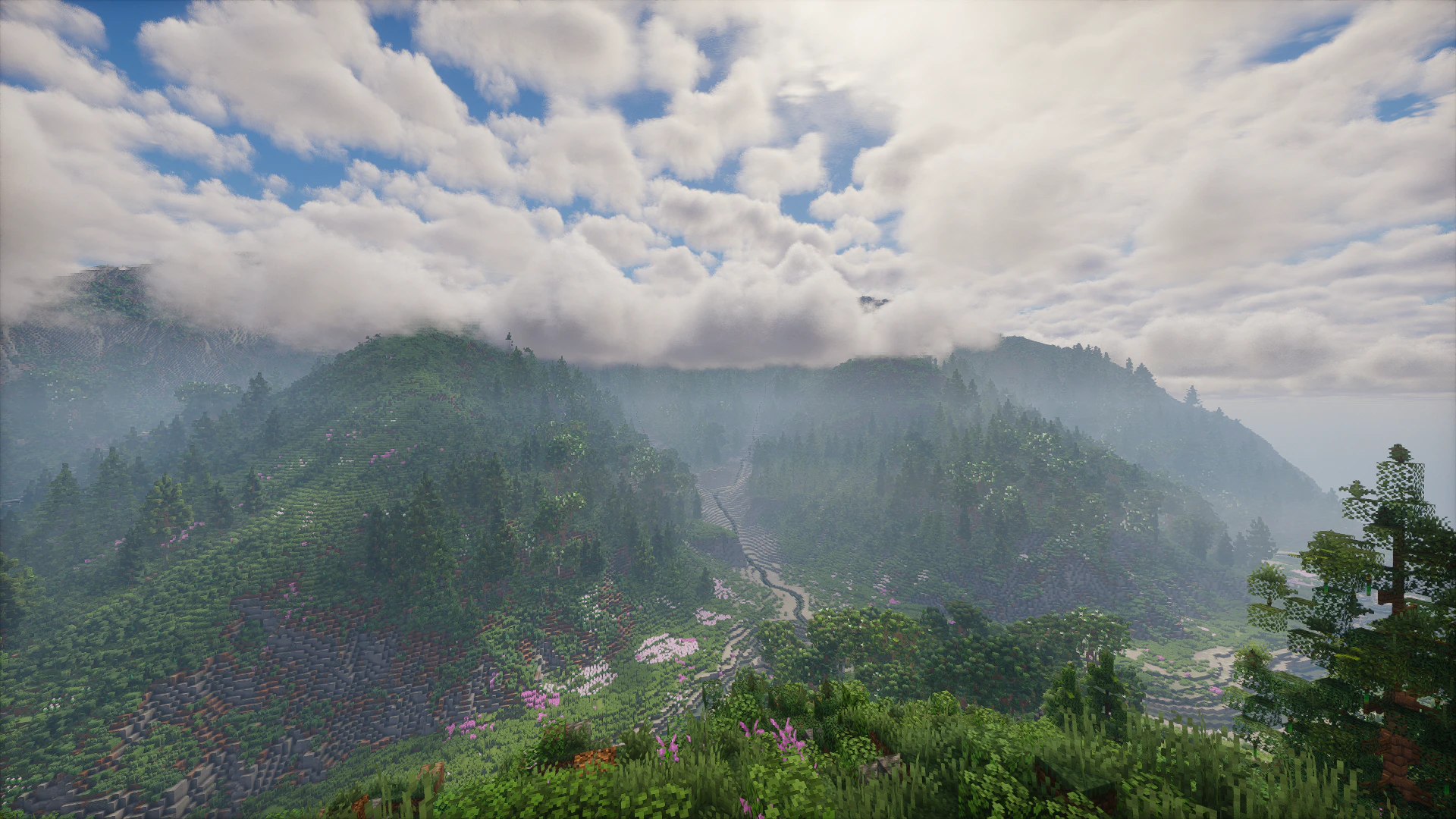
🌄 Overworld
Explore scenic landscapes, mountains, rivers, and impressive builds with Radiance Shaders' atmospheric visuals.

🌌 The End
Discover an atmospheric End with aurora-inspired colors, bright stars, and dramatic silhouettes that give the dimension a distinctive visual identity.

🔥 The Nether
Experience enhanced Nether visuals, including brighter Netherrack and Basalt.

🌧️ Weather
Enjoy atmospheric rainfall, with more intense rainfall visuals during thunderstorms.

📥 Installation
- Download the appropriate Radiance Shaders version from the Versions section.
- Install a compatible version of Iris Shaders.
- Place the Radiance Shaders ZIP file in your Minecraft
shaderpacks folder.
- Launch Minecraft and open Options → Video Settings → Shader Packs.
- Select Radiance Shaders and enjoy!
Use compatible Minecraft, Iris, and graphics driver versions.
🕹️ Compatibility & Requirements
Minecraft Versions Tested
Radiance Shaders has been tested successfully on:
- ✅ 1.21.1
- ✅ 1.21.4
- ✅ 1.21.5
- ✅ 1.21.8
- ✅ 1.21.9
- ✅ 1.21.11
- ✅ 26.1.x
- ✅ 26.2
- ✅ 26.3
These are tested versions, not a guarantee that every intermediate release is compatible. Check the individual download files for applicable requirements.
Shader Loader
- Iris Shaders: Recommended and tested.
- OptiFine: Not tested successfully; compatibility is not guaranteed.
Graphics Requirements
- Graphics API: OpenGL 4.3 or newer is required for compute-shader features.
- NVIDIA GPUs: Tested ✅
- AMD GPUs: Tested ✅
- Intel GPUs: Tested ✅
- Apple GPUs: Not tested.
Compatibility and performance may vary depending on hardware, graphics drivers, operating system, and system configuration.
Distant Terrain Mods
- ✅ Distant Horizons: Tested successfully.
- ✅ Voxy: Tested successfully.
Compatibility may vary with the Minecraft version and mod release.
📜 License
All Rights Reserved (ARR)
Radiance Shaders and its included files may not be redistributed, reuploaded, modified, or used to create derivative works without prior permission from the creator.
👤 Creator
Legend242900
💬 Support & Bug Reports
Found a visual bug or glitch, or need help installing Radiance Shaders?
Contact me on Discord: @legend242900
Feedback, suggestions, and bug reports are always appreciated! 🛠️