PolarisLite Shaders
- By
PolarisLite is a lightweight shader pack built around one idea: good visuals without needing a high-end GPU
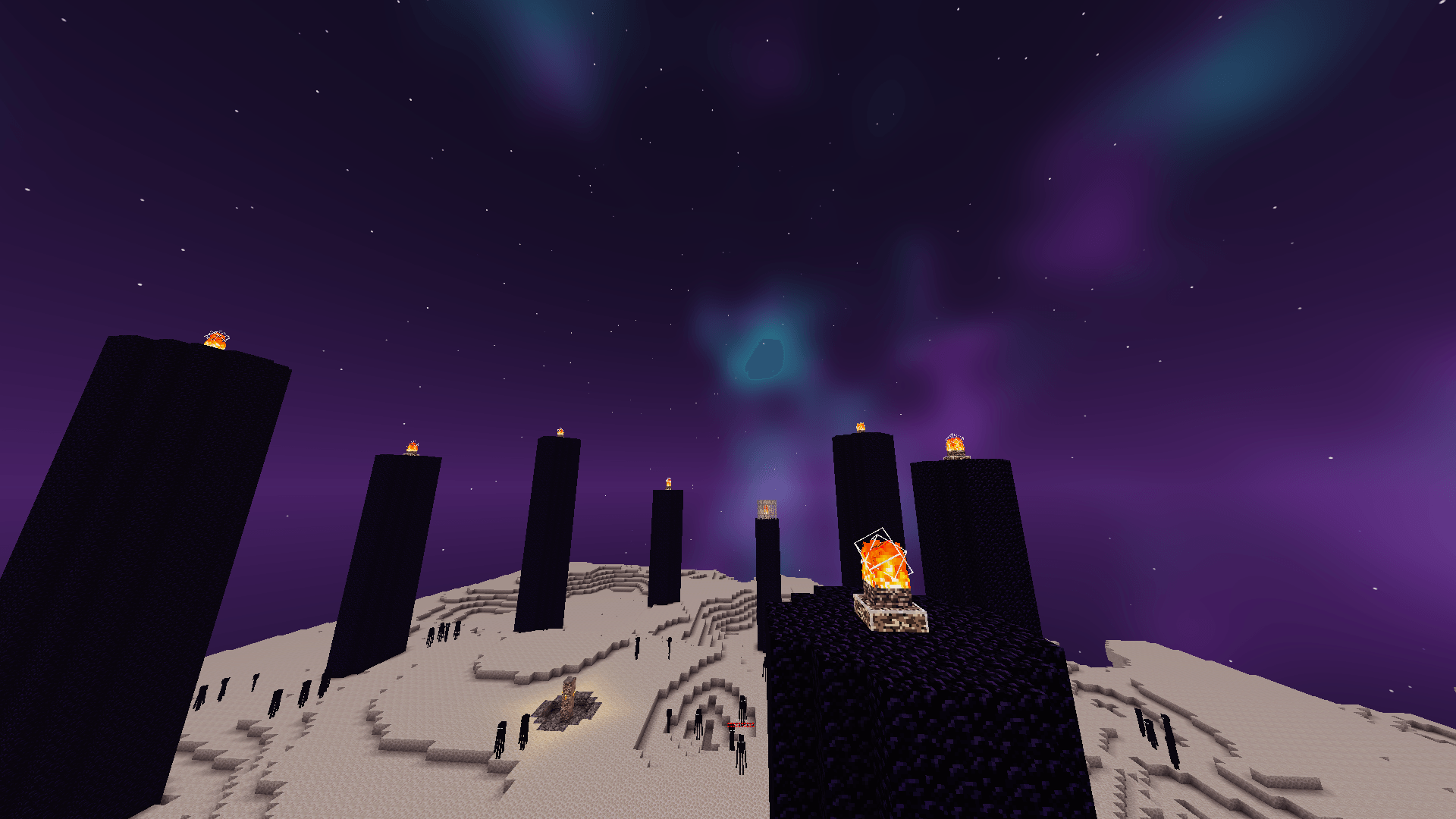
2026-10-29_14.12.32.png
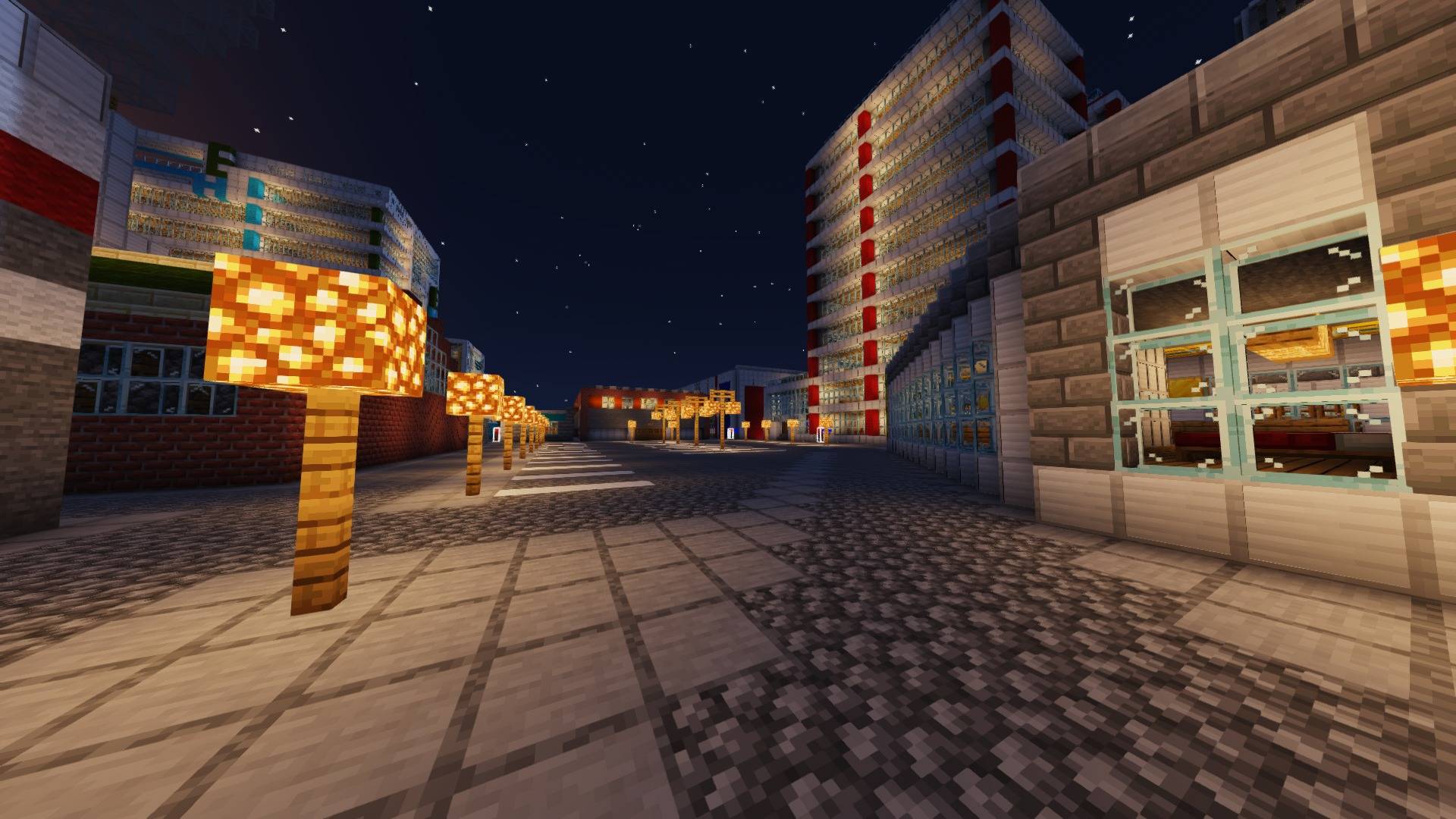
screenshot_city_night_2.jpg
minecraft_nether_under_2mb.jpg
Description
🌟 What is PolarisLite?
PolarisLite is a lightweight shader pack built around one idea: good visuals without needing a high-end GPU. It was tuned on a Radeon RX 580 with an Intel i5-14400F, so it avoids the expensive tricks (screen-space reflections, ray marching, heavy ambient occlusion) and spends its budget where it matters most.
On the test machine it reached roughly 70 FPS in a busy server lobby at 1080p on the Medium profile. Your results will vary with mods, render distance and scene.
🎨 Features
| Feature | |
|---|---|
| ☀️ | Day / night lighting with warm sunrises and sunsets, cool moonlight and a gradient sky |
| 🌑 | Soft shadows using hardware-filtered shadow maps, with a fade at the edge of the shadow distance |
| 🌿 | Waving foliage: grass, flowers, crops, leaves and vines sway, and stronger in rain |
| 🌊 | Animated water with waves, sky reflections, sun glint and blue underwater fog |
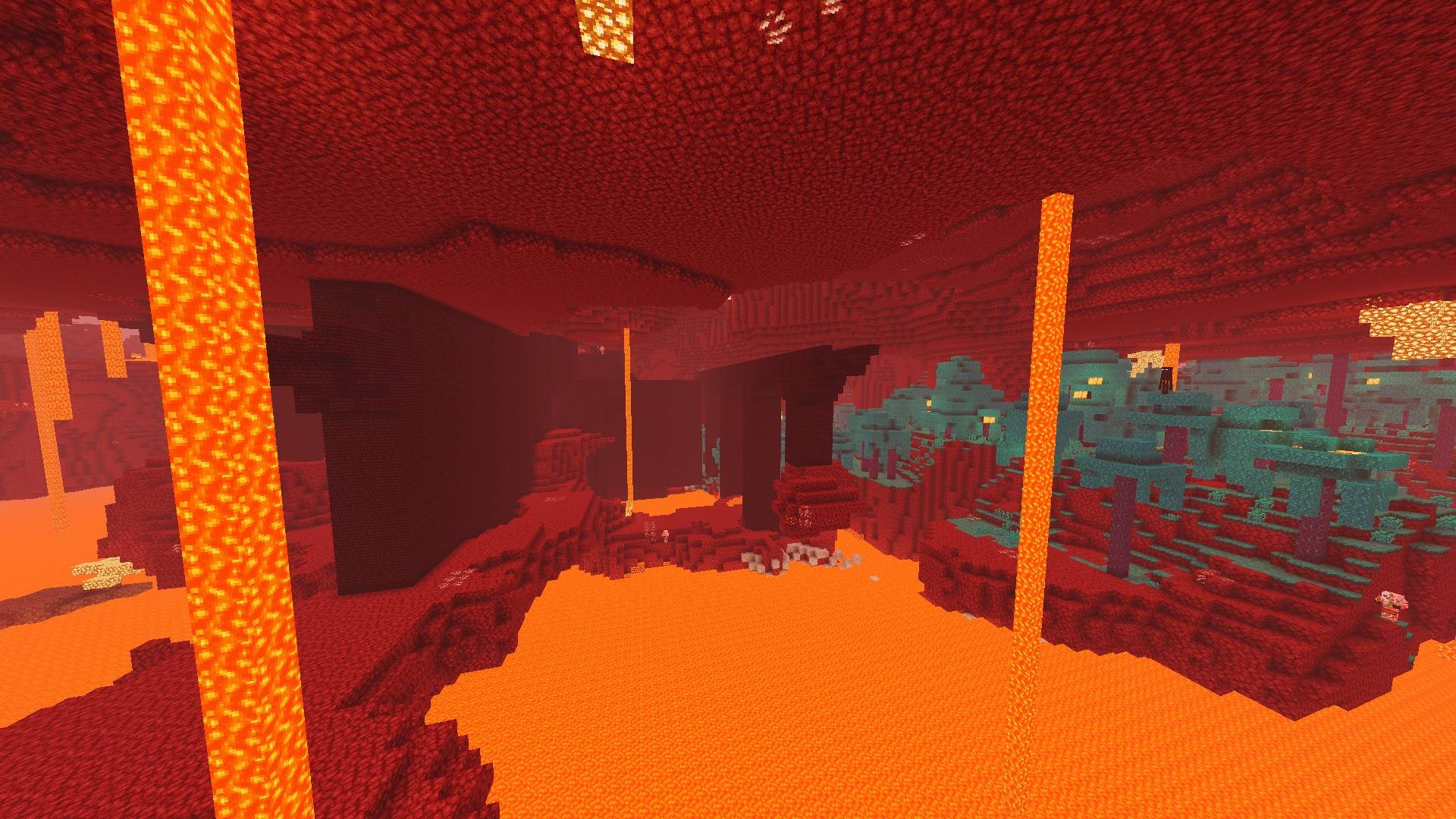
| 🔥 | Torch and lava light with a warm glow and bloom |
| 🌧️ | Weather-aware: rain darkens the sky and light, and thickens the haze |
| 🔴 | Custom Nether: biome-tinted ambient glow, dense fog, strong lava light |
| 🟣 | Custom End: procedural sky with a drifting nebula and twinkling stars |
| 🎬 | Post-processing: ACES tonemapping, bloom, FXAA, optional sharpening, dithering |
| ⚙️ | Profiles and sliders for shadows, lighting, foliage, water, fog and post effects |
📸 Screenshots
Add your screenshots here (drag them into the Modrinth editor).
⚡ Performance Profiles
| Profile | Shadow resolution | Shadow distance | Shadow filtering | Bloom | Best for |
|---|---|---|---|---|---|
| Low | 768 | 40 | Hard | Off | Weak GPUs, big modpacks |
| Medium (default) | 1024 | 64 | Soft | On | RX 580 class, 1080p |
| High | 1536 | 96 | Softer | On | Stronger GPUs |
Every setting also has its own slider in the shader settings menu.
💡 Tips for more FPS
- Use Sodium + Iris and give the game enough RAM (6 to 8 GB for big modpacks).
- Lower your render distance by a few chunks. It cuts shadow work too.
- Lower Shadow Distance or Shadow Resolution, or pick the Low profile.
- Set Fog Density to taste, or to 0 for no distance haze.
📥 Installation
- Install Fabric (or NeoForge), Sodium and Iris for your Minecraft version.
- Download
PolarisLite_Shaders.zip. - Put the ZIP, without unzipping it, in
.minecraft/shaderpacks. - In game, open Options → Video Settings → Shader Packs, select PolarisLite and click Apply.
- Press R in game to reload shaders after changing anything.
✅ Compatibility
| Status | |
|---|---|
| Iris | Tested on Iris 1.11.x |
| Minecraft | Tested on 26.2. Should work on other versions Iris supports, but they are untested |
| OptiFine | Written in the standard OptiFine shader format, but not tested on OptiFine |
| GPU | Tuned for AMD RX 580. Should run well on similar or better cards |
| Dimensions | Overworld, Nether and End |
⚠️ Known Issues
- Untested on many setups. This pack was developed and tested on one machine.
- Iris may show a large shadow draw distance in the F3 debug screen even when a smaller one is set. Lower your render distance or use Iris's own shadow-distance setting if you need more FPS.
- Some mods that change rendering (motion blur, entity-model mods, 3D skin layers) can cost FPS or clash with shaders.
- No support for PBR resource-pack features, ray-traced lighting or volumetric light rays.
Found a bug? Please include your Minecraft, Iris and Sodium versions, plus a screenshot or the latest.log error lines.
PolarisLite Shaders Team