ISKRA Shaders
- By
A performance-friendly fork of MakeUp — Ultra Fast with a warm custom palette, reworked water, shoreline foam, rain ripples, caustics and cinematic colour grading.
Description

ISKRA — MakeUp Edition
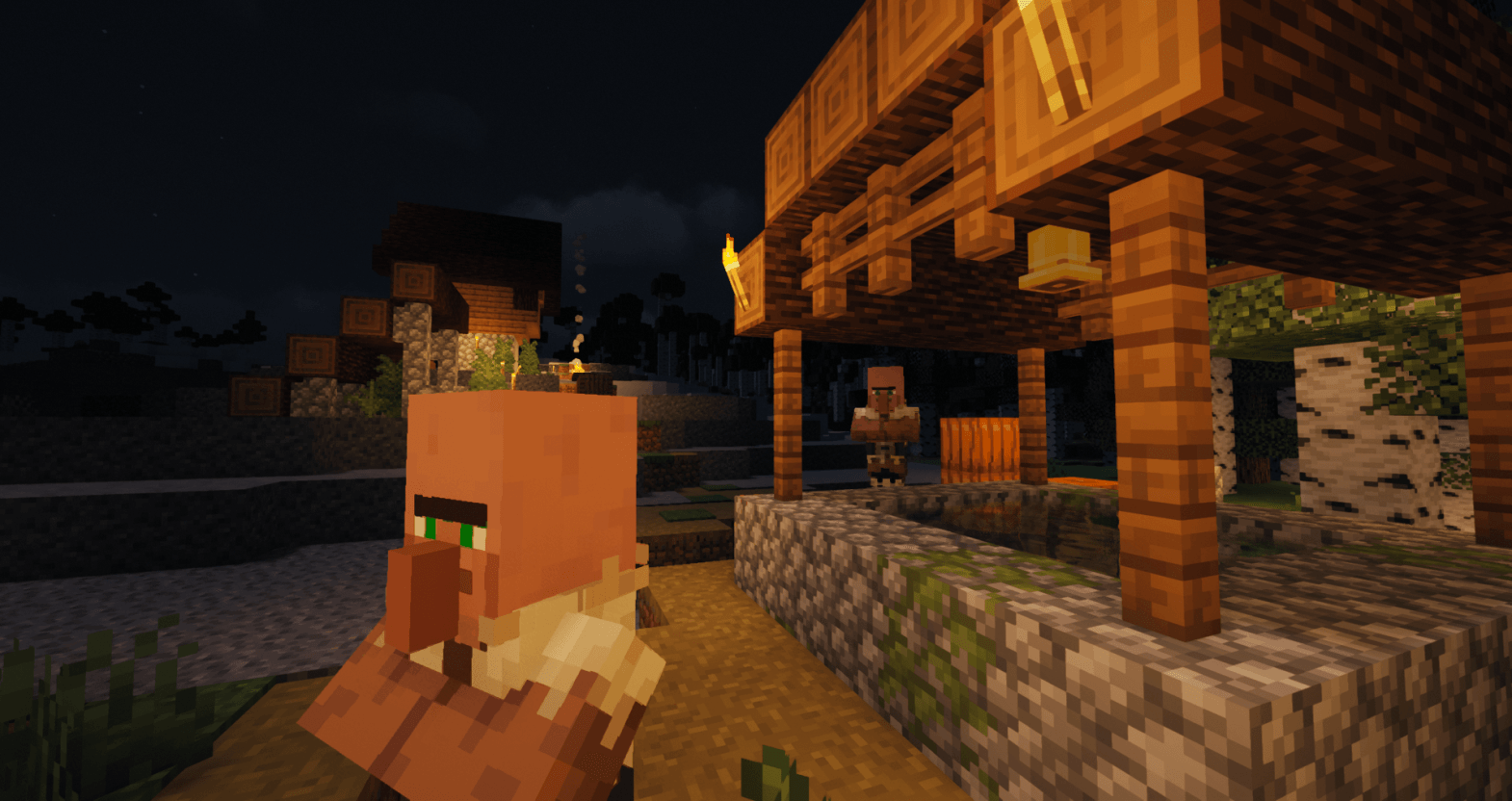
A visual fork of MakeUp — Ultra Fast by Javier Garduño, focused on warmer lighting, richer atmosphere, reworked water and cinematic colour grading.
The original rendering pipeline remains intact, including shadows, volumetric clouds, SSR, TAA, bloom and the general performance profile of upstream MakeUp. Iskra builds on top of it with a new default palette, deeper water rendering and a configurable post-processing pass.
What ISKRA adds
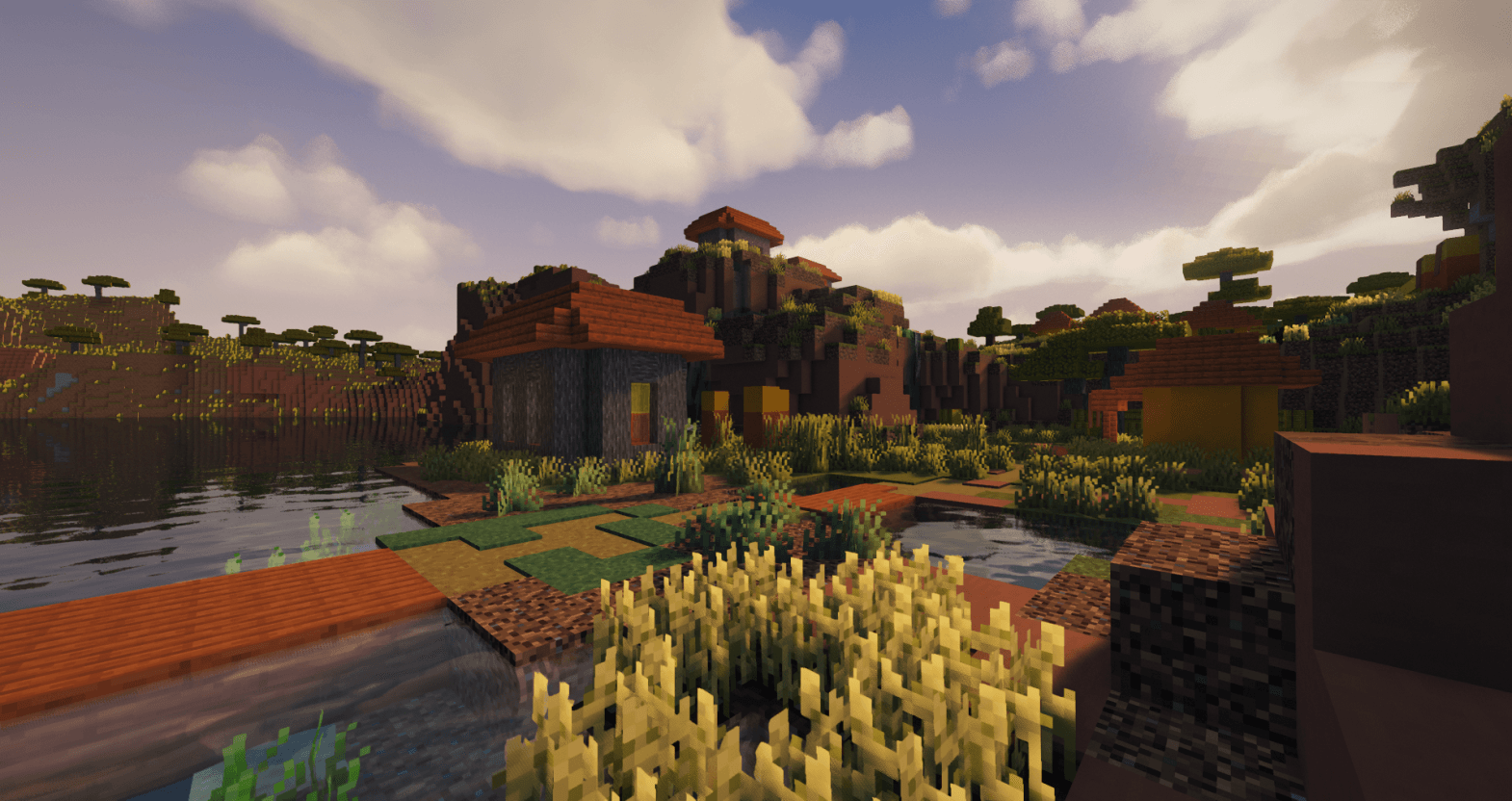
- Iskra Palette: Warm sunlight, orange sunsets and a deep blue zenith. The new palette is available as the
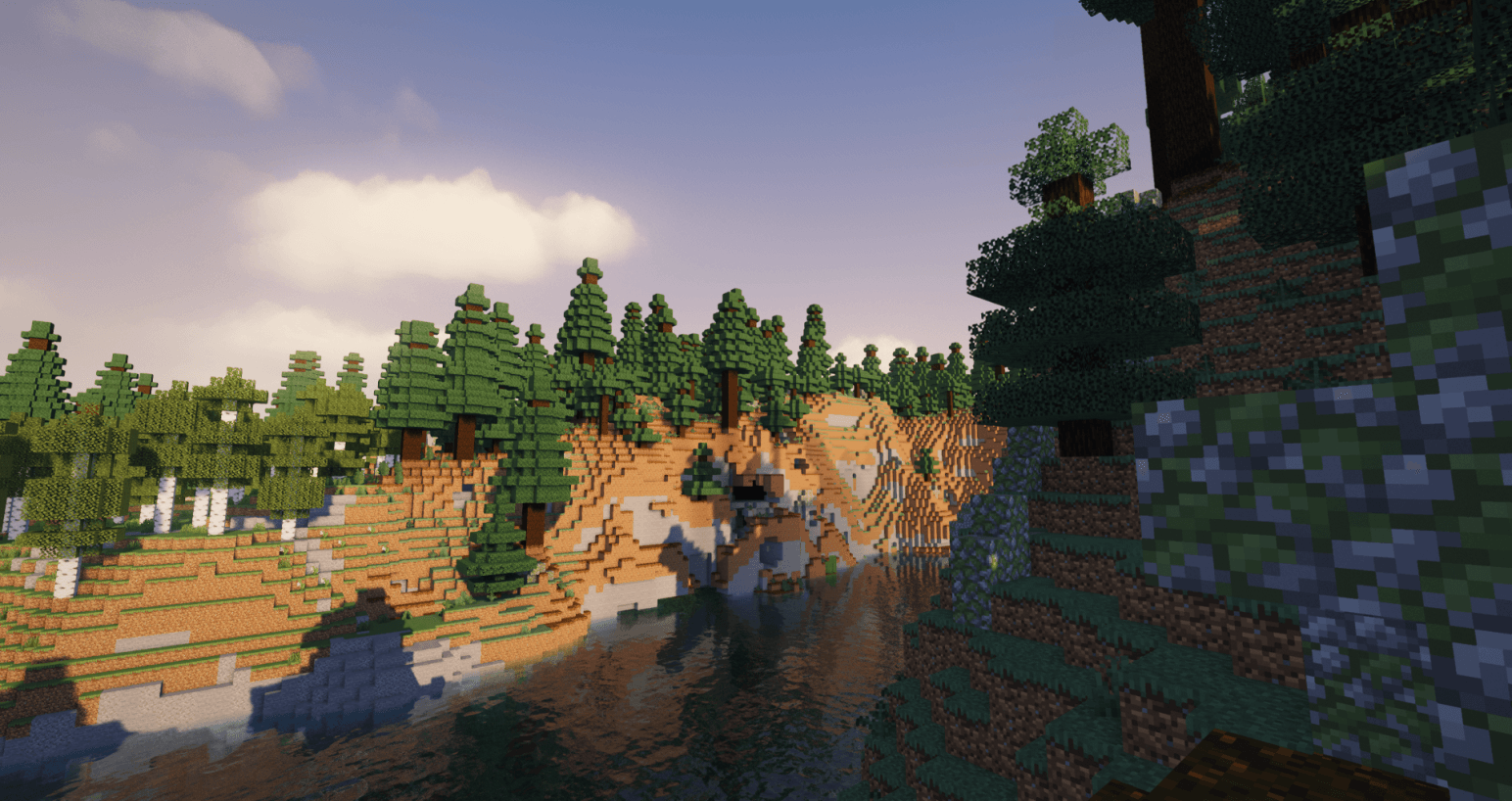
Iskracolour scheme and is selected by default. - Denser Atmospheric Fog: Stronger aerial perspective makes terrain separation more visible at medium and long distances.
- Reworked Water: Water depth is represented through coloured light absorption rather than simple darkening.
- Underwater Visibility: View distance fades exponentially using real travelled distance instead of normalised depth-buffer values.
- Floating Particles: World-anchored silt and bubbles remain in place while the player moves through the water.
- Shoreline Foam: Foam follows actual shore boundaries while avoiding tiny puddles, flowing water and waterfalls.
- Rain Ripples: Individual ripples appear across exposed water surfaces during rain.
- Underwater Caustics: Focused sunlight is applied to the already-lit bottom, keeping shaded areas dark and preventing shallow water from becoming overexposed.
- Cinematic Colour Grade: Includes Purkinje shift, filmic contrast, split toning, shadow desaturation, vignette and animated film grain.
- Selectable Tone Mapping: Choose between the original sigmoid curve, ACES, Hable and Reinhard.
- Russian Translation: The shader settings include a Russian localisation.
Configuration
Iskra-specific options are available inside the shader settings:
Advanced → WaterAdvanced → Iskra grade
Most additions can be controlled or disabled independently.
Main options
Iskra colour scheme
- Enables the warm Iskra sunlight, sunset and sky palette.
- Appears beside the original MakeUp colour schemes.
- Selected by default.
Water turbidity
- Controls coloured light absorption through water.
- Makes deeper water progressively murkier.
- Can be disabled to restore the upstream water behaviour.
Underwater extinction
- Controls visibility loss while underwater.
- Uses real distance from the camera.
Floating particles
- Enables underwater silt and bubbles.
- Particles remain anchored to the world.
Shoreline foam
- Adds foam around real shore boundaries.
- Ignores most tiny puddles, flowing water and waterfalls.
- Only works through the standard terrain-rendering path.
Rain ripples
- Adds independently animated rings during rain.
- Requires open sky above the water surface.
Caustics
- Adds focused sunlight patterns to illuminated underwater terrain.
- Does not brighten surfaces that are already in shadow.
Iskra colour grade
- Enables the additional post-processing pass.
- Individual effects can be adjusted separately.
Tone map
Sigmoid— original MakeUp tone mapping.ACES— stronger cinematic highlight handling.Hable— filmic curve with soft highlight compression.Reinhard— simple and smooth luminance compression.
Compatibility
Iskra is based on the MakeUp — Ultra Fast rendering pipeline and is intended to work across the Minecraft versions and shader loaders supported by upstream.
Compatibility may vary depending on the Minecraft version, shader loader, graphics hardware, drivers and enabled options.
Distant Horizons and Voxy
Water turbidity is applied where supported.
Shoreline foam currently only works through the regular terrain-rendering path and may not appear on distant terrain rendered by Distant Horizons or Voxy.
Installation
- Install Iris, OptiFine or another compatible shader loader.
- Download the Iskra
.zipfile. - Place it in:
.minecraft/shaderpacks- Open Minecraft.
- Open the shader-pack selection menu.
- Select Iskra — MakeUp Edition.
Do not extract the archive unless your shader loader specifically requires it.
License and credits
Iskra is based on MakeUp — Ultra Fast by Javier Garduño.
It is distributed under the same GNU Lesser General Public License v3.0 or later terms.
The original LICENSE, Credits and copyright notices are included with the shader pack.
Original project
Please report rendering issues together with:
- Minecraft version;
- Iris version;
- GPU model;
- graphics driver version;
- enabled Iskra options;
- screenshots showing the issue.
ISKRA Shaders Team

Owner