promotional bannermobile promotional banner

Virtual Doorway

A modpack for easy VM Computers setup.
Ingame screenshot of the computer case, parts, ordering tablet and monitors.

Ingame screenshot of the computer case, parts, ordering tablet and monitors.

Where the vmcomputers folder is located and where you put ISOs.

Where the vmcomputers folder is located and where you put ISOs.

Step 2 - Image Shows The Default Location Virtual Box Is Stored On Windows, May Differ For Mac & Linux
Step 2 - Image Shows The Default Location Virtual Box Is Stored On Windows, May Differ For Mac & Linux

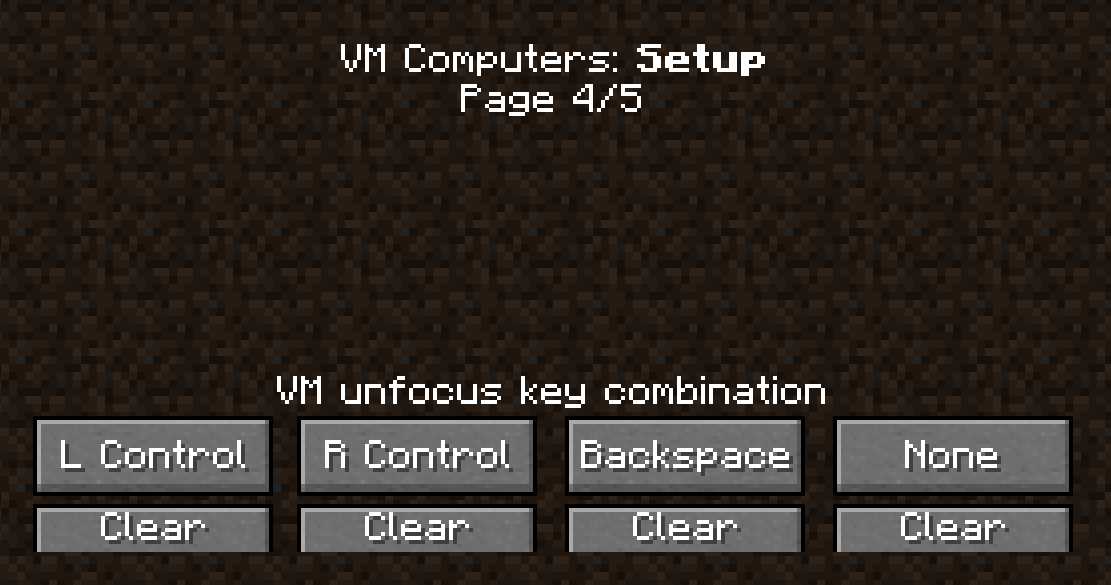
Default Keybinds to use to exit using a Computer in-game. To access the computer in game just right click.
Default Keybinds to use to exit using a Computer in-game. To access the computer in game just right click.

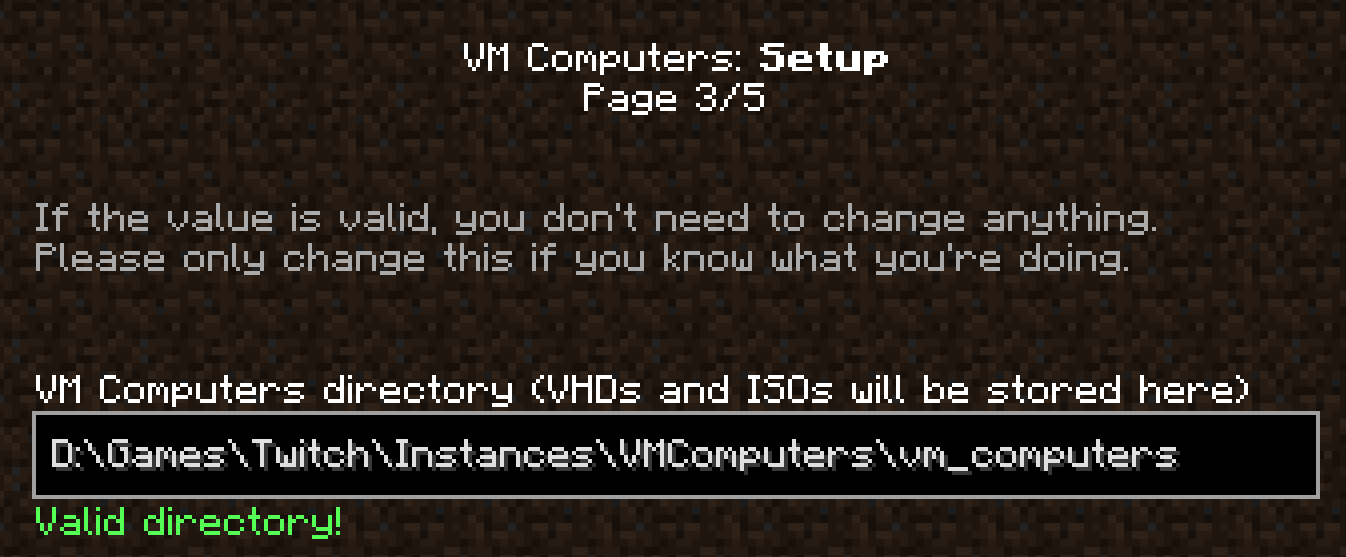
My Default Location for the VM Computers stored contents (ISOs and VHDs). Your may auto fill in for you, but if not just look for where that folder is via the resource packs menu, .minecraft then the 'vmcomputers' folder and copy the location link.
My Default Location for the VM Computers stored contents (ISOs and VHDs). Your may auto fill in for you, but if not just look for where that folder is via the resource packs menu, .minecraft then the 'vmcomputers' folder and copy the location link.

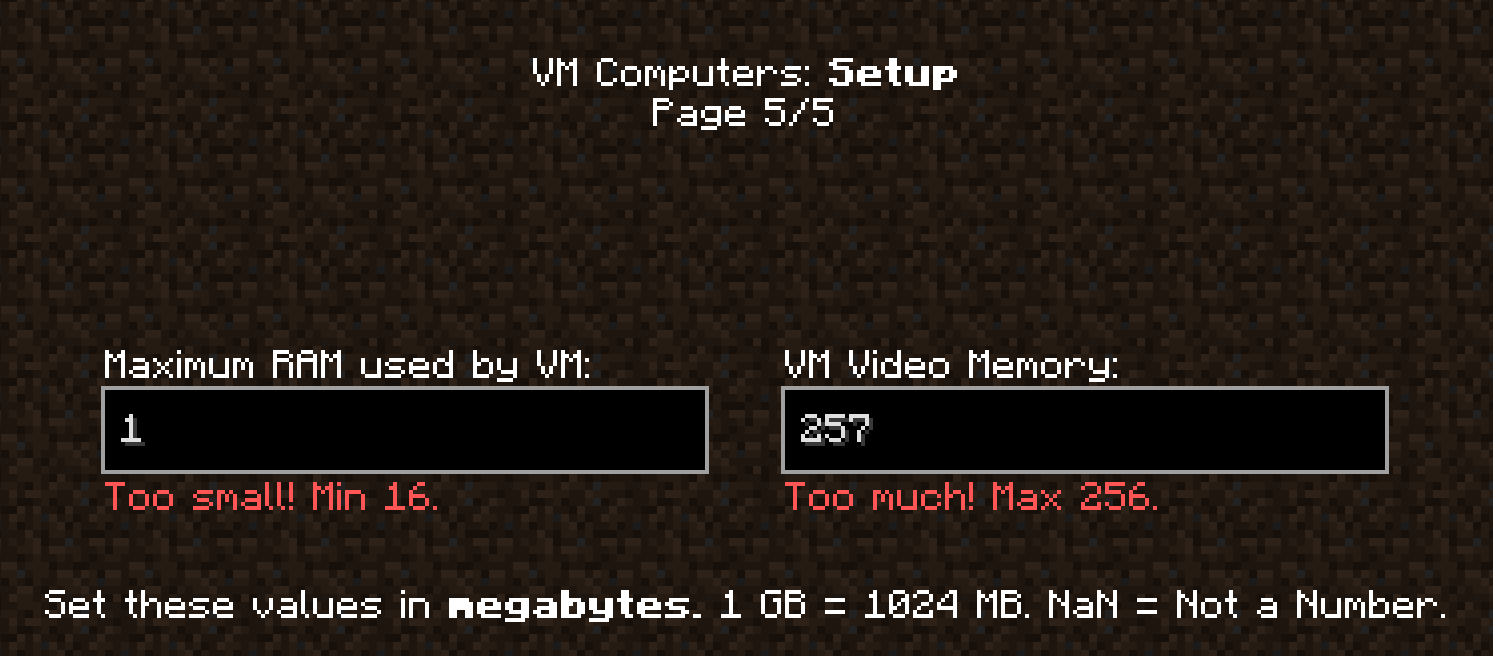
Minimum and Max RAM errors. As low as 16 can be set on the left, change this to ANYTHING but your actual RAM amount, half should do, but 256 is the max on the right.

Minimum and Max RAM errors. As low as 16 can be set on the left, change this to ANYTHING but your actual RAM amount, half should do, but 256 is the max on the right.

Description

Virtual Doorway is a modpack that's for those that want to use VM Computers (a mod that allows for using any ISOs with a built computer you order from a store service in-game and build using the parts you have ordered), Roughly Enough Items for viewing recipes, and other mods to make the modpack work on Twitch.


Mod List:

-Fabric API

-Jumploader

-Mod Menu

-Roughly Enough Items

-VM Computers


Tutorials for VMComputers:

Part 1:


Part 2:


Part 3:


VMComputers Prep Steps:

1.Install Virtual Box 6.1 or higher from here: https://www.virtualbox.org/wiki/Downloads

2.Load up the modpack up and if you see a step process it should work correctly.

3.On Step 2 copy the link of where Virtual Box is stored (on Windows it's C:\Program Files\Oracle\VirtualBox by default, if you redirected the location elsewhere then put the link for that instead).

4.Follow the rest by setting the RAM. If you have 8GB of RAM set it to half (4GB) or less. Leave enough for your computer to use RAM for your Operating System (Windows, Mac, Linux), Minecraft and the virtual machine.

5.Create a world, order the PC parts with the store device after finding the satellite, use iron for the purchase and build the PC.

6.Make sure to have an ISO in the VMComputers folder (if on Twitch go to the modpack and the 'open folder' option in the top right.

7.Set the hard drive item in-game to be assigned the ISO.

8.Load it in the PC and see what happens, if it loads the OS correctly you have successfully got it working. If not keep trying.

The Virtual Doorway Team

profile avatar
  • 18
    Followers
  • 51
    Projects
  • 13.8K
    Downloads

More from SuntannedDuck2View all

  • APortingCore project image

    APortingCore

    • 3.0K
    • Mods

    A mod that helps launch mods from new versions

    • 3.0K
    • March 18, 2026
    • Mods
  • Tech Farming Tweaks project image

    Tech Farming Tweaks

    • 11
    • Modpacks

    A modpack with a focus on tech, farming/food/fish, odd dimensions/structure, storage, utilities, tweaks.

    • 11
    • March 5, 2026
    • Modpacks
    • +4
  • Assortment of Tech project image

    Assortment of Tech

    • 16
    • Modpacks

    A modpack with a mix of tech (inventory, ores, pumps, etc.), storage, dimensional dungeon, utilities, quality of life.

    • 16
    • February 12, 2026
    • Modpacks
    • +3
  • Tanned Forge 0.34 Original Revived Modpack project image

    Tanned Forge 0.34 Original Revived Modpack

    • 9
    • Modpacks

    A 1.14.4 modpack reviving the 1.14.3 one with many tech, tweaks and transport.

    • 9
    • January 29, 2026
    • Modpacks
    • +3
  • APortingCore project image

    APortingCore

    • 3.0K
    • Mods

    A mod that helps launch mods from new versions

    • 3.0K
    • March 18, 2026
    • Mods
  • Tech Farming Tweaks project image

    Tech Farming Tweaks

    • 11
    • Modpacks

    A modpack with a focus on tech, farming/food/fish, odd dimensions/structure, storage, utilities, tweaks.

    • 11
    • March 5, 2026
    • Modpacks
    • +4
  • Assortment of Tech project image

    Assortment of Tech

    • 16
    • Modpacks

    A modpack with a mix of tech (inventory, ores, pumps, etc.), storage, dimensional dungeon, utilities, quality of life.

    • 16
    • February 12, 2026
    • Modpacks
    • +3
  • Tanned Forge 0.34 Original Revived Modpack project image

    Tanned Forge 0.34 Original Revived Modpack

    • 9
    • Modpacks

    A 1.14.4 modpack reviving the 1.14.3 one with many tech, tweaks and transport.

    • 9
    • January 29, 2026
    • Modpacks
    • +3