


SMP builder & redstone architect
- By
The ultimate server-safe client-side modpack for Minecraft builders and Redstone engineers. Packed with Sodium performance, Litematica, MiniHUD, Freecam, and QoL utilities optimized for SMP gameplay.
combined-image.png
obraz_2026-08-10_234119641.png
combined-image (1).png
Kameleon122 | SMP builder & redst...
Create a server, get 25% off your first month

Description

**The ultimate client-side modpack for SMP players, megabuilders, and Redstone engineers.**
SMP Architect & Builder Pack is a highly optimized, expert client-side modpack designed for players building massive projects, complex Redstone contraptions, and playing on Survival / SMP servers (e.g., Vanilla SMP, Hermitcraft-style servers).
---
> ## ⚠️ SERVER SAFETY & DISCLAIMER
>
> **Please read before joining public servers!**
>
> * **Server Rules:** This pack includes Quality of Life (QoL) mods like *Freecam*, *Tweakeroo*. Always make sure these mods are allowed by the rules of the server you are playing on.
> * **Anti-Cheat Systems:** The default configuration of this modpack is set to **Server-Safe** mode to prevent false triggers by server-side anti-cheat plugins.
> * **Responsible Use:** Use *Freecam* strictly to inspect building aesthetics or tight Redstone layouts. Using it to find ores (X-Ray) or peek inside other players' chests may result in a ban!
---
## ✨ Key Features
* 🚀 **Maximum Performance:** Built on **Sodium**, this pack provides a massive FPS boost, low input latency, and lightning-fast chunk loading.
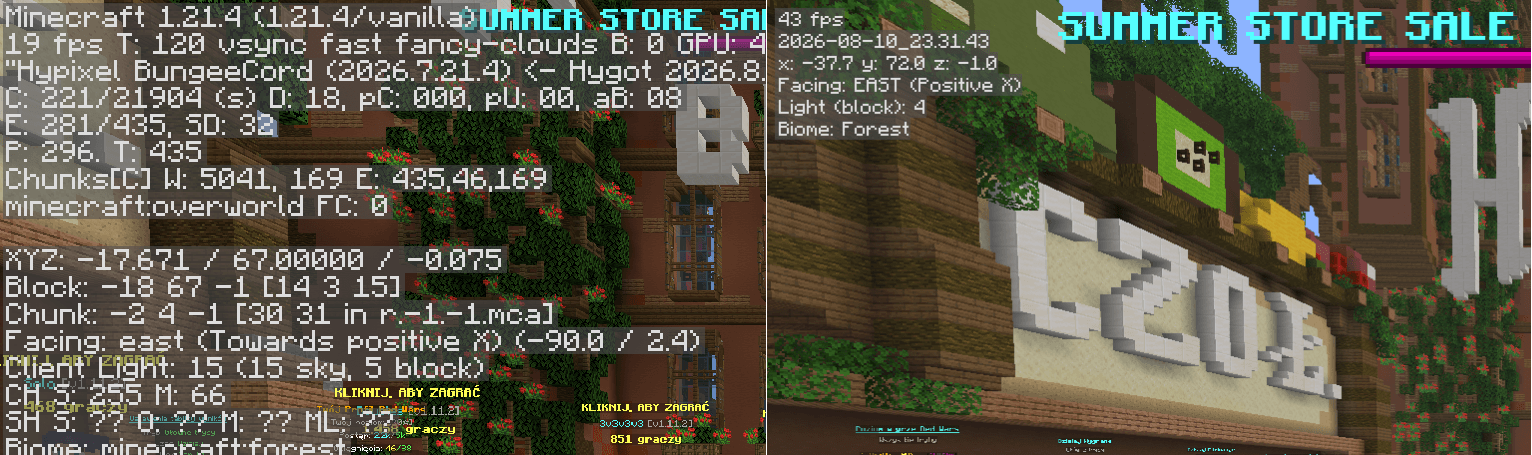
* 📊 **Precise HUD (MiniHUD):** Easily monitor light levels, exact coordinates, Redstone signal strength, and targeted block states without cluttering your screen with the F3 menu.
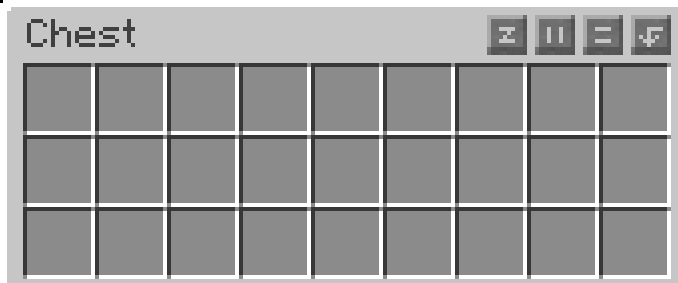
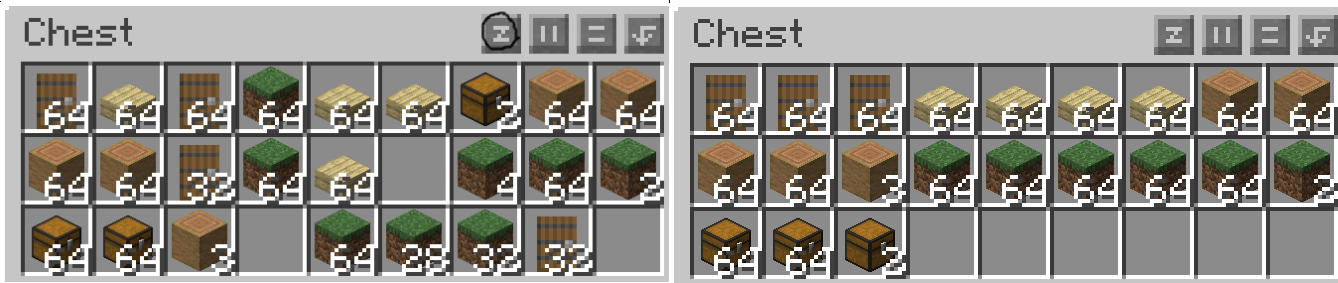
* 🎒 **Lightning-Fast Inventory Management:** One-click chest sorting, automatic block refills (*Auto-Refill*), and peek inside Shulker Boxes without placing them down.
* 🎙️ **Community & Content Creation:** Built-in support for proximity voice chat (*Voice Chat*)
---
## 📦 Full Mod List
### 🛠️ Building & Redstone
* **Tweakeroo** – Flexible block placement at unusual angles, accidental block break protection, and automatic hand restock.
* **MiniHUD** – Customizable info overlay (light levels, TPS, orientation, Redstone signal strengths).
* **Freecam** – Free camera detachment from the player body for building inspection.
* **MaLiLib** – Core technical library required by Tweakeroo, and MiniHUD.
### ⚡ Performance & Graphics
* **Sodium** – Next-generation, high-performance rendering engine.
* **Lithium** – General client-side logic and physics optimization.
* **FerriteCore** – Drastic memory (RAM) usage reduction.
* **Dynamic FPS** – Reduces resource usage when the game is minimized (ideal for AFK sessions).
* **Iris Shaders** – Shader support while maintaining maximum FPS.
### 📦 Inventory & Quality of Life (QoL)
* **Inventory Profiles Next (IPN)** – Inventory sorting, auto-refill, and tool management.
* **Item Scroller** – Fast item movement between chests using the mouse wheel.
* **Shulker Box Tooltip** – Tooltip previews of Shulker Box and map contents.
* **AppleSkin** – Displays food values and saturation levels.
🗺️ Map, Social & Media
* **Xaero's Minimap & WorldMap** – Smooth minimap and world map with waypoint support.
* **Simple Voice Chat** – Proximity voice chat support for servers running the Voice Chat plugin.
I recommended install:
* **Replay Mod** – Record and create cinematic shots of your gameplay.
---
## ⌨️ Default Keybinds (No Conflicts)
The mods in this pack have been pre-configured to avoid overlapping controls:
| Function | Key |
|---|---|
| MiniHUD Menu | H + C |
| Tweakeroo Menu | X + C |
| Toggle Freecam | U |
| Full World Map (Xaero) | N |
| Add Waypoint | B |
| Voice Chat (Push-To-Talk) | Left Alt |
---
## ⚙️ Installation Guide
### Method 1: Modrinth App / CurseForge App (Recommended)
1. Download and install the official **Modrinth App** or **CurseForge App**.
2. Search for `SMP Architect & Builder Pack` in the app's browser.
3. Click **Install**.
4. Once downloaded, hit **Play**.
### Method 2: Prism Launcher / MultiMC
1. Open your launcher and click **Add Instance**.
2. Select the **Modrinth** or **CurseForge** tab.
3. Search for `SMP Architect & Builder Pack` and confirm.
4. Launch the instance!
---
*Created for builders, architects, and Redstone enthusiasts. Happy building!*
AI Content Disclaimer
This modpack contains assets generated using Artificial Intelligence.
Type of AI Content: Visual assets and graphics (e.g., custom main menu backgrounds, icons, and item textures with ChatGPT.
All AI-generated assets have been manually edited, curated, and integrated to fit the theme and quality of the modpack. No copyrighted artist names were used in the prompts.
SMP builder & redstone architect Team




![NEXORA Convergence Chronicles [1100+ Quests & Expert Progression] project image](https://media.forgecdn.net/avatars/thumbnails/2036/194/256/256/639245396608189323.png)