promotional bannermobile promotional banner

Christmas World Pack

Christmas on the newest Minecraft: start in midwinter, build a warm home, and wait out the snow

Christmas Pack

A cozy Christmas survival modpack for Minecraft 26.3 and 26.1.2. Every new world starts in midwinter: build a warm home, explore the snow, and get ready before the thaw.

Requirements

Install

  1. Open Minecraft in the CurseForge app.
  2. Search for Christmas Pack under Modpacks and click Install.
  3. Press Play and create a new world.

To use the zip directly, go to My Modpacks, click + Create, and import Christmas-Pack-1.0.0-26.3.zip or Christmas-Pack-1.0.0-26.1.2.zip.

What's inside

Winter and Christmas

  • Serene Seasons
  • Snow! Real Magic! (26.1.2 only)
  • Snow Under Trees
  • Hendrix's Better Christmas Chests
  • Ender Christmas Plus (26.1.2 only)
  • Comforts (26.1.2 only)
  • Chimes (26.1.2 only)

Building and exploring

  • Macaw's Furniture, Doors, Windows, Roofs, and Paths and Pavings
  • Terralith
  • Towns and Towers
  • Waystones
  • JourneyMap
  • Sophisticated Backpacks

Quality of life

  • JEI
  • Jade
  • AppleSkin
  • Mouse Tweaks
  • GraveStone
  • Better Pets
  • Better Librarians
  • Item Highlighter
  • Auto Block Refiller
  • Instant XP
  • Anvil XP Cost Calculator
  • Brewing Plus

Atmosphere and performance

  • AmbientSounds
  • Sound Physics Remastered
  • Particular Reforged
  • Sodium

The libraries these mods need are installed automatically with the pack.

Good to know

The midwinter start only applies to new worlds. The seasons keep changing as you play, so winter won't last forever.

Help

Ask on Discord.

Credits

Each mod belongs to its authors and keeps its own license.

Christmas World Pack Team
profile avatar
  • 16
    Projects
  • 14.0K
    Downloads

Hey, Its MyCelium

More from MyCeliumGGView all

  • Brewing Plus project image

    Brewing Plus

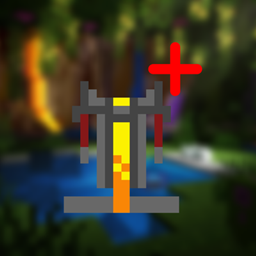
    Click the button on the brewing stand, pick any potion, and see its full recipe, which ingredients you carry and what to add next.

    • 783
    • November 4, 2026
  • Better Armorstands project image

    Better Armorstands

    Armor stands, done right: the Bedrock poses, arms by default, smooth turning with R, and a cleaner look

    • 41
    • November 4, 2026
  • Colored Nether Portal project image

    Colored Nether Portal

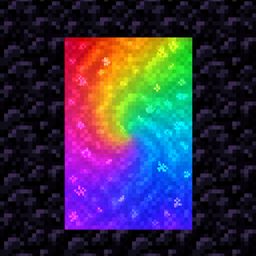
    Any color for your Nether portals: dyes, gradients, rainbows and pulses, with matching particles. Right-click with a dye.

    • 401
    • November 4, 2026
  • Better Librarians project image

    Better Librarians

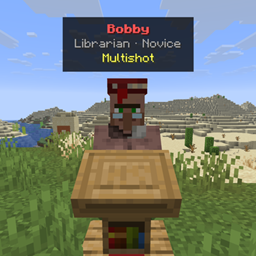
    Look at any librarian to see the enchanted books they sell on a small card, without opening the trading menu.

    • 951
    • November 4, 2026
  • Brewing Plus project image

    Brewing Plus

    Click the button on the brewing stand, pick any potion, and see its full recipe, which ingredients you carry and what to add next.

    • 783
    • November 4, 2026
  • Better Armorstands project image

    Better Armorstands

    Armor stands, done right: the Bedrock poses, arms by default, smooth turning with R, and a cleaner look

    • 41
    • November 4, 2026
  • Colored Nether Portal project image

    Colored Nether Portal

    Any color for your Nether portals: dyes, gradients, rainbows and pulses, with matching particles. Right-click with a dye.

    • 401
    • November 4, 2026
  • Better Librarians project image

    Better Librarians

    Look at any librarian to see the enchanted books they sell on a small card, without opening the trading menu.

    • 951
    • November 4, 2026