ZOMBIECrafty
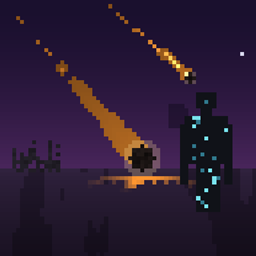
An Zombie Apocalypse Starts at the day 10
Face the rising dead in ZombieApocalypseMod, a Forge mod that unleashes a full-scale zombie outbreak on your Minecraft world. Survive a 10-day countdown, battle apocalyptic zombie waves, and master the infection system—unless you become one of them. Designed for both single-player and multiplayer servers.
Key Features
- [Apocalypse Countdown] A global timer tracks 10 in-game days. A warning broadcast alerts all players one day before chaos erupts.
- [Massive Zombie Waves] Once the countdown finishes, swarms of buffed zombies spawn around every player at regular intervals.
- [Player Infection System] Survivors can be infected by zombie bites or zombie players. Infected players receive a cinematic blackout and a permanent debuff until cured.
- [Curing & Spreading Tools] Two custom syringes—Healing and Infecting—let you cure infected players or intentionally spread the virus via right-click on yourself or others.
- [Zombie Vision Shader] Infected players see the world through a eerie green shader, replacing vanilla Night Vision and enhancing immersion.
- [Persistent World Data] Apocalypse state saves with the world, ensuring consistent progression on servers.
Items
- [Healing Syringe] Cures infected players, triggers a short blackout transition, and emits healing particles.
- [Infecting Syringe] Infects healthy players, applying zombie effects, a blackout, and infection particles.
- [Zombie Apocalypse Tab] Both syringes are accessible from the dedicated creative inventory tab.
Multiplayer & Server Support
- [Networked Particle Effects] Custom packets sync infection and cure particles to clients, ensuring compatibility with dedicated servers.
- [Zombie Vision Shader] Shader state toggles client-side every tick, so infected players always see the correct visuals without manual setup.
Localization
- [Global Language Support] 50 language files (including
pl_pl,de_de,fr_fr,es_es,ja_jp,zh_cn,ru_ru, and more) provide localized names for the mod, items, and creative tab.
Installation
- [Requirements] Minecraft 1.20.1, Forge 47.4.0 (or compatible build), Java 17.
- [Steps to Install]
- Install Forge.
- Drop the
ZombieApocalypseModjar intomods/. - Launch Minecraft via the Forge profile.
Configuration & Customization
- [Countdown Trigger] Currently hard-coded to 10 in-game days; configurable options are planned for future updates.
- [Shader Toggle] Automatically handled in-game; no manual resource packs required.
Recommended Playstyles
- [Survival Challenge] Form alliances, stockpile supplies, and prepare defenses before the apocalypse hits.
- [Roleplay Servers] Use syringes to simulate rescue missions, quarantine zones, or intentional outbreaks.
Testing & Stability
- [Development Environment] Built and tested with Gradle (
gradlew runClient). - [Known Issues] None at this time. If you encounter shader conflicts with other mods, please report them on the issue tracker.
Credits
- [Development] Designed and implemented by the ZombieApocalypseMod team.
The ZOMBIECrafty Team