3790's Fashion
- By
A vanilla-style Fabric fashion mod adding capes and modular outer outfits with multiplayer sync and manual hot reload.
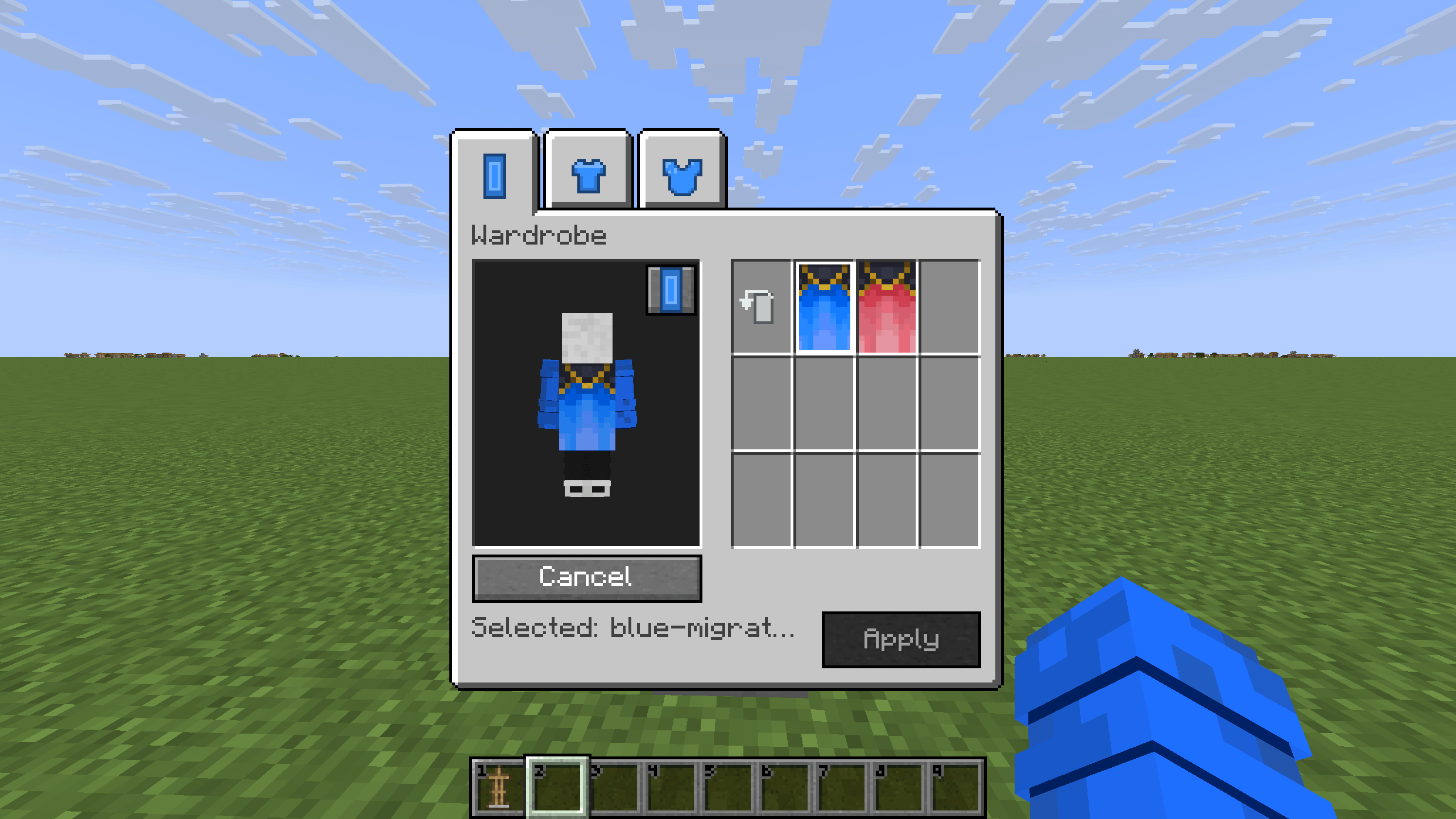
Cape Tag of Wardrobe
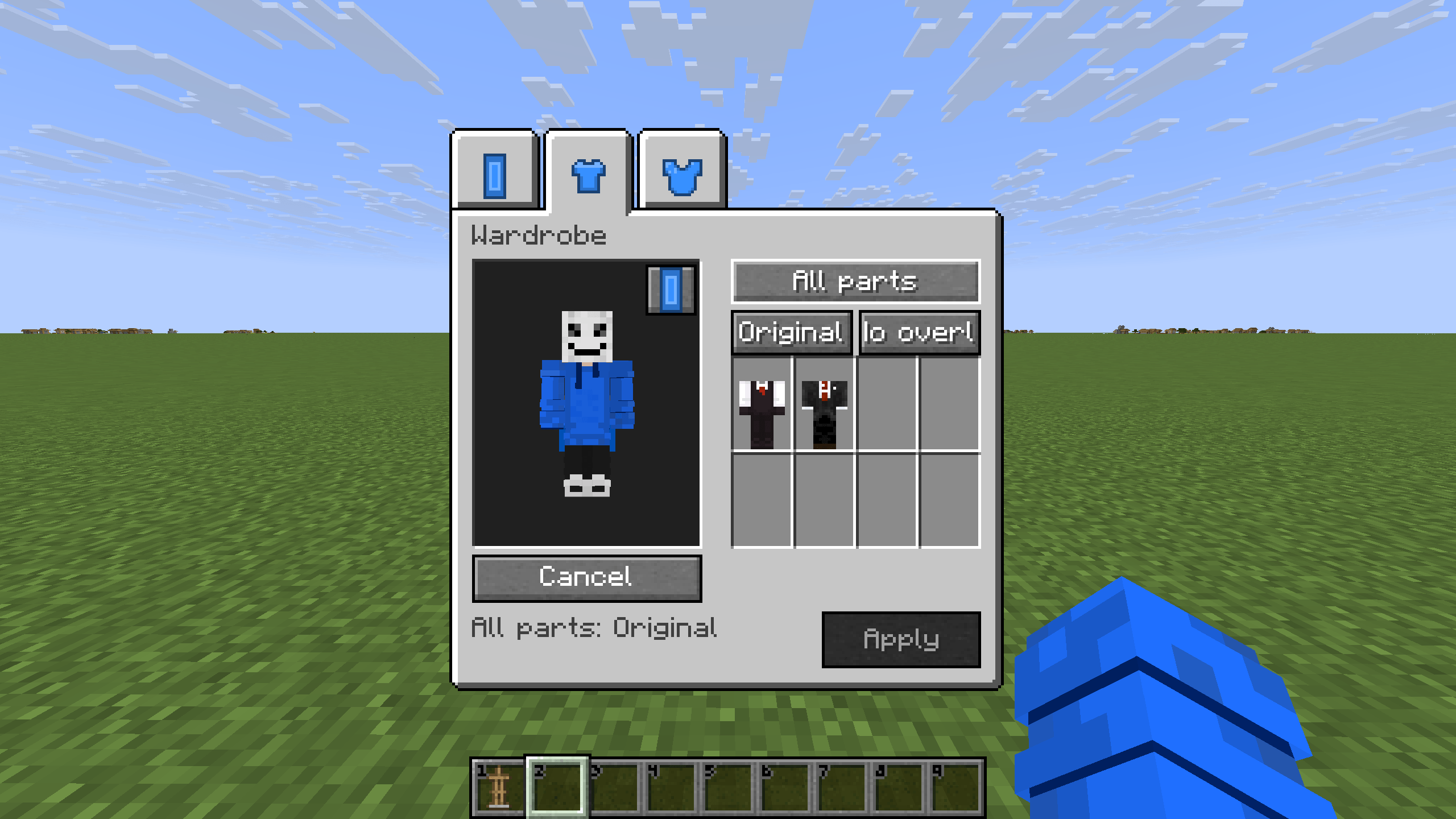
Modular Outfit Wardrobe
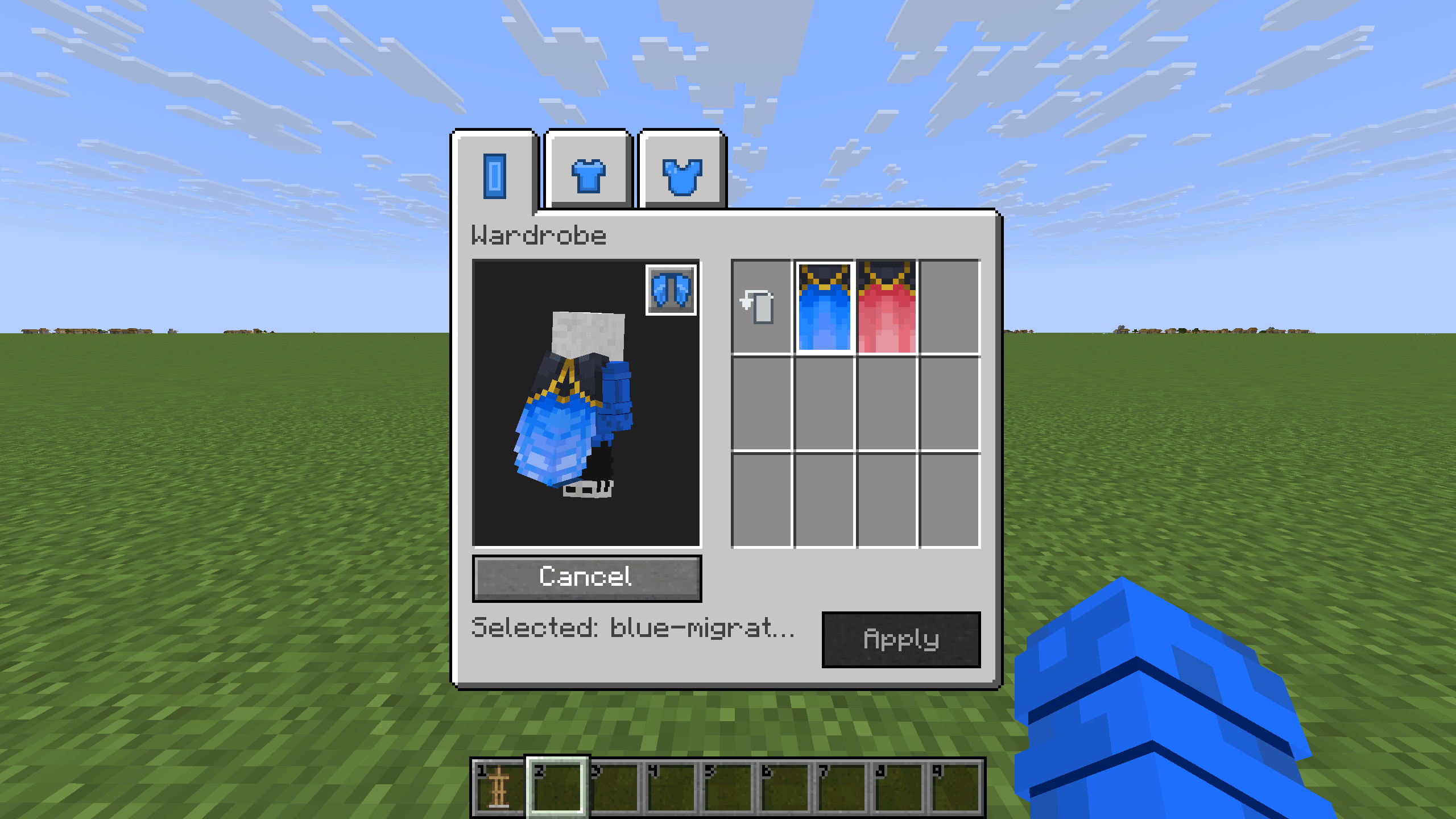
Elytra Preview of Cape Tag
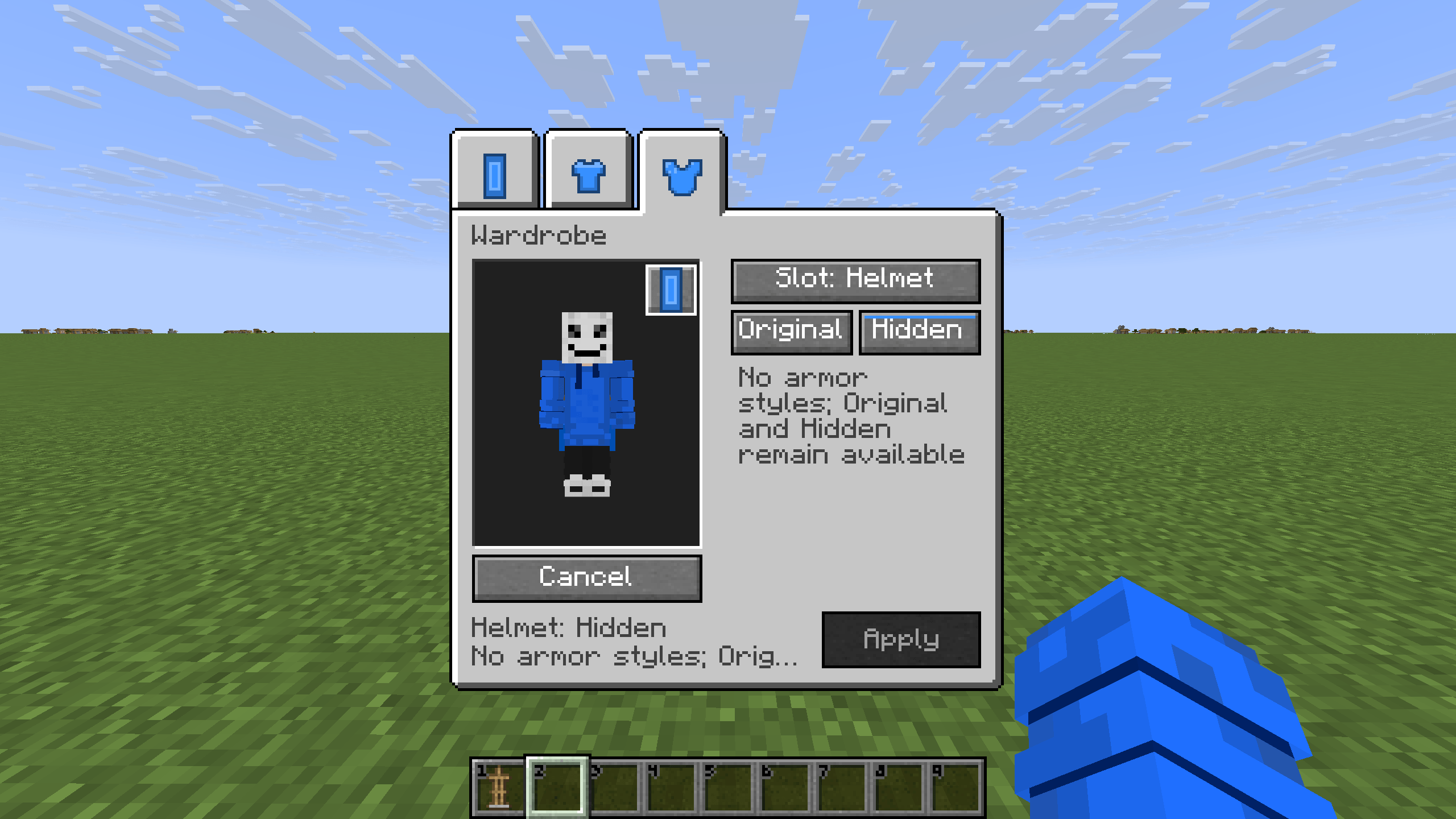
Cape Tag of Wardrobe
Description
3790's Fashion
Custom capes, modular outfits, and armor cosmetics—all in one vanilla-style Wardrobe.
3790's Fashion lets you change how your character looks without changing what your equipment does. Choose a cape with matching Elytra textures, mix individual outfit pieces, and hide or retexture your armor. Browse the collection provided by your world or server, inspect the result in a rotatable character preview, and apply the complete look together.
Hide your helmet to show your outfit, give your chestplate a different texture, or leave selected pieces completely vanilla. Your base skin, real equipment, armor protection, enchantments, durability, and survival mechanics stay intact.
For Minecraft Java Edition 26.2 on Fabric. Supports single-player and multiplayer, with English and Simplified Chinese interfaces.
Features
Capes and matching Elytra appearances
Choose custom capes from your world or server's collection. A cape resource can also supply a linked Elytra texture, so your wings can match your selected cape. Resources can use separate cape and Elytra images or share a compatible texture.
Elytra appearance follows your cape selection; it is not a separate cosmetic selection slot. Choose Original to return to Minecraft's normal appearance rules. Original does not mean “hide the cape.”
The mod changes appearances only. It does not give you Elytra, add an equipment slot, or change flight mechanics.
Modular outfits without replacing your skin
Customize six outer-layer regions: head, body, left sleeve, right sleeve, left trouser leg, and right trouser leg. Choose an entire outfit, work with a group of parts, or mix individual pieces from different resources.
Each part can keep its Original skin overlay, use No overlay, or display a custom outfit piece. No overlay hides only that outer layer—not your underlying skin or body.
Outfit resources support standard and slim player models when the corresponding textures are provided. Custom sleeves also appear in first person, and outfits follow the player model in the world, the Wardrobe, and the vanilla inventory preview.
Armor cosmetics, one slot at a time
Control your helmet, chestplate, leggings, and boots independently:
- Original: keep the normal armor appearance.
- Hidden: hide the entire armor piece's visual effect, including its trim and enchantment glint, without unequipping it.
- Custom: replace the base texture while preserving the vanilla armor model and supported dye, trim, and enchantment effects.
Select a body part in the Armor tab, then choose Original, Hidden, or a style from the paginated texture grid. Samples help you browse the available textures; the character preview shows the result with your real equipment and its effects.
A cosmetic choice does not create armor for an empty slot or change inventory item icons. Custom textures display only over real, supported armor. Original and Hidden remain available even when no custom armor styles have been installed.
Preview first, apply together
Cape, Outfit, and Armor share one set of pending changes. Switch between tabs without losing your edits, rotate the preview, and press Apply to submit the complete look. The Wardrobe stays open after a successful application.
Closing or cancelling discards edits that have not been submitted. It does not undo a request already sent or a change already applied. The world and vanilla inventory preview show your applied appearance, not an unfinished Wardrobe draft.
Switch between Cape and Elytra try-on modes to inspect the selected appearance. Elytra try-on can show a visible chestplate alongside one pair of preview wings. This is a cosmetic preview, not a change to your actual equipment.
Using the Wardrobe
- Right-click a vanilla armor stand. Normal equipment interactions take priority; the Wardrobe opens when the vanilla interaction has no other action to perform.
- Choose Cape, Outfit, or Armor. Select the part you want to edit, browse the available resources, and inspect the preview.
- Press Apply. Wait for the server to confirm your selection. Applied choices are saved and synchronized to other players using the mod.
Sneak-right-click—or use your configured secondary-use input—to bypass the Wardrobe while keeping normal armor-stand interactions available.
The interface follows Minecraft's language setting, with English and Simplified Chinese UI and command feedback. Hand-drawn tab icons, keyboard navigation, and contextual tooltips help you find your way around. Use PageUp / PageDown when a long tooltip has multiple pages. Resource names supplied by their authors remain unchanged.
Installation
The 1.0.0 release is built for Minecraft Java Edition 26.2, Fabric Loader 0.19.3, Fabric API 0.158.0+26.2, and Java 25.
Install 3790s-fashion-1.0.0.jar and the corresponding Fabric API in your instance's mods folder. For multiplayer, install them on the server as well. Use the same mod version on both sides for the complete feature set. Single-player does not require a separate dedicated server.
3790's Fashion does not require 3790's Elytra Slot. Development API files, sources JARs, and test tools are not player dependencies and should not be placed in mods.
Custom resources for worlds and servers
The Wardrobe browses a file-based cosmetic collection managed by the single-player world user or server owner. It is a selection and preview interface, not an in-game texture editor or player upload system.
Place each resource in its own folder under the active game or server instance:
config/3790s-fashion/
├── capes/<cape-id>/
├── outfits/<outfit-id>/
└── armor/<style-id>/
For multiplayer, install resources on the server. Connected clients receive the required textures automatically; players do not need to copy the same PNG files into their own configuration folders. For single-player, use your local game instance's configuration directory.
Capes use 64×32 PNG textures: cape.png for a cape-only resource, cape.png plus elytra.png for separate images, or cape_elytra.png for a shared image. Choose one layout per resource folder.
Outfits use 64×64 wide.png and/or slim.png textures in the corresponding player-skin layout. Simple resources can be PNG-only; an optional outfit.json explicitly declares the provided parts and models. Only the outer-layer regions are used.
Armor styles require armor.json and the textures declared for their supported slots. The documented format uses 64×32 armor textures: outer for helmet, chestplate, and boots; inner for leggings. Armor PNGs must be 8-bit RGBA, non-interlaced, and use fully transparent or fully opaque alpha. These textures use armor UVs, not player-skin or cape UVs.
See the resource documentation for complete definitions, PNG limits, and validation rules. The release ZIP includes installation instructions, English and Chinese getting-started guides, resource documentation, and Cape templates. It does not include Fabric API or a complete Outfit/Armor texture library.
Updating resources
Administrators can run /fashion3790 reload to reload Outfit and Armor resources without restarting. Finish editing the files before running the command. Updated textures are synchronized to connected clients without requiring another Apply for an unchanged selection.
Cape resource changes still require a normal restart. The Wardrobe's Reload selection action is different: it discards pending edits and reads the latest applied choices; it does not scan resource files.
For armor styles that become unavailable, saved Custom selections are retained while the appearance falls back to Original. Restoring a valid style and reloading makes that selection available again. Removal rules differ between resource types, so consult the documentation before deleting or renaming an existing collection.
Upgrading from 0.5.0
Stop the game and server normally, then back up the complete world, configuration, and cosmetic resources. Replace the old main mod JAR with 3790s-fashion-1.0.0.jar; do not install both versions together or delete your existing configuration and caches.
Existing 0.5.0 appearance selections are retained. Version 1.0.0 does not introduce a new Fashion save format. Check your saved look after upgrading, then continue editing normally. To roll back, restore the complete pre-upgrade backup rather than assuming an upgraded world can safely be opened with an older version.
Compatibility and current limitations
Armor customization targets supported vanilla armor geometry. It does not provide custom 3D armor models, and unsupported equipment rendering structures fall back to their original appearance. Compatibility with arbitrary third-party armor or rendering mods is not guaranteed.
Optional 3790's Elytra Slot integration: the tested integration retains its existing world rendering and active try-on support. In 1.0.0, extra-slot wings and their cape-hiding behavior are not yet represented correctly in the vanilla inventory preview. A Wardrobe preview driven by the actual extra-slot equipment is also not included. These limitations are separate from ordinary chest-slot Elytra and the mod's standalone Cape/Elytra try-on features.
Documentation and support
Source code and documentation · 1.0.0 release and installation ZIP · Report an issue
When reporting a problem, include your Minecraft, Fabric API, and mod versions; your installed mods; whether you are playing in single-player or on a server; reproduction steps; and relevant logs or screenshots.
The 3790's Fashion Team