Weather Wizard
- By
Customize Minecraft's weather, thunderstorms, and day/night cycles with an intuitive in-game menu and configurable presets.
2026-10-10_11.47.47.png
2026-10-10_11.48.01.png
2026-10-10_11.48.03.png
2026-10-10_11.48.08.png
GrotesqueGrub | Weather Wizard
Create your game server with 

Description
Weather Wizard
Your World. Your Forecast.
Ever feel like Minecraft can't make up its mind about the weather?
One minute you're building in the sunshine. The next, it's pouring rain. Then the storm disappears before you've even finished appreciating it.
Or maybe you've spent hours building the perfect medieval kingdom, only to realize that Minecraft's short days barely give you time to enjoy the scenery before you're fighting zombies again.
Weather Wizard puts you in charge.
Take control of Minecraft's weather patterns, customize the passage of time, and create a world that follows your rules—not the other way around.
Whether you're building a peaceful paradise, surviving an endless night, or creating a storm-ravaged wasteland, Weather Wizard gives you the tools to make it happen.
Weather That Works Your Way
Minecraft's weather doesn't have to be completely unpredictable.
Weather Wizard introduces a configurable weather scheduler that lets you control how often storms arrive, how long they last, and how likely they are to bring thunder and lightning.
Customize:
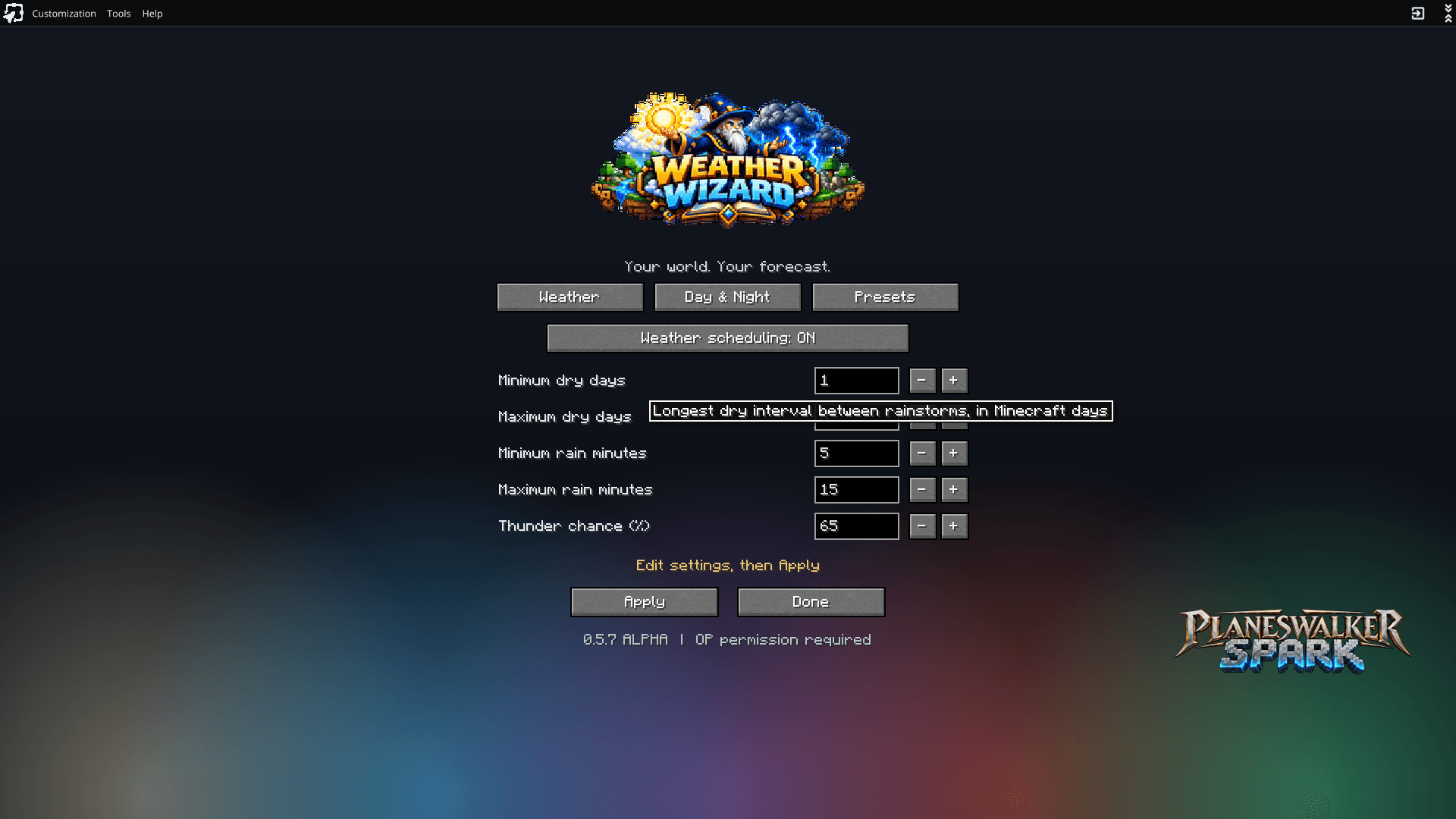
- Minimum and maximum dry days — Decide how long the skies stay clear between rainstorms.
- Minimum and maximum rain duration — Choose between brief showers and prolonged downpours.
- Thunderstorm probability — Set how often ordinary rainfall becomes a thunderstorm.
- Weather scheduling — Enable or disable custom weather behavior independently of your time settings.
Want rain to be an occasional atmospheric event instead of a constant interruption? Done.
Want storms to become a regular part of survival, complete with thunder and lightning? You can do that too.
And if you prefer Minecraft's original weather system, you can always turn the scheduler off.
Longer Days. Darker Nights. Your Choice.
Why should every Minecraft world follow the same 20-minute day/night cycle?
Weather Wizard lets you change both the total length of the cycle and how that time is divided between day and night.
Want a 40-minute cycle with 70% daylight? Go for it.
Want a world where night dominates and daylight is a precious resource? That's an option too.
Features include:
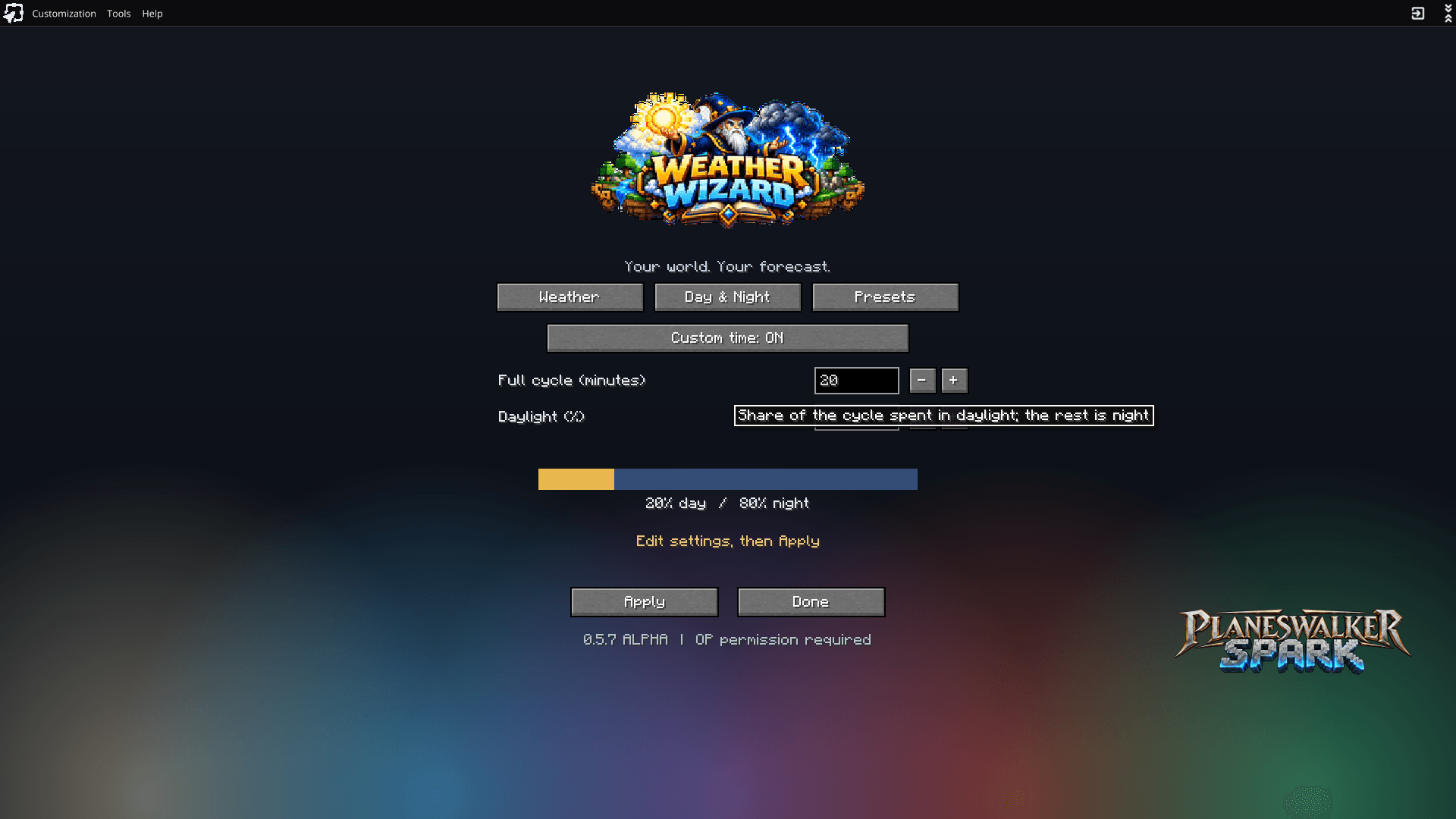
- Adjustable full day/night cycle length.
- Customizable daylight percentage.
- Automatically calculated day and night durations.
- A visual preview showing the balance between daylight and darkness.
- Independent controls for custom time and weather.
Minecraft's natural sunrise and sunset transitions remain part of the experience.
Build longer. Explore farther. Or make every sunrise feel like a victory.
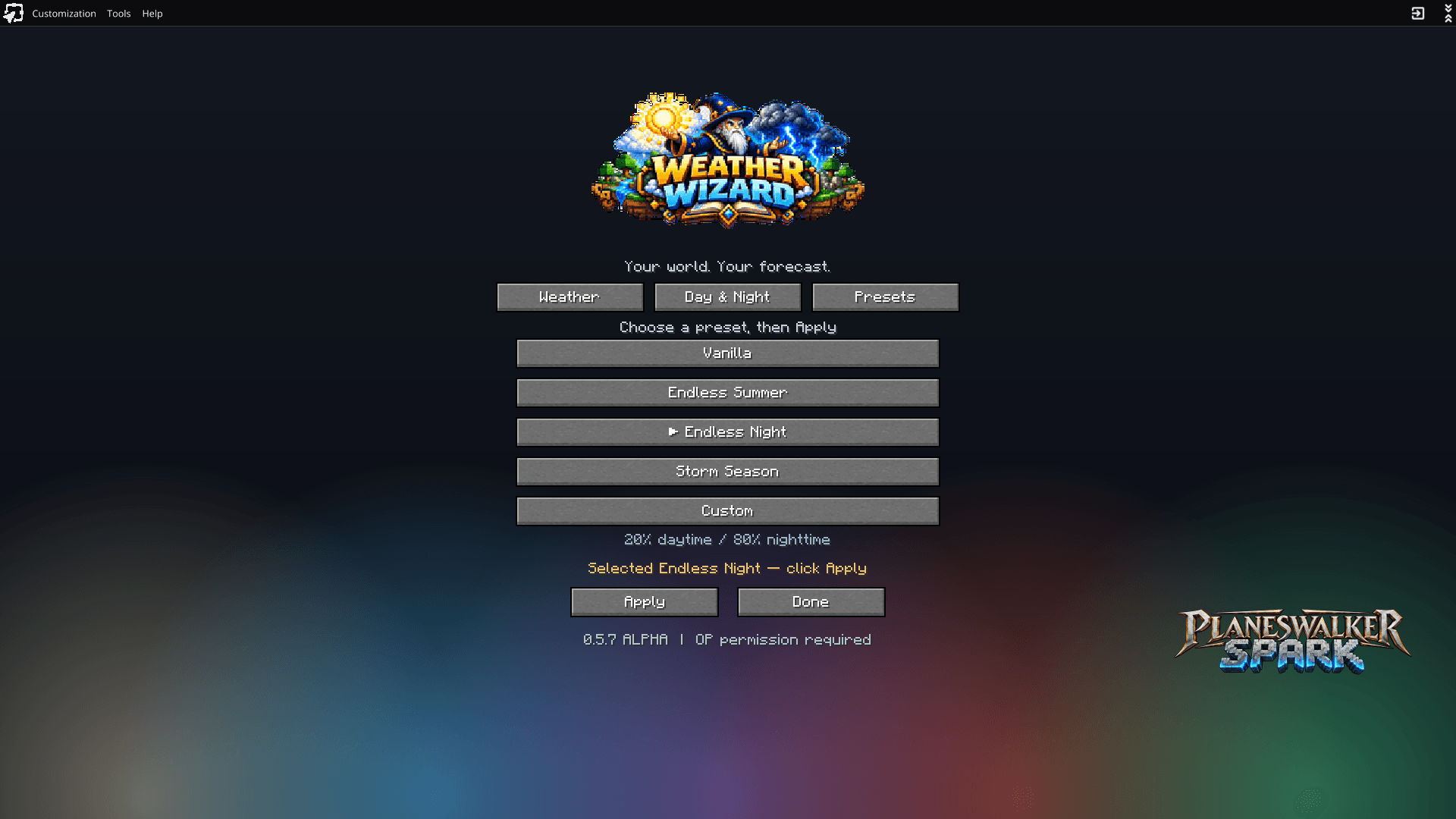
Five Presets. Five Ways to Play.
Don't feel like configuring everything manually? Start with one of Weather Wizard's built-in presets.
Vanilla
Back to basics. Restores Minecraft's normal weather and time behavior.
Endless Summer
Long, sunny days and infrequent, brief rainfall. Perfect for builders, explorers, and players who'd rather enjoy the scenery than wait out another storm.
Endless Night
Short days and long nights. A darker, more dangerous atmosphere for survival players looking for a challenge.
Storm Season
Frequent rainfall and a much greater chance of thunderstorms. Turn your world into a place where clear skies feel like a luxury.
Custom
Make your own rules. Fine-tune the weather, adjust the clock, and create exactly the atmosphere you're looking for.
Presets can be selected and applied directly from the in-game interface.
No Config Files. No Command Memorization.
Weather Wizard includes a dedicated in-game configuration screen designed to make controlling your world simple.
Press Ctrl+W to open the menu.
Inside, you'll find three organized tabs:
- Weather — Configure dry periods, rainfall, and thunderstorm chances.
- Day & Night — Adjust cycle duration and daylight percentage, with a visual preview.
- Presets — Quickly switch between ready-made world configurations.
Helpful descriptions explain what each option does, and changes are applied with a dedicated button so you can review your choices before committing them.
Settings persist between game sessions, so you won't have to rebuild your perfect forecast every time you play.
Changing world settings requires operator permissions.
Built for the Way You Play
Weather Wizard isn't trying to turn Minecraft into a complicated climate simulator.
It's about giving players control over two of the most fundamental parts of the Minecraft experience: the weather and the passage of time.
It's especially useful for:
- Builders who want more daylight for large projects.
- Explorers who prefer longer journeys between sunsets.
- Survival players who want more challenging nights or harsher storms.
- Modpack creators who want weather and time to complement their pack's atmosphere.
- Creative players who want their world to look and feel a particular way.
Weather Wizard is a standalone utility mod. It doesn't require a specific modpack or a collection of companion mods.
Requirements & Compatibility
Minecraft: Java Edition 1.21.1
Mod Loader: NeoForge 21.1.x
Java: 21
Weather Wizard has been tested in single-player. Dedicated-server multiplayer compatibility has not yet been fully verified.
The sky is no longer the limit.
It's yours to command.
Weather Wizard — Your World. Your Forecast.
Weather Wizard Team