Waystones: Telemap
- By
Pick your Waystones destination on a real map. Client-side addon that shows your waystones as clickable travel icons on Diorama, JourneyMap or Xaero's World Map.
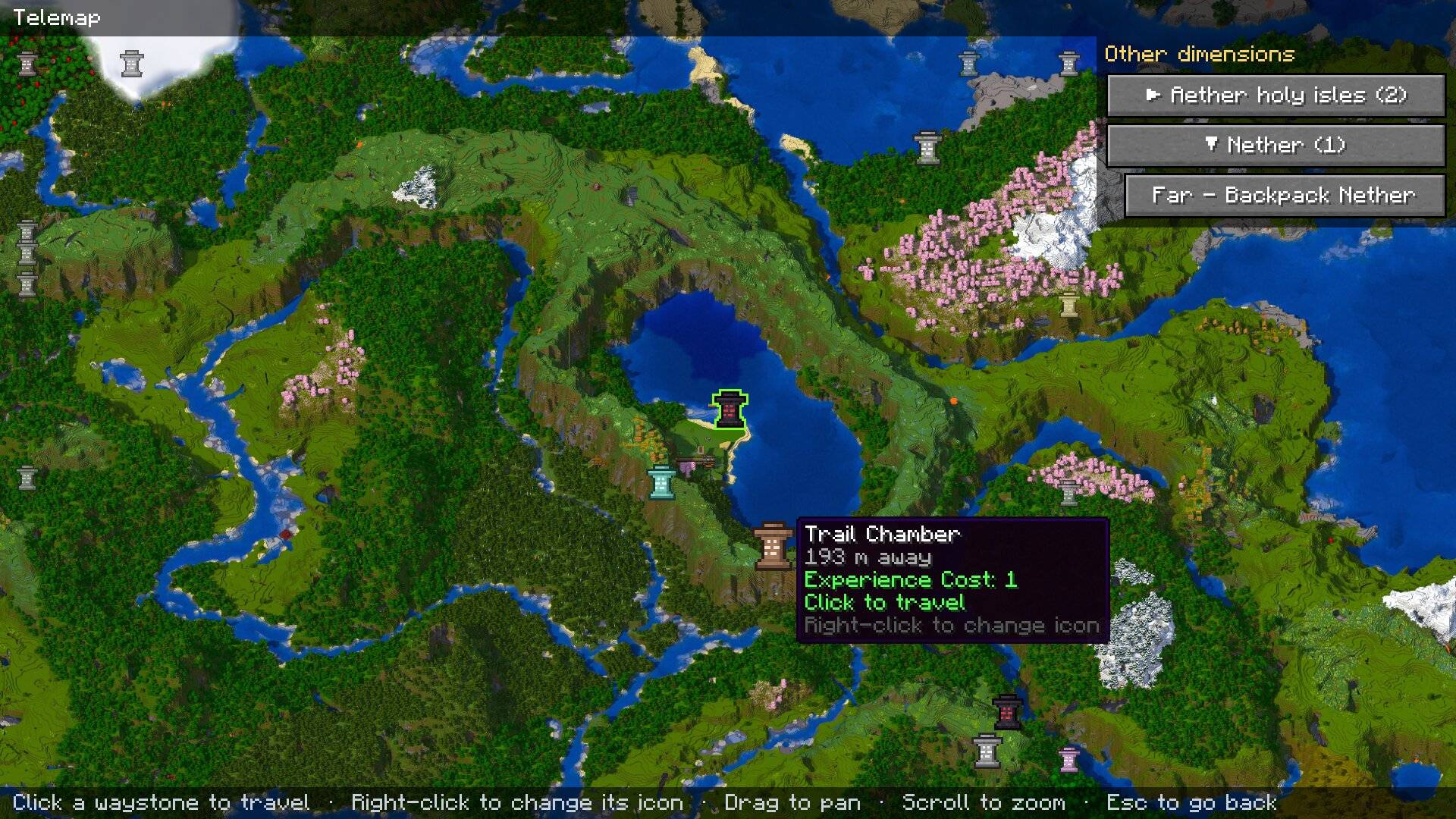
Diorama example
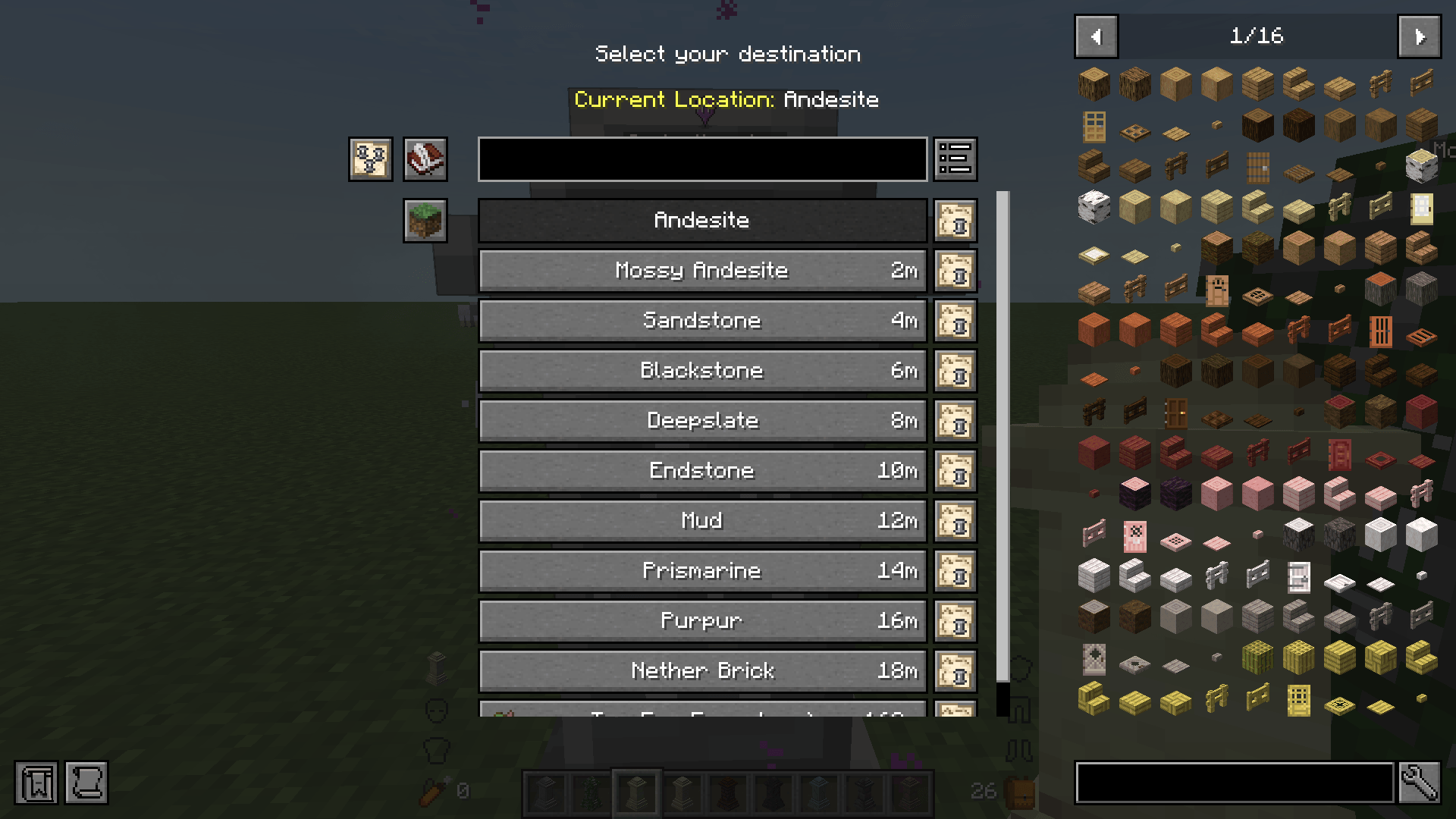
Waystones list with new buttons
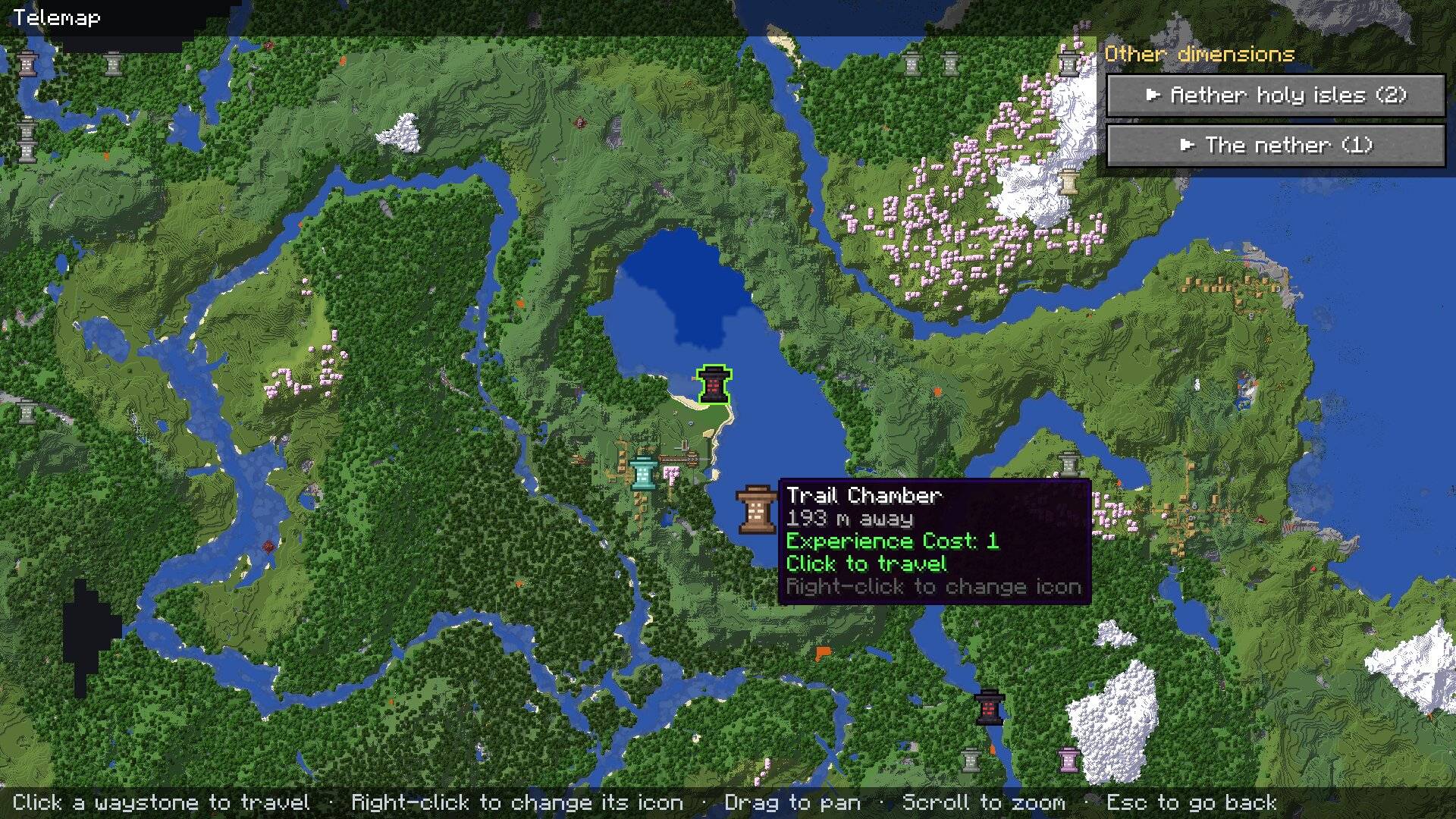
JourneyMap example
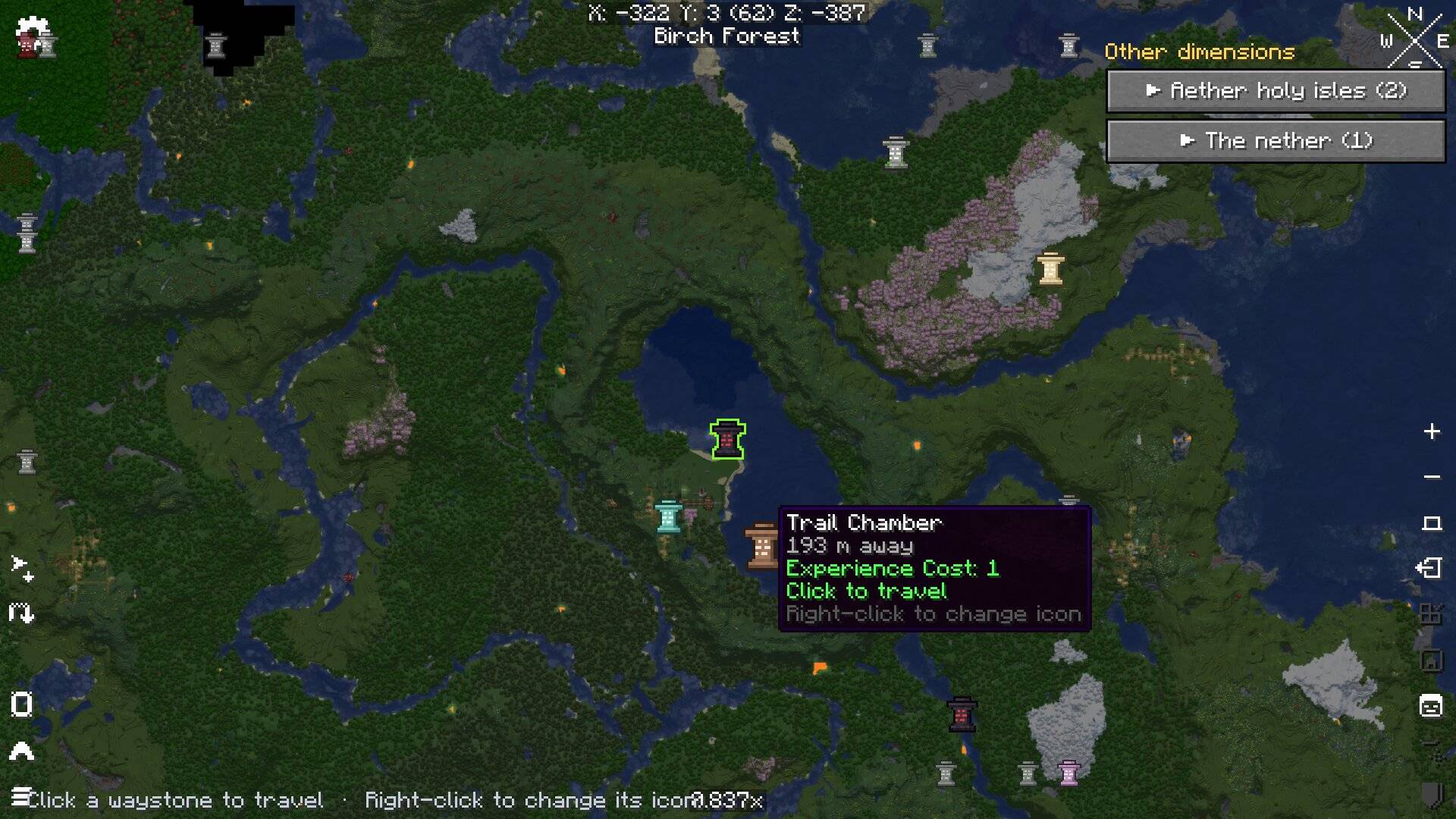
Xaero's World Map example
Description
Waystones: Telemap
A flight-map style travel screen for Waystones. Use a waystone, warp stone or warp scroll, press the new map button, and pick your destination on a real map from Diorama, JourneyMap or Xaero's World Map instead of scrolling through a list.
Inspired by the flight path map from World of Warcraft – pick a point on the map and you're on your way.
Available now: Fabric (Minecraft 26.3) and NeoForge (Minecraft 1.21.1). More Minecraft versions and loaders are coming soon!
Unofficial client-side addon. Not made by or affiliated with the authors of Waystones, Diorama, JourneyMap or Xaero's World Map, and not affiliated with Blizzard Entertainment.
Features
- Map button in the Waystones menu – appears next to the search box, to the left of Waystones' own buttons.
- Waystones as map icons – hover an icon to see the waystone's name, the distance and the travel cost; click to travel.
- Navigation – drag to pan, scroll to zoom,
Escto go back to the normal list. - Off-screen waystones are pinned to the edge of the map, so you always see which way they are.
- Other dimensions are listed in a column on the right, one collapsible section per dimension (e.g. Nether (5)); click a waystone there to travel.
- "Show on map" button on every row of the Waystones list – opens the map centred on that waystone.
- Unavailable destinations (not enough XP, cooldown…) are greyed out; the waystone you stand at gets a highlight ring.
- Custom icons – each waystone gets the icon of its block type (mossy, sandstone, blackstone…) automatically, and you can change it with a right-click or a command.
- Several map mods installed? A Map: button on the top bar switches between them (remembered in
config/telemap.json). - Direct map mode (optional) – open the map straight away when you use a waystone, skipping the list.
- Safe by design – if a map mod or Waystones changes in an update and something Telemap needs is missing, Telemap turns that part off (or falls back to the normal Waystones list) instead of crashing the game. The log says what was missing.
Xaero's World Map
With Xaero's World Map, Telemap opens Xaero's own map screen and puts the waystones on it. Hover works the same; a left or right click on a waystone travels there, and other dimensions are in the right-hand column. Right-click elsewhere is Xaero's own menu. Xaero's map opened with its own key is left untouched.
JourneyMap
JourneyMap's map shows what JourneyMap has already mapped and saved; places you haven't visited stay dark.
Commands (client side – work on any server)
| Command | What it does |
|---|---|
/telemap icon <waystone> <icon> |
Sets the icon a waystone shows on the map. Names with spaces go in quotes (/telemap icon "My base" purpur). reset restores the default. Tab completes names and icons. |
/telemap icons |
Lists the waystones seen so far and their icons. |
/telemap directmap true|false |
true: using a waystone opens the map straight away, centred on you. false (default): the normal list. |
Telemap learns a waystone's name when it appears in a Waystones menu you open (stored in config/telemap_waystones.json).
Requirements
Client only. The server needs only Waystones – Telemap travels through Waystones' own packet, so costs, cooldowns and permissions work exactly as from the list.
| Fabric (Minecraft 26.3) | NeoForge (Minecraft 1.21.1) | |
|---|---|---|
| Loader | Fabric Loader 0.19.5+ | NeoForge 21.1+ |
| Required | Fabric API, Waystones, Balm (+ Waystones' own dependencies) | Waystones, Balm |
| Map mod (at least one) | Diorama, JourneyMap or Xaero's World Map | Diorama, JourneyMap or Xaero's World Map |
Without a supported map mod there is no map button and the Waystones list works as usual.
FAQ
Does the server need Telemap? No. Install it on the client only.
Does it change travel costs or rules? No. It only gives you a different way to pick the destination; Waystones does the teleport.
Can I use it in my modpack? Yes – it's MIT-licensed.
Something broke after updating Waystones or a map mod? Please open an issue with your latest.log – Telemap logs exactly which part it could not find.
About this project / AI disclosure
Telemap is made by Scarlet Castle Code. The code was written with substantial help from an AI coding assistant (Anthropic's Claude); the design, testing and every release were done and checked by me in game.
All screenshots on this page are unedited in-game screenshots.
Source code: SOURCE_URL · Issues: ISSUES_URL · License: MIT
Waystones: Telemap Team