Vault QuickBinds - Vault Hunters Addon
- By
Client-side Forge mod for Vault Hunters that lets you save, apply, cycle, link, and share Vault quick ability keybind presets, making it easy to swap between different builds without manually rebinding every ability key each time.
Screenshot_2026-06-05_232804.png
Screenshot_2026-06-05_232833.png
Screenshot_2026-06-06_231614.png
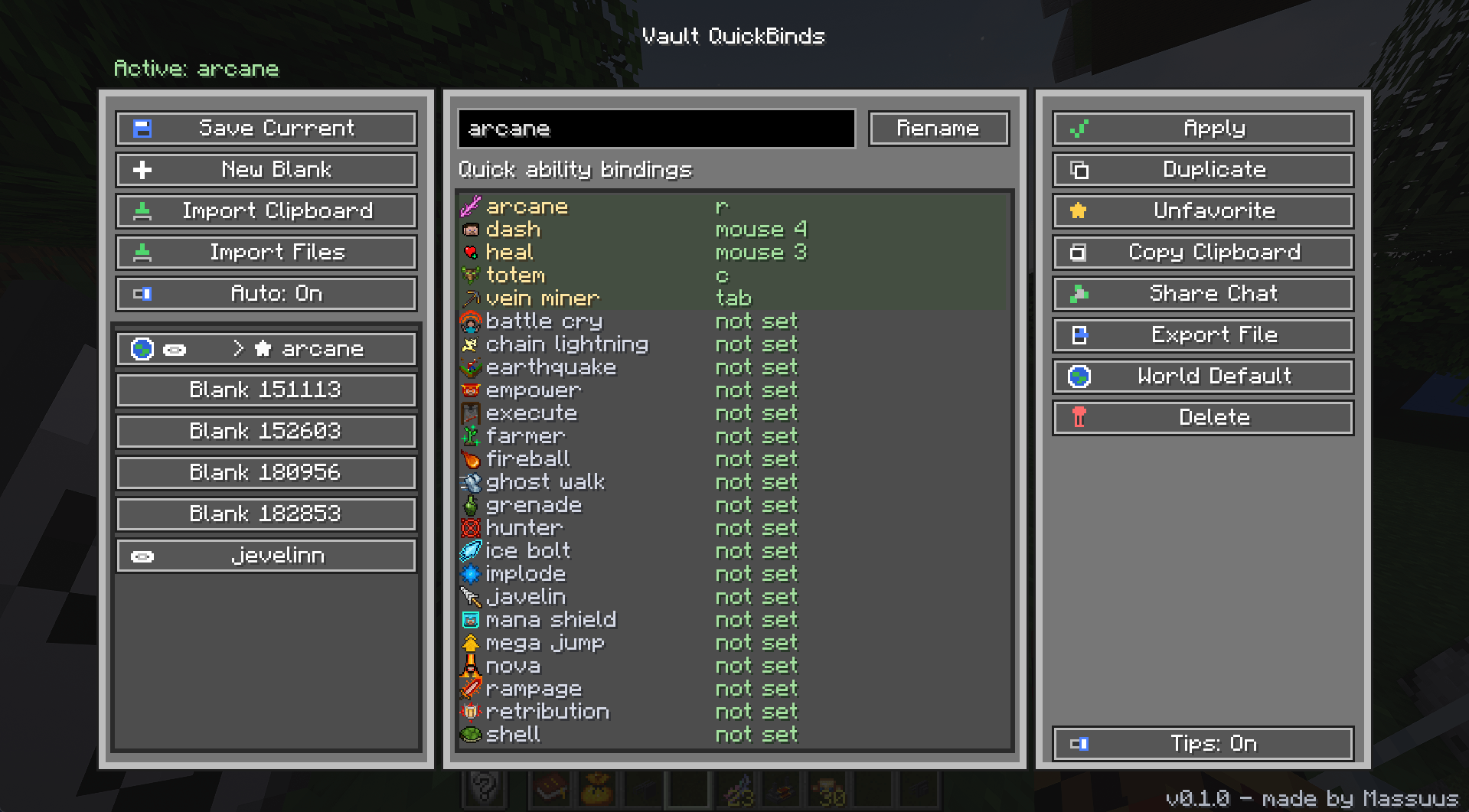
image.png
Description
Vault QuickBinds
Vault QuickBinds is a client-side Forge mod for Vault Hunters 1.18.2 that lets you save, apply, cycle and share presets for Vault quick ability keybinds.
It is made for players who swap between different Vault builds and do not want to manually rebind every quick ability key each time.
By default press . to open the QuickBinds UI and , to cycle presets. Both keybinds can be changed in Minecraft's normal Controls screen under Vault QuickBinds.
Features
- Save your current Vault quick ability keybinds as named presets.
- Create blank presets where every quick ability starts as not set.
- Apply saved presets back to your Minecraft keybinds.
- Cycle between presets with a keybind.
- Rename, duplicate, delete, and favorite presets.
- Set a preset as the default for the current world or server.
- Automatically apply matching presets when joining or changing world/server profiles.
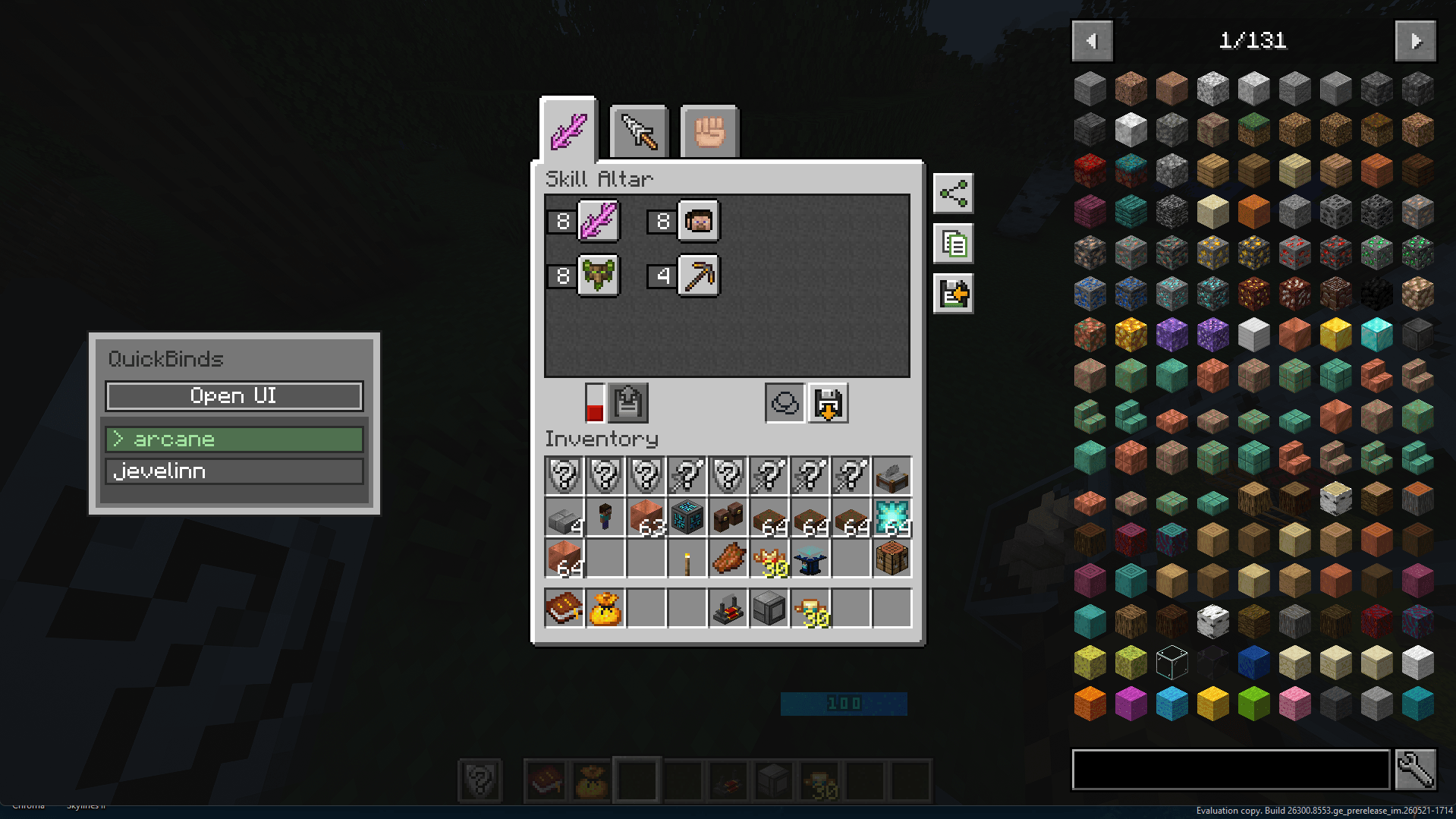
- Link presets to Vault skill altar builds.
- Pick linked keybind presets directly from the skill altar screen.
- Automatically apply a linked preset when loading a Vault skill altar build.
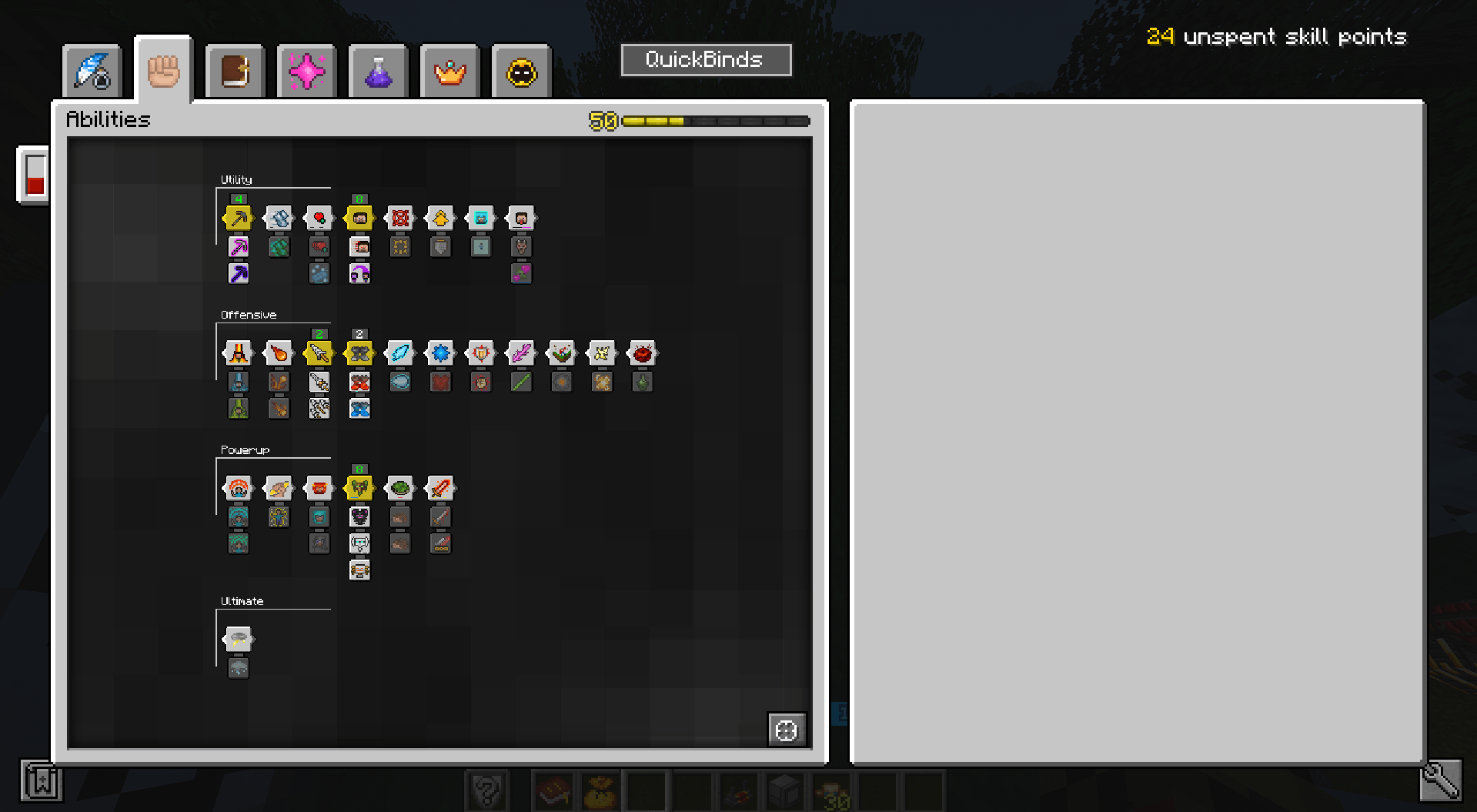
- Highlight abilities that are learned or part of the linked skill altar build.
- Edit quick ability keybinds directly inside the QuickBinds UI.
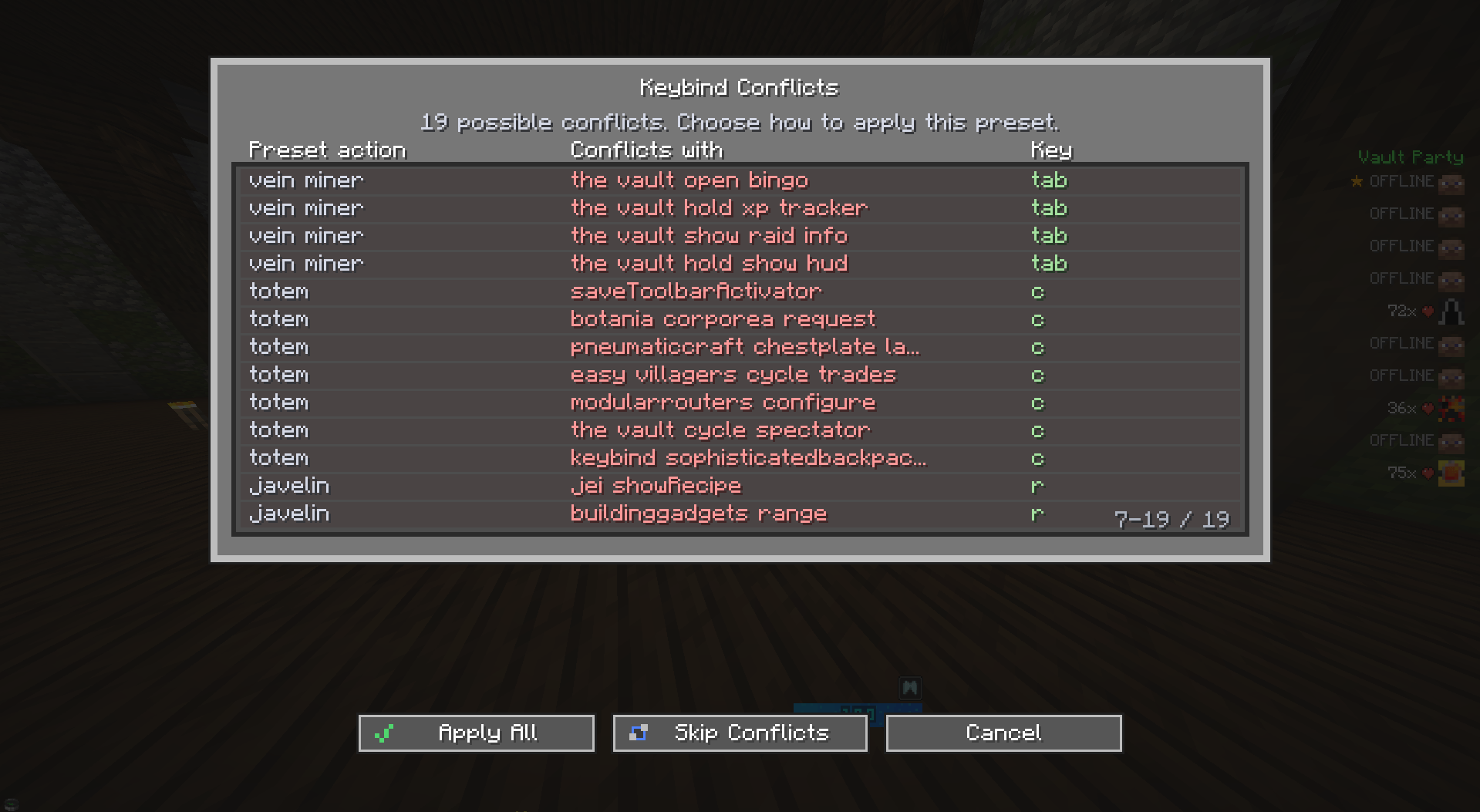
- Detect conflicts before applying a preset.
- Review conflicts in a scrollable conflict table.
- Apply all bindings, skip conflicting bindings, or cancel.
- Import presets from clipboard.
- Import preset files from
config/vaultquickbinds/imports. - Export presets to clipboard.
- Export preset files to
config/vaultquickbinds/exports. - Share presets through chat so other players with the mod can copy and import them.
- Only targets Vault quick ability keybinds, not every keybind in the game.
Why use it?
Min Max Vault Hunters often need different quick ability key layouts for diffrent builds they use.
Vault QuickBinds lets you keep those layouts as presets and swap them quickly instead of editing the Controls screen every time. If you use the skill altar, you can also link a keybind preset to a build so loading that build applies the matching keys automatically.
Requirements
- Minecraft 1.18.2
- Forge 40.x
- Vault Hunters Third Edition - Remastered
Notes
- This mod is client-side.
- Presets are stored locally in
config/vaultquickbinds/presets.json. - Import files should be placed in
config/vaultquickbinds/imports. - Exported preset files are saved in
config/vaultquickbinds/exports. - The mod only manages key mappings that start with
key.the_vault.quickselect.. - Chat sharing works only when the receiving player also has Vault QuickBinds installed.
Changelog
1.0.0
- Initial release of Vault QuickBinds.
- Added the main QuickBinds preset screen.
- Added save, apply, rename, duplicate, delete, favorite, import, and export actions.
- Added blank preset creation.
- Added direct keybind editing from the preset screen.
- Added hotkey preset cycling.
- Added world/server defaults and fallback preset support.
- Added automatic preset application for profile changes.
- Added Vault skill altar build linking.
- Added skill altar overlay for linking presets to builds.
- Added ability highlighting for learned abilities and linked builds.
- Added conflict detection and a scrollable conflict confirmation screen.
- Added clipboard, file, and chat preset sharing flows.
- Added custom UI styling, icons, tooltips, and toast messages.
- Added clickable version and creator credit in the main screen.
The Vault QuickBinds - Vault Hunters Addon Team