Vault Party UI - Vault Hunters Addon
- By
Screenshot 2026-06-13 214034.png
Screenshot 2026-06-13 221814.png
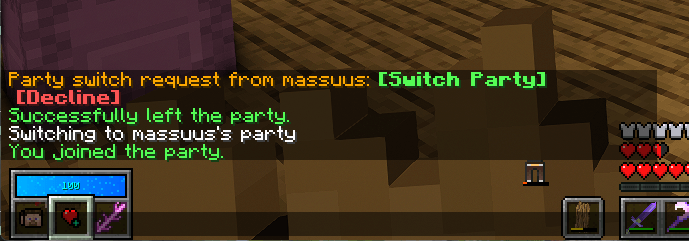
image.png
Screenshot 2026-08-06 220855.png
Screenshot 2026-08-06 220744.png
Screenshot 2026-06-13 211225.png
Screenshot 2026-06-21 150632.png
Description
Vault Party UI
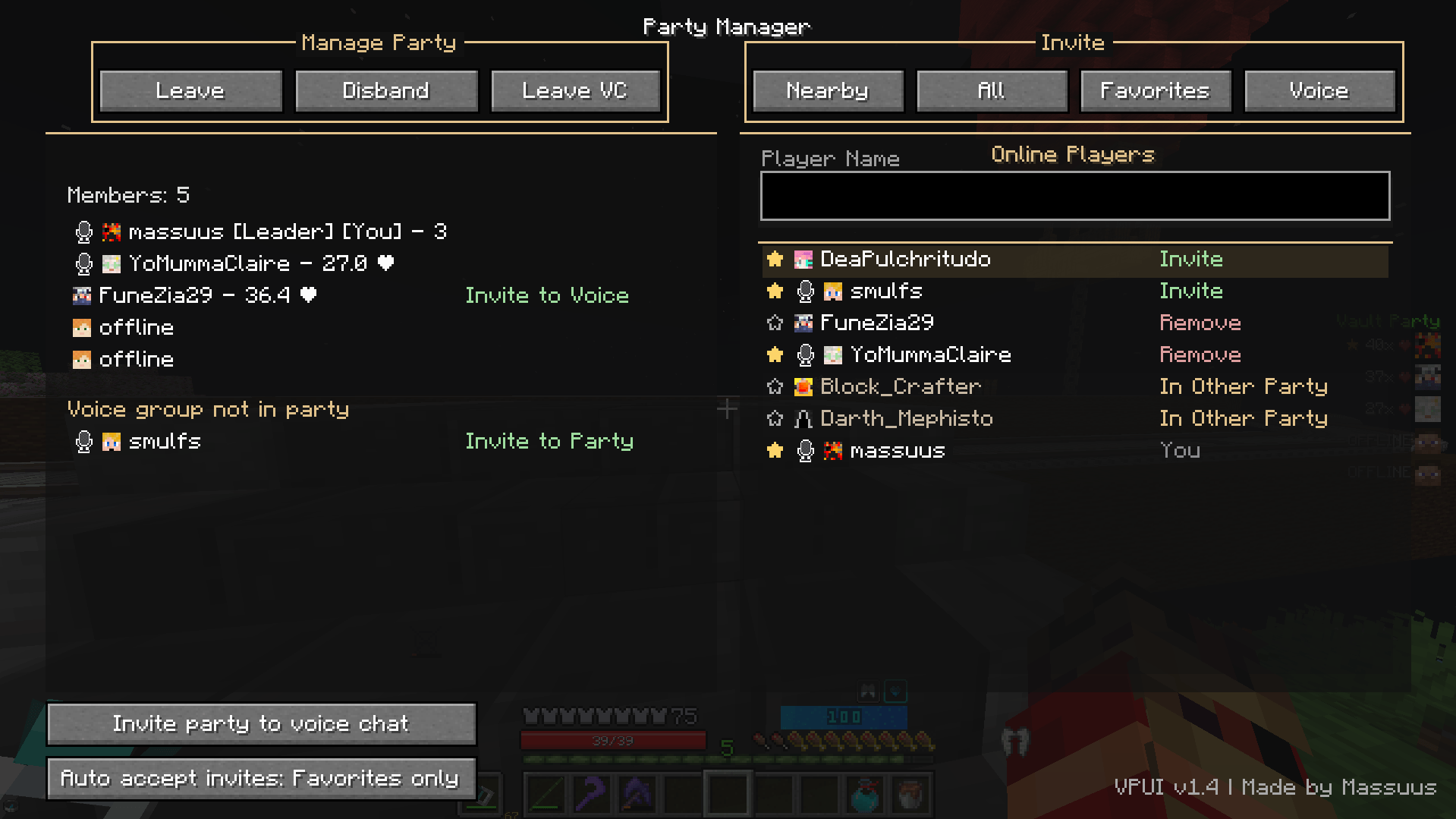
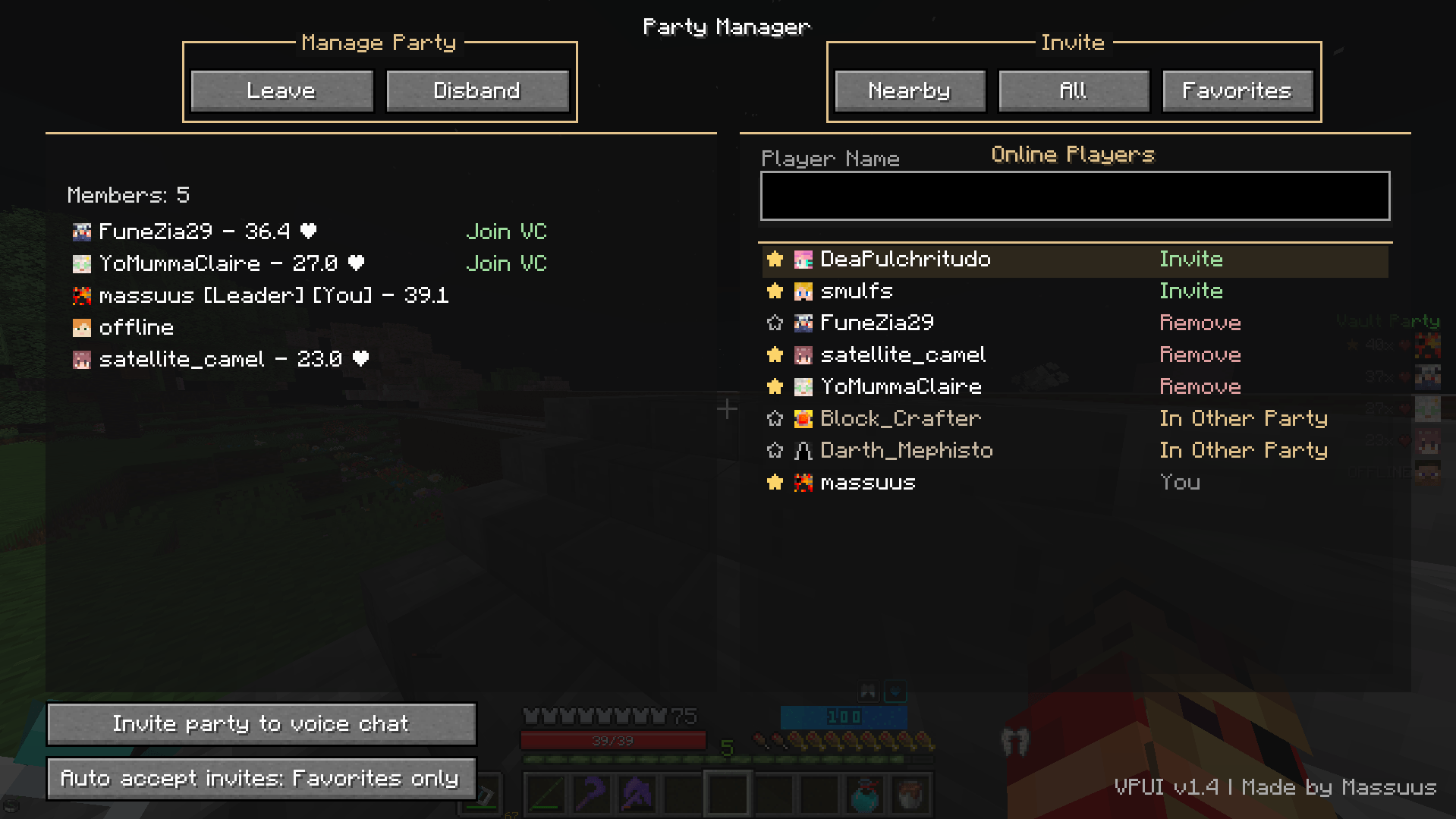
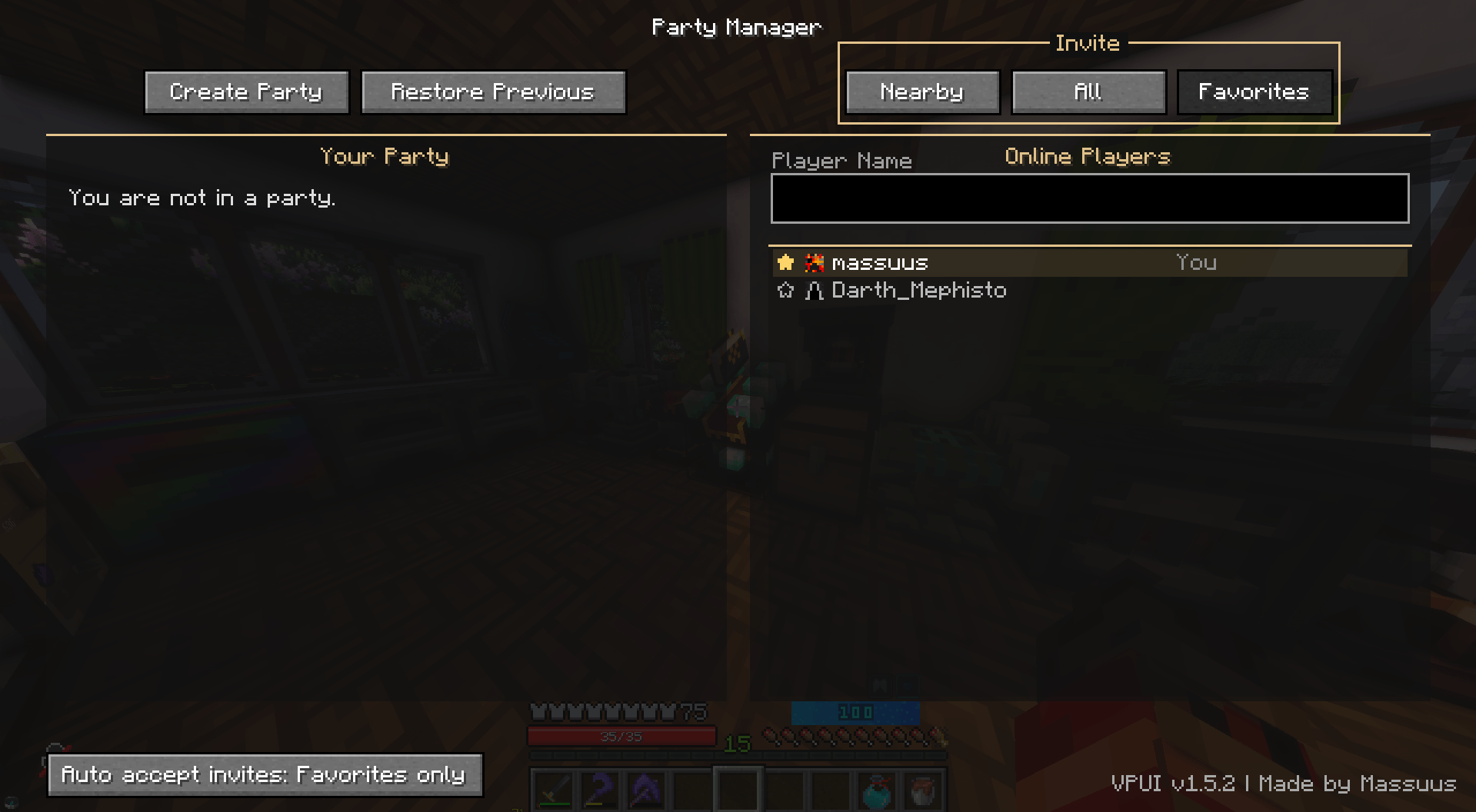
Vault Party UI is a client-side Forge mod for Vault Hunters 1.18.2 that adds a fast, focused party management screen. It brings party invites, favorites, previous-party restoration, Vault difficulty information, voice-chat integration, and party-switch requests into one convenient interface.
By default, press I to open the UI. The key can be changed in Minecraft's key-bind settings.
Features
- Open a dedicated party UI instead of typing
/partycommands by hand. - Create, leave, and disband parties with the UI.
- Invite selected, nearby, or all online players.
- Invite or remove players directly from the player list.
- Mark players as favorites and invite all available favorites at once.
- Configure auto-accept as Off, Favorites Only, or All.
- Restore your previous party and preview which players will be invited.
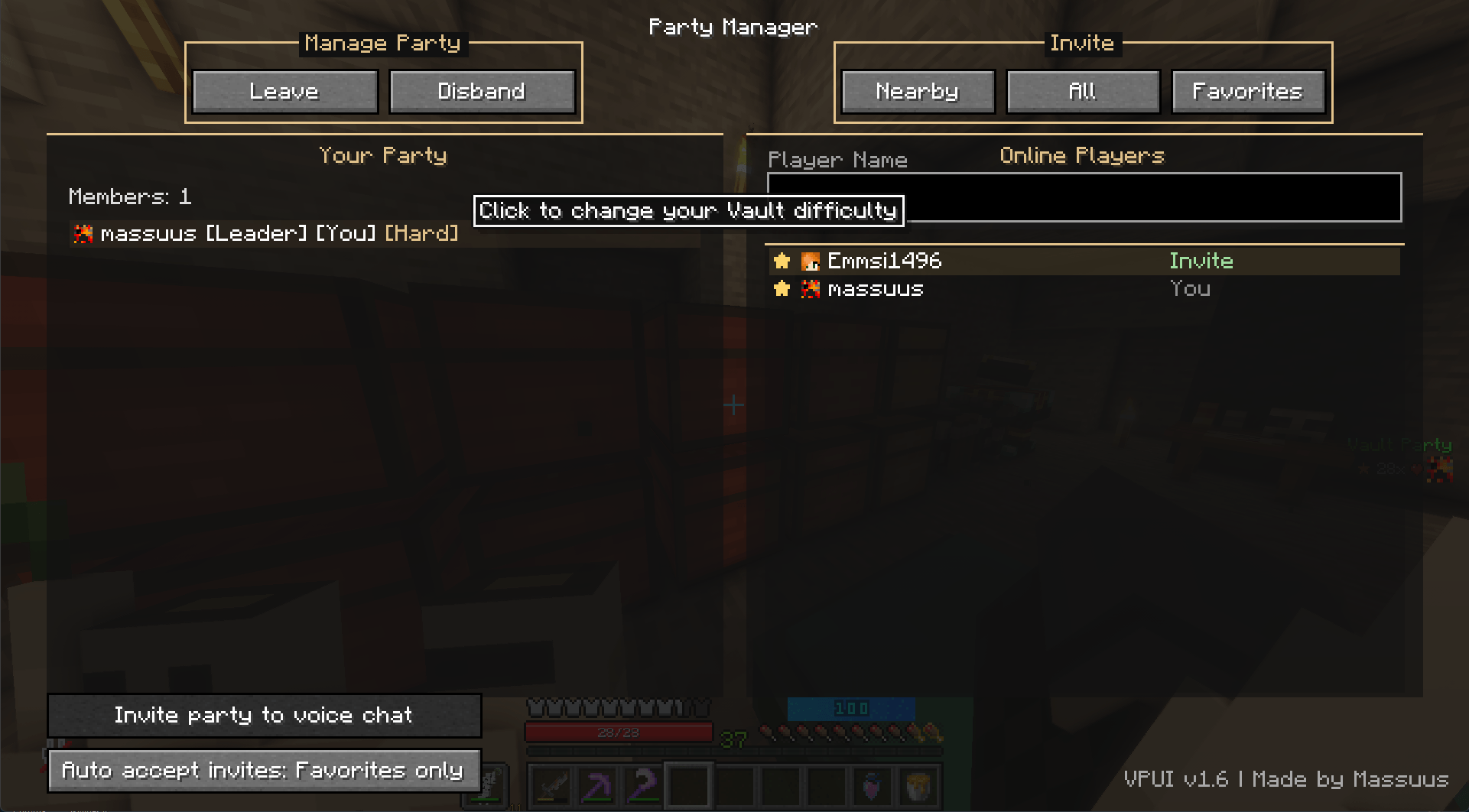
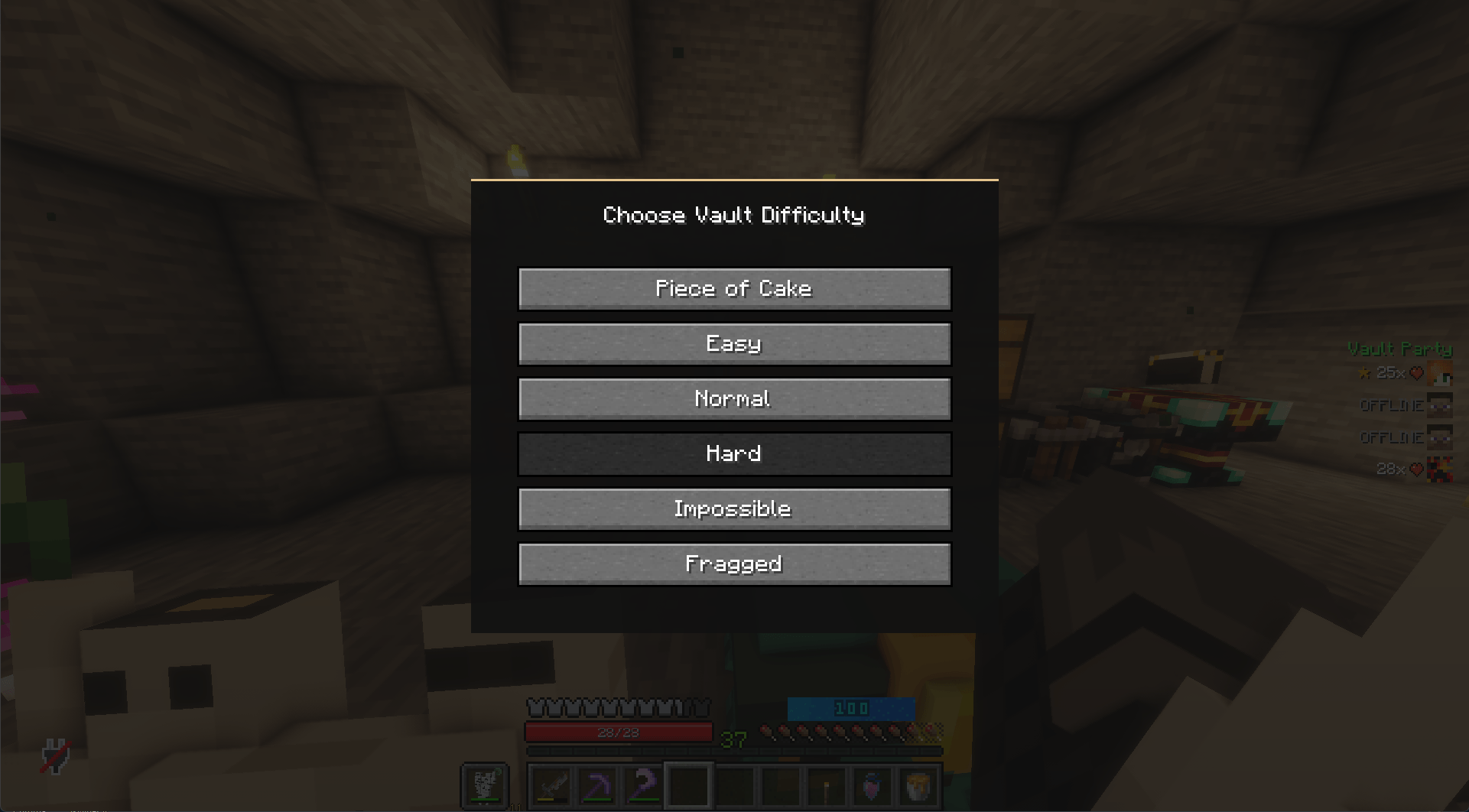
- View each online party member's local Vault difficulty.
- Click your own difficulty label to change your Vault difficulty.
- Send party-switch requests to players who are already in another party.
- Respond to supported switch requests using clickable chat actions.
- Use optional keybinds for create/invite-all, create/invite-favorites, and invite-nearby actions.
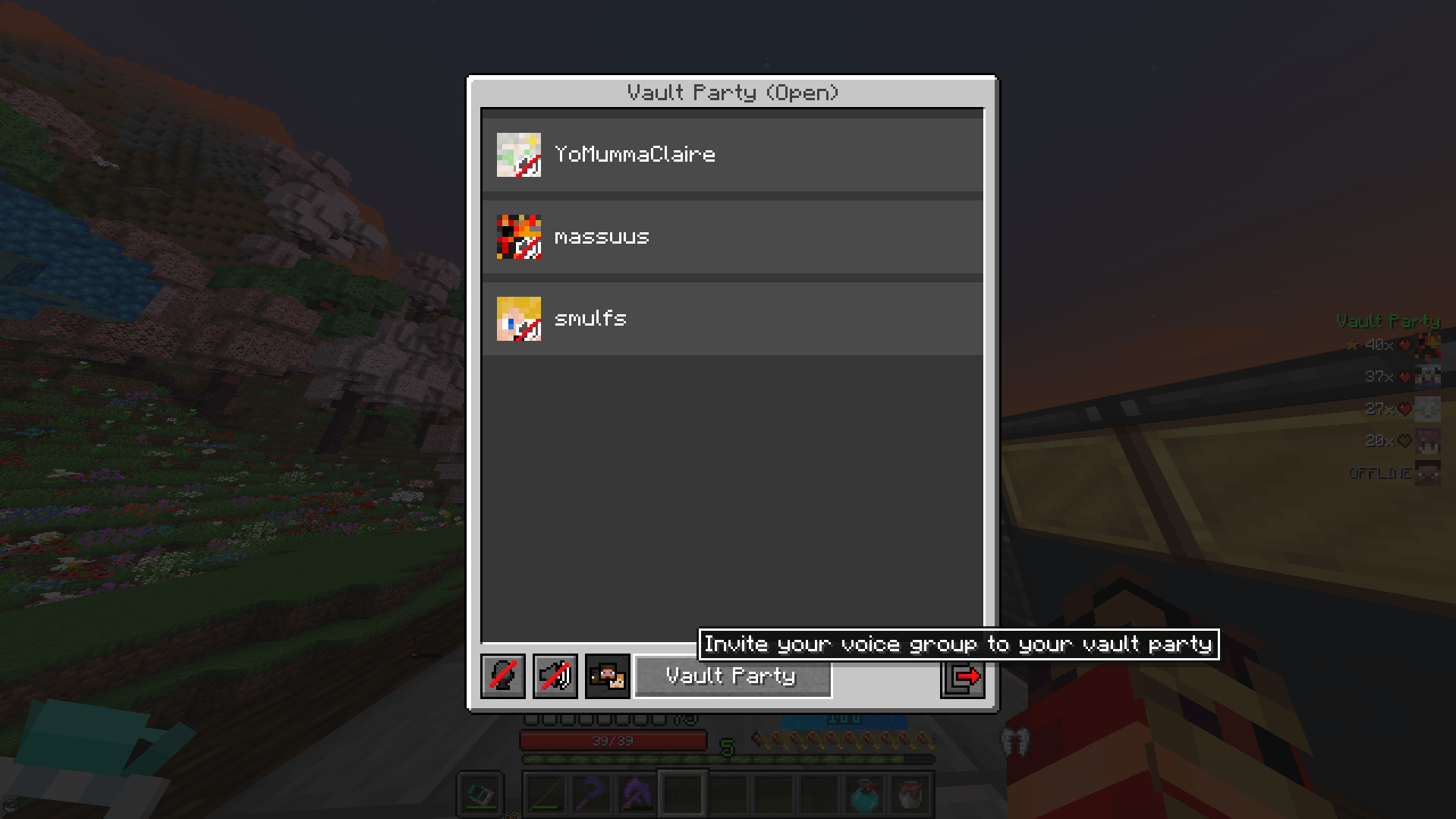
- Use optional Simple Voice Chat integration.
- Invite your voice group to your Vault party.
- Invite your Vault party to voice chat.
- See microphone icons for players in your current voice group.
Why use it?
If you play Vault Hunters with friends, Vault Party UI makes party management much less annoying. Instead of constantly typing commands, you get a dedicated interface for common party actions. Favorites, auto-accept, previous-party restoration, quick actions, and party-switch requests make repeated party setup faster.
Requirements
- Minecraft 1.18.2
- Forge 40.x
- Vault Hunters modpack
Notes
- Vault Party UI is client-side only.
- The mod does not bypass Vault Hunters' server-side party rules or permissions.
- Automatic party switching requires both players to have Vault Party UI installed.
- Players without Vault Party UI receive readable party-switch instructions through a private message.
- Party-switch requests require the server's private-message command
/msgto be enabled. - Servers that replace or heavily modify private-message formatting may interfere with automatic party-switch requests.
- Simple Voice Chat support is optional. Vault Party UI works without it.
Changelog
1.7.1
- Fixed automatic party-member difficulty lookups showing an error while inside a vault.
1.7
- Added client-only party-switch requests for players who are already in another party.
- Added clickable Switch Party and Decline actions in private chat for Vault Party UI users.
- Added a secure, expiring, one-time handshake before the real party invitation is sent.
- Added readable switch instructions as a fallback for players without Vault Party UI.
1.6
- Added each online party member's local Vault difficulty beside their name.
- Added a difficulty picker: click your own difficulty label in the party list to change it.
- Removed party-member HP values from the party list while retaining useful status indicators.
- Fixed party-member names and difficulty labels being unnecessarily clipped at larger GUI scales.
1.5.2
- Invite buttons are now available when you are not in a party; they create the party and run the invite action in one click.
1.5.1
- Added scrollable party and online-player lists so large parties no longer overflow the panels.
- Added an in-memory player name and skin cache so offline party members keep their last-seen name and head.
- Offline party members now render in gray and show
[Offline].
1.5
- Added a Restore Previous button that recreates the last remembered party and re-invites previous members.
- Added a hover preview for Restore Previous showing who will be invited.
- Added a footer update indicator that checks GitHub releases and shows an Update Available message.
- Updated the footer links so the version opens the CurseForge mod page and Made by Massuus opens the CurseForge creator page.
- Split more party-screen behavior into smaller renderer, controller, footer, snapshot, and update-checker helpers.
1.4
- Added optional Simple Voice Chat integration.
- Added voice-group actions for inviting voice-chat members to your Vault party.
- Added party-to-voice-chat invitations, including a create-voice-group screen when you are not already in a voice group.
- Added microphone indicators for players in your current voice group.
- Reworked the party panel so party members in your voice group are shown first.
- Added per-player actions to invite party members to voice chat or voice-group members to the Vault party.
- Updated the top party controls with grouped Manage Party and Invite sections.
1.3
- Added persisted auto-accept modes: Off, Favorites Only, and All.
- Added optional keybinds for quick party actions.
- Added a confirmation dialog before disbanding a party.
- Added clickable version and creator-credit links in the party screen.
- Added a built-in website confirmation flow that closes correctly after opening or cancelling.
- Replaced the party-member HP suffix with a heart glyph.
1.2.2
- Removed the
Runtime.getRuntime()fallback from the external-link handler.
1.2.1
- Fixed the accept and decline invitation buttons so they sit correctly around the Create Party button.
1.2.0
- Added favorite players with a clickable star in the online-player list.
- Added Invite Favorites to invite every available favorite player at once.
- Reworked the party-screen layout to better fit the top controls and both list panels.
- Improved the offline-player label shown in the party list.
1.1.0
- Added an auto-accept invitations toggle that works even when the screen is closed.
- Added player heads beside party and online-player names.
- Improved row states, invitation cooldown handling, and inline UI feedback.
- Refined layout spacing and removed the extra filter button and context text.
- Split party-screen logic into helper classes to keep the main screen file smaller.
1.0.0
- Initial release of Vault Party UI.
- Added the party-management screen, keybind, and core invitation and removal actions.
Vault Party UI - Vault Hunters Addon Team