promotional bannermobile promotional banner

Variant Swap

Quickly cycle through block and item variants by holding a key and scrolling your mouse wheel (works with mods too!)
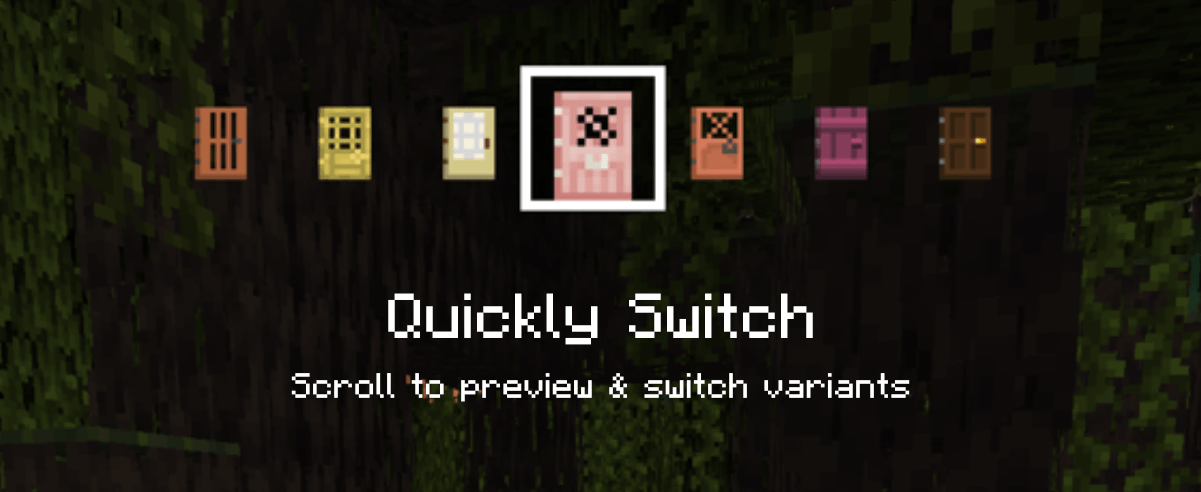
Scroll to preview & switch variants
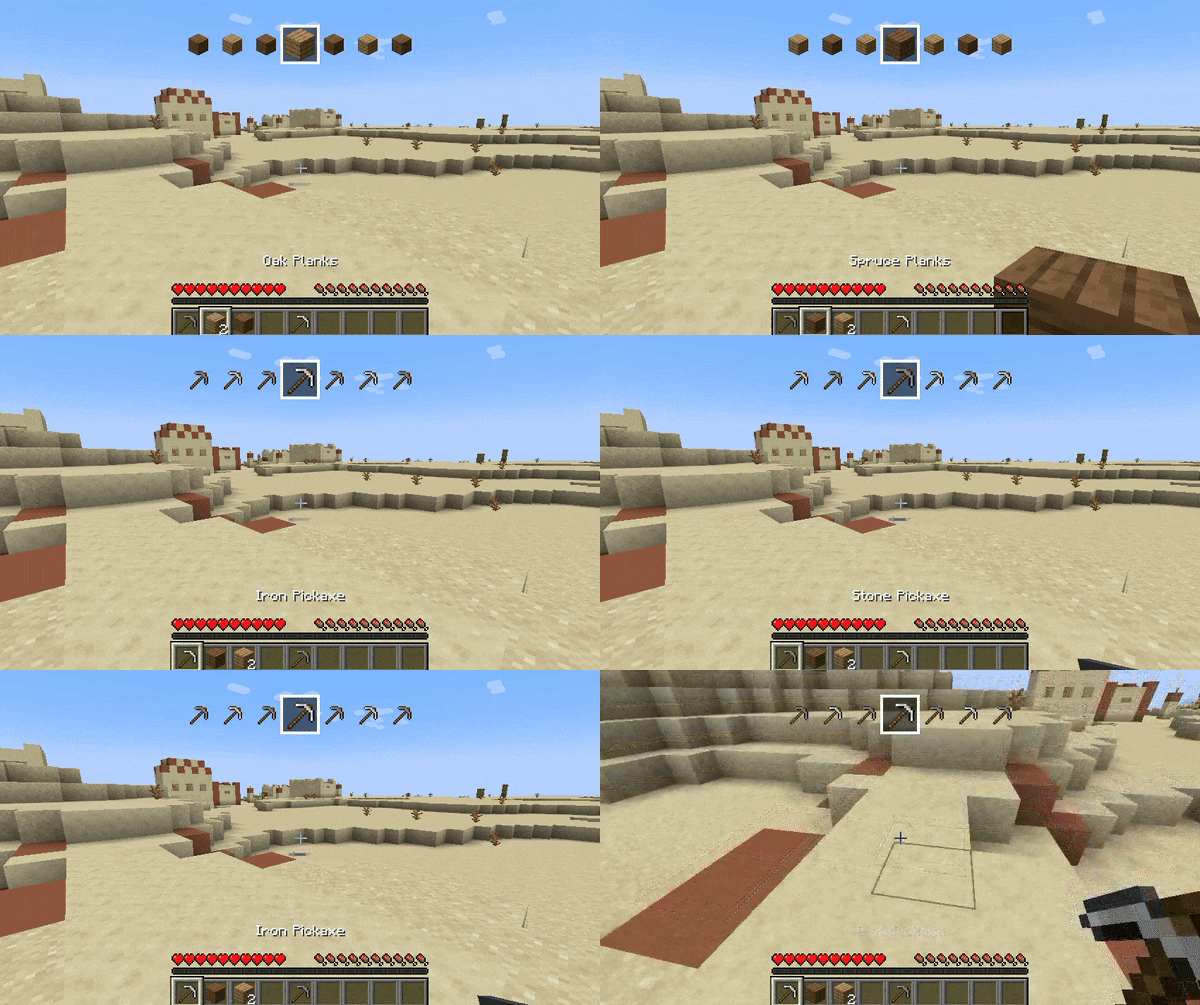
Scroll to preview & switch variants

Of course it works with items not only from your hotbar but from your whole inventory, for demonstration purposes I only had items in the hotbar though.
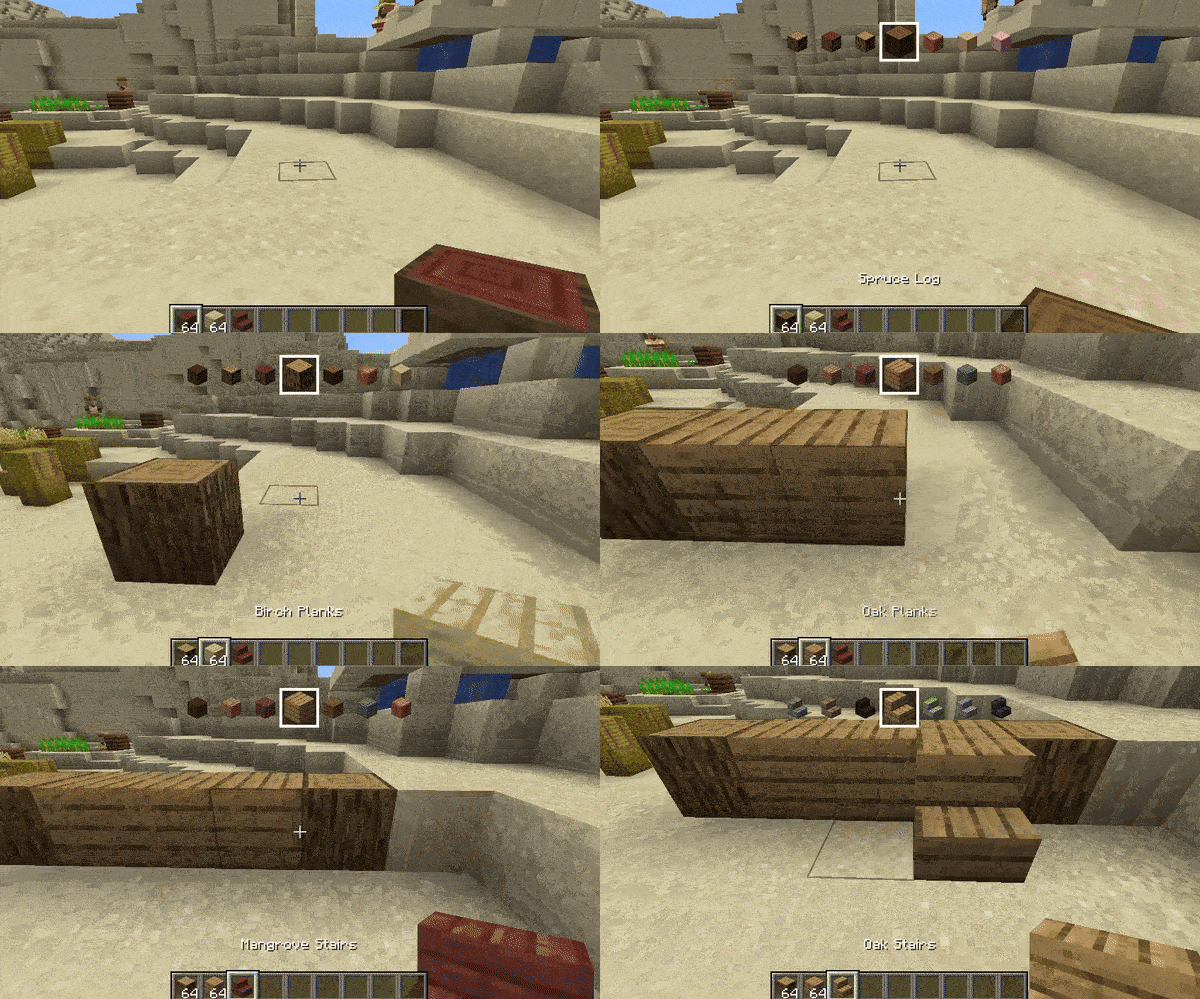
Of course it works with items not only from your hotbar but from your whole inventory, for demonstration purposes I only had items in the hotbar though.

And before you can ask - yes you can scroll both forward or backwards if you wanna go back :d!

And before you can ask - yes you can scroll both forward or backwards if you wanna go back :d!

Description

bc25

Variant Swap is a mod that lets you change the variant of the item you're holding by using a customizable key (Z by default) and scrolling. When you scroll, you'll also see at the top of the screen a quick preview of what's before and after the selected item (for a few seconds).

In Creative mode, you can switch through every available variant of the item, while in Survival mode it only shows items you have in your inventory. It works with both vanilla and modded items!

Variant Swap Showcase

Customization

The mod's generated mappings and configuration file are located in your Minecraft (or server) folder under /config/Variant Swap/.

Available settings in config.json:

  • OP level (4 by default) - for the /variant-swap command
  • Delay (50ms by default) - this is to throttle the scrolling

On servers it is recommended to change the OP level as desired. The /variant-swap command can be used to reset the delay (cooldown) to its default value or to change it to another value (still in ms).

For Developers

If your mod adds items or blocks and you want to organize them into specific custom categories, add a variant_swap tag to each item/block. This tag will determine the group in which the item is categorized.

For example, imagine you have a mod that adds various furniture items, and you want to categorize them by wood type instead of grouping all chairs together. You could tag all oak items with variant_swap:oak (so oak or whatever you wanna call the category), all spruce items with variant_swap:spruce, and so on.

The Variant Swap Team

profile avatar
Owner
  • 10
    Followers
  • 12
    Projects
  • 8.5M
    Downloads

More from DoojiView all

  • Underlay project image

    Underlay

    • 6.7M
    • Mods

    Place any block (such as carpets) inside anything!

    • 6.7M
    • April 30, 2026
    • Mods
    • +2
  • Lower My Paths and Slabs! project image

    Lower My Paths and Slabs!

    • 2.4K
    • Mods

    Lowers blocks on top of anything (such as slabs). Configurable and toggleable!

    • 2.4K
    • March 1, 2026
    • Mods
    • +1
  • PSX-Core Shader project image

    PSX-Core Shader

    • 113.6K
    • Shaders

    A PSX shader with affine texture mapping, dithering, vertex snapping and more!

    • 113.6K
    • February 21, 2026
    • Shaders
    • +1
  • Gingerbar project image

    Gingerbar

    • 54
    • Resource Packs

    Gingerbread your UI!

    • 54
    • December 27, 2025
    • Resource Packs
    • +1
  • Underlay project image

    Underlay

    • 6.7M
    • Mods

    Place any block (such as carpets) inside anything!

    • 6.7M
    • April 30, 2026
    • Mods
    • +2
  • Lower My Paths and Slabs! project image

    Lower My Paths and Slabs!

    • 2.4K
    • Mods

    Lowers blocks on top of anything (such as slabs). Configurable and toggleable!

    • 2.4K
    • March 1, 2026
    • Mods
    • +1
  • PSX-Core Shader project image

    PSX-Core Shader

    • 113.6K
    • Shaders

    A PSX shader with affine texture mapping, dithering, vertex snapping and more!

    • 113.6K
    • February 21, 2026
    • Shaders
    • +1
  • Gingerbar project image

    Gingerbar

    • 54
    • Resource Packs

    Gingerbread your UI!

    • 54
    • December 27, 2025
    • Resource Packs
    • +1