Typing Animation
- By
Typing Animation
A little motion in every keystroke.



Give Minecraft's text a little personality. Letters animate in and out, edits glide into place, and the cursor follows smoothly — in chat, commands, search fields, signs and hanging signs. Once letters settle, their vanilla appearance returns.
Fabric · Forge · NeoForge · English & Russian · No Fabric API required
▸ Type. Edit. Enjoy.
Insert a word, erase a sentence or paste a message. Text shifts smoothly, while pasted text and autocomplete unfold letter by letter.
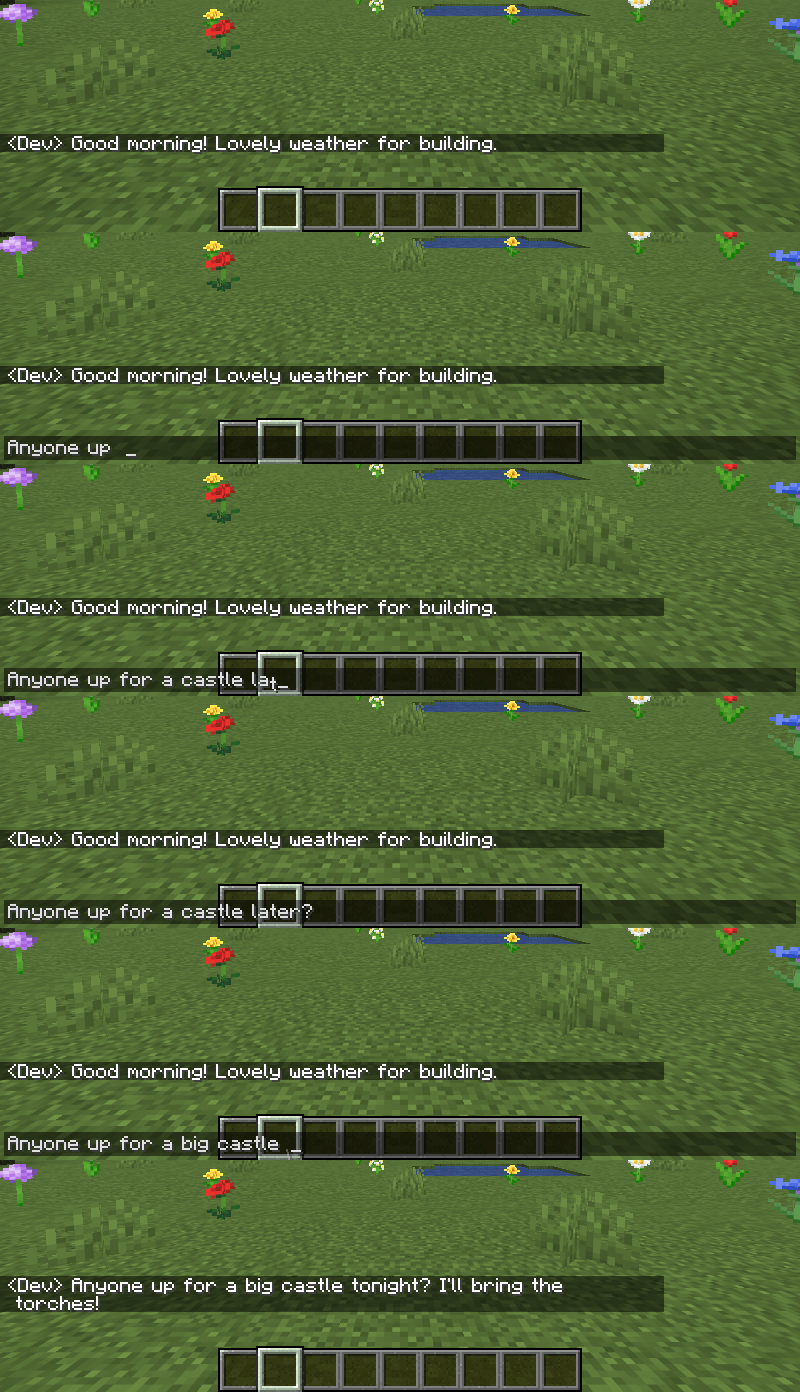
✦ Find your favourite motion
| Appearance | Removal | Timing |
|---|---|---|
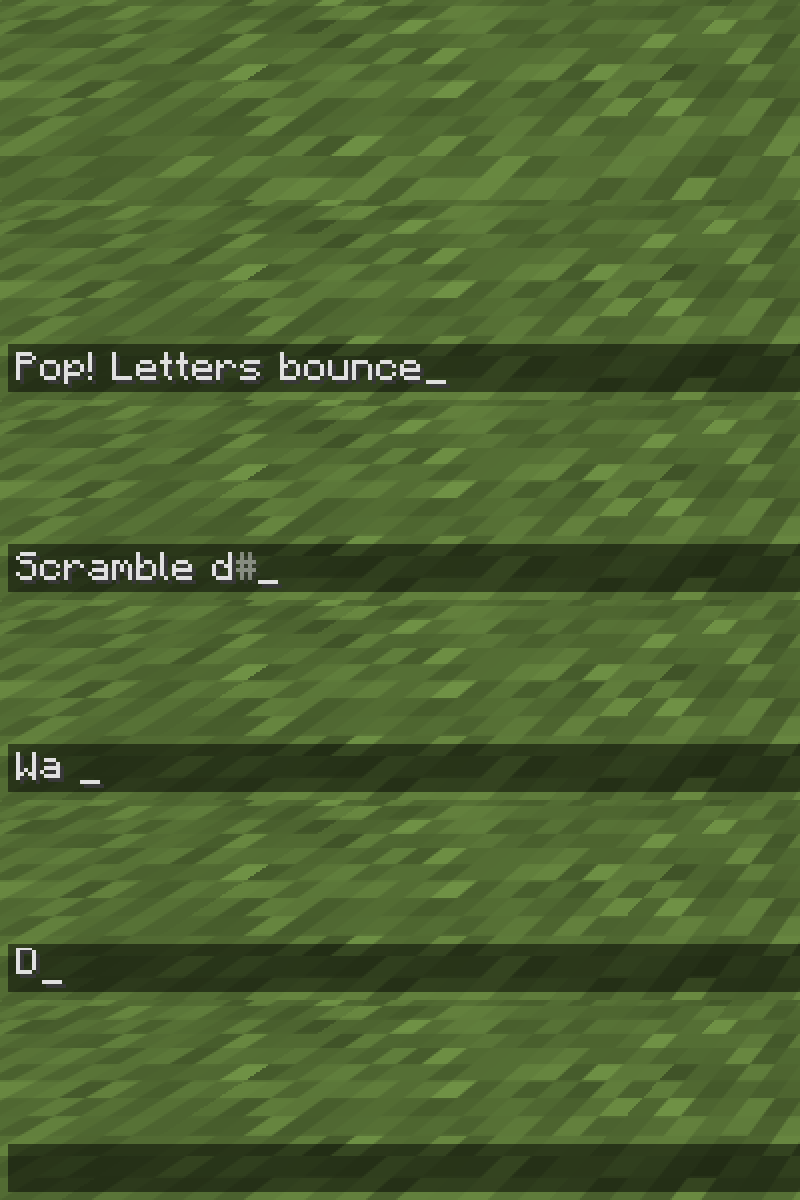
| 17 effects + Off | 10 effects + Off | 10 easing curves + Auto |
| Pop, Wave, Scramble, Flip, Swing, Roll, Spiral and more | Fade, Fall, Scatter, Spin, Squash and more | Separate duration and intensity; adjustable stagger and text glide |
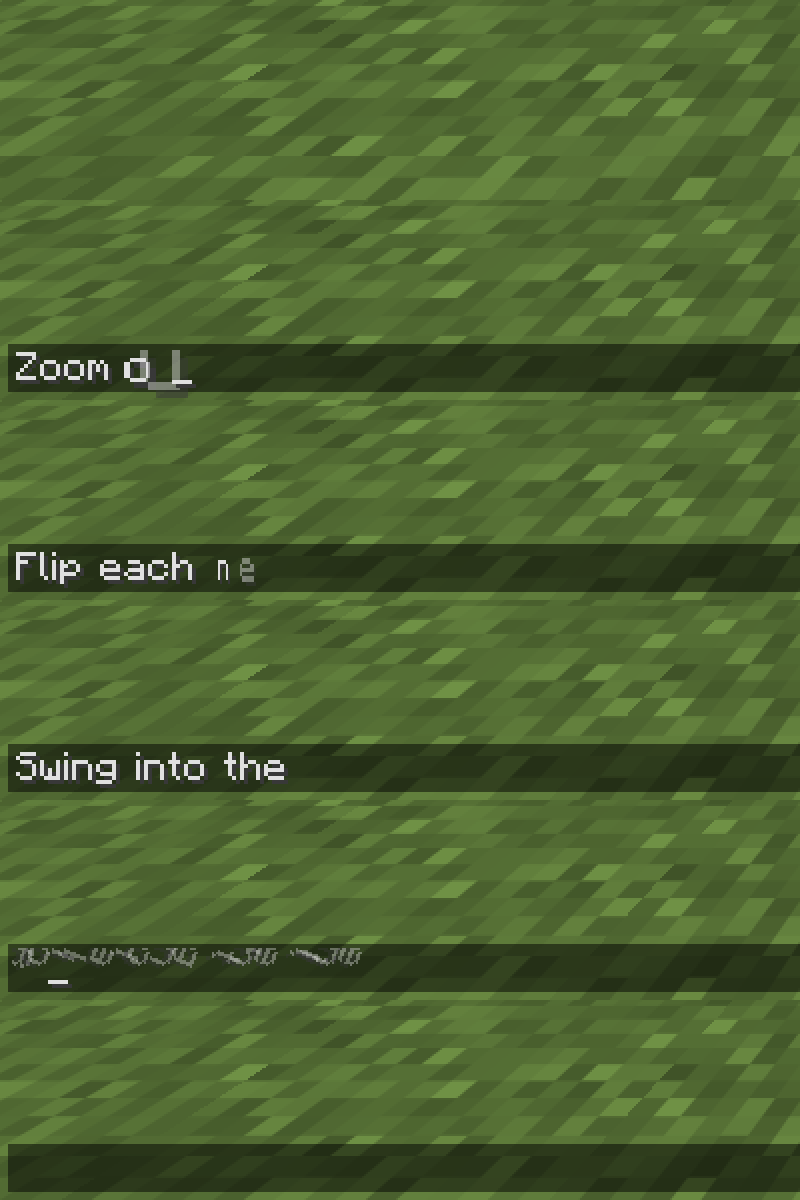
New in 1.1: Slide Right, Zoom Out, Flip, Swing, Roll and Spiral — with five new ways for letters to disappear.
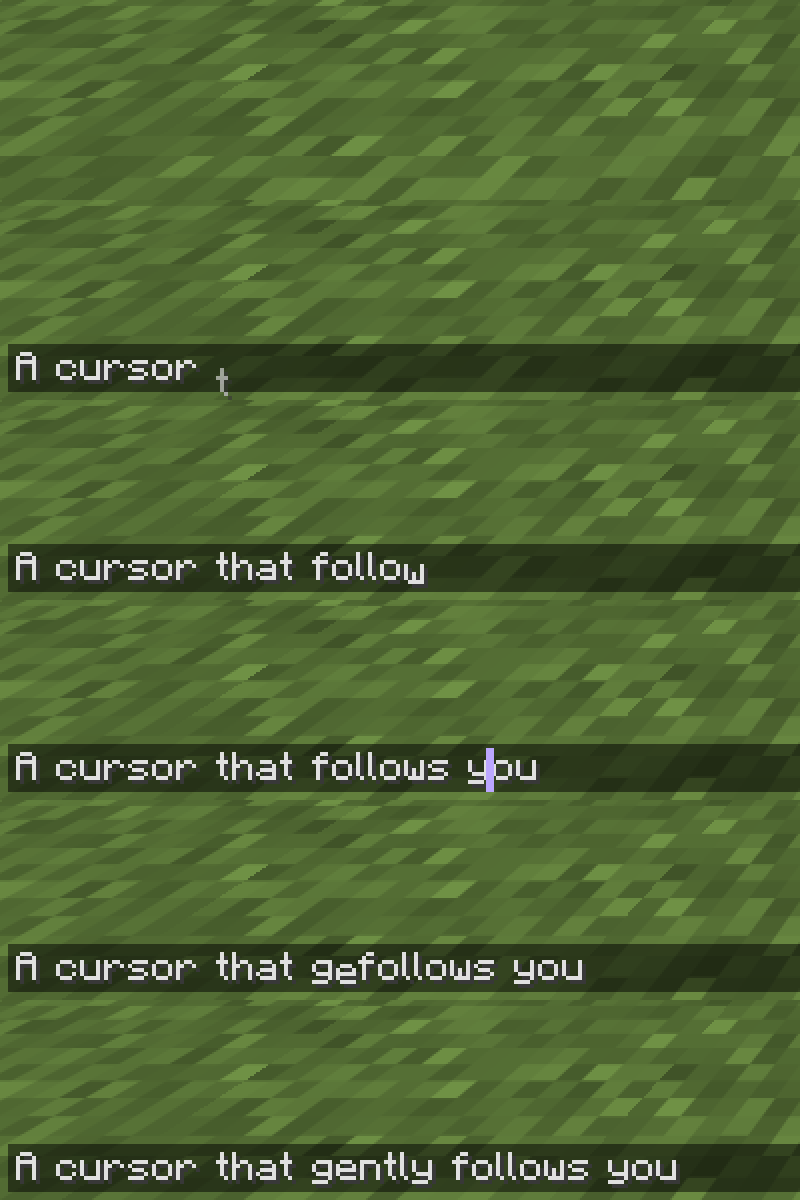
│ A cursor that follows you
Smooth horizontal and vertical movement, with its own speed setting. Keep the vanilla cursor or choose a bar, underline or translucent block; pick a colour and thickness to match your style.
▣ Leave a sign
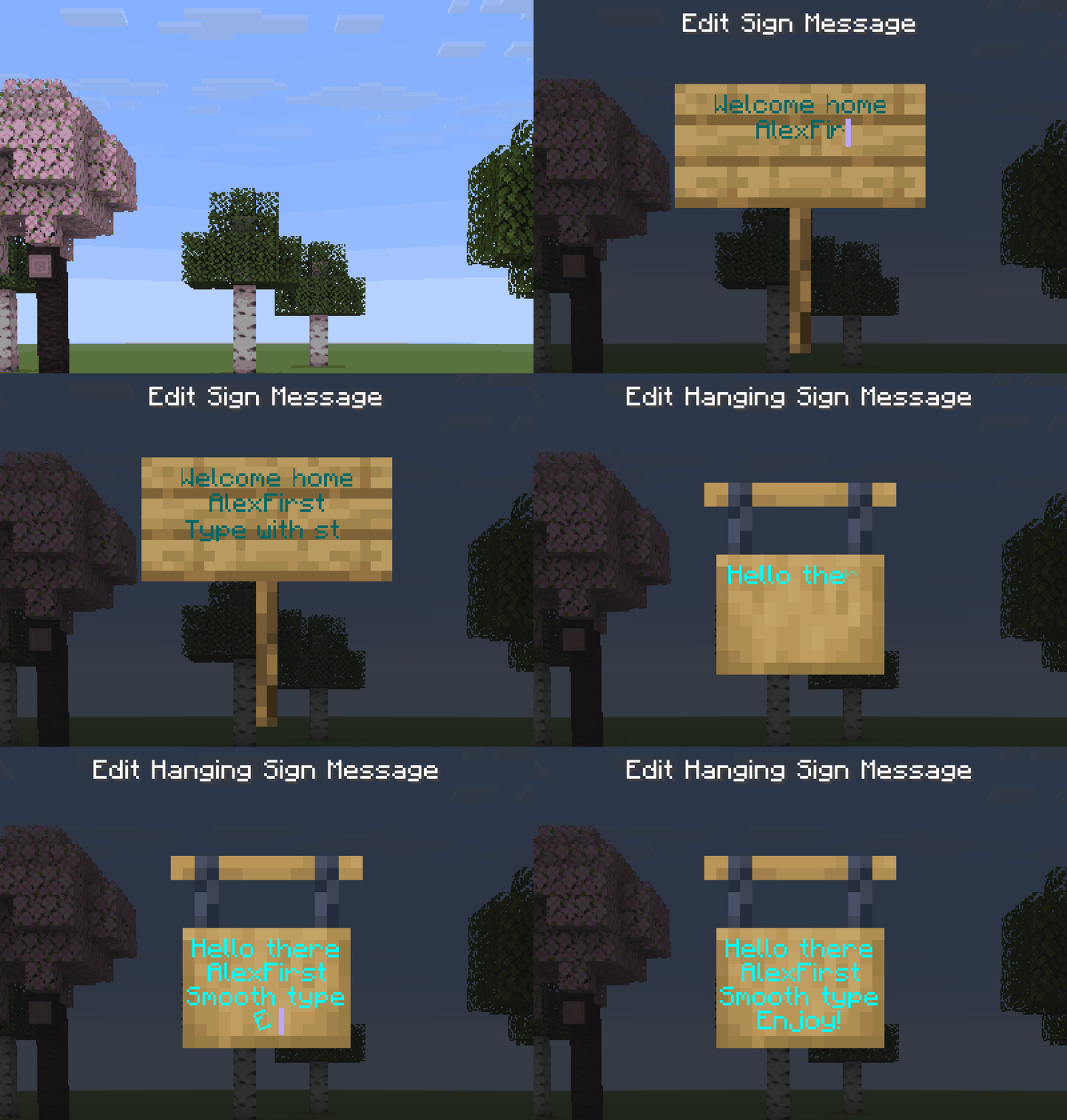
The same animations now work while editing ordinary and hanging signs, across all four lines. Text colours, glowing text and normal editing controls stay intact.
⚙ Make it yours
Three tidy settings tabs: Animations · Cursor · Where to animate. Tune appearance and removal separately, cap paste delays, choose where animations run, and try everything in the live preview with Demo.
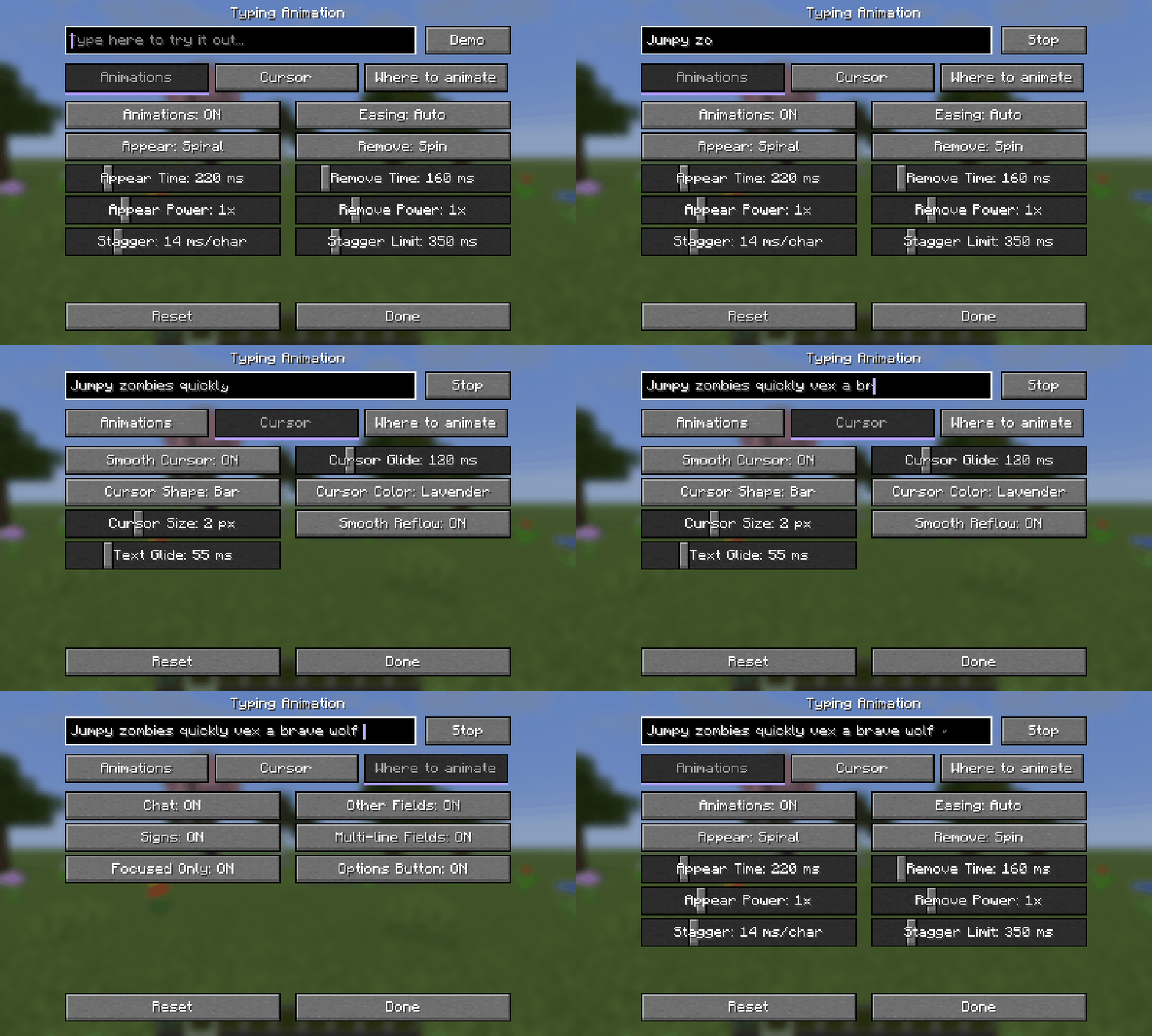
Open Options → Typing Animation…, the Config button in Forge/NeoForge's mod list, or Mod Menu on Fabric. Changes apply immediately. Settings are saved in config/typinganimation.json.
/ Commands keep their colours
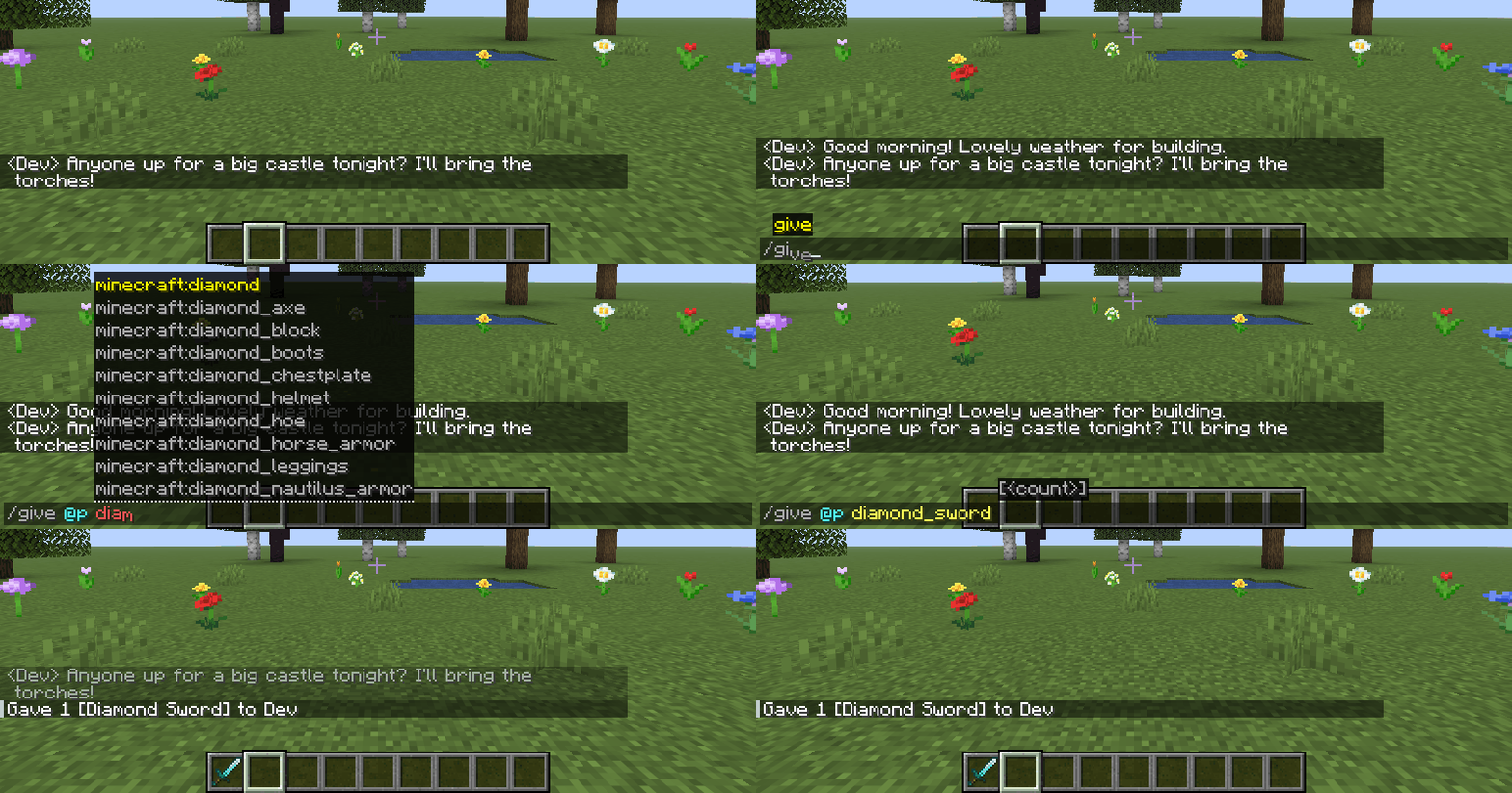
Syntax highlighting stays intact while typing and completing commands with Tab.
Install & recommended companion
Download the JAR for your Minecraft version and loader, then put it in mods. Install on your client; the server does not need the mod. Fabric API is not required.
Recommended for Fabric/Quilt: Mod Menu — opens the settings directly from your mod list. It is an optional dependency: Modrinth · CurseForge.
Minecraft: 1.20–1.20.1 · 1.21–1.21.1 · 1.21.4 · 1.21.5 · 1.21.6–1.21.8 · 1.21.9–1.21.10 · 1.21.11 · 26.1–26.1.2 · 26.2 · 26.3.
Use the Forge file on NeoForge 1.20.1. Quilt support is limited to the Fabric files specifically tagged Quilt. Book input is supported from Minecraft 1.21.6. Mods replacing the standard text renderer may conflict.
Made by AlexFirst · Source code on GitHub · MIT · Modpacks welcome.
🇷🇺 Коротко на русском
Плавный набор в чате, командах, поиске и обычных и подвесных табличках. 17 эффектов появления, 10 эффектов удаления, отдельные длительность и интенсивность, 10 кривых плавности и «Авто».
Курсор плавно движется по горизонтали и между строками. Настраиваются его скорость, цвет, толщина и форма: обычный, палка, подчёркивание или полупрозрачный блок. Три вкладки настроек, живой предпросмотр и «Демо» помогают подобрать свой вариант.
Настройки → Анимация ввода…. Для Fabric/Quilt рекомендуем Mod Menu по ссылкам выше; зависимость необязательная. Мод только клиентский, Fabric API не нужен. Цвета команд сохраняются, книги поддерживаются с 1.21.6. Автор — AlexFirst.
Typing Animation Team