ThrowableMobs
- By
Pick up a mob. Charge. Throw. Throwable Mobs turns every mob into a projectile, with a trajectory preview that shows exactly where it lands and mobs that react the way they should when they hit something.
Pick up a mob. Charge. Throw. Throwable Mobs turns every mob into a projectile, with a trajectory preview that shows exactly where it lands and mobs that react the way they should when they hit something.



Throwing
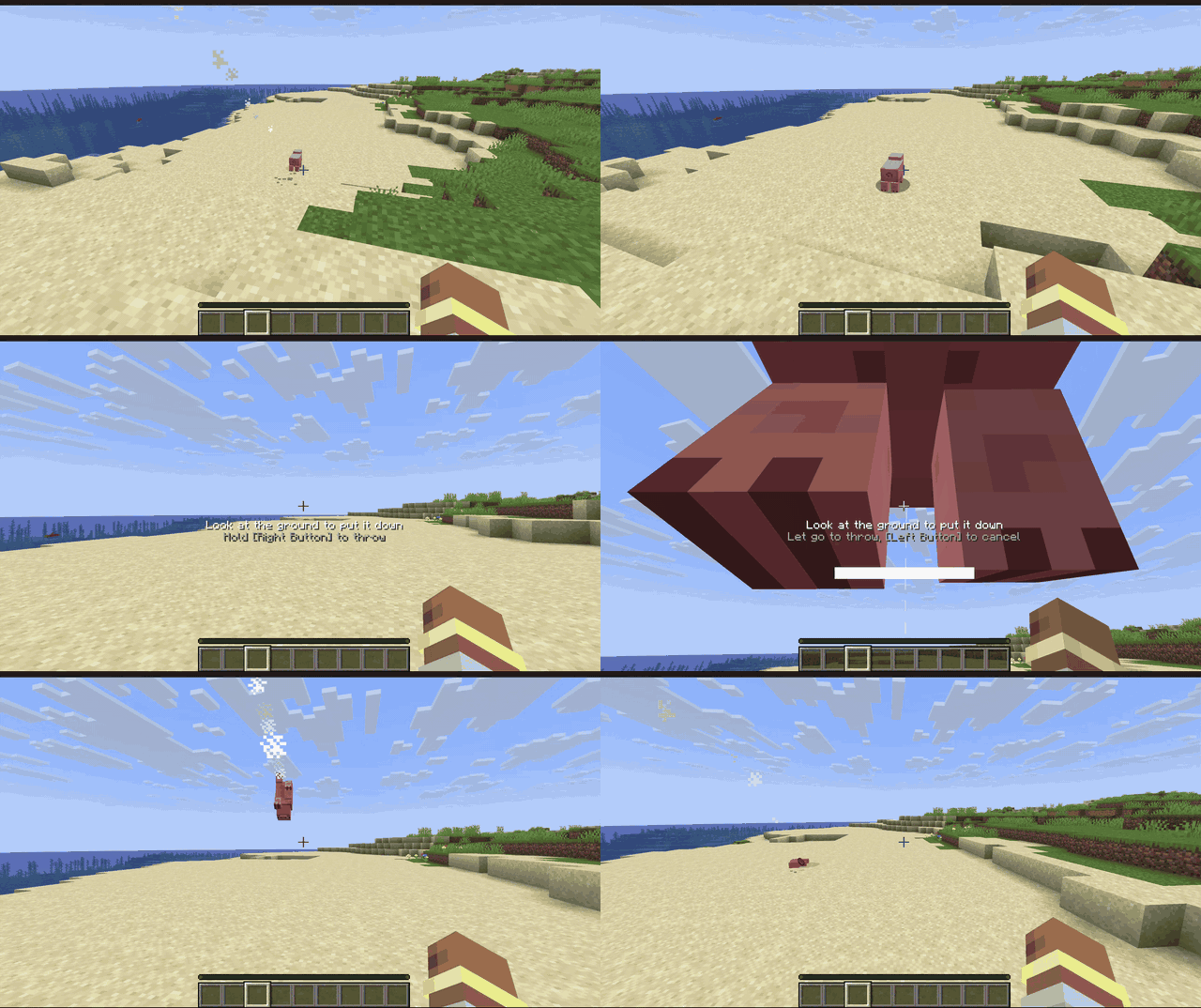
- Charge it like a bow. Hold to charge, let go to throw. A charge bar fills up and an arc shows where the mob will land, bounces included.
- Weight matters. Chickens fly far, cows barely leave your hands, and heavy mobs slow you down while you carry them. Sprinting adds to the throw, Strength makes it harder.
- Impacts hurt. Damage comes from the collision, split by mass between the mob and what it hits, with knockback. Kills count as yours.
Every mob reacts
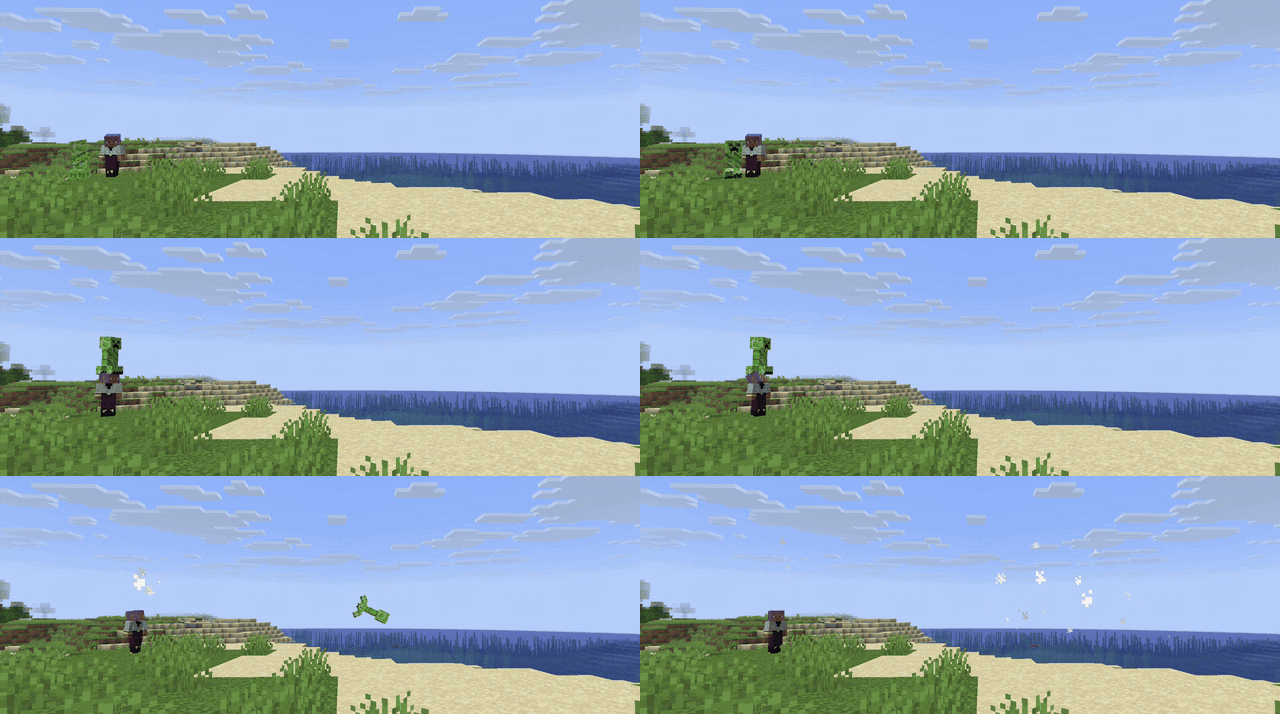
- Creepers explode on impact.
- Endermen teleport away, then come for you.
- Slimes and magma cubes bounce and split.
- Blazes and magma cubes set things on fire.
- Chickens float down and lay eggs.
- Modded mobs act like the vanilla mob they're built on (a modded creeper explodes), and weigh what their size says.
Catch
Thrown mobs can be caught mid-air: an outline shows which ones you can grab. Throw a creeper to a friend and hope they're paying attention.
And also
- Sounds, particles and a flight trail.
- 8 advancements in their own tab.
- Carry mobs on your head and put them down where you look. Bosses and other players' pets stay put.
Controls
| Action | Default |
|---|---|
| Pick up / put down | Left Shift + Right Click |
| Throw | Hold Right Click while carrying, let go to throw |
| Cancel throw | Left Click while charging |
Rebind them under Controls → Throwable Mobs, or type /throwablemobs keybinds.
Requirements
Install on both the client and the server. Optional mods are client only.
| Minecraft 1.21.1 | Minecraft 26.3 | |
|---|---|---|
| Fabric, required | Fabric Loader 0.16.0+ Fabric API 0.109.0+ Forge Config API Port 21.1.0+ |
Fabric Loader 0.19.5+ Fabric API Forge Config API Port 26.3.1+ |
| NeoForge, required | NeoForge 21.1.197+ | NeoForge 26.3.0.95+ |
| Optional (both loaders) | YACL 3.8.2+: a nicer settings screen | YACL 3.9.7+: a nicer settings screen |
Tested with
| Mod | Minecraft | Loader | Result |
|---|---|---|---|
| YACL 3.8.2 | 1.21.1 | Fabric, NeoForge | Works: the settings screen is YACL's |
| YACL 3.9.7 | 26.3 | Fabric, NeoForge | Works. On NeoForge, a warning about YACL's logoFile shows at startup; that's YACL's own metadata (fix pending), click Proceed |
| Carry On | 26.3 | Fabric | Works. Both use Left Shift + Right Click: Carry On does the picking up and a chat message explains how to rebind ours |
| Carry On 2.12.0 | 26.3 | NeoForge | Carry On itself doesn't load on NeoForge 26.3 (its own bug) |
Found a mod that doesn't work with it? Open an issue.
Design, physics model, behavior API and roadmap: THROWABLE_MOBS.md
Commands
| Command | What |
|---|---|
/throwablemobs help |
Lists the commands |
/throwablemobs config |
Opens the settings |
/throwablemobs keybinds |
Opens Controls |
/throwablemobs profile <mob> |
Shows a mob's throw values (operators) |
For servers, packs and mods
- Server config (synced to players): throw strength, bounciness, damage, behaviors.
- Client config (in game): prompt, charge bar, trajectory style, flight pose.
- Datapacks: set every number and behavior per mob with mob profiles and tags.
- Java API: other mods can add their own behaviors.
Compatibility
- Carry On: both mods use Left Shift + Right Click. With both installed, Carry On does the picking up and a chat message tells you; rebind the Throwable Mobs keys to use both.
- Fabric needs Fabric API and Forge Config API Port. NeoForge needs nothing extra.
Beta
This is the first release. Bugs and ideas: GitHub issues.
ThrowableMobs Team