

![Hot Swap [Fabric] logo](https://media.forgecdn.net/avatars/thumbnails/731/785/64/64/638083361052547459.png)
Description
Hot Swap
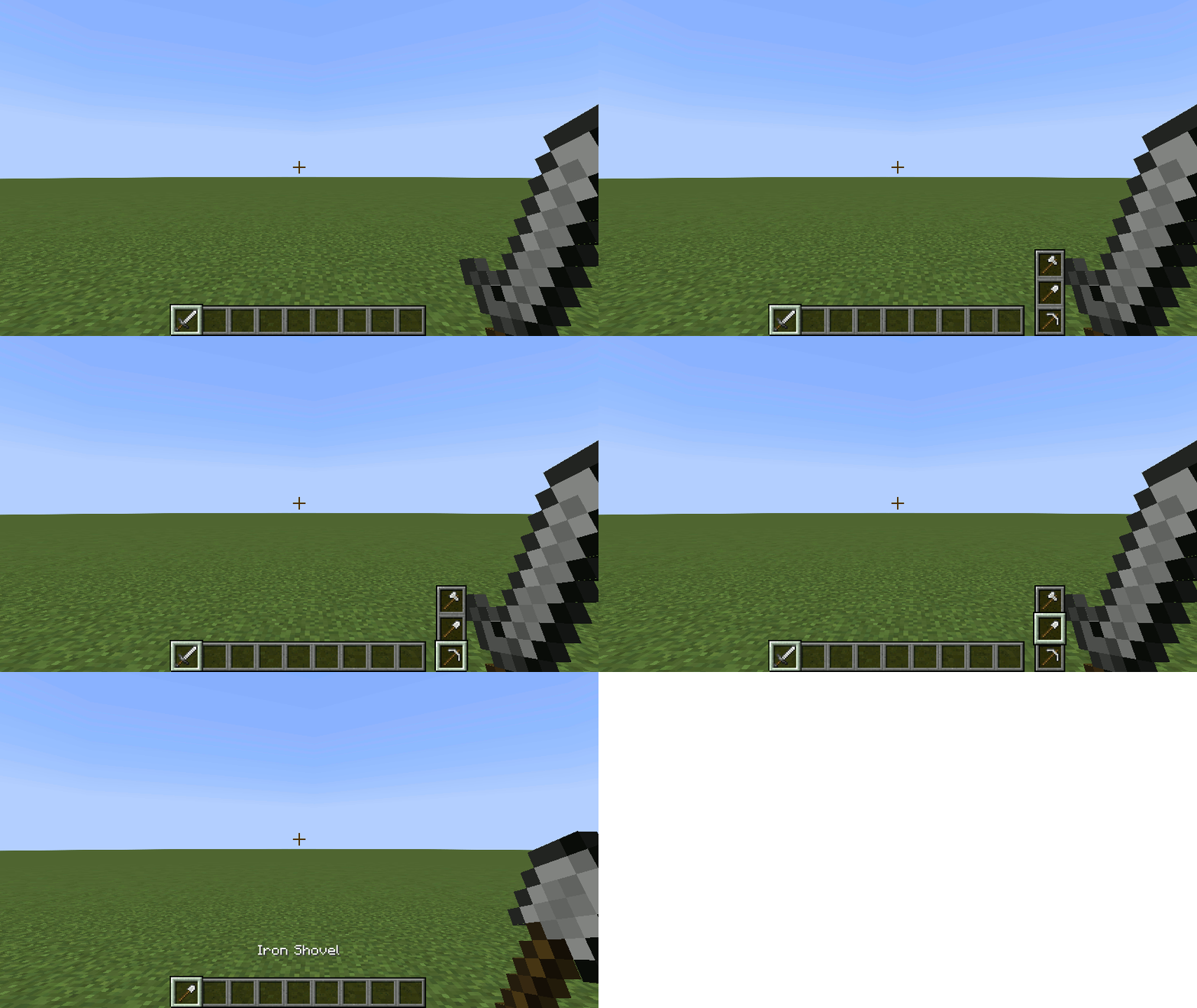
Swap hotbar items while on the move.
Adds a simple widget for hot swapping items.
See the wiki for video demos and complete details.
Inventory Hot Swap
Players may swap their hotbar items without having to open the inventory by holding down the Hot Swap key (default: _left alt_) and scrolling with the mouse wheel.
Equipment Hot Swap
Players may equip heads by right-clicking it. This feature will work for Carved Pumpkin, and any vanilla heads and skulls.
For Minecraft versions 1.19.3 and below, armor equipment may also be swapped by right-clicking it.
Item Hot Swap Settings
The position of the widget, selection type, and indexing may be changed in the options menu.
Game Rules
Inventory and/or equipment hot swapping can be enabled/disabled by setting the respective game rule.
Required Mods
Other Mods by Author
- Dream Dimension - Sends players sleeping in bed to a creative dimension.
- Sleep Config - Adds sleep-related game rules like disabling skipping the night and sleeping in bed with nearby monsters.
- Spike Trap - Adds spike traps, false floors, and trap floors.
- Torch Burnout - Makes torches, campfires, lanterns, and candles burn out and revert to its unlit state.
The Hot Swap [Fabric] Team

![Dream Dimension [Fabric] project image](https://media.forgecdn.net/avatars/thumbnails/667/890/256/256/638062666578453591.png)
![Torch Burnout [Fabric] project image](https://media.forgecdn.net/avatars/thumbnails/660/185/256/256/638059315466139202.png)
![Sleep Config [Fabric] project image](https://media.forgecdn.net/avatars/thumbnails/659/154/256/256/638059270102873476.png)
![Spike Trap [Fabric] project image](https://media.forgecdn.net/avatars/thumbnails/687/663/256/256/638069874049061963.png)