Block Band
- By
A co-op rhythm game: play guitar, bass, drums, keys or sing, solo or in a band with friends.
4_guitar_concert_camera.png
5_song_list.png
6_band_screen.png
7_results.png
1_guitar_overdrive.png
Description

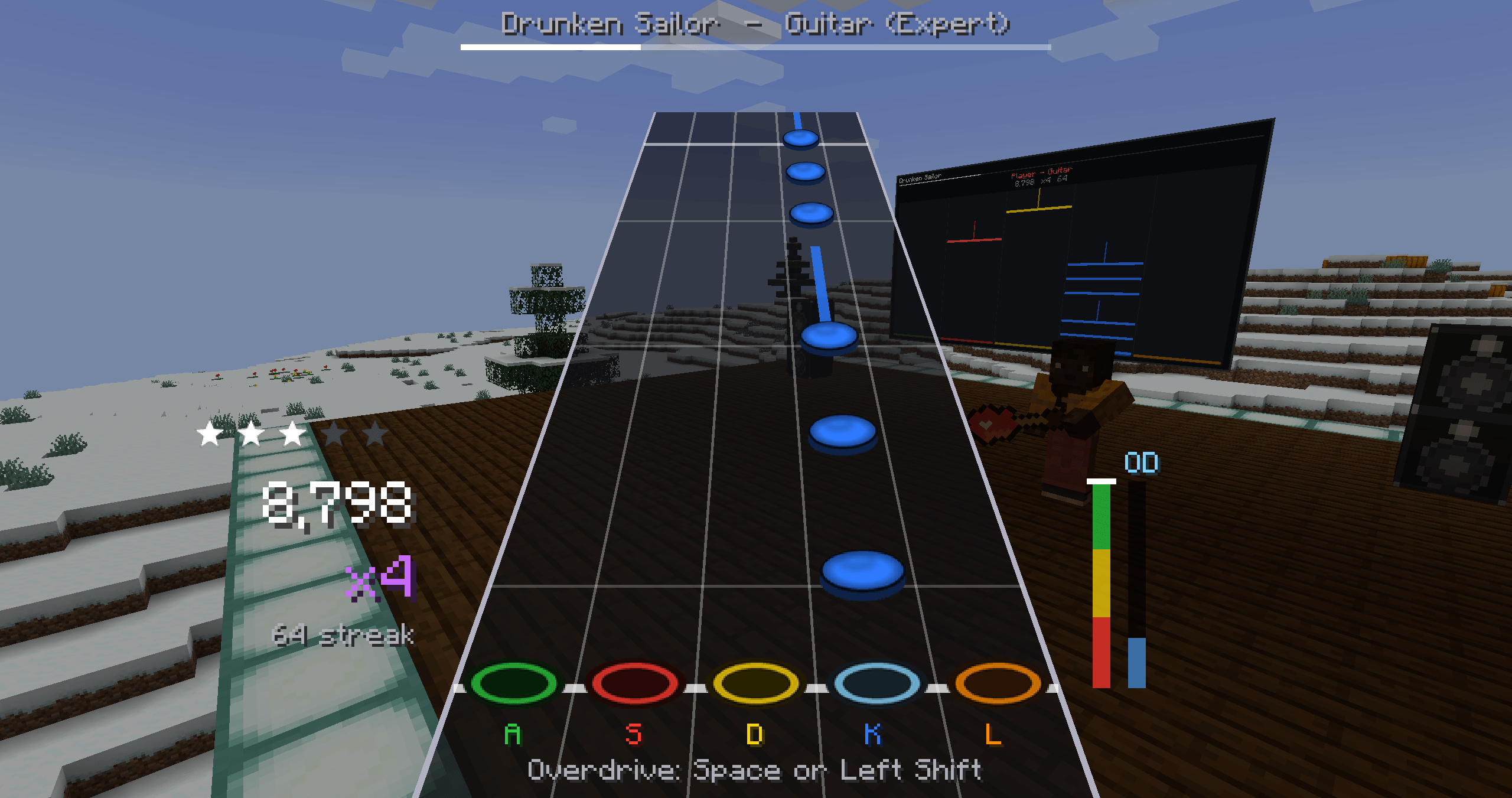
A co-op rhythm game in Minecraft. Pick up a guitar, bass, drumsticks, keytar or microphone, hit the notes as they scroll down the highway, and play songs on your own or as a band with up to five friends.
Full guide: taylorgibbs.dev/mods/tgband/docs
What's in it
- Five instruments: guitar, bass, drums (four pads and a kick), keys, and vocals with your microphone (any octave counts).
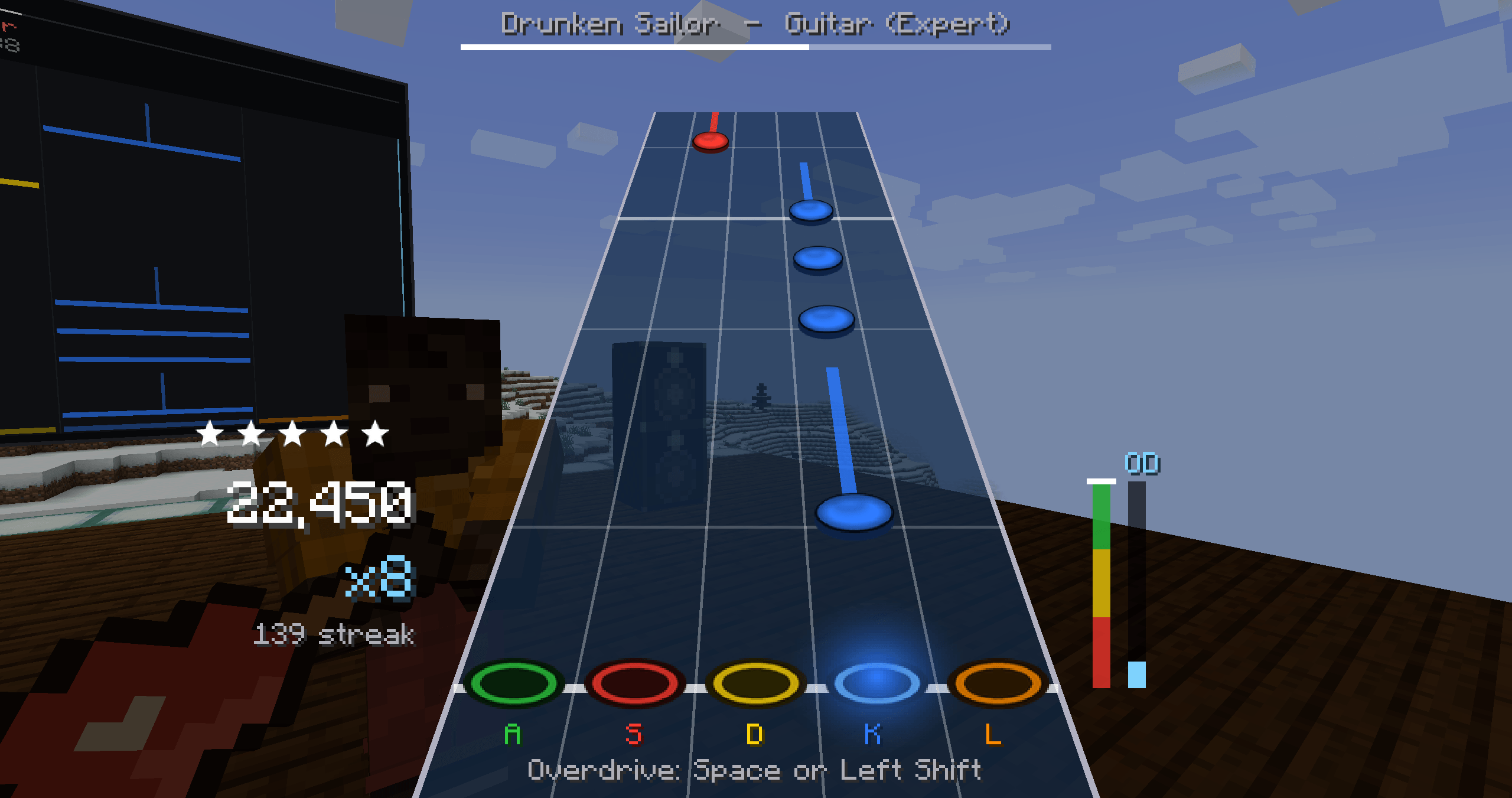
- Four difficulties for every part, from Easy to Expert, with sustains, chords, hammer-ons and overdrive.
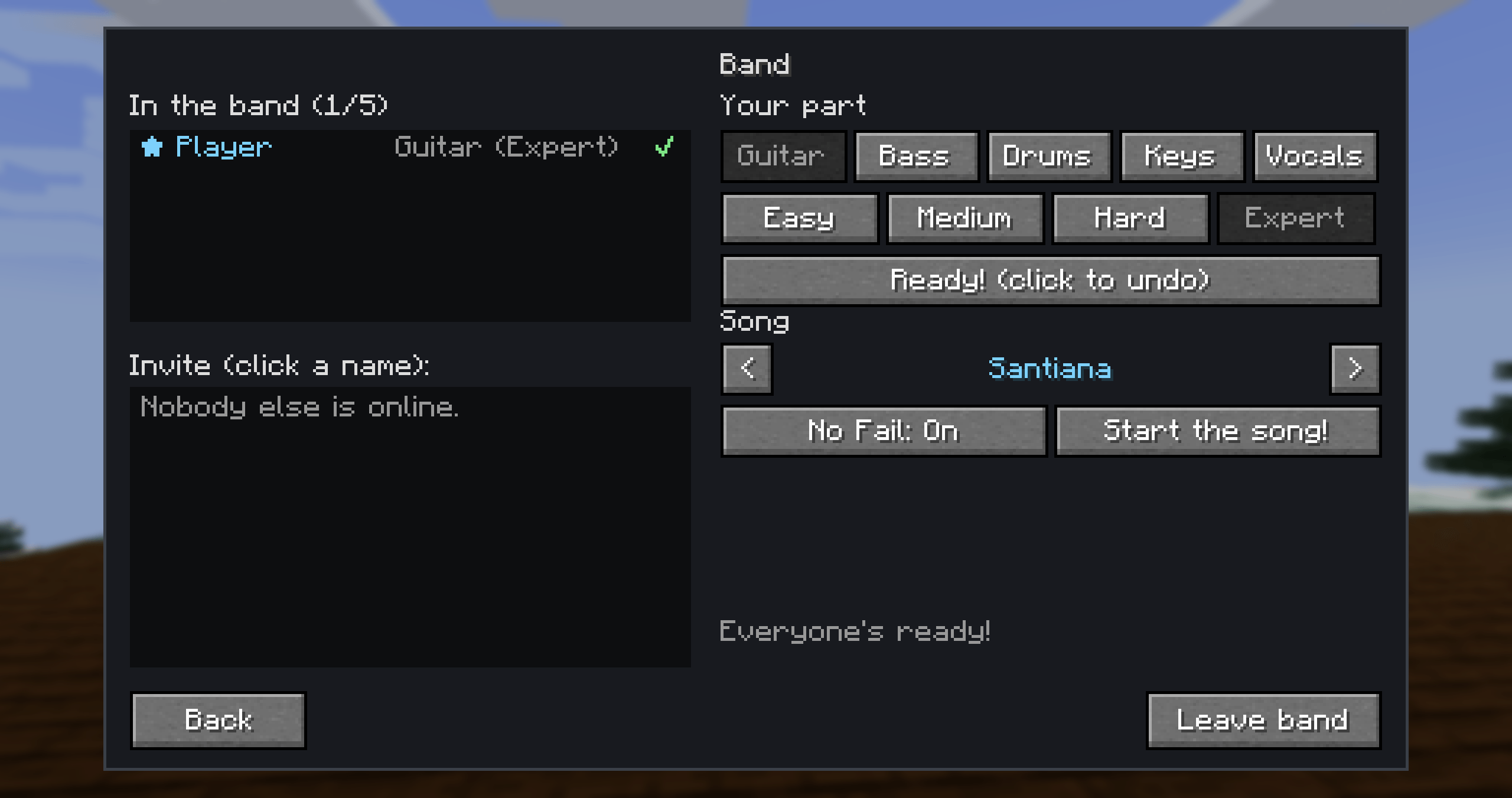
- Bands of up to five: invite friends, pick parts, and start in sync. When someone misses, their part drops out for everyone. Set off overdrive together for a unison bonus, and save bandmates who fail out.
- 21 built-in songs, all free to play on stream (list below).
- Add your own songs: Clone Hero / Moonscraper song folders (with recorded audio and hand-made charts), plain MIDI and karaoke files, and Note Block Studio songs. Servers can add songs too, and players download them automatically.
- Streamer mode: only songs marked stream-safe can play, and you won't hear a nearby band playing anything else.
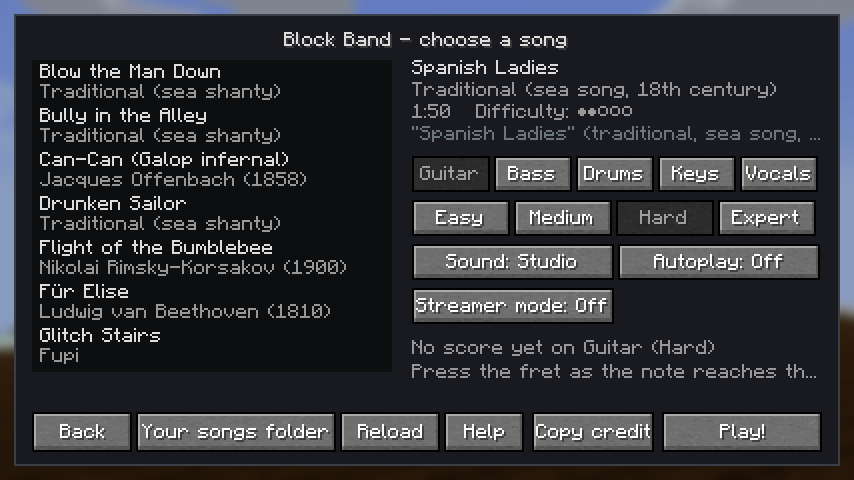
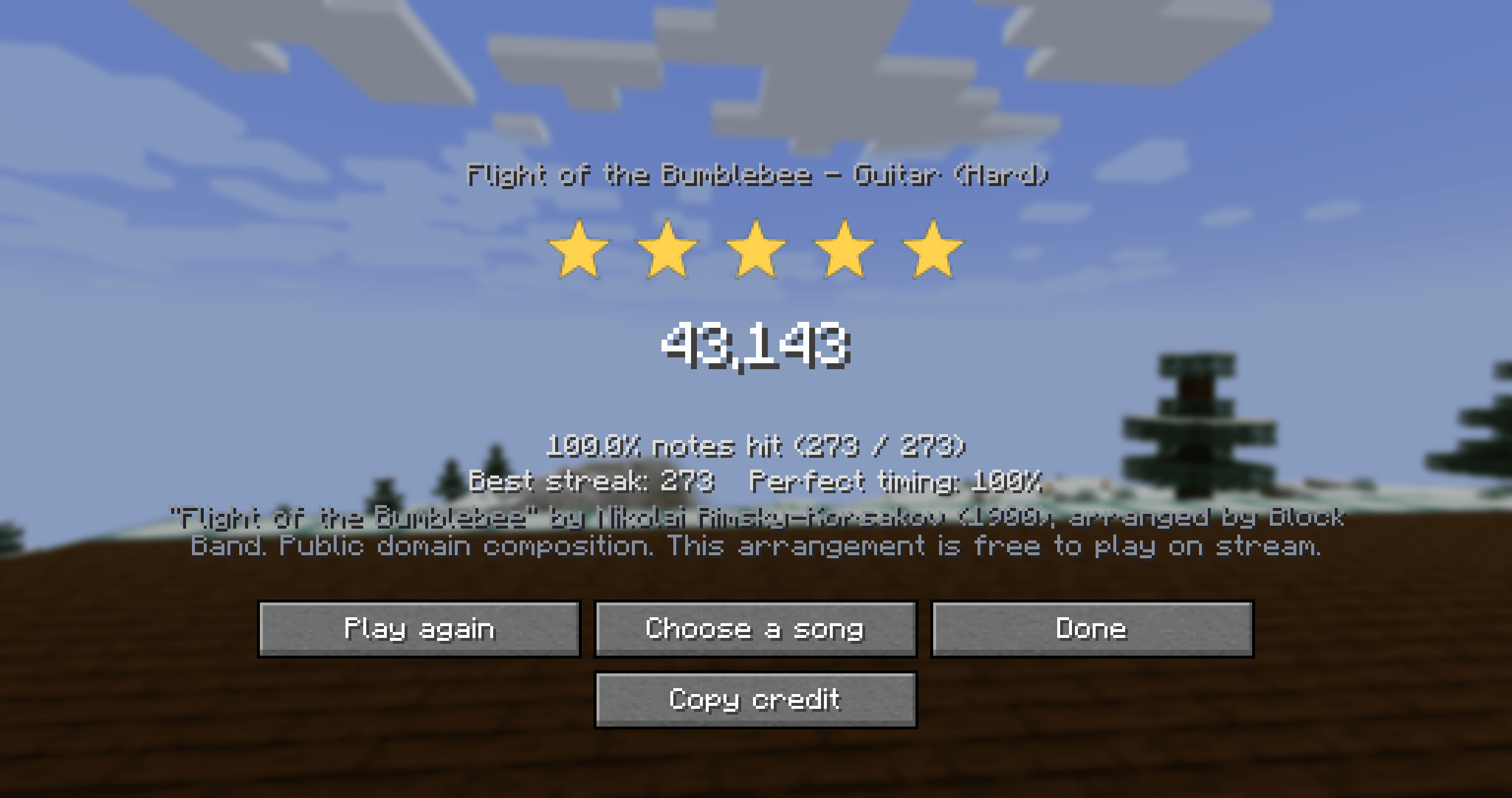
- Every song is credited. Credits show on the song list and the results, and a Copy credit button gives you a line for your stream description.
- Controllers: Xbox and PlayStation controllers, plus guitar and drum controllers. Rebind every button, with matching on-screen button pictures.
- Real instrument audio or note blocks: the built-in songs come with recorded instruments, and our arrangements can also play on Minecraft note blocks.
- On stage: craftable instruments your character holds and plays, Speakers that carry the band's sound further, and a Highway Screen wall that shows every player's notes live for the audience.
- Calibration for your speaker or headphone delay, an autoplay demo mode, local and server top scores, and a concert camera.
The built-in songs
Our own arrangements of public-domain music: Ode to Joy, Für Elise (Beethoven) · In the Hall of the Mountain King (Grieg) · Can-Can (Offenbach) · Flight of the Bumblebee (Rimsky-Korsakov) · Jingle Bells (Pierpont) · When the Saints Go Marching In · Greensleeves
Ten traditional sea shanties, with their traditional words to sing: Drunken Sailor · Leave Her, Johnny · Blow the Man Down · Santiana · Spanish Ladies · Bully in the Alley · Randy Dandy-O · The Rio Grande · High Barbary · Reuben Ranzo
Three recordings released under free licences, charted for Block Band: "Rock Theme 3" by Umplix · "Glitch Stairs" by Fupi · "Wreckless" by Umplix
How to play
- Press the key just right of L (; on US and UK keyboards, Ö on German, M on French) or right-click while holding an instrument to open the Block Band menu. The first time you join a world, Block Band tells you that key's name on your keyboard.
- Choose Play, pick a song, an instrument and a difficulty.
- Keyboard (US layout; other layouts use the keys in the same places): frets on A S D and K L, Space to strum (or turn strumming off), Left Shift for overdrive. On drums, Space is the kick. Your own keys are always shown under the highway, and there's a keyboard picture in the controls guide.
- For a band: Band, Start a band, and invite players. Everyone picks a part and presses Ready, then the leader starts the song.
Run Calibrate once if the notes feel early or late.
Your own songs
Put songs in <your game folder>/tgband/songs/ and press Reload on the song list; servers use config/tgband/songs/. The guide explains each format, converting audio to OGG, making charts, and what each error message means.
Only add music you have the right to play, especially on stream: your own music, public-domain music, or music licensed for it. Block Band doesn't come with, link to, or download anyone else's songs.
Vocals and Simple Voice Chat
Sing into any microphone; Block Band scores your pitch. Your voice never leaves your computer (only your score is sent), and the microphone is only used while you're singing or testing it.
With Simple Voice Chat (optional), your band and anyone nearby hear you sing, and each band can get its own voice chat group.
Servers
Block Band is needed on the server for bands, server songs and top scores; on its own client it still works for playing solo on any server. Server settings and the /band and /bandsongs commands are in the server guide.
Credits
Built-in songs
- Our own arrangements of public-domain compositions by Beethoven, Grieg, Offenbach, Rimsky-Korsakov and Pierpont, and of traditional songs and sea shanties. Free to play on stream.
- "Rock Theme 3" by Umplix, OpenGameArt.org, CC0.
- "Glitch Stairs" by Fupi, OpenGameArt.org, CC0.
- "Wreckless" by Umplix, OpenGameArt.org, OGA-BY 4.0.
- "Last Fight" by HibachiiTeriyaki, All Rights Reserved - Permission given to add to this pack.
- "Jessica" by HibachiiTeriyaki, All Rights Reserved - Permission given to add to this pack.
- "Rat" by HibachiiTeriyaki, All Rights Reserved - Permission given to add to this pack.
- Charts and arrangements by Block Band. Instrument sounds rendered with the GeneralUser GS SoundFont by S. Christian Collins.
Art
- Controller button pictures: Input Prompts by Kenney (kenney.nl), CC0. Thank you, Kenney!
Works with
- Simple Voice Chat by henkelmax (optional, not included).
The same credits are in the game: Block Band menu > Credits.
Made with AI
Block Band is made by Taylor Gibbs and vibe coded with Claude Code, Anthropic's AI coding assistant. Claude wrote the code, the pixel art (drawn by scripts it wrote), the song arrangements and charts, and the guide, under Taylor's direction, and Taylor tested and shaped every part of it. We'd rather you knew.
Licence
All Rights Reserved. You're welcome to use Block Band in modpacks and to stream and make videos with it.
Block Band Team