Swivel - Better Third Person & Free Look Camera
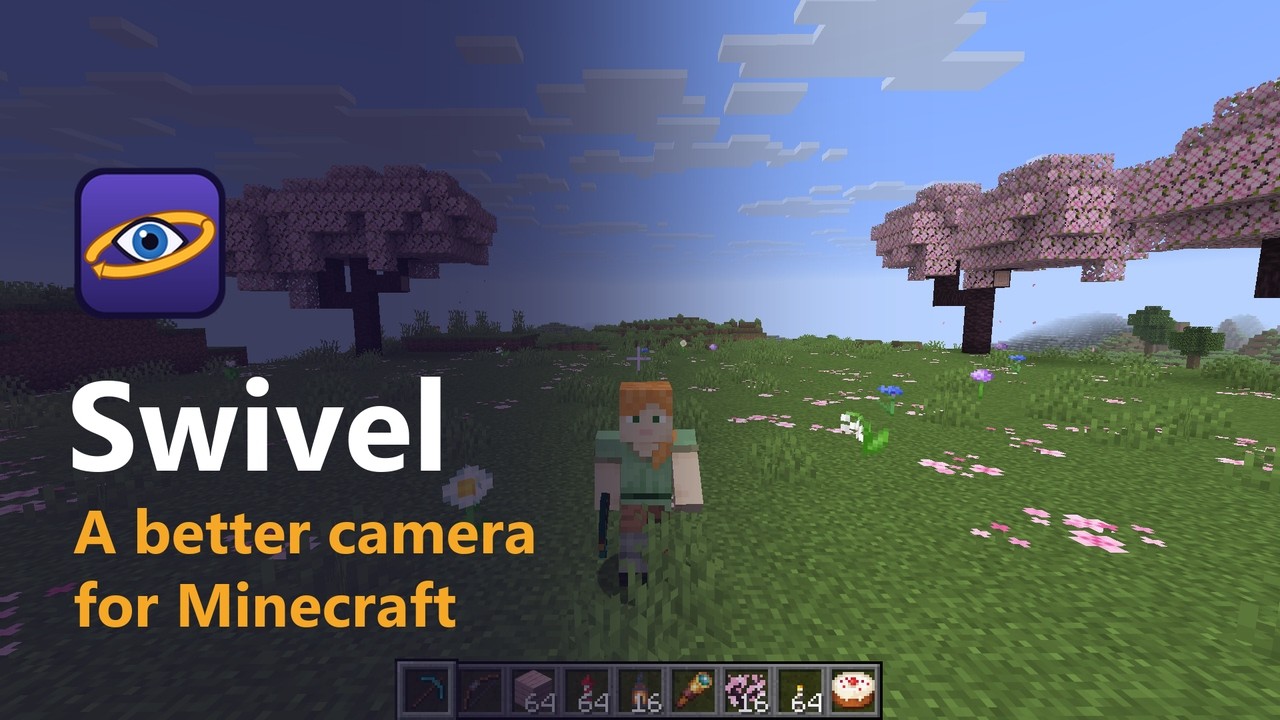
A better camera for Minecraft. In first person, hold a key to look around without turning. Swing the third-person camera all the way around your character and still mine, build and aim at whatever is under your crosshair.
Description
Swivel is a small client-side mod for Minecraft on Fabric, NeoForge and Forge, compatible with Mod Menu on Fabric.
Supported versions: 1.20 to 26.3 on Fabric, 1.21 to 26.3 on NeoForge, 1.20.1 on Forge.
Features
Third person
- Orbit camera - in the back third-person view (F5), the mouse swings the camera around your character instead of turning it.
- Walk where you look - W walks the way the camera faces, and your character turns smoothly toward where it walks. Turn Speed sets how quickly.
- Swivel while running (optional) - once you start moving, the mouse only swings the camera and your character keeps running the same way, so you can look behind you or at your character's face mid-run. Press a different movement key to head where the camera looks.
- Aims where you point - attacking, mining, placing blocks and drawing a bow, crossbow or trident turn your character to whatever the crosshair covers, and the server sees the same aim, so arrows fly where you pointed.
- Crosshair in third person (optional) - shows what you will hit, mine or use.
- Raised camera (optional) - lifts the camera a little above your character's eyes so your head doesn't cover the crosshair. It stops short of ceilings.
- Camera distance from 2 to 12 blocks, with smooth wall collisions: walls pull the camera in at once and it glides back out once clear.
- Strafe mode (optional) - your character keeps facing the camera direction and sidesteps, like in a shooter.
- Vehicles, flying and swimming - elytra flight steers toward the camera, horses and pigs follow it, boats and minecarts keep their own controls while the camera stays free, and swimming follows the camera up and down.
- Keep view in first person - switching back to first person looks where the camera was looking.
Free look
- Hold Left Alt in first person to look anywhere without turning your character. You keep walking the way you were going, and letting go glides the view back.
- In third person, holding the same key keeps your running direction fixed while you swing the camera, then swings the camera back when you let go.
- The crosshair hides while you free look, since it no longer shows what you would hit. You can keep it if you prefer.
- Works in Minecraft's own third-person views too when the orbit camera is off.
Swivel is client-side only: there is nothing to install on a server.
Controls
| Key | Default | What it does |
|---|---|---|
| Free Look (hold) | Left Alt | Look around without turning your character |
| Toggle Orbit Camera | not bound | Switch the orbit camera on or off |
| Recenter Camera | not bound | Swing the camera back behind your character |
Change them in Options > Controls > Key Binds, or with the Key Binds... button in Swivel's settings.
Install
Fabric
- Install Fabric Loader for your version of Minecraft.
- Put Fabric API and the Fabric Swivel jar for your version in your
modsfolder. - Start the game.
Optional: add Mod Menu to get a settings screen (Mods > Swivel > Configure).
NeoForge
- Install NeoForge for your version of Minecraft.
- Put the NeoForge Swivel jar for your version in your
modsfolder. - Start the game. The settings screen is in Mods > Swivel > Config.
Forge
- Install Forge for Minecraft 1.20.1.
- Put the Forge Swivel jar in your
modsfolder. - Start the game. The settings screen is in Mods > Swivel > Config.
Settings
| Setting | Range | Default | What it does |
|---|---|---|---|
| Orbit Camera | on / off | on | Swing the third-person camera around your character. Off gives Minecraft's normal third-person view |
| Turn Speed | 1 - 10 | 6 | How quickly your character turns toward where it walks. 10 turns instantly |
| Camera Distance | 2 - 12 | 4 | How far behind your character the camera sits, in blocks |
| Smooth Collisions | on / off | on | Glide back out after a wall pushes the camera in |
| Raise Camera | on / off | on | Lift the camera above your character's eyes |
| Camera Height | 0 - 1.5 | 0.5 | How far above the eyes the raised camera sits, in blocks |
| Strafe While Walking | on / off | off | Keep facing the camera direction and sidestep |
| Swivel While Running | on / off | off | Keep running the same way while the mouse swings the camera |
| Show Crosshair | on / off | on | Show the crosshair in third person |
| Keep View in First Person | on / off | on | Look where the camera looked when you switch back to first person |
| Hide Crosshair (Free Look) | on / off | on | Hide the crosshair while you free look |
With the settings screen (Mod Menu on Fabric, the Mods list on NeoForge and Forge), changes apply straight away and are saved when you close the screen. The screen also has a Reset to Defaults button.
Without Mod Menu you can edit config/swivel.json in your game folder and restart the game:
{
  "enabled": true,
  "turnSpeed": 6,
  "distance": 4.0,
  "raiseCamera": true,
  "height": 0.5,
  "strafe": false,
  "swivelWhileRunning": false,
  "smoothCollisions": true,
  "crosshair": true,
  "alignOnExit": true,
  "hideCrosshairInFreeLook": true
}
Values that are out of range are corrected automatically. If the file is broken, the game still starts with the defaults and your old file is kept as swivel.json.broken.
License
The Swivel - Better Third Person & Free Look Camera Team