Swiftmine
- By
Mine whole veins and your own shapes in one go, outlined in the world before you swing.
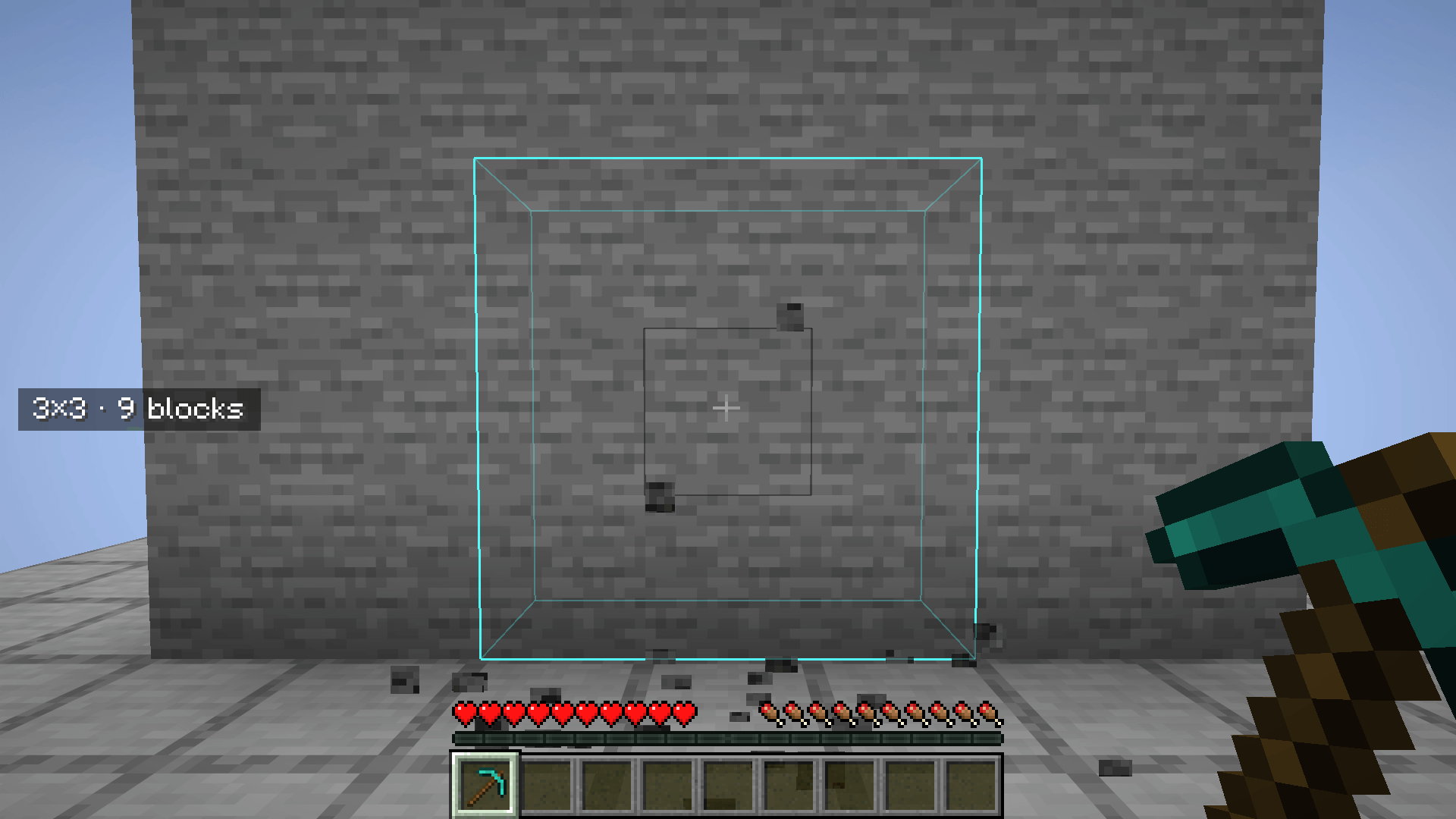
01-3x3.png
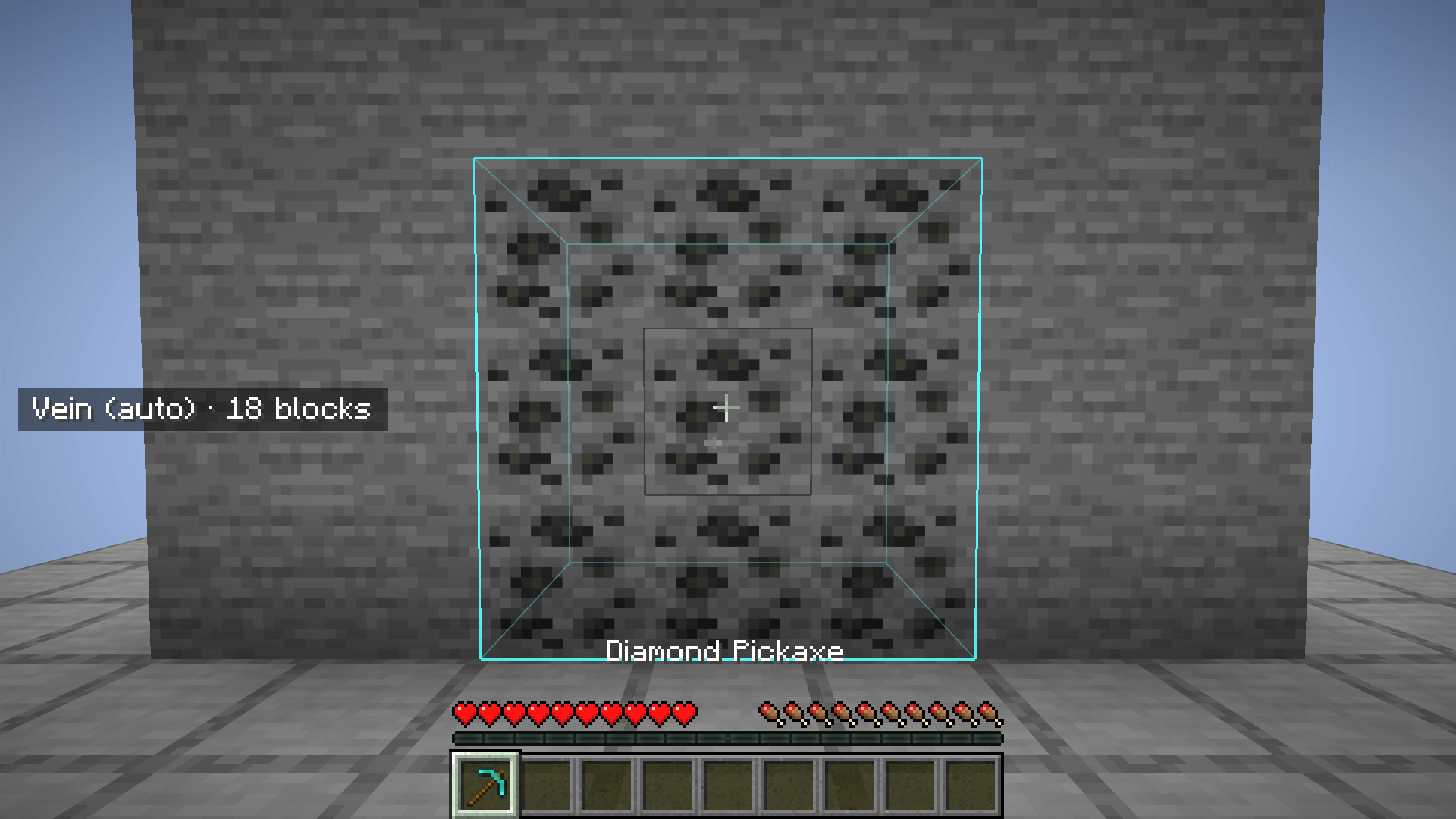
02-vein.png
03-shape-menu.png
04-custom-shape.png
05-profiles.png
Description
Mine whole veins and freely drawn shapes in one go. Hold a key, break one block, and the rest of your selection comes down with it: an ore vein of up to 64 blocks, a 3×3 tunnel face, a staircase, or any shape you draw yourself, up to 5×5×5.
Everything that is about to fall is outlined in the world before you swing, so you always know what one block will cost you.
Features
- Vein mining. Follows touching blocks of the same kind, diagonals included, up to 64 blocks.
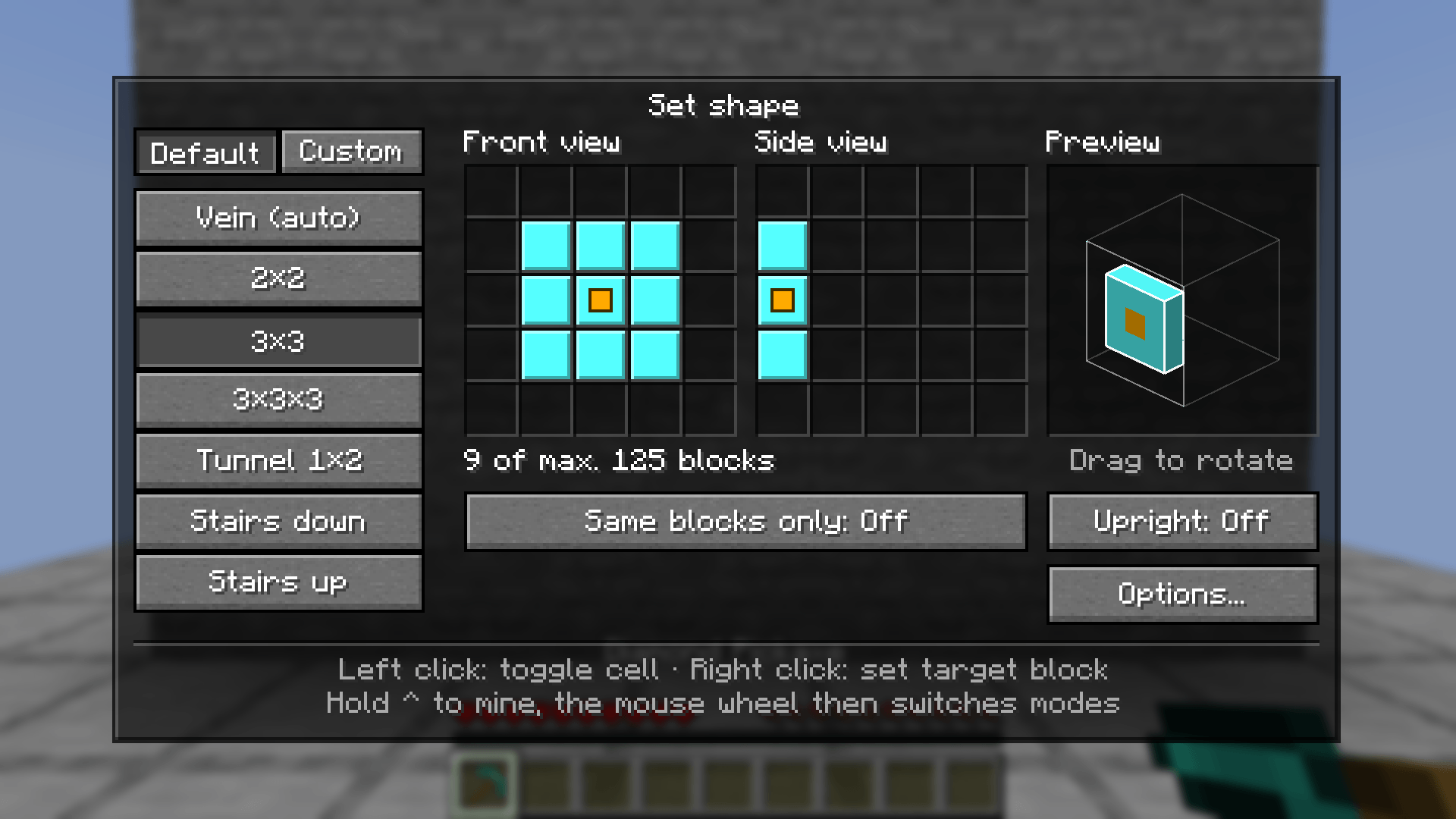
- Ready-made shapes. 2×2, 3×3, 3×3×3, Tunnel 1×2, Stairs down and Stairs up.
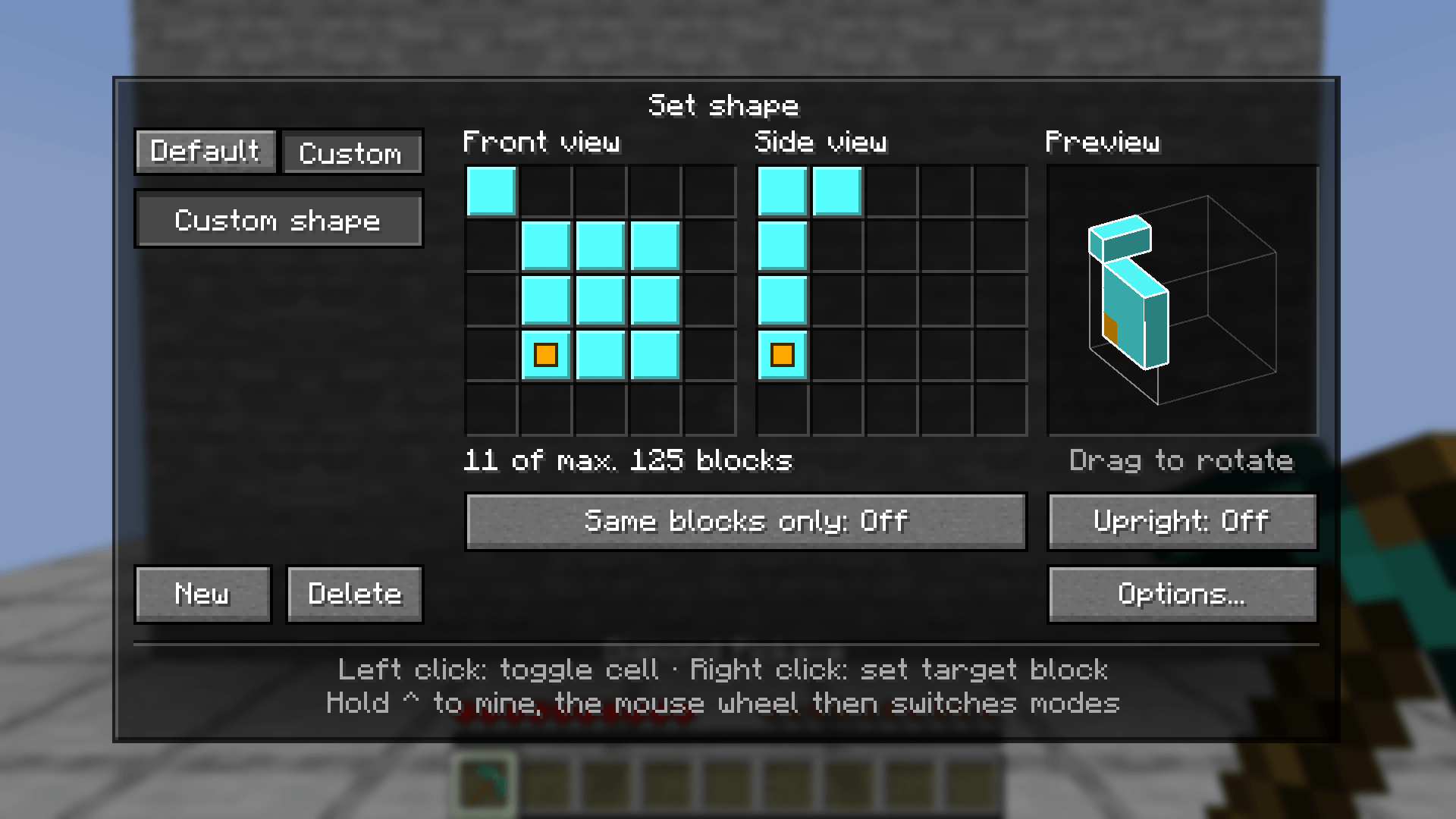
- Your own shapes. Draw them on two 5×5 grids, one seen from the front and one from the side. A holographic preview shows the result and can be rotated with the mouse.
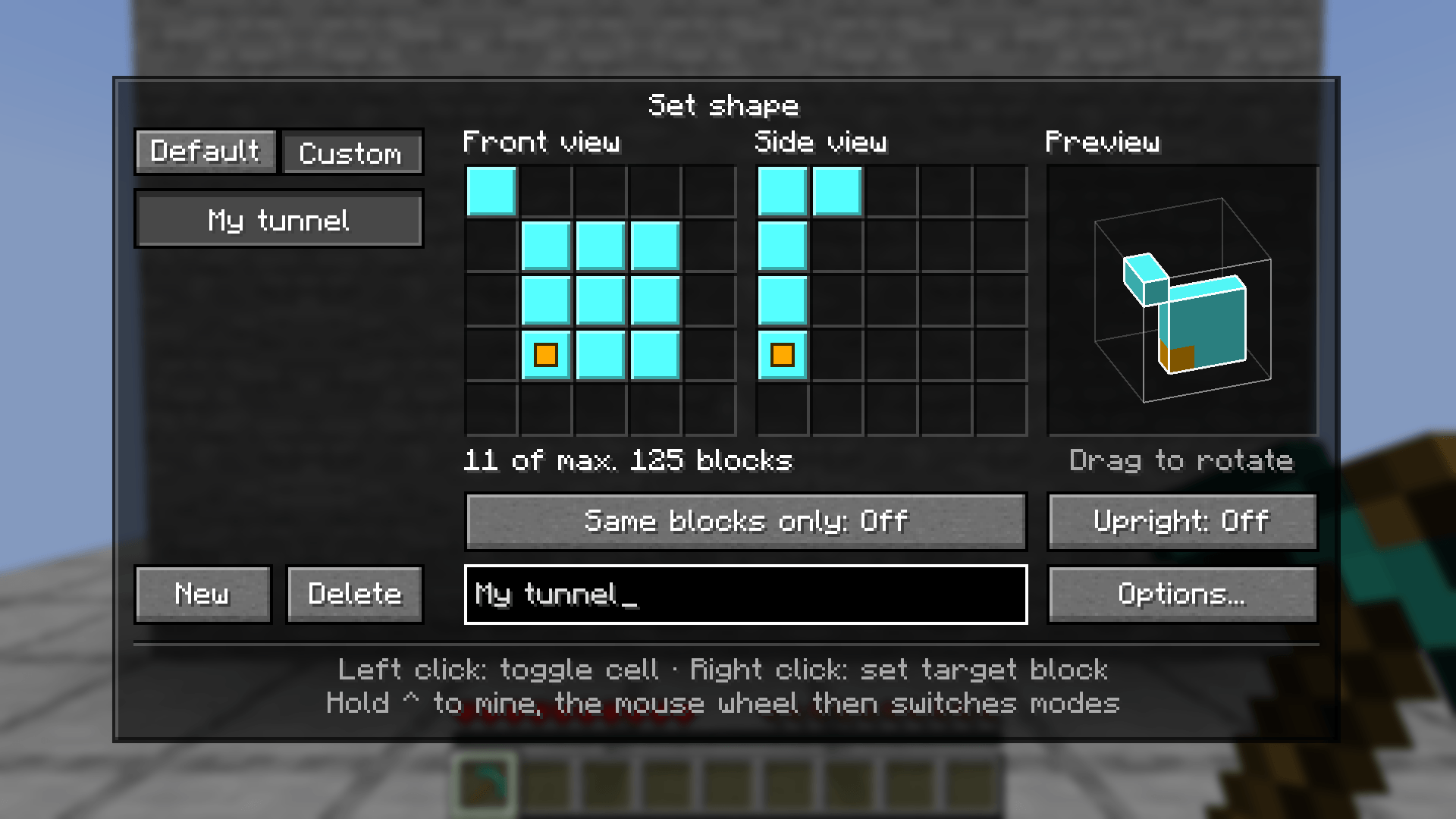
- Profiles. Save up to 16 shapes under a name. They are available in every world and on every server.
- Switch modes with the mouse wheel. Hold the mine key and scroll. No menu needed, and your hotbar slot stays where it is.
- Fair mining. Every block goes through the game's normal mining. Durability, enchantments, drops and hunger count per block, and bigger selections take longer.
- Colors you can tell apart. Pick the colors for the selection and the target block from six options, with color-blind players in mind.
- Feels like the game. The menus use the game's own buttons, font and click sounds.
- English and German.
Controls
| Key | What it does |
|---|---|
Hold the grave accent key (left of 1, it is ^ on German keyboards) |
Outlines the selection in the world. Break a block now and the whole selection falls. The mode and the number of blocks are shown at the left edge. |
| Hold the same key and scroll | Switches the mode without opening the menu. |
V |
Opens the shape menu. |
Both keys can be changed in the game's controls, or right in the mod's menu under "Options…".
The shape menu
- Modes on the left, in two tabs. "Default" holds vein mining and the ready-made shapes. "Custom" holds your profiles, with "New" and "Delete".
- Front view and Side view: left click toggles a cell, dragging paints several. A block is part of the shape if it is marked in both views.
- Target block (the gold dot): the cell that sits on the block you are looking at. Right click moves it.
- Preview: the hologram of your shape. Drag to rotate it.
- Same blocks only: when on, a shape only mines blocks matching the one you look at. When off, it mines everything your tool can handle.
- Upright: when off, the shape lies flat on the face you look at, so a 3×3 wall becomes a 3×3 hole in the floor. When on, up stays up and the shape points the way you are facing. The stairs use this.
Every change applies immediately and is saved.
Under "Options…" you can choose the two colors, turn the mode display at the left edge on or off, and rebind both keys.
Rules
- Your tool always keeps one point of durability. Mining stops before it would break.
- Blocks your tool would get no drops from are left standing.
- Shapes leave chests, furnaces and other blocks with contents alone, unless that is exactly the block you break.
- All drops land where the first block was.
- Vein mining stops at 64 blocks. A shape can hold up to 125 blocks (5×5×5).
Bigger selections take longer
Each additional block adds 10 % of the normal mining time to the block you are breaking. Tool, Efficiency, Haste and block hardness count as usual. There is no slowdown in Creative mode.
Measured in game on stone with a diamond pickaxe:
| Selection | Mining time | Unenchanted | Efficiency V |
|---|---|---|---|
| 1 block | 1× | 0.30 s | 0.10 s |
| 3×3 (9 blocks) | 1.8× | 0.55 s | 0.15 s |
| 3×3×3 (27 blocks) | 3.6× | 1.05 s | 0.25 s |
| Vein (64 blocks) | 7.3× | 2.10 s | 0.50 s |
| Full cube (125 blocks) | 13.4× | 3.80 s | 0.90 s |
Server owners set the value in config/swiftmine-server.json. In singleplayer the file is in your game's config folder. It is read on startup.
{
  "timePenaltyPerBlock": 0.1
}
0 turns the slowdown off. 0.25 makes every additional block cost a quarter of the normal mining time.
Installation
- Minecraft 1.21 to 26.3 (all versions except 1.21.9). Pick the file for your Minecraft version.
- Fabric Loader 0.20.1 or newer for 26.x. On 1.21.x an older loader is fine too, from 0.15.11 on 1.21.1 to 0.17.3 on 1.21.11.
- Fabric API
- Java 21 for Minecraft 1.21.x, Java 25 for 26.x
Swiftmine has to be installed on the server and on the client of every player who wants to use it. The server does the mining, the client provides the keys, the menu and the outline. In singleplayer, installing it once is enough. If the server does not have the mod, holding the mine key shows "Swiftmine is missing on this server".
Your shapes, profiles and colors are stored in config/swiftmine.json.
Swiftmine Team