Surving’s GUI Library (SGL)
Customizable GUI themes, shared menus and live Player Stats. Works independently and supports mod integrations.
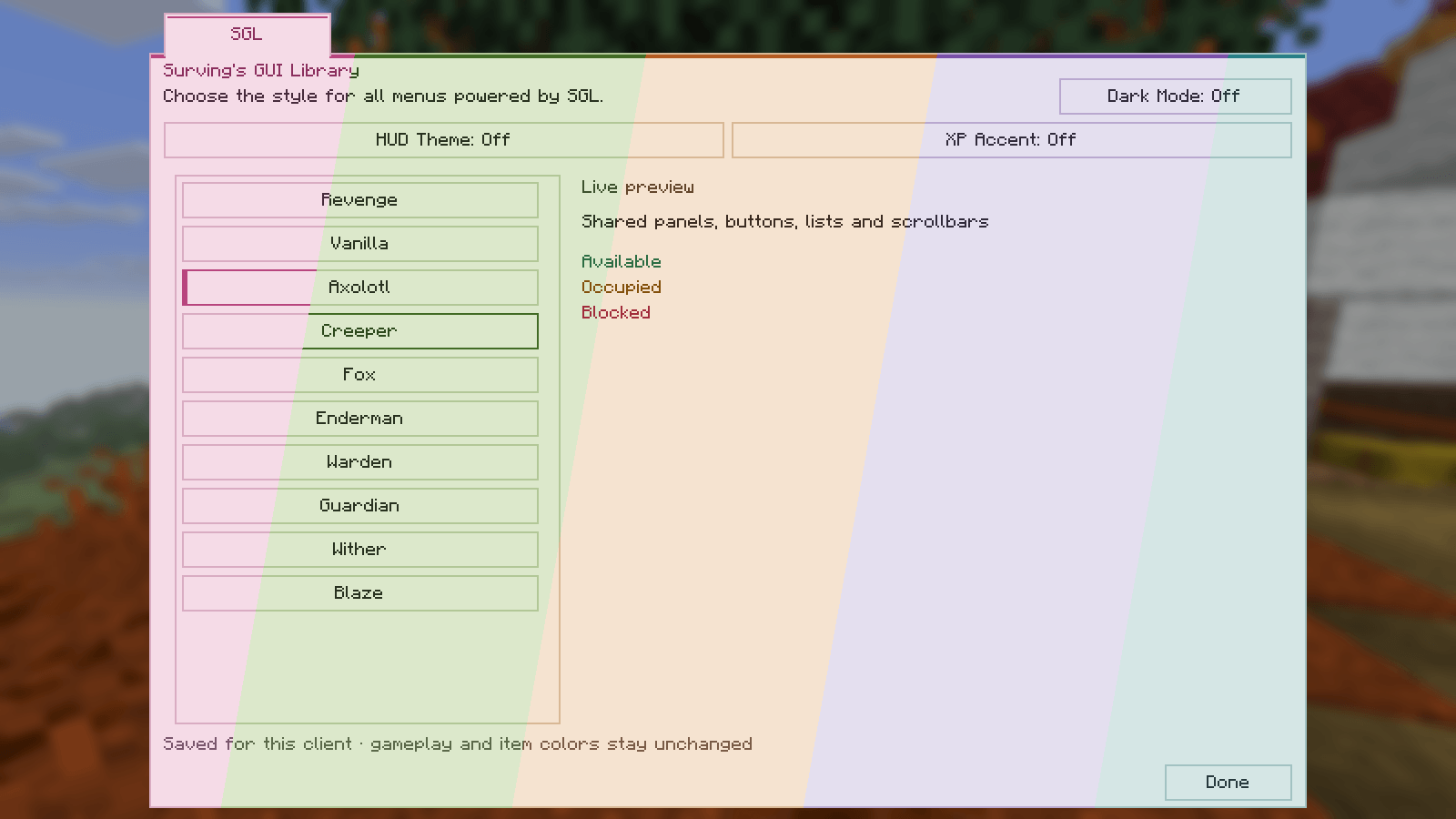
five-themes-light.png
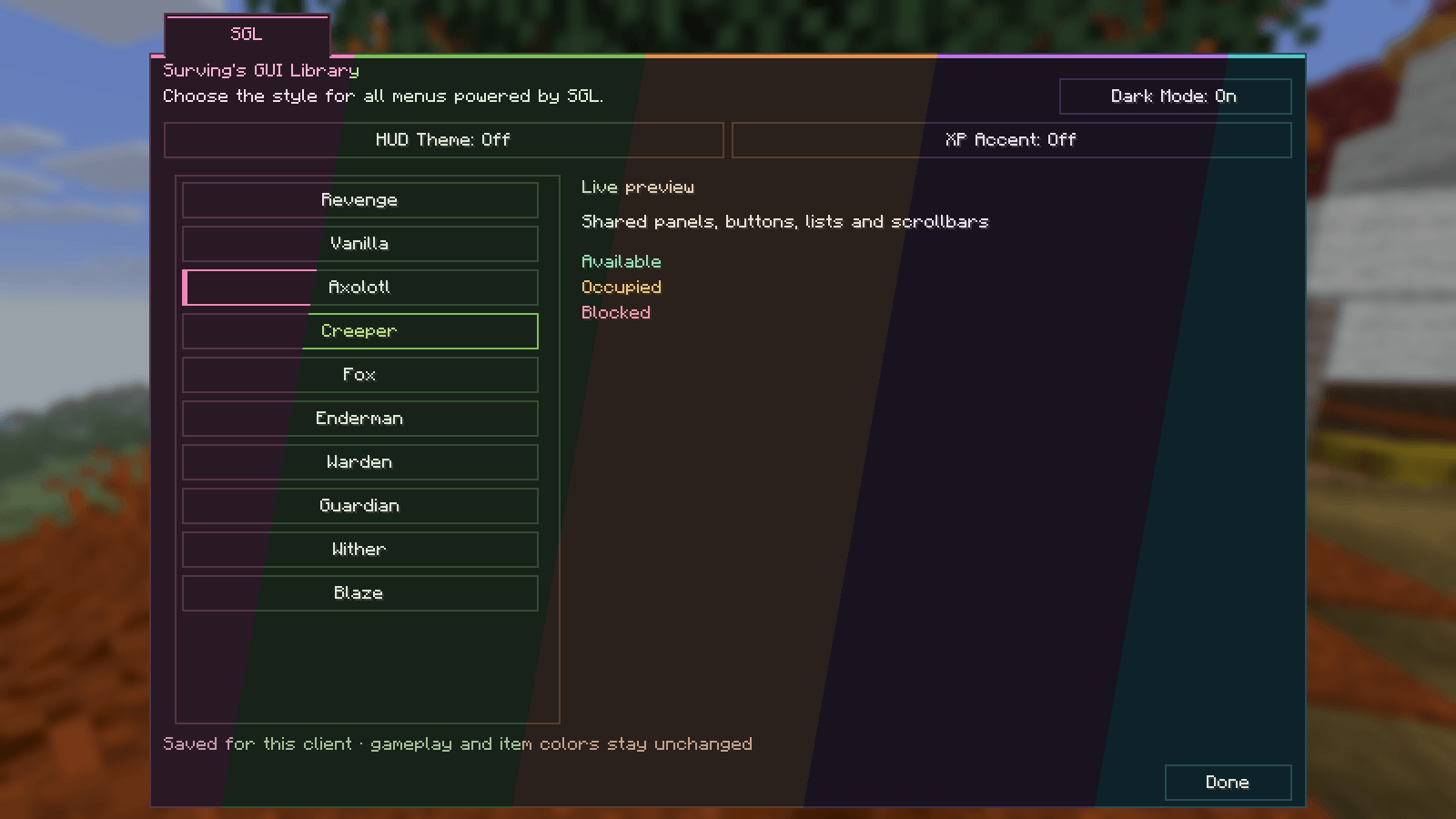
five-themes-dark.png
Description
SGL — Surving's GUI Library
Shared themes, consistent menus and live Player Stats.
SGL brings customizable themes to Minecraft's menus, inventory and container windows, adds a live Player Stats view, and provides a common GUI framework for other mods. Its built-in features work on their own.
Features
Ten themes, two modes each
Choose Revenge, Vanilla, Axolotl, Creeper, Fox, Enderman, Warden, Guardian, Wither or Blaze. Every theme has light and dark variants, controlled by a separate Dark Mode button.
A scrollable theme list supports the mouse wheel and a draggable scrollbar. Your theme and mode are saved locally, and switching them updates open menus without changing their contents.
Shared styling covers native screen controls, including the main menu, settings, world selection, lists, dialogs, Advancements, inventory and container windows. SGL panels, compatible mod screens and Revenge's existing menus follow the same selected palette. Vanilla with Dark Mode off retains native screen styling. Logos, item art and gameplay indicators keep their identities. The world behind open menus retains its native background shading.
Optional HUD and XP styling
Two independent settings let you theme the hotbar frames and use the theme accent for the XP bar and level number. Both are off by default. Health, hunger, armor, air and status indicators keep their native colors.
Live Player Stats
Use the tab beside the equipment slots in your survival inventory to inspect your character's current values:
- Health, absorption, hunger, level and XP-bar progress.
- Armor points, armor toughness and knockback resistance.
- Base attack damage, attack speed, attack cooldown and luck.
- Movement, sneaking speed and interaction reach.
Values update with your equipment and effects. Armor is shown as points because its damage reduction depends on the incoming hit; base attack damage is separate from target-dependent enchantment bonuses.
Getting started
Open settings through the small SGL logo in the icon row of the main menu or pause menu, or the SGL category inside shared menus.
Open the Player Stats tab to the left of your equipment slots to inspect your character.
Configuration
Choose a theme and toggle Dark Mode, HUD Theme and XP Accent in SGL settings. These independent preferences are saved locally in config/sgl.json.
Compatibility and integrations
SGL supplies category tabs, filters, scrolling panels, item previews and theme-aware controls. Integrations contribute their own information and gameplay rules through this framework.
With SEEF, SGL can display the equipment/enchantment overview, category limits and additional server-backed protection and player values. Optional JEI support places ingredient browsing alongside SGL panels. JEI search, recipe backgrounds, tabs and navigation chrome follow the palette; item images and recipe illustrations retain their own colors.
Requirements and installation
Minecraft 26.3 · Fabric · Java 25 · Fabric API
Install SGL on the client. A server installation is not required.
SGL is independent: SEEF, SNE and Revenge are not required for its themes, settings or Player Stats. Those mods can optionally use SGL to present their own features.
Surving’s GUI Library (SGL) Team