Super Mob Tracker
- By
A client-side Minecraft 1.12.2 mod that lets you select mobs to view spawn conditions and track live, no item required.
Description
A client-side Minecraft 1.12.2 mod that lets you select mobs to view spawn conditions and track live, no item required.
Features
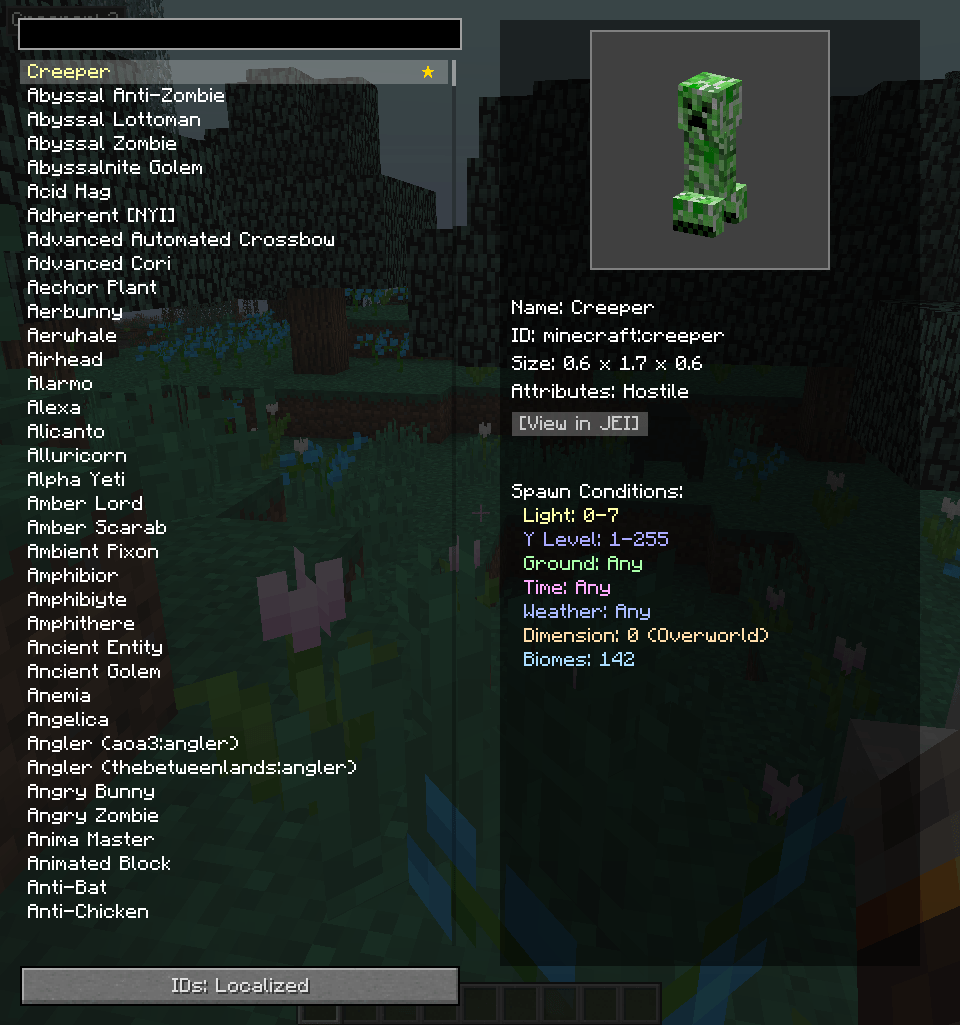
- GUI accessible via keybinding (default O) or Inventory button.
- Filterable scrolling list of mobs on the left; right panel shows details and spawn conditions.
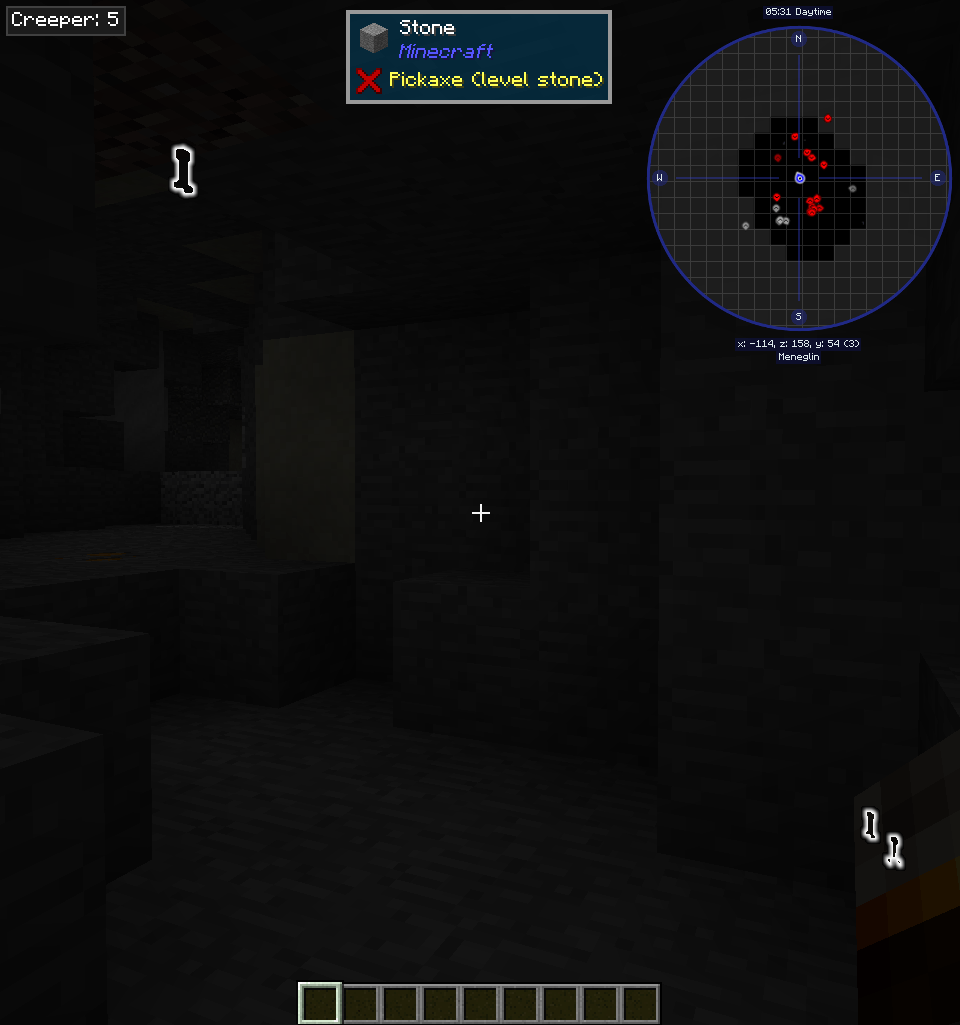
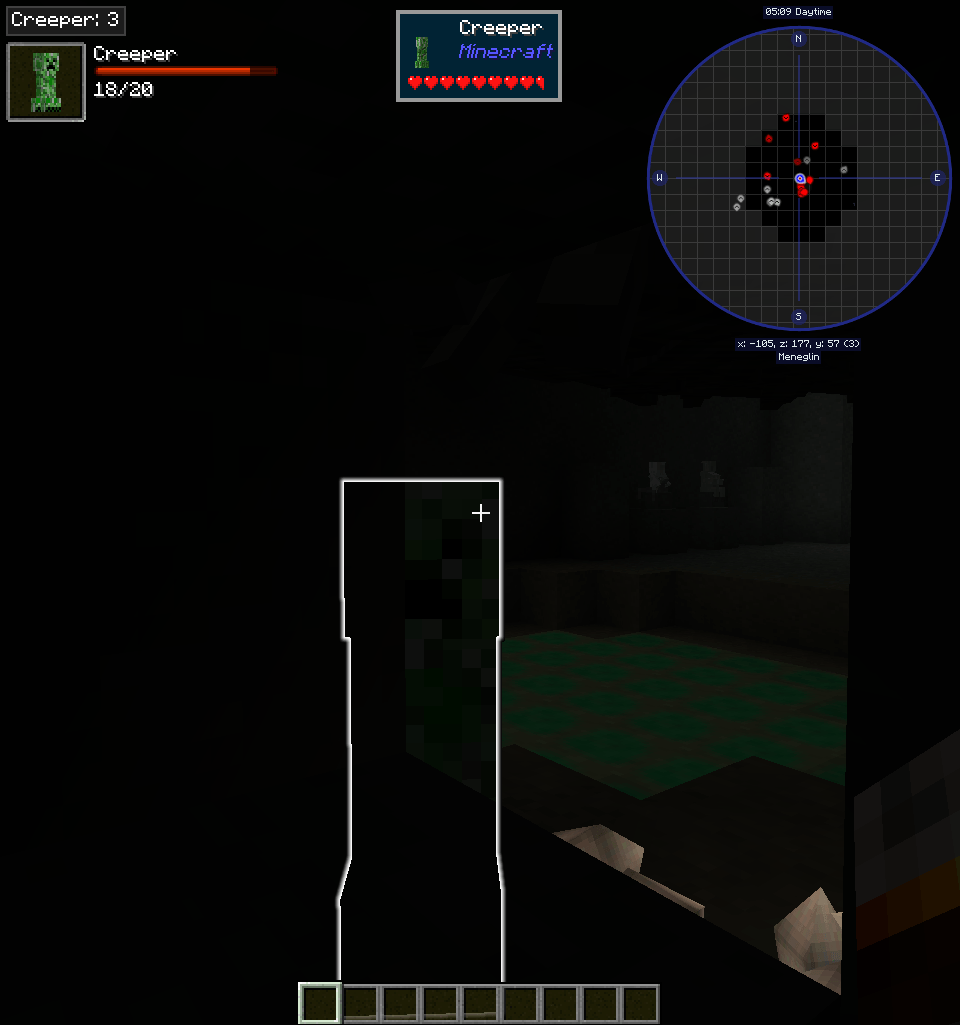
- Live tracking on the main screen for selected mob. Double-click a mob in the list to toggle tracking.
- Click on the biomes list to copy biome names to clipboard.
- Support for Just Enough Resources, custom drops viewer, and full drops tables integrated with JEI.
- Custom drops viewer cannot be used without server-side installation (if you play singleplayer, you can ignore this). However, the JEI integration of drops tables will work without server-side installation, as long as you have the loot dump file in config.
- The custom viewer can use mouse or keys to open JEI: R/Left-click for recipes, U/Right-click for uses.
Configs
- enableTracking: Globally disable tracking (requires restart).
- detectionRange: Set radius for considering spawn attempts.
- spawnCheckRetries: Set maximum retries for spawn condition checks. Higher values handle random spawn conditions better but increase analysis time on selection. This can lead to some high delays when selecting some mobs with tricky spawn conditions.
- whitelist/blacklist: Configure which mobs are allowed/disallowed for tracking. Whitelist takes priority over blacklist. Partial matches are supported (e.g.,
zombmatches all mobs with "zombie" in their ID orminecraftmatches all mobs from the Minecraft namespace). To avoid matching too broadly, keep the:separator for namespace matching (e.g.,aoa:). As it is a purely client-side mod, there is no way to enforce server-side mob restrictions. - dropSimulationCount: Number of loot table simulations to run when estimating drops. Higher values yield more accurate results but increase analysis time. The process is done asynchronously to avoid blocking the UI, so increasing this value should not cause issues.
- useModelXRay: Enable X-ray rendering for the entity preview, instead of the default glowing outline.
- external spawn hints: Add non-natural or spawn-table-less mobs in
config/supermobtracker/spawn_hints.json. This is intended for worldgen, structures, scripted spawns, spawners, and similar sources that do not appear in normal biome spawn lists. - loot dump: Required for the JEI integration of loot tables to work. See the
/smtlootdumpcommand section below, for more details.
External Spawn Hints
Some mobs do not use normal biome spawn tables at all, so the analyzer has nothing native to sample from. For those cases, Super Mob Tracker can load fallback spawn metadata from config/supermobtracker/spawn_hints.json. The mod already comes bundled with the spawn hints of a select few mods, but it is far from enough.
See the github page for more information on the format.
/smtlootdump
Dumps all loot tables into a single zipped JSON file, in the config/supermobtracker/ folder. This is required for the JEI integration of loot tables to work, and will need to be re-run whenever loot tables change (e.g., after adding/removing mods or changing mod configs). Of course, an un-updated loot dump will not break anything, but the loot information may be outdated.
You may provide the number of iterations to simulate for each loot table, which will be used to estimate drop chances. The default uses the dropSimulationCount config value.
Q&A
Do I need to install this on a server?
You do not need to, unless you want to use the custom in-GUI loot tables viewer. Most of the time, the JER/JEI integration should be sufficient for loot tables viewing (although JER can be wildly inaccurate at times, due to not simulating drops). The mod will still work fine without server-side installation.
The loot tables built with /smtlootdump are about the same as the custom in-GUI loot tables, meaning you can completely ditch the server-side if the file has been generated.
How is the mobs list filtered?
The filter box matches both localized and unlocalized mob names. This means you can type the mod name, the name in your selected language, or the default English name.
The spawn conditions seem off
Many mobs have inherently random spawn conditions that may not be fully captured by the analysis. Increasing the spawnCheckRetries config can help, but the conditions could still be sparse. Refreshing the selection may also yield different results due to this. This is also why some mobs can be slow to analyze (taking a second).
Some biomes/dimensions/blocks show up as raw registry names
Some mods do not provide proper localization keys for their biomes/dimensions//blocks. In this case, your modpack should provide a lang file with the appropriate keys to get proper names. Considering a raw name of <modid>:<biome_name>, the localization key format is biome.<modid>.<biome_name>.path for biomes, dimension.<modid>.<dimension_name>.path for dimensions, and tile.<modid>.<block_name>.name for blocks. I will not include other-mods-specific localization in the mod itself. Of course, if localization for these exist, it is a bug and should be reported.
Some drops are missing or incorrect
The drop simulation system uses a fake player and initializes the entity in a minimal fake world. However, some mobs may require a real player (e.g. Corail Tombstone) or get their loot table initialized in a special way that the simulation cannot replicate. In these cases, some drops may be missing or incorrect.
On top of that, due to statistical randomness in loot tables, most drops will have some variance unless they are guaranteed drops. Increasing the dropSimulationCount config can help reduce variance, but some randomness will always remain. If a drop is very rare, it may not show up at all in the simulation.
Curseforge icon by Star Artsy.
Super Mob Tracker Team

Owner