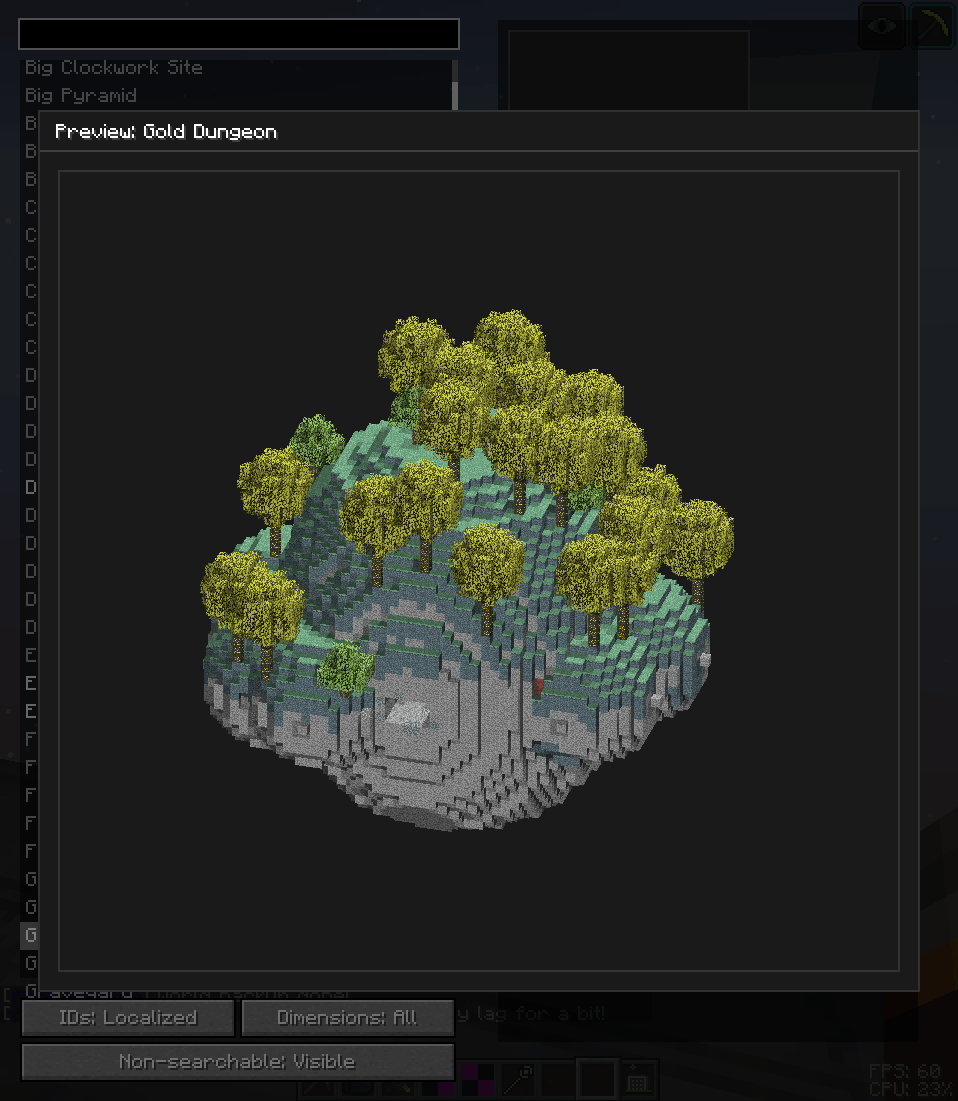
Most structures come with an accurate preview, usually backed by an .nbt file
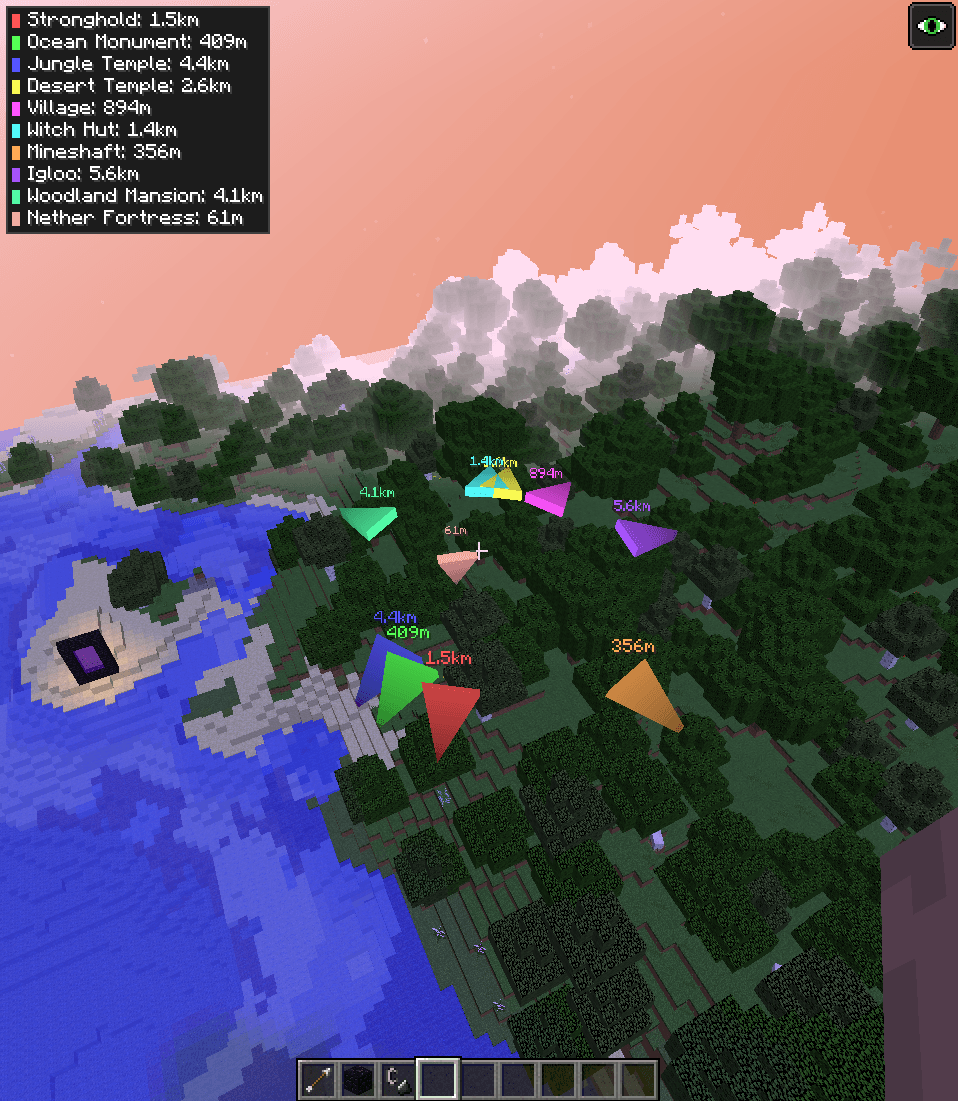
The structure location itself comes with a lot of controls, in term of what you are or are not allowed to search
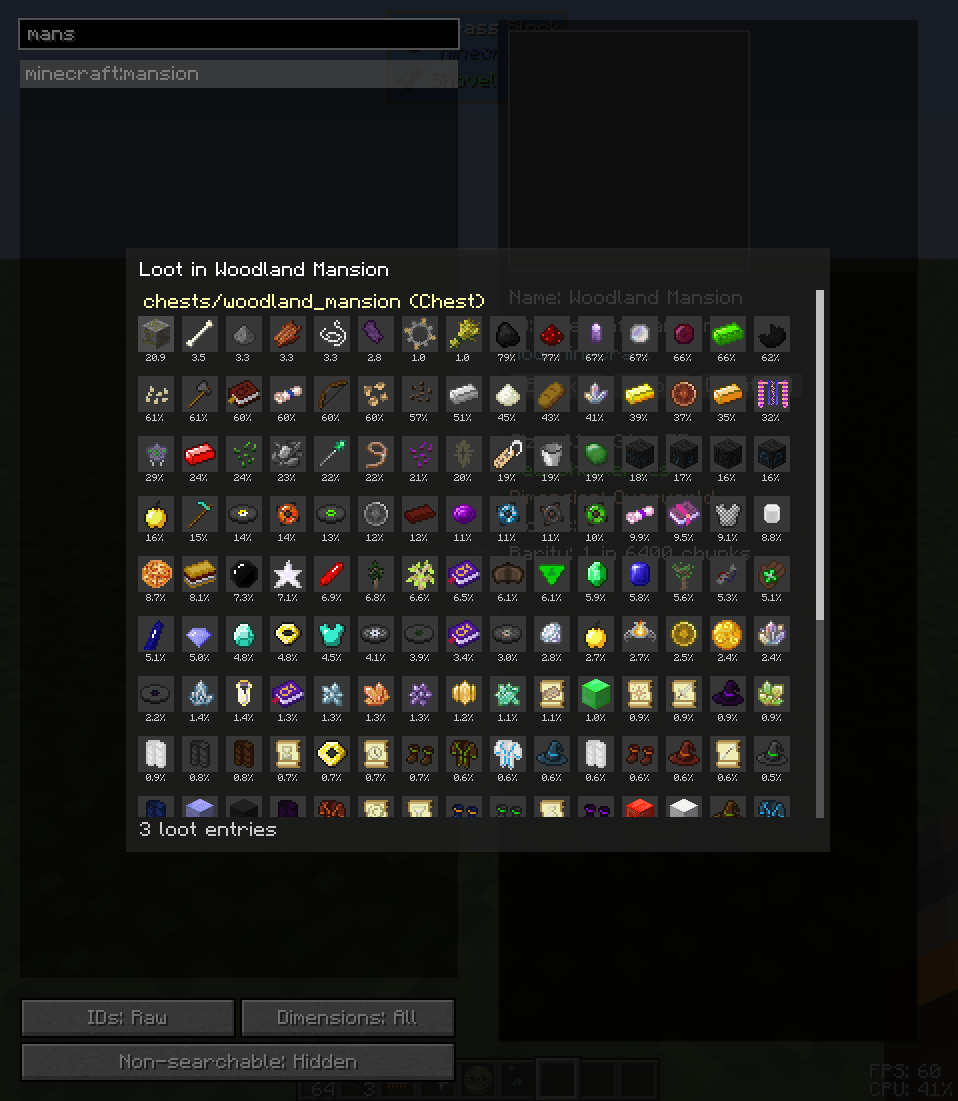
If enabled, the loot tables of the structure, with the estimated drop chances, are shown
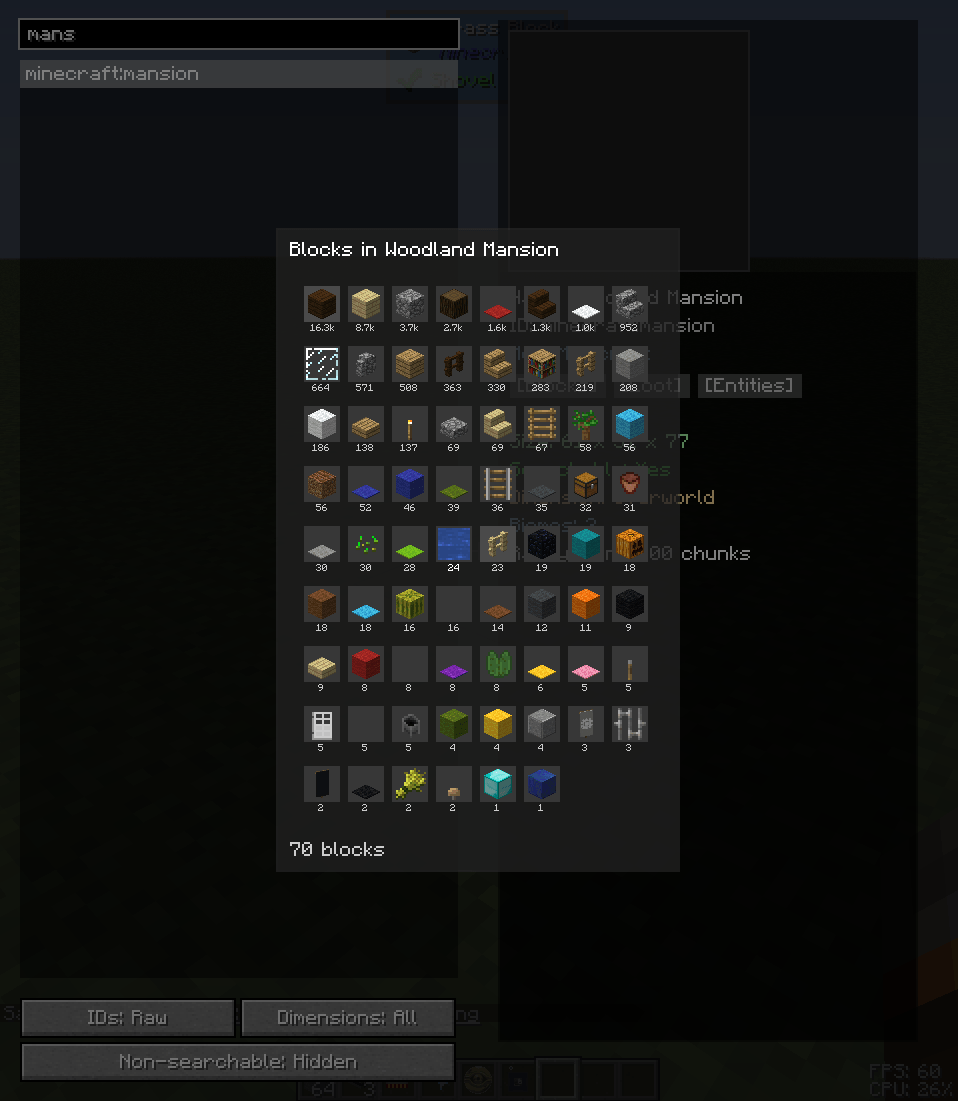
Alongside the preview is the complete list of blocks in the structure, if enabled
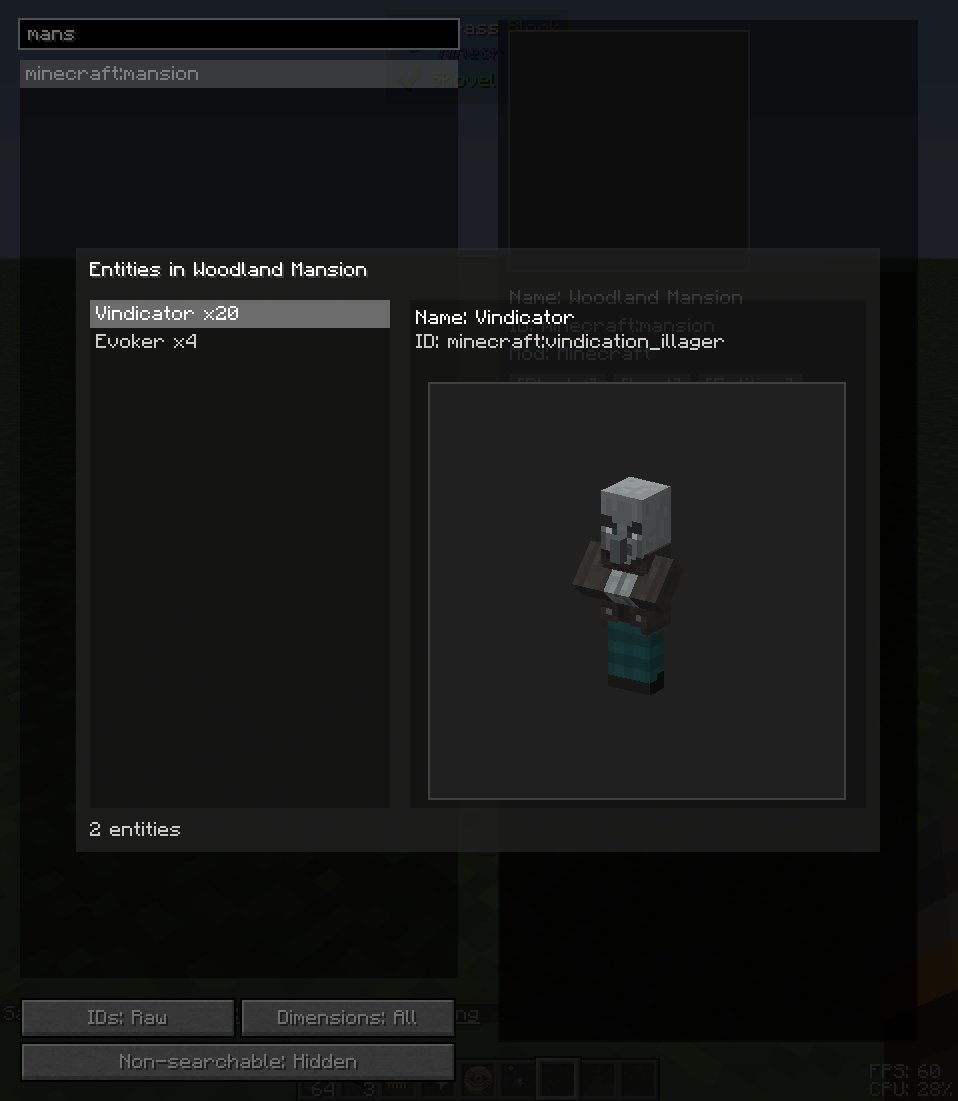
If enabled, you can see the entities this structure generates, including spawners
Description
FAQ
Do I need to install this on a server?
If you wish the query structure locations, you will need to put the mod on the server as well. However, if you only want to view structure information, you can use it client-side, as long as the mods providing said structures are also installed client-side.
How is the structures list filtered?
The filter box matches both localized and unlocalized structure names. This means you can type the mod name, the name in your selected language, or the default English name. The localization structure is up to the individual providers, but it should generally be gui.structurescanner.structures.<mod_id>.<structure_id>.
The structure wasn't there.
Due to how complex the process is, structures from a mod may prevent or overlap with other structures from another mod. In this case, you should try searching for another structure of the same type. Use the arrows in the right panel to cycle through multiple results.
Some structure previews seem broken, looking like scattered rooms.
Some structures are generated procedurally (e.g., Recurrent Complex, Unseen's Dungeon Additions, and Chocolate Quest Repoured), which means the structure is not a single static layout. In these cases, the preview should generate the structure dynamically. If it fails, it may be generated from possible static templates as a fallback, stitched together in a way that may not match an actual generated structure. In underground structures, corridors or other hallways may be extruded from the surrounding terrain, which can give the impression of a broken structure when there is no such terrain.
Features
- GUI accessible via keybinding (default P).
- Preview of structure schematic when available. Click on the preview area to open a larger preview window.
- Support for custom loot tables integrated with JEI: U/Left-click for uses, R/Right-click
- Filterable scrolling list of structures on the left; right panel shows details. for recipes.
- Live search on the main screen for the nearest selected structure. Double-click a structure in the list to toggle search.
- Use the Refresh button to re-query structure locations.
- Cycle through multiple found locations for a structure using the arrow buttons in the right panel.
- Use the "x" button to blacklist a found location (per structure, per world).
- Teleport to the found structure (op only) using the TP button.
- X/Y/Z coordinates are shown for the location, if found.
- A [M]ap button will create a waypoint at the structure's coordinates, if a map mod is installed (currently only JourneyMap, Voxel Map, and Xaero's Minimap are supported).
List of supported structures:
- Vanilla Minecraft structures.
- Dungeons from the Aether mod.
- Some specific structures from AbyssalCraft.
- Ice&Fire's structures (none can be searched for, due to being non-determinstic).
- Unseen's Dungeon Additions structures.
- Custom structures from the Pillar mod. Due to how search works, any change to the structure's list will break search for already generated structures, as it changes the structure's index in the search process. This is a limitation of the mod, not a bug.
- Default and custom structures from Recurrent Complex (none can be searched for, due to the complex generation logic).
- Default and custom structures from Chocolate Quest Repoured.
JEI integration
The mod adds 3 JEI categories for each structure: Preview, Blocks, and Loot. Due to the sheer number of structures that can be registered and visibility constraints, the JEI categories are built in a background thread, and may show missing or incomplete content until the warmup is finished (notified by a log message), as to not freeze the client on first JEI match. The warmup is re-run when the client connects to a server, so that the JEI categories are built with the correct visibility and search blacklists.
The JEI categories are as follows:
- Preview: Shows a preview of the structure, if available. It cannot be searched for, as previews are not "items" in the traditional sense, only accessed from the other 2 categories via the buttons.
- Blocks: Shows all blocks that are part of the structure, just like the "Blocks" window in the Structure Scanner GUI.
- Loot: Shows all loot tables that are part of the structure, just like the "Loot" window in the Structure Scanner GUI. JEI will respect the visibility blacklist, so if a structure is hidden, its blocks and loot will not be shown in JEI. The JEI categories can be disabled individually or all at once via the config. Beside the 3 category buttons, an additional button is available to open the structure directly in the Structure Scanner GUI. From that GUI, the entity list, bigger preview, and search functionality are available.
Search/Visbility blacklist
On top of the config blacklist/whitelist (see Config section), there exists a more controlable and fine-grained blacklist system for search and visibility. Visibility is whether the structure will show in the list at all (allowing preview, blocks, entities, loot), while Search is whether the structure will be searchable (arrow pointing to the nearest in-world). It is perfectly reasonable to just use Simple Structure Scanner for the metadata alone, leaving the search disabled. If you want to disable ALL search altogether, I would redirect you to the enableSearch config.
These blacklist are per provider, the id of the provider being matched by file name (see the id of each provider under structure/ or in your own external providers). The blacklists should be placed under minecraft/config/. For example for provider examplepack :
- Visibility blacklist file example: docs/examples/hidden-blacklists/examplepack.txt -> minecraft/config/simplestructurescanner/hidden-blacklists/examplepack.txt
- Search blacklist file example: docs/examples/search-blacklists/examplepack.txt -> minecraft/config/simplestructurescanner/search-blacklists/examplepack.txt
Blacklist lines can be unconditional or gated by GameStages:
structure <structure_id>applies everywhere for that provider.dimension <dimension_id>applies to every structure from that provider in one dimension.dimension <structure_id> <dimension_id>applies to one structure in one dimension.stage <stage_name> ...only applies if the player has that stage when the Structure Scanner GUI is opened.nostage <stage_name> ...only applies if the player does not have that stage when the Structure Scanner GUI is opened.
For example:
stage progression:ancient_map structure examplepack:sky_keepnostage progression:deep_access dimension examplepack:sunken_library -1
Do note these lists are client-side, because only the search process itself is server-side. Everything else is client-side, meaning any user can modify their own blacklists, if determined enough. However, such user would have have no qualm cheating, in the first place, so this is a best-effort protection.
/sssblacklist can be used to remove entries from these blacklists directly, for example using an item or finishing a quest that allows showing or searching for a specific structure or in a specific dimension.
/sssblacklist hidden handles the vibility blacklist, while /sssblacklist search handles the search blacklist. The provider to pass as argument is the same provider mentioned above, the id that is used for the blacklist file name.
To remove a stage-qualified entry, use the same prefix as the file syntax, for example:
/sssblacklist hidden remove examplepack stage progression:ancient_map structure examplepack:sky_keep/sssblacklist search remove examplepack nostage progression:deep_access dimension examplepack:sunken_library -1
Configs:
- enableSearch: Globally disable search.
- whitelist/blacklist: Configure which structures are allowed/disallowed for searching. Whitelist takes priority over blacklist. Partial matches are supported (e.g.,
villagematches all structures with "village" in their ID orminecraftmatches all structures from the Minecraft namespace). To avoid matching too broadly, keep the:separator for namespace matching (e.g.,pillar:). Add;radiusto make the entry local, which stops being enforced if the player is within a certain radius of the structure (e.g.,minecraft:;100only blocks vanilla structures until within 100 blocks). - showBlocks: Show blocks that are part of the structure in the details panel.
- showEntities: Show entities that are part of the structure in the details panel.
- showLootTables: Show loot tables that are part of the structure in the details panel.
- enableJeiBlocks: Enable the registration of structure blocks in JEI as coming from the structure. This allows you to see what structures a block is part of.
- enableJeiLoot: Enable the registration of structure loot tables in JEI as coming from the structure. This allows you to see what loot can be found in a structure.
- enableJeiPreview: Allow to see structure previews in JEI.
- enableJeiCategories: Master switch to enable/disable all JEI categories. If disabled, the other 3 JEI configs are ignored.
Config-driven external providers:
- You can define structure metadata in JSON under
minecraft/config/simplestructurescanner/external-providers/. Point each entry to an NBT file (nbtPath) so blocks/layers/entities/loot are automatically parsed from the actual structure NBT data. The .nbt file can be created from in-world structures using the Structure Capture Ruler. It can then be size-optimized using the NBT Tool (see NBT Tools section in the Github repository). - External provider example (JSON + NBT layout): docs/examples/external-providers/README.md
- Sample provider JSON: docs/examples/external-providers/example_provider.json
- Sample provider, structure, and shared dimension lang entries: docs/examples/en_us.lang
Credits
- Chinese translation: @ZHAY10086
- Structure Capture Ruler's texture: @NerdySpider
- Curseforge Icon: Star Artsy
The Simple Structure Scanner Team


Owner